3D Rendering Software for Flawless Visuals, the Easy Way
Generate flawless photorealistic visuals on the first try, every time. Sunlight, shadows, and viewpoints are handled automatically. From floor plans to 3D visuals to presentation documents, Cedreo 3D rendering software covers your entire project.
Get Every Rendering Right the First Time with 3D House Rendering Software Built for Professionals
Cedreo is 100% online 3D rendering software…no powerful computer required. Cedreo’s advanced rendering capabilities automate shadows, lighting, transparency, and textures. Once you draw and furnish your project, Cedreo selects the best camera position and generates renderings with the best viewpoint in just a few seconds. Launch 2 renderings at once to save time, then apply AI effects to make those images unique. This helps clients picture your ideas and say yes faster.
Professional-quality renderings
Cedreo sets the framing and lighting automatically for flawless photorealistic visuals, downloadable in HD or Full HD.
Generate your render in 3 clicks
In automatic mode, just pick a viewpoint, choose an environment, and generate. It’s fast, simple, and impossible to get wrong…no manual setup.
Unique renderings with AI effects
Apply AI effects to transform your 3D models into visuals that set your ideas apart and stay in the client’s mind.
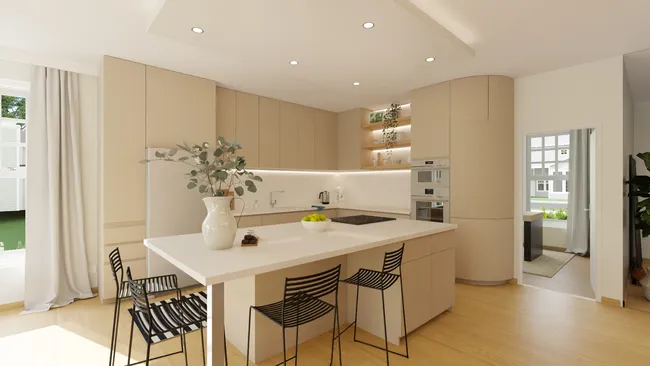
Automatic Rendering Settings
- Automatic camera angles: Cedreo sets the camera’s elevation, tilt, orientation, and focal length for you, so you capture the best viewpoint every time, with no settings to work through.
- Lighting optimized automatically: Sun orientation and brightness adjust to match your chosen environment for consistent, realistic natural light.
- Prebuilt or custom environments: Choose a background from a varied library (countryside, mountains, seaside, city, etc.) or import a photo of the property for true-to-life context.
- 2 renderings at once: No more waiting for one render to finish. Launch up to 2 renderings in parallel and keep working on your project.
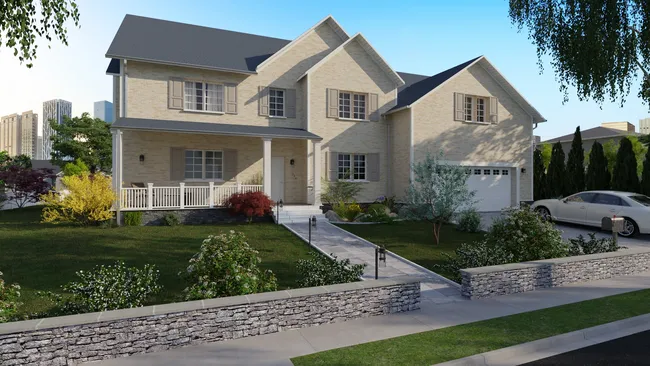
Manual Rendering Settings
- Full camera control: Adjust elevation, tilt, orientation, and focal length to capture the exact angle you want for your construction or renovation project.
- Sun management: Position the sun freely and instantly preview how light and shadows fall across the scene.
- Switch modes anytime: Jump between automatic and manual whenever you like. Let automatic mode pick the viewpoint, then fine-tune the environment or lighting as needed.
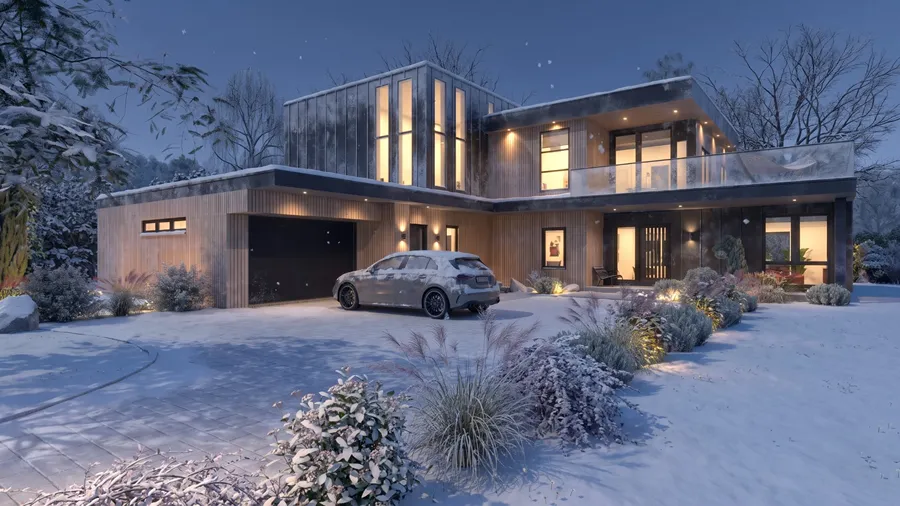
AI Effects
- Artistic styles that set you apart: Turn photorealistic renderings into watercolor, pencil, or architectural illustrations, for visuals no other rendering tools can reproduce in quite the same way.
- Lighting that adapts automatically: Pick a time of day and every light in the scene, inside and out, switches on by itself. It’s an easy way to enhance realism, with no manual setup.
- Several effects on one rendering: Combine a rendering style with a season and a time of day on the same image to create more options for client presentations.
- Effects on renderings you’ve already saved: Apply one or more AI effects to any 3D rendering from an earlier project, and each new version is saved next to the original.
Explore All Features
Give clients a clear project overview so they can easily visualize the design.
3D Furnishing
Choose from a wide selection of furniture, décor, and materials to immerse clients in their future home.
3D Floor Plans
Generate a 3D plan to view the entire layout with furnishings and décor.
Terrain Design
Use Cedreo as 3D exterior rendering software to create a site plan that matches real-world conditions and client expectations.
Project Presentations
Centralize all project information (2D plans, 3D renderings, and architectural drawings) into a single presentation document.
Examples of 3D Renderings Created with Cedreo
Cedreo 3D rendering software lets you create 3D high quality images for a variety of different projects, like new construction, renovation, additions, and commercial properties. Apply AI effects for visuals that communicate ideas, surprise clients, and help you stay ahead of the competition.
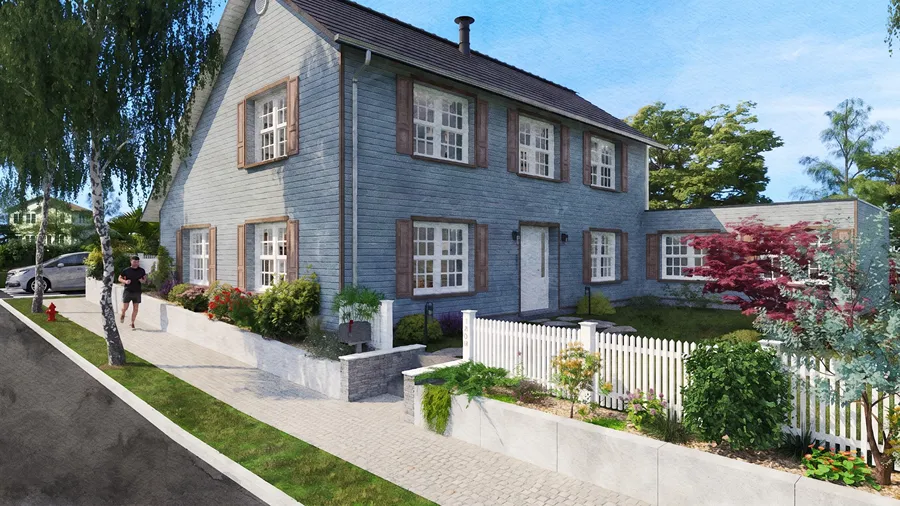
Traditional House with a Watercolor Effect
The watercolor effect turns an exterior 3D rendering into something closer to a painting. Trees, siding, and the shape of the building all take on a soft, hand-painted look that helps clients picture their life in the finished home.
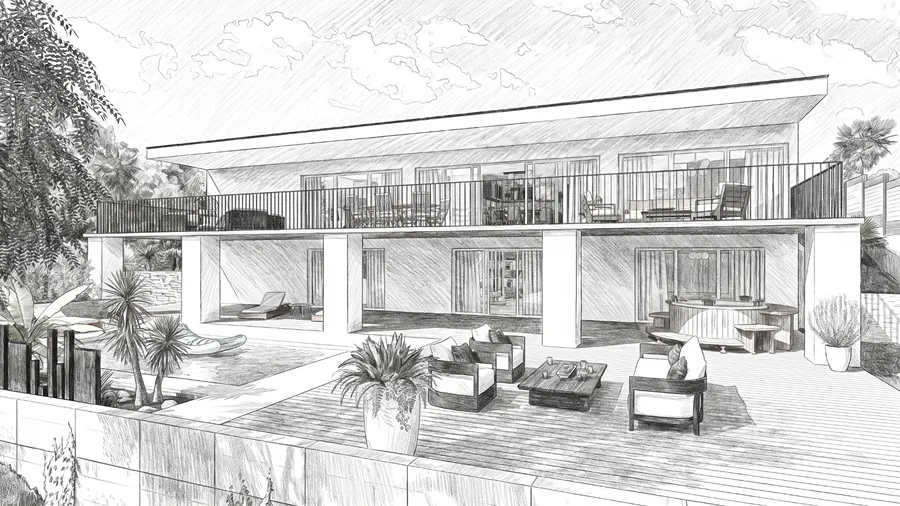
Contemporary House with a Black Pencil Effect
The black pencil effect gives your architectural design the look of a hand-drawn sketch, which works well while a project is still taking shape. It puts your ideas in front of the client at the first meeting and shows architecture that’s been carefully worked out.
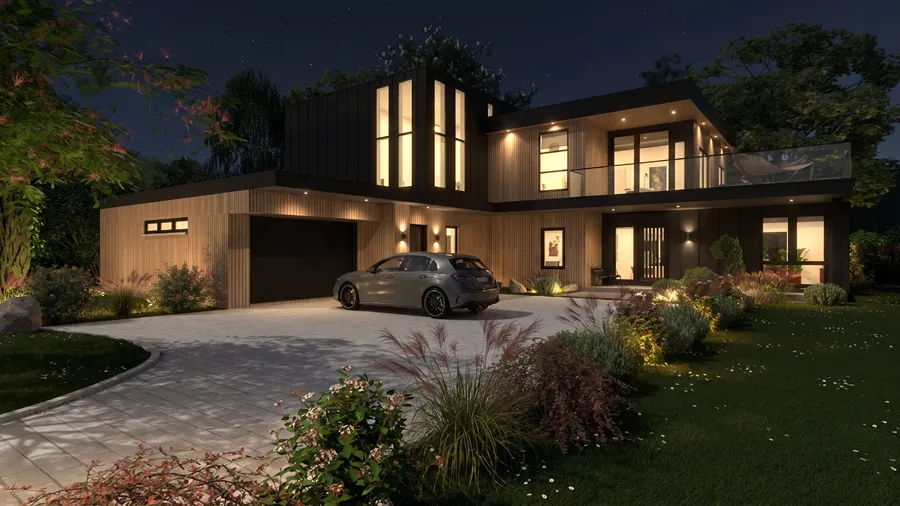
Architectural Design with a Night Effect
The night AI effect switches on every interior and exterior light for a realistic after-dark 3D rendering. It’s a convincing way to show clients how the home will look once the sun goes down.
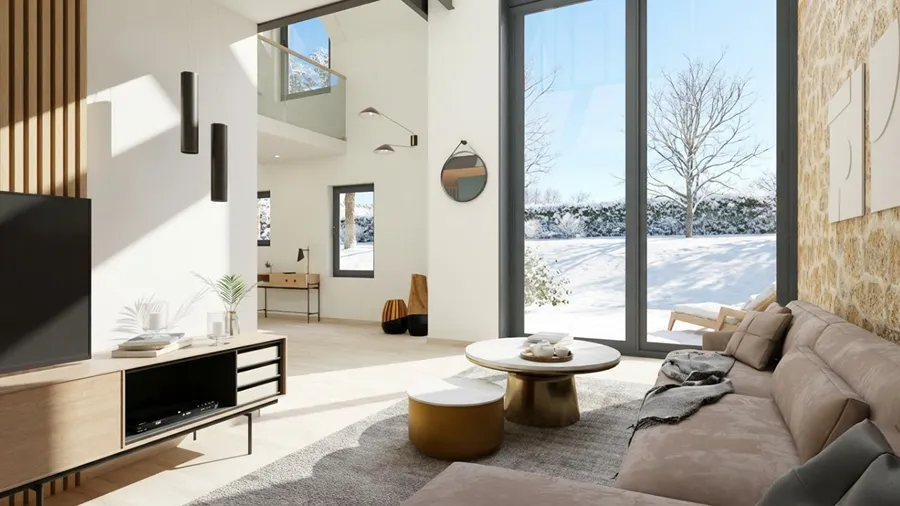
Living Room with a Sunny Winter Effect
The sunny winter effect shows the low winter sun coming through the windows of a south-facing living space. It’s a strong way to show clients why you placed the home the way you did.
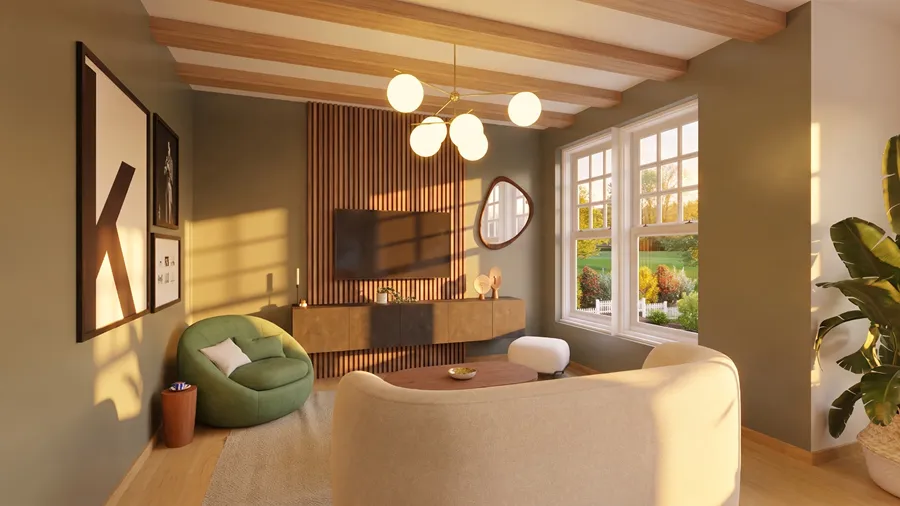
Living Room with a Sunset Effect
The sunset effect recreates the golden light at the end of the day. Lights switch on automatically for a warm, realistic interior 3D rendering that shows off living spaces and interior design choices.
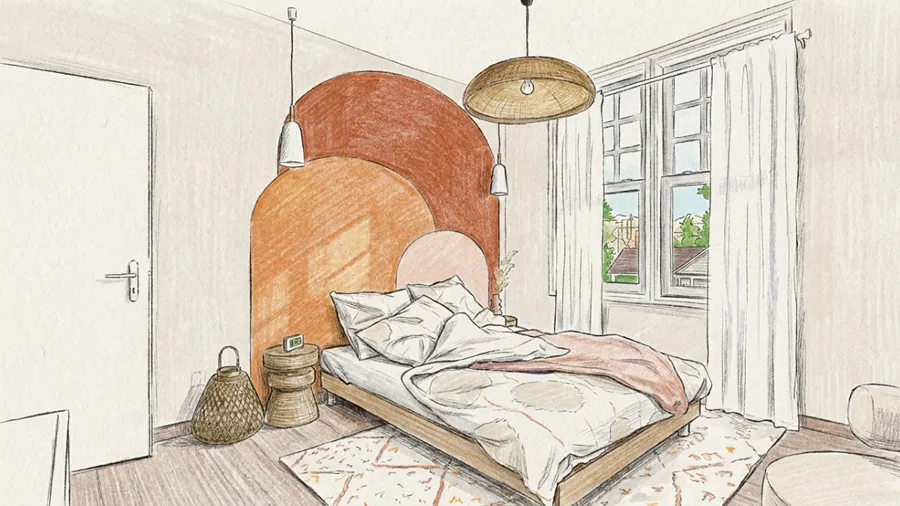
Bedroom with a Sketch Effect
The sketch style shows a bedroom the way an interior design pro would draw it by hand. The pencil rendering shows the space, the materials, and the decor choices, so your creative work gets the attention it deserves.
Frequently Asked Questions
What is 3D rendering software?
3D rendering software turns a 2D floor plan and 3D models into photorealistic images by calculating lighting accuracy, shadows, materials, and detailed textures that mimic real life.
Cedreo does that work for you with intuitive modeling tools and automatic rendering, so you get a high quality rendering fast.
Why use architectural rendering software on construction or remodeling projects?
Architectural rendering software lets you show clients a preview of the architecture, confirm materials and layouts, speed up approvals, and back up design decisions with something they can actually see.
Contractors and home builders use Cedreo to create perfectly framed, high-resolution images in minutes with a user-friendly interface and no complicated settings.
Why use 3D rendering software for interior design?
It helps designers create and show interior design ideas with detailed surface textures and realistic lighting conditions that communicate concepts to clients.
Because rendering is built into the same design process, you can swap materials, adjust the final touches, and let automatic mode pick the best interior viewpoints for you.
What types of renderings can you create with Cedreo house rendering software?
With Cedreo’s automated rendering tools you can create exterior 3D renderings, interior 3D renderings, and aerial perspectives of any project.
You can also apply AI effects to any of them to change the artistic style, the season, or the time of day.
How long does the rendering process take to go from a 3D model to photorealistic renderings with Cedreo’s rendering tools?
For an average residential project, you can go from idea to a full house plan in about 2 hours, though large or complicated projects take longer.
Fast rendering keeps things moving after that: each image takes only a few minutes, and that speed helps you iterate quickly in a client meeting.
How does rendering software allow you to present multiple versions to a client?
Cedreo saves every viewpoint automatically, so you can change furnishings or materials and create a new image from the exact same angle for a side-by-side comparison.
You can also generate 2 renderings at once, and apply AI effects to renderings you’ve already saved.
Are 3D renderings included in the Cedreo subscription or billed extra?
3D renderings are included in your Cedreo plan: 20 renderings per project if you pay by project, 40 per month on Pro, and 80 per month per user on Enterprise.
AI effects run on their own separate allowance, not on your rendering credits.
How do you optimize lighting conditions in a rendering?
How do you optimize lighting conditions in a rendering?
Depending on the software, several options may be available.
- In automatic mode, Cedreo sets the sunlight to match your chosen environment, so the lighting looks right on the very first render.
- In manual mode, you control the sun position to simulate natural light at different times of day and preview shadows in real time.
- The AI effects also simulate different times of day: pick Night or Sunset and all the lights switch on by themselves for immersive visuals.
These features create realistic renderings with balanced shadows and accurate lighting conditions.
Is there 3D rendering software for Mac?
Yes. Cedreo runs entirely in your browser, so there’s nothing to install on your Mac and no other program to buy.
Sign in from anywhere in the world to create and edit projects, which keeps work moving from concept to client approval.
Do Cedreo’s AI effects use the data from my projects?
No. Your project data is never used to train AI models, so everything you design in Cedreo stays confidential and safe.
Can you combine several AI effects on the same 3D rendering?
Yes. You can combine an artistic style like watercolor or sketch with a season and a time of day on one image, and you can apply those effects to a rendering you’ve already saved.
It’s easy to use.
But you can always count on Cedreo support.
For an even faster start, access tutorials and help articles.
Get tips to do more, faster.

“Cedreo is the perfect tool for helping people envision their projects thanks to such high-quality visuals.”