3D Home Remodeling Software
Design complete remodeling projects in 2D & 3D with a single cloud-based tool built for remodelers and home renovation professionals.
How to Use Home Renovation Software
Cedreo gives remodelers all the tools they need to start planning, visualize, and present home renovation projects…no CAD software or prior experience required!
Here’s the three-step process for creating complete home remodeling designs with Cedreo.
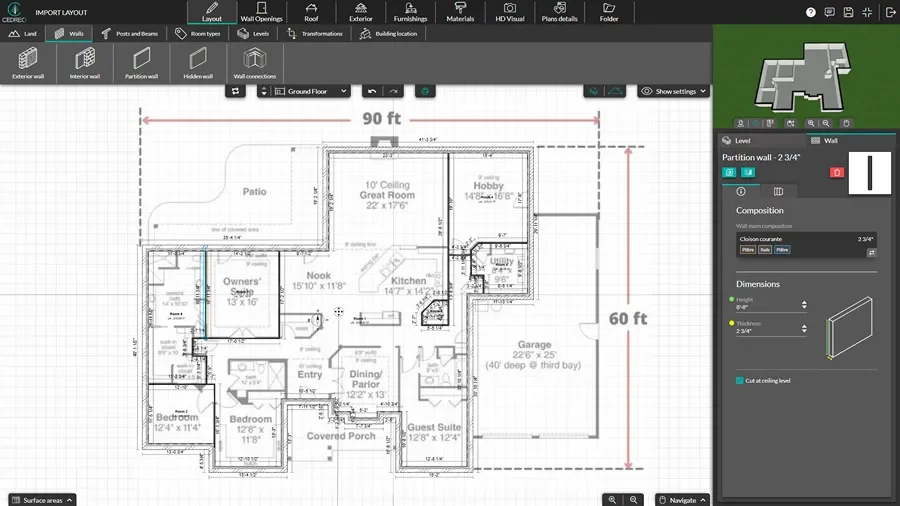
Draw the Existing Structure & New Layout
Start with detailed floor plans of the existing house so every remodel project decision is based on real dimensions and smart planning.
- Import an existing floor plan in JPG, PNG, DXF, DWG, or PDF format and trace it.
- Add a new level with one click to duplicate the walls from the level below.
- Add doors and windows from the catalog, then adjust sizes and placement.
- Do this for a single room or the entire house.
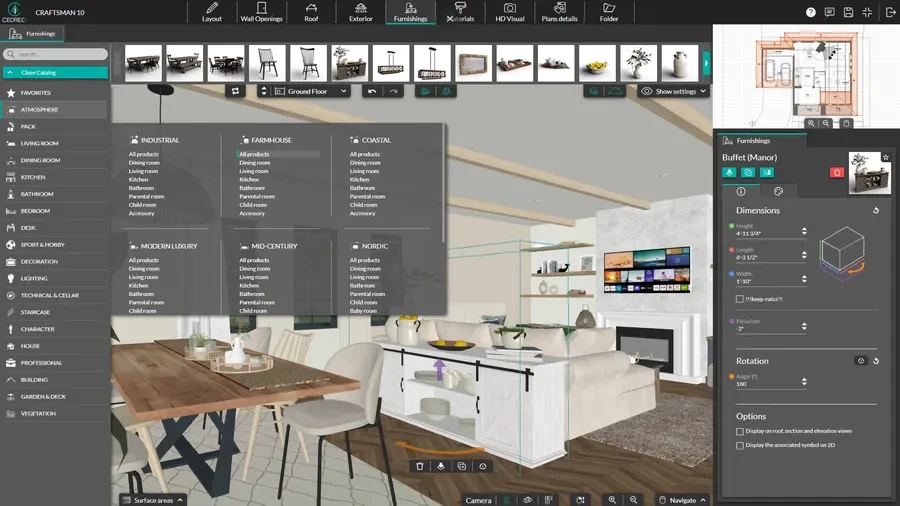
Choose Materials, Furniture & Decor
Once the new layout is set, bring the remodel project to life with finishes and furnishings that show clients exactly what the result will look like.
- Choose flooring, wall colors, tile, countertops, and other materials from the design catalog, then apply them to walls and surfaces.
- Drag and drop cabinets, appliances, lighting, and decor.
- Customize colors, finishes, and details on many items to match your client’s style and budget.
- Save different versions to compare material options and layouts without starting over.
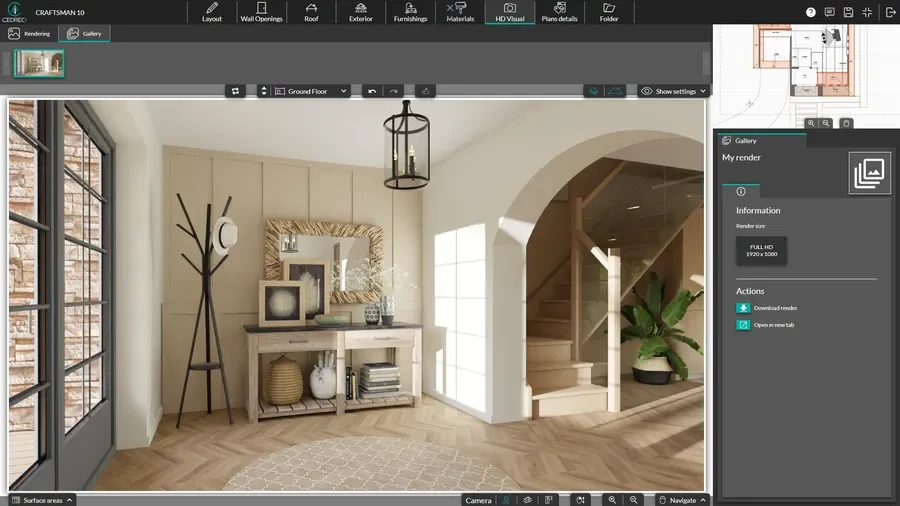
Generate 3D Renderings
When the renovation project design is ready, create photorealistic renderings that help homeowners visualize the finished result.
- Choose your background and switch to automatic mode. Cedreo selects the best viewpoints for each room and adjusts the lighting, so remodeling renderings are ready to share without manual angle or sun orientation setup.
- Run two renderings simultaneously to cut wait time in half and deliver before-and-after visuals to clients faster.
- Get stunning photorealistic 3D renderings in under 5 minutes.
- Download images or add them to project presentations within Cedreo.
2D Floor Plans for Complete Remodel Projects
A clear 2D floor plan is the foundation of every renovation project.
It helps you understand the existing structure, plan new layouts, and keep clients on the same page through the entire process.
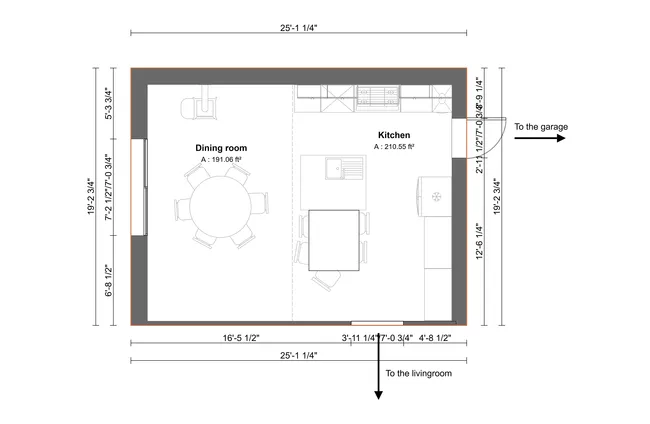
- All the key 2D details: Add symbols and annotations, include surface area summaries, then export plans to scale so your team has all the necessary info.
- Test new layouts: Quickly move walls, resize areas, and experiment with different layouts to find the best use of available square footage for your client’s home remodeling goals.
- Full plan sets: Create full sets of plans with 2D floor plans, cross-sections & elevations; site plans; and electrical plans so your team has everything they need.
- Custom notes and dimensions: Cedreo adds automatic dimensions but you can add extra dimensions along with custom annotations for clear team and client communication.
3D Floor Plans for Quick Visualization of the Renovation Project
3D floor plans help your clients see how the home renovation will look from above.
This makes planning easier, builds confidence, and helps customers approve the design faster.
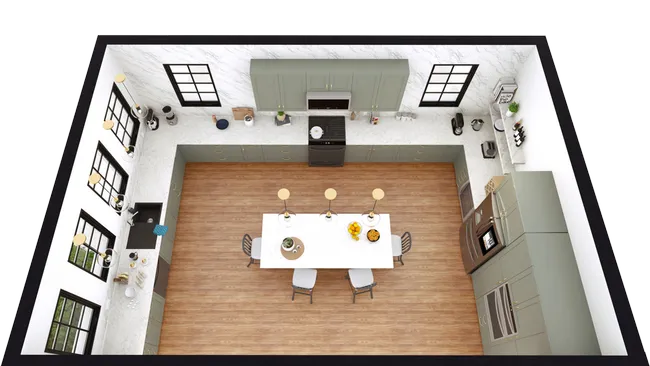
- Real-time 3D updates: Watch the 3D view update as you draw in 2D, so you can explore ideas and catch layout issues without switching between planning tools.
- Show the full picture: Present furniture placement, traffic flow, and sightlines in a fully furnished 3D view that makes the home renovation easy to understand.
- Exterior & interior: Quickly show the transition from interior to exterior spaces from above for home edition projects.
Interior 3D Renderings to Improve Client Communication
Photorealistic renderings let homeowners see the finished remodel before a single wall is touched.
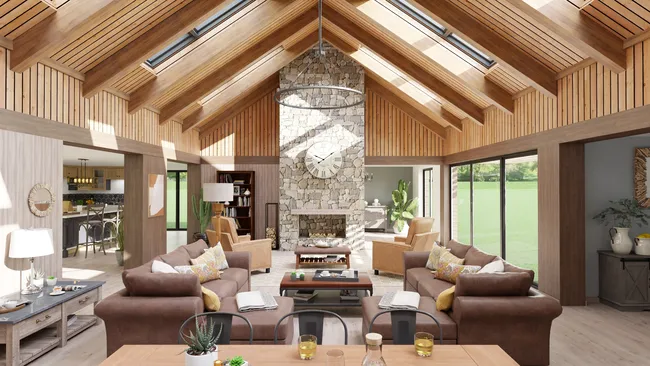
- Showcase key areas: Produce interior renderings that highlight key areas like kitchen remodeling, basement finishes, and living area transformations with realistic detail.
- Create before/after views: Viewpoints are saved automatically as soon as you create a rendering, so matching before and after images from the exact same angle are always within reach.
- Control the scene: Adjust lighting, time of day, and sun orientation manually for precise results, or use automatic mode to let Cedreo handle the setup and show each renovated area in its best light.
- Fast results: Generate high-quality images in about 5 minutes, so you can present ideas during the same meeting and keep the remodel moving forward.
Key Features Remodelers Need in Home Improvement Software
Cedreo combines powerful home remodeling tools with simple workflows so you can manage more remodel projects with less effort.
These software features make planning, drawing, and presenting ideas faster.
All Remodeling Project Types
Handle everything from a single kitchen remodel or bathroom upgrade to a full house renovation or addition, all in the same platform…no need to switch tools when the scope changes.
Viewpoints Saved Automatically
Every rendering saves its camera angle instantly so you can show clients the same view across different layouts, materials, or design options without resetting the camera each time.
Create Before & After Images
Capture the existing conditions and proposed design from matching angles so clients can see exactly what changes and why it matters.
Large Design Catalog
Choose from a huge library of 10,000+ customizable materials, doors, windows, and furniture, all organized by type and style to help you keep the design consistent.
World-Class Customer Support
Don’t settle for generic contact forms or chat bots. With Cedreo you get access to support from a real person, your dedicated success manager, along with video tutorials and a knowledgebase.
Intuitive & Easy to Learn
Start designing quickly even if you’ve never touched CAD or 3D modeling software before. After a short learning curve period most users can create complete home remodel project plans in two hours or less.
Real Designs Created With Cedreo Home Improvement Design Software
Cedreo is a versatile home remodeling software that supports everything from one room updates to whole-house renovations and additions.
Check out these examples of what remodeling professionals can create with Cedreo.
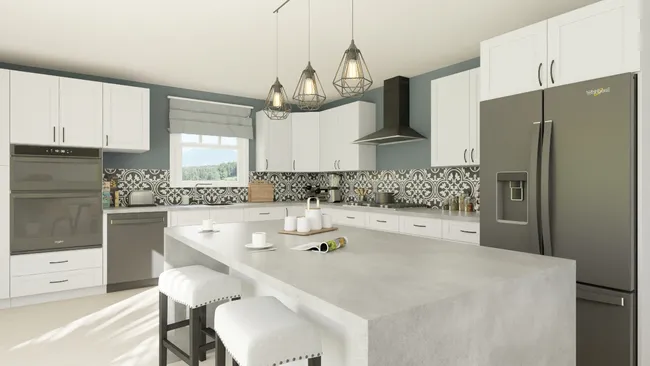
Kitchen remodel 3D rendering
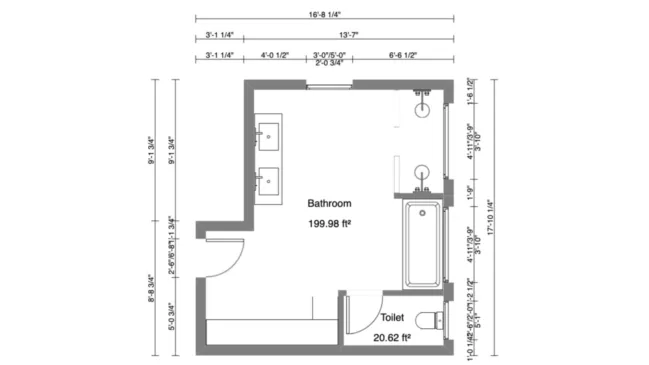
Bathroom renovation 2D plan
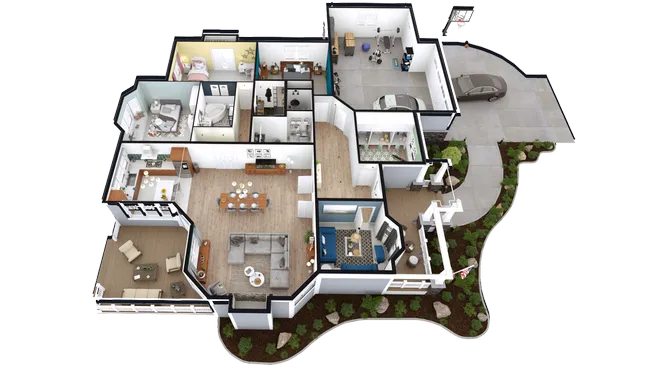
Whole-house remodel 3D floor plan
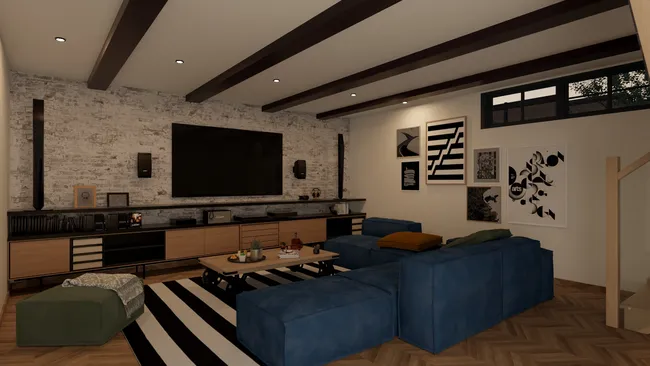
Basement finishing 3D rendering
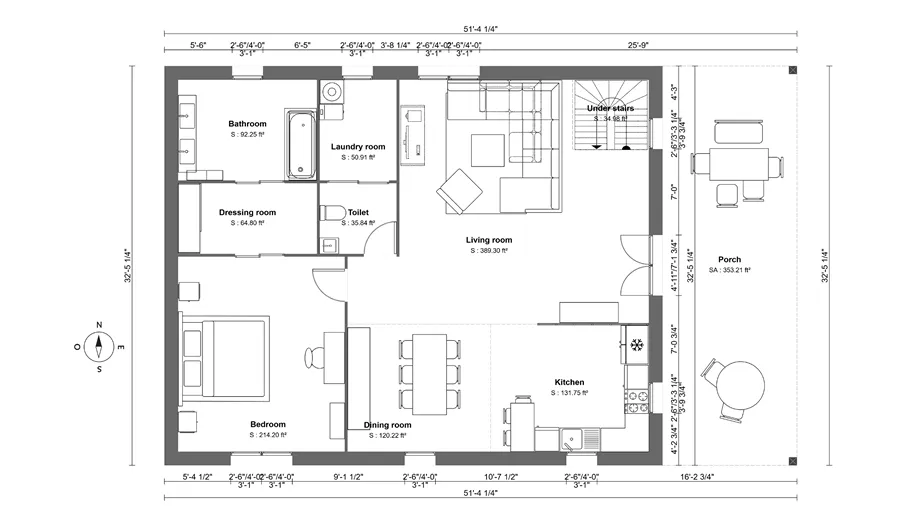
Open concept remodel layout
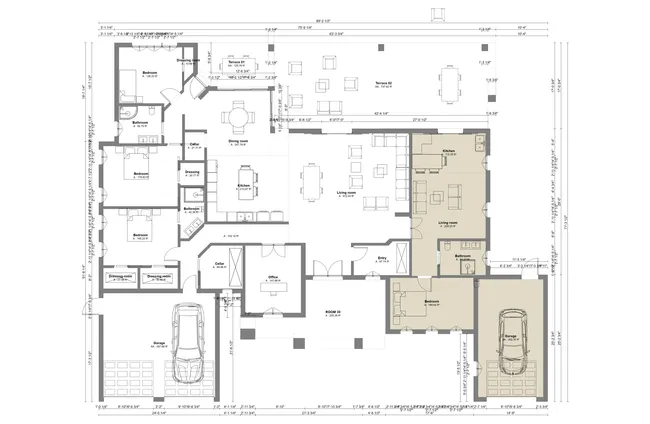
Home addition 2D floor plan
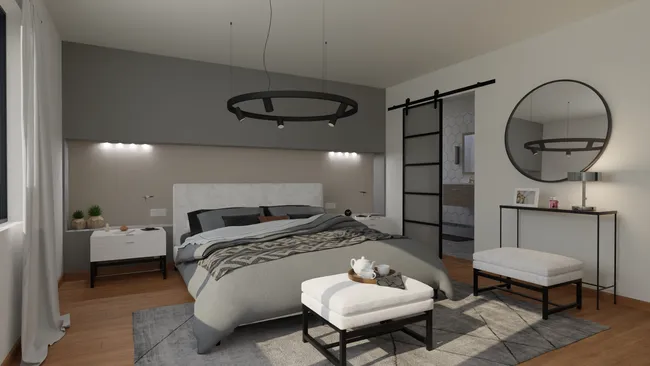
Master suite renovation rendering
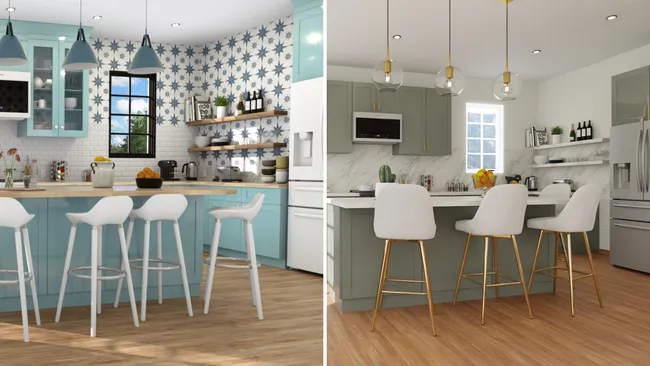
Before/after kitchen remodel
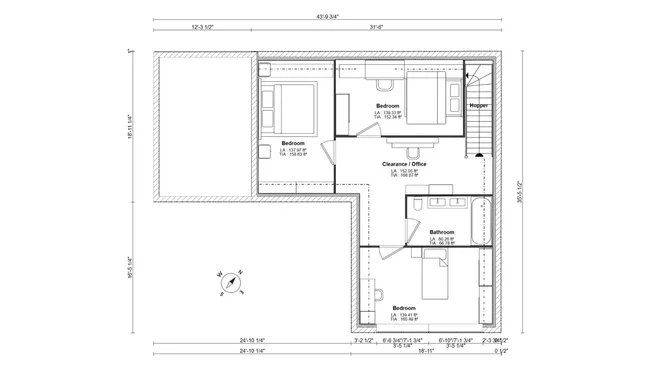
Addition floor plan
It’s easy to use.
But you can always count on Cedreo support.
For an even faster start, access tutorials and help articles.
Get tips to do more, faster.
“It produces strong renderings in 3D easy for a client to capture the essence of the design being proposed. The emphasis is on providing practical and effective tools for the conceptual design stage.”
Home Renovation and Design Software FAQs
What’s the best software for 3D remodeling projects?
The best software for 3D remodeling combines floor planning, 3D visualization, and rendering in one platform so you can manage the entire process without switching tools.
Cedreo is built for remodeling contractors and delivers 2D plans, 3D views, and photorealistic renderings from a single free-to-try cloud-based software.
Can remodeling software show before-and-after comparisons to clients?
Yes. Cedreo automatically saves viewpoints as soon as you create a rendering, so you can generate matching before and after images from the exact same angle. This helps homeowners see the value of the renovation project and speeds up approval.
How do you import existing floor plans into remodeling software?
In Cedreo home renovation design software, you can import existing floor plans in JPG, PNG, PDF, DWG, or DXF format and trace over them to capture accurate dimensions.
This saves drawing time and keeps your remodel project aligned with the property’s true walls and layout.
What types of remodeling can you design (kitchens, bathrooms, additions)?
Cedreo supports kitchen remodeling, bathroom renovations, basement finishes, additions, and full house remodels.
Whether you’re planning one area or an entire home renovation, the software adapts to your needs.
Can remodeling software calculate added square footage for additions?
Yes, Cedreo automatically calculates surface areas as you draw, so you can see added square footage in real time.
This is helpful for project management, cost planning, and communicating scope to customers.
How long does it take to create a renovation project with 3D visualization?
Most remodeling professionals create a complete design with floor plans, furnished spaces, and photorealistic renderings in about 2 hours.
Cedreo remodeling software for contractors is built for busy professionals with intuitive tools to keep the planning process fast, even for users with no prior experience in 3D design.
Can remodeling software handle second-story addition projects?
Yes, Cedreo supports multi-story home design, so you can plan second-story additions with accurate floor plans and 3D views for each level.
The planning and drawing tools make it easy to show how the new construction connects to the existing house.
Can remodeling software show exterior changes (new siding, windows, roof)?
Yes, software like Cedreo includes exterior design features that let you upgrade siding, windows, roofing, walls, and other exterior materials.
Generate exterior 3D renderings to show clients how the outside of the house will look after the home renovation is complete.