Contractor Software for Home Design
From the first floor plan to photorealistic 3D visuals, design and sell construction and remodeling projects in hours with Cedreo’s home design software for contractors.
How Contractors Use Cedreo to Design and Close Projects Faster
Cedreo’s platform compresses the design-to-proposal cycle into three steps, with no CAD background needed.
It’s a simple system that helps contractors save time, streamline the sales process, and close more jobs for their business.
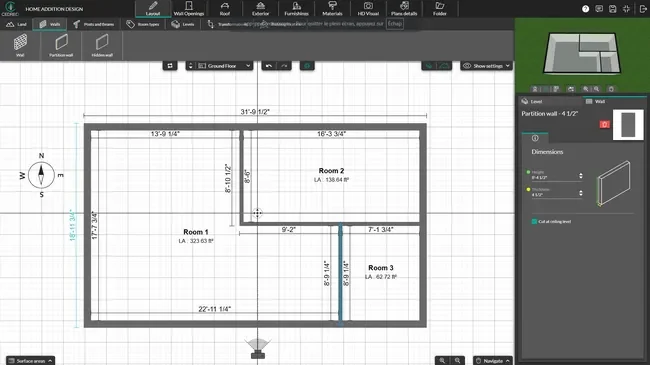
Draw the House Plans & Model the Terrain
Draw the building floor plan and the site around it so key dimensions are locked in from the start.
- Import existing plans in JPG, PNG, PDF, DWG, or DXF formats and trace over them to get your starting layout.
- Finish the floor plan by drawing interior and exterior walls, then add doors, windows, and stairs from the built-in catalog.
- Set boundaries, model terrain slopes, and place driveways, walkways, and landscaping to create the site plan.
- Specify room labels, dimensions, and a surface area table that updates as walls move.
Visualize the Project in 3D
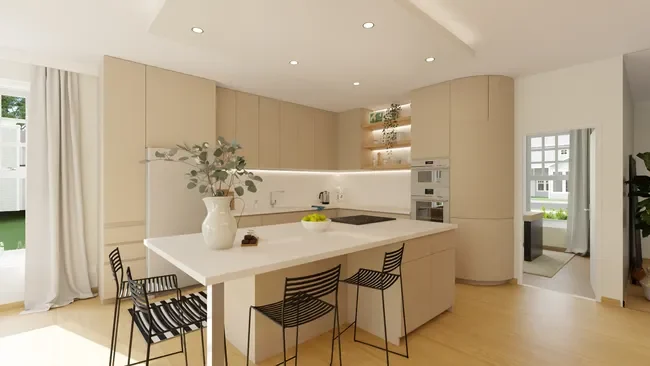
Furnish the design in 3D so the customer can walk through the finished build before any work starts on site.
- Watch the 3D model build itself in real time as you draw the 2D plan, with no separate conversion step.
- Apply siding, roofing, paint, flooring, tile, and countertop finishes from a wide built-in library.
- Drag and drop cabinets, appliances, fixtures, and furniture from the design library.
Generate photorealistic interior and exterior 3D renderings in about 5 minutes, with day or evening lighting.
Build Proposals That Win Jobs
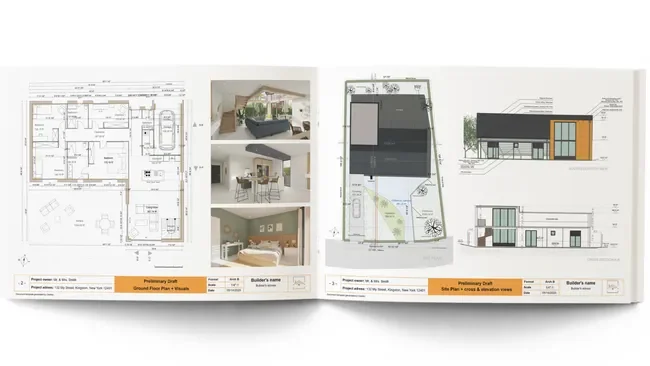
Bundle the plans, renderings, and project details into a branded proposal that helps clients say yes the first time.
- Add floor plans, the site plan, interior and exterior 3D views, elevations, cross-sections, and surface area tables.
- Include text notes to clarify details.
- Download the finished proposal as a PDF you can email or print.
Floor Plans Built for Construction & Remodeling Projects
Cedreo produces core drawings most construction and remodeling jobs actually need.
Getting these right from the start leads to projects that are easier to manage.
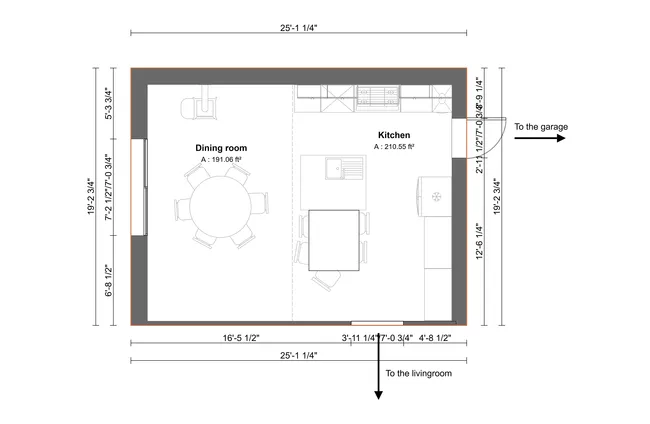
- 2D plans with full detail: Show furniture, fixture, and appliance symbols as well as dimensions, surface areas, and a compass to show building orientation.
- 3D floor plans: Generate a top-down 3D rendering that shows the entire layout with furnishings, materials, and colors. Choose a white background when the exterior isn’t part of the story, which works great for apartments or interior-only projects.
- Electrical layouts: Drop outlets, switches, panels, and lighting symbols directly on the floor plan.
- Automatic square footage reports: Cedreo tallies square footage by room, level, and use. Figures update in real-time the moment walls move, which kills spreadsheet recalculations and keeps you from doing double the work.
Technical Plans (Site, Elevations, Sections)
Once the floor plan is set, layer in the technical drawings your customers all need.
Cedreo handles the views that explain the build, not just the layout.
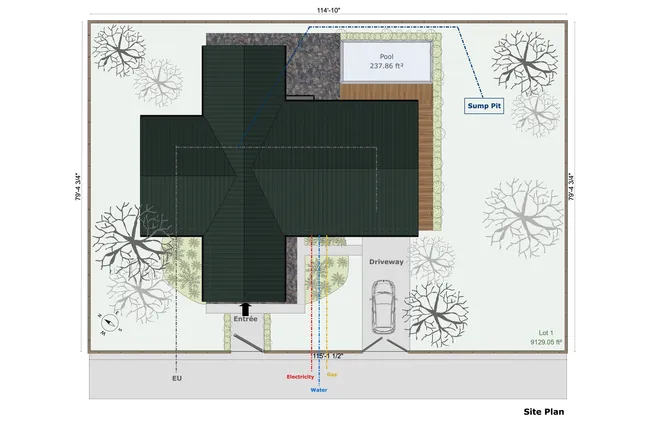
- Site plans in context: Show the building footprint inside its real lot with setbacks, driveways, walkways, and grade changes.
- Cross-section cuts: Slice through the building anywhere you want to expose framing depth, ceiling heights, stair runs, and roof pitch in a single view. The same cut shows the site grade and ground elevation next to the house.
- Side-by-side elevations: Generate the front, back, and side elevations in one click and visualize the house with doors&windows, materials, and landscape items.
- Notes where they matter: Drop callouts, custom dimensions, and trade-specific notes straight onto the drawings to flag details.
Proposals That Help Contractors Win Bids
Most homeowners can’t read a flat 2D plan, so contractors use photorealistic 3D renderings inside the proposal to show clients exactly what they’re buying.
That visual clarity is what separates a bid that gets shopped from a bid that gets signed.

- Sell the finished look: Showcase the actual finishes (cabinet color, flooring, exterior siding, roof material) in lifelike detail.
- Show the home on their lot: Upload and insert a custom background image into an exterior rendering so customers see their future home in the right setting.
- Compare options side by side: Present two or three finish or layout options as matched renderings so clients can choose confidently in one meeting.
- Branded proposal templates: Set up the branded proposal once with your logo, cover image, and standard sections, then duplicate the project for the next job so you’re never building a new proposal from scratch.
Key Features General Contractors Need in One Platform
Cedreo pairs serious design features with a workflow simple enough that the whole team actually uses it.
Every key feature of the system is built around one goal: give contractors the tools to streamline their idea to proposal pipeline, win more bids, and manage multiple jobs with fewer errors.
Import Existing Plans in DWG, DXF, or PDF and Draw
Bring in blueprints in JPG, PNG, PDF, DWG, or DXF and trace over them, which saves time for any user and keeps every new design lined up with the real property.
Export and Share Plans to Scale With Your Entire Project Team
Print or export every plan to scale so general contractors, subs, and vendors all work from the same page with matching dimensions and data.
Manage Every Project Drawing in One Cloud-Based Tool
Floor plans, site plans, electrical layouts, cross sections, elevations, and 3D renderings all live in one Cedreo project. That means no more chasing the wrong revision, and better document management.
Photorealistic 3D Renderings, Automatically Optimized
Switch to automatic rendering mode and Cedreo instantly selects the best camera angles and sunlight setup for every room. That means every visual you send to clients is polished and ready to impress, with no manual adjustments needed.
Access Your Plans From the Office, the Job Site, or Anywhere
Cedreo runs in the browser on any computer with an internet connection, so you pull up the same live project, with no installs.
Most Contractors Complete Their First Project Within a Few Hours
Most contractors finish their first complete project within a few hours of logging in, even with no CAD background. The software starts paying off on the next bid, giving every user a fast path to project management gains.
How Contractors Use Cedreo to Win Projects and Grow Their Business
Cedreo handles the full mix of work general contractors and specialty contractors take on, from new builds and additions to whole-home remodels and light commercial fit-outs.
Here’s a sample of the plans, drawings, and renderings contractors pull out of Cedreo to win jobs and keep the business moving.
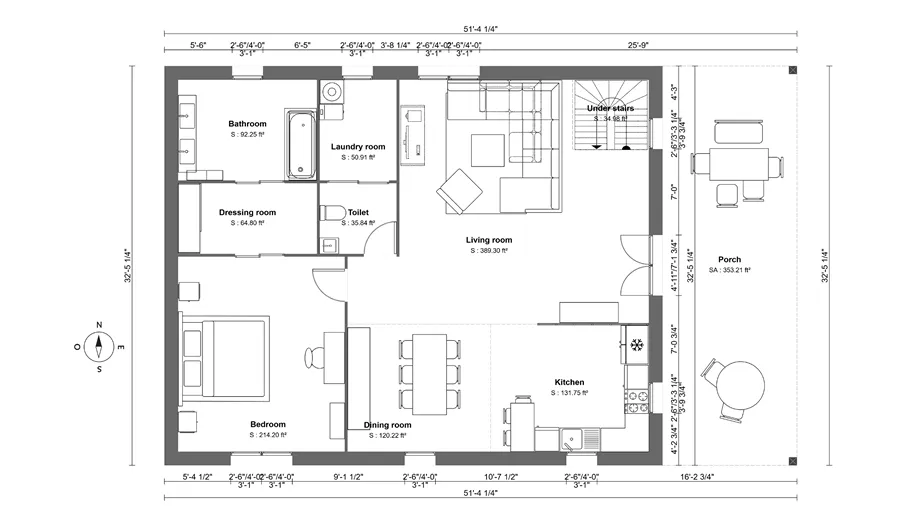
Whole-home remodel floor plan
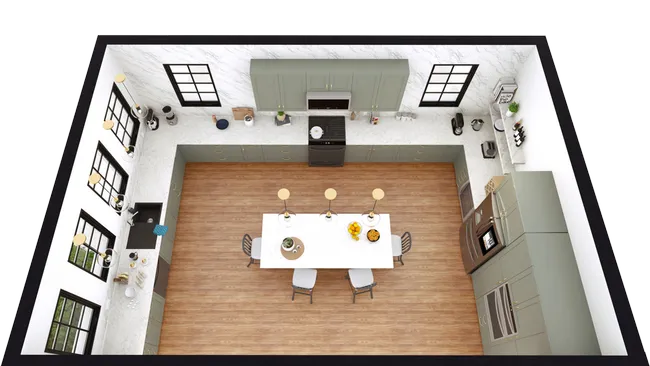
Kitchen addition 3D layout
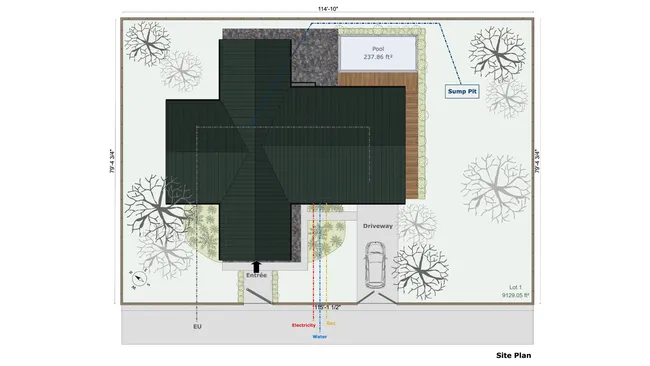
New construction site plan
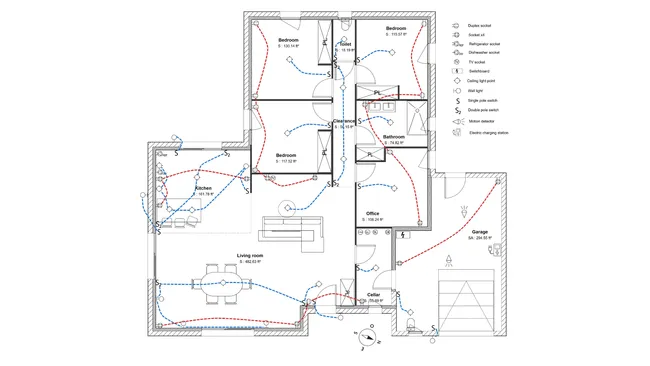
Electrical plan of a single-story house
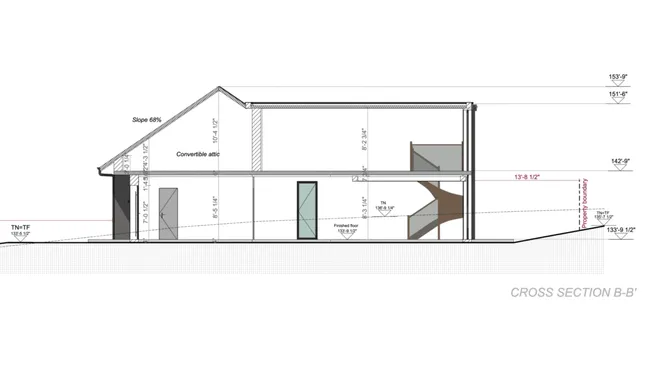
Two-story addition cross section
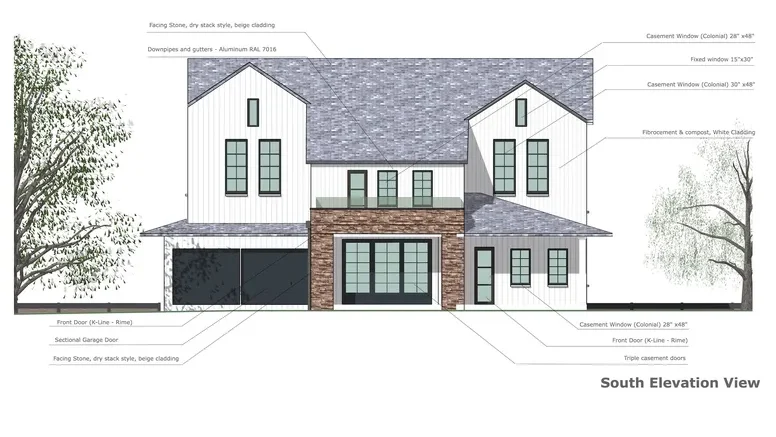
Front elevation with finishes
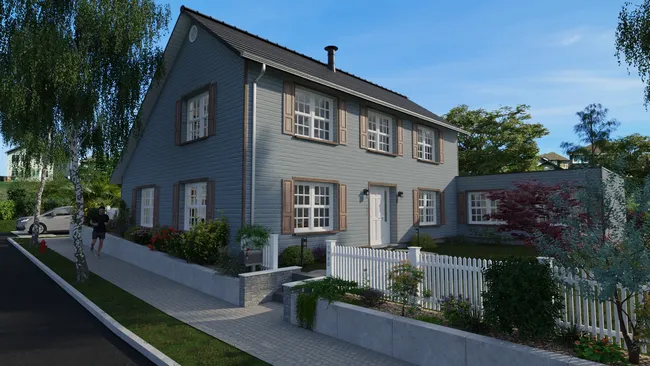
Exterior remodel 3D rendering
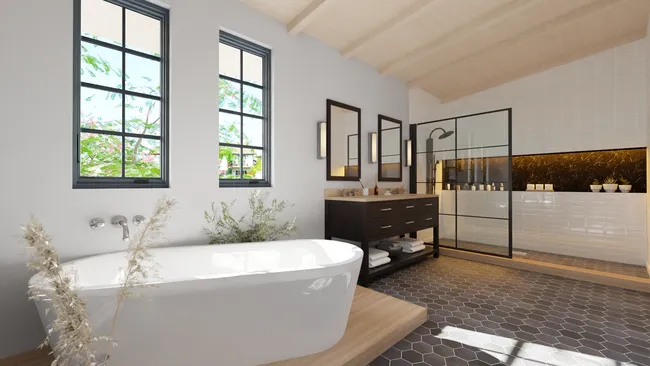
Bathroom remodel 3D rendering
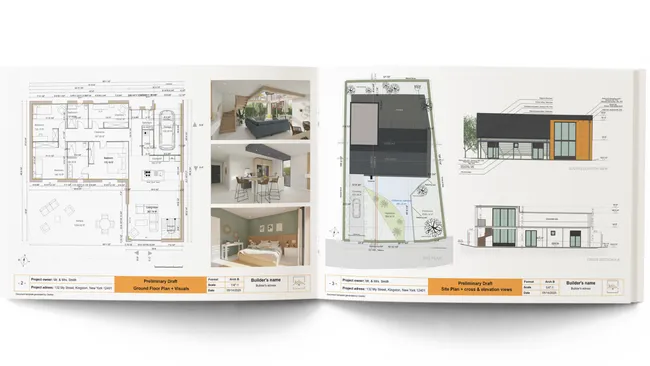
Branded contractor proposal
It’s easy to use.
But you can always count on Cedreo support.
For an even faster start, access tutorials and help articles.
Get tips to do more, faster.
“Best floorplan and design software for Contractors. As a designer and contractor, I can layout homes on plats to layout homes. I can generate detailed rendering to clients myself. ”
Software for Contractors FAQs
What is contractor software?
Contractor software is a digital tool that helps contractors run the design, sales, and management processes of their business.
Cedreo combines design and presentation features in one platform so contractors can move from concept to signed contract faster.
What’s the best home design software for remodeling contractors?
The best design software for remodeling contractors combines floor plans, 3D visualization, and branded proposals without a steep CAD learning curve.
Cedreo is built with features for that exact workflow, so remodelers can show before-and-after visuals and close jobs faster.
How fast can contractors learn Cedreo vs. competitor tools?
Most contractors are productive in Cedreo within hours, not the days or weeks that CAD-based tools usually require.
The easy-to-use interface skips the technical learning curve, improves efficiency, and gets any user on the team designing right away.
Can general contractors use home design software without CAD experience?
Yes. Cedreo is built for construction pros with no CAD or architecture background, so general contractors and their teams can start producing professional plans without specialized training.
What should general contractors look for in construction software?
Look for software that combines 2D plans, 3D renderings, and branded proposals in one system, plus cloud access from the office or job site.
Strong customer support and a short learning curve also matter, since they affect how quickly users can become productive with the platform.
Is Cedreo good for contractors who manage multiple construction projects?
Yes. Cedreo lets contractors store, duplicate, and revisit projects in the cloud, so it’s easy to have document management control without losing track of files.
That makes it a strong fit for contractors in the construction industry juggling several builds or remodels at once.
What types of projects can general contractors design with Cedreo?
Cedreo software for construction contractors handles new builds, additions, kitchen and bath remodels, basement finishes, garages, ADUs, barndominiums, and light commercial fit-outs.
The same workflow covers most projects general and specialty contractors see in a year.
What construction drawings can contractors create with Cedreo?
Contractors can create 2D floor plans, site plans, electrical plans, cross sections, elevation views, surface area tables, and 3D floor plans inside Cedreo.
All of those drawings auto-update when the underlying floor plan changes.
How does Cedreo help contractors with client communication?
Cedreo provides for better client communication by giving users a system for creating 3D visuals and detailed project presentations, so clients see exactly what they’re getting instead of guessing from a 2D plan.
That clarity is the key to project success: it cuts back-and-forth on change orders, eliminates missed expectations, and does it without paying for more features across separate tools.
Is Cedreo a good contractor software for small businesses?
Yes. Cedreo is contractor software for small business operators who need professional design output without hiring a drafter or learning CAD.
How do contractors create professional proposals that win more bids?
Contractors create winning proposals by combining branded 2D plans, photorealistic 3D renderings, and surface area tables in one document the client can actually understand.
Use Cedreo as contractor proposal software to bundle all of that into a downloadable PDF so the proposal looks polished and consistent.
What are the best apps for contractors design-driven sales?
The best apps for contractors focused on design-driven sales pair photorealistic 3D renderings with branded presentation documents to help customers visualize the finished project.
Cedreo is built for that approach, which is why so many contractors use it to close more jobs.