House Flipping Design Software
From first floor plan to photorealistic 3D visuals, design profitable house flips in hours with Cedreo’s house flipping design software.
How to Use Design Software for Flipping Houses
Cedreo keeps your flip projects simple, even if you’re new to home or interior design. Follow this three-step process to create complete designs for flipping houses.
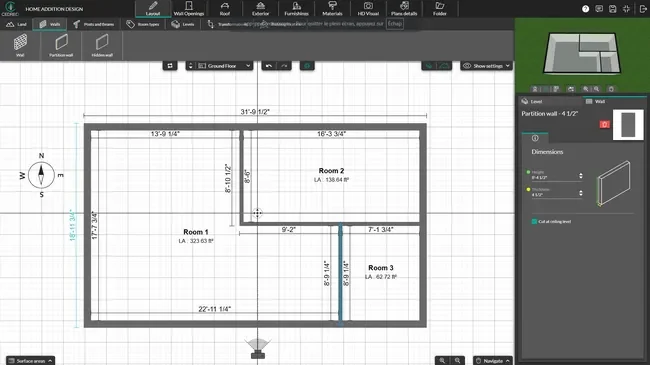
Draw the Flip Floor Plan
Start with an accurate floor plan so every room, wall, and opening supports your house flipping goals.
- Import an existing sketch or floor plan and trace it to keep accurate dimensions.
- Fix awkward layouts by moving walls, resizing rooms, and opening cramped spaces in minutes.
- Test different kitchen, living, bedroom, and bath layouts so the flip flows better for buyers.
- Add doors, windows, and stairs and get instant measurements and areas for better project tracking.
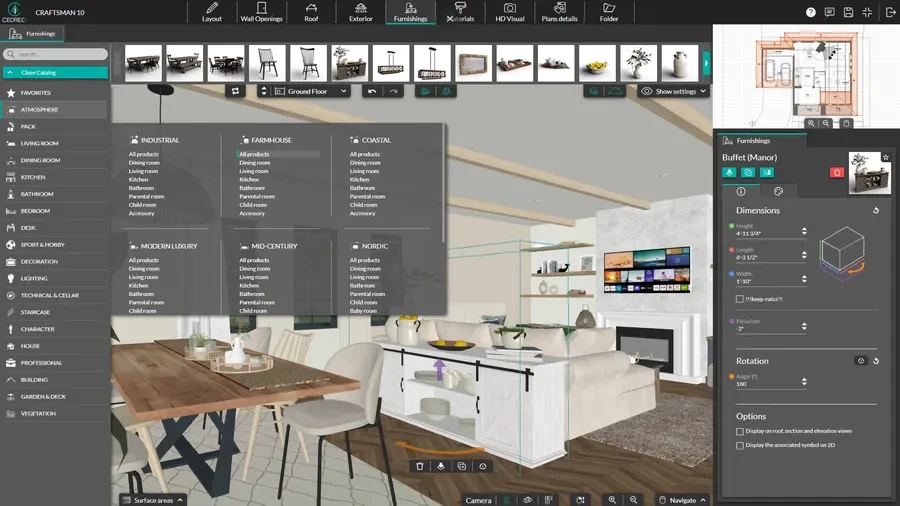
Plan Finishes & Interior Design
Use Cedreo’s extensive library to plan interiors that match your target buyers and budget.
- Choose flooring, paint, tile, and exterior materials so the property stands out in your market.
- Drag and drop cabinets, appliances, lighting, and furniture to build a complete interior for each room.
- Test multiple materials and finishes to balance cost, profit, and buyer appeal before you order anything.
- Save plan versions to compare cosmetic flips with deeper remodels inside the same project.
See the Finished House in 3D
Turn your plans into photorealistic renderings that help you market the flip and keep your contractors aligned.
- Generate interior and exterior views in a few clicks to see the finished home from any angle.
- Adjust lighting and time of day to create curb appeal shots that look like listing photos.
- Save viewpoints to build before and after visuals that show the transformation to investors and buyers.
- Export images for listings, social media, email, and presentations from the same web app.

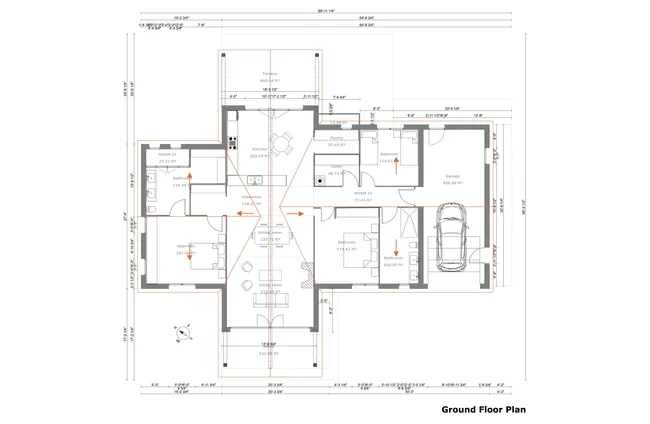
2D Floor Plans for Flip Projects
A clear 2D floor plan helps you understand the property, estimate costs, and manage contractors. With Cedreo, you can create 2D layouts that support real estate investing decisions and project management.
- Import existing plans: Trace blueprints or seller plans in minutes instead of redrawing from scratch.
- Clear room details: Show room names, dimensions, and surface areas to make cost breakdowns and budget planning easier.
- Trade-friendly symbols: Add symbols for fixtures and openings so every contractor sees the same plan and avoids mistakes.
- Electrical plan: Add outlets, switches, and lighting fixtures to scope electrical work fast.
3D Floor Plans for Flipping Houses
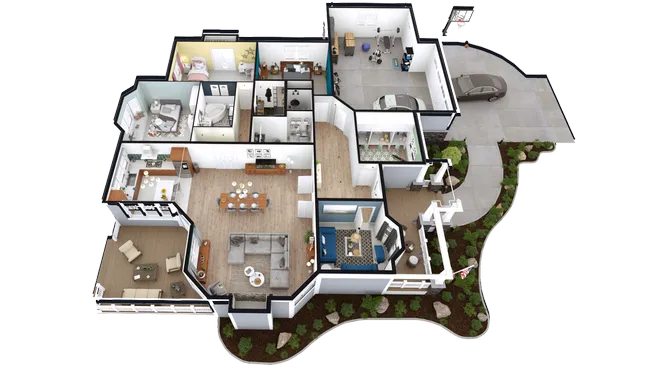
3D floor plans give you and your investors a deeper understanding of how the flip will feel once it is complete. Cedreo automatically turns your 2D floor plan into a 3D model that you can furnish and refine in real time.
- Bird’s-eye overview: Explore the home from above to check traffic flow, sightlines, and natural light in each room.
- Layout comparisons: Compare layout options side by side to pick the best value design for your buyers and budget.
- Issue detection: Use fully furnished 3D views to spot design problems early and prevent costly changes on site.
Interior 3D Renderings That Sell Flips
Photorealistic renderings make your flip look like it is already finished, even when the property is still under construction. Cedreo helps you create marketing-ready images that support your sales strategy.
- Key room highlights: Produce interior renderings that showcase kitchens, living rooms, and primary suites in your listings.
- Realistic staging: Stage each room with realistic furniture and decor so buyers can picture life in the home.
- Style options: Create multiple versions of the same room to test styles and price points for your real estate investors.
- Sales presentations: Combine interior and exterior renderings into presentation documents that help you win leads and close deals faster.
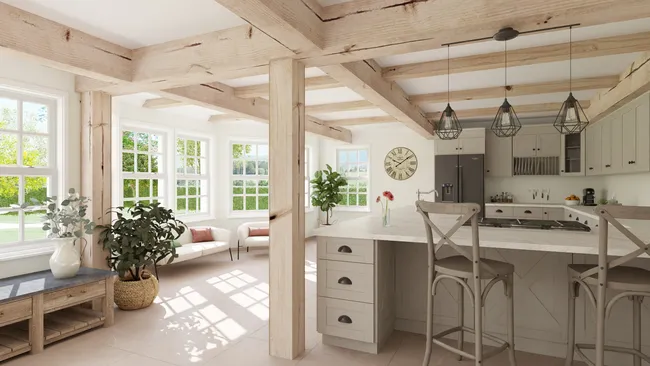
Top Features of this House Flipping Design Software
Cedreo combines powerful home design tools with simple workflows so you can manage more flip projects with less effort.
Import and Update Existing Plans
Import existing sketches, blueprints, or floor plans in JPEG, PNG, PDF DWG or DXF, trace them to keep precise dimensions, and update layouts as walls, rooms, or openings change.
Save Viewpoints to Compare Layouts
Save key camera angles so you can compare different layouts, finishes, and staging ideas with the exact same view.
Create Before / After Views
Show the transformation of each property with clear before and after views that highlight the value you add for buyers and investors.
Professional Presentation Documents
Combine 2D and 3D floor plans with photorealistic renderings and key project details so buyers, lenders, and contractors have everything they need in one document with your brand identity.
World-Class Support
Rely on a dedicated success manager, a knowledgeable support team, tutorials, and learning resources that help your projects stay on track.
Easy to Learn
Get up to speed quickly with intuitive tools and workflows that let house flippers design complete projects without a CAD background.
House Flipping Project Examples Created with Cedreo
Cedreo helps you design a wide range of house flipping projects, from simple cosmetic updates to full gut renovations. Here are just a few example projects you can create with Cedreo’s house flipping software.
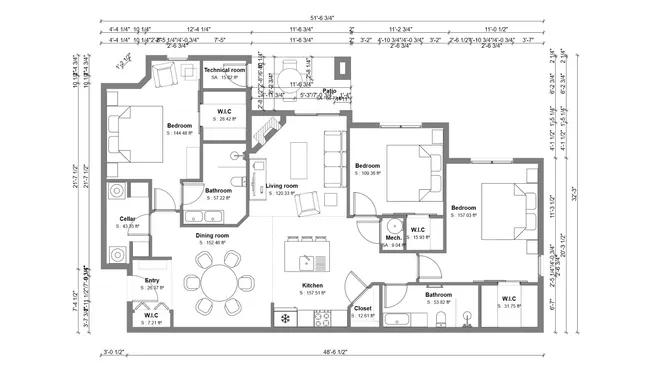
Existing Conditions Floor Plan
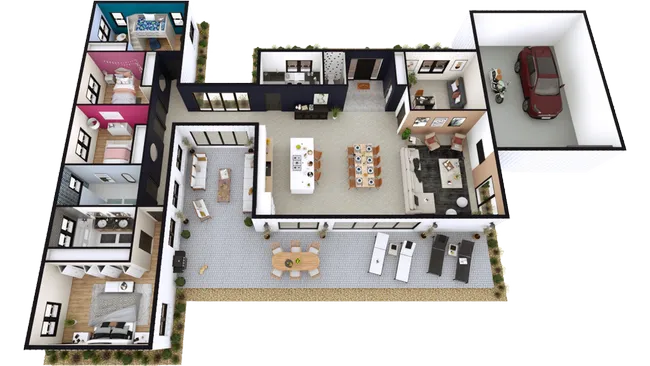
Ranch 3D Floor Plan
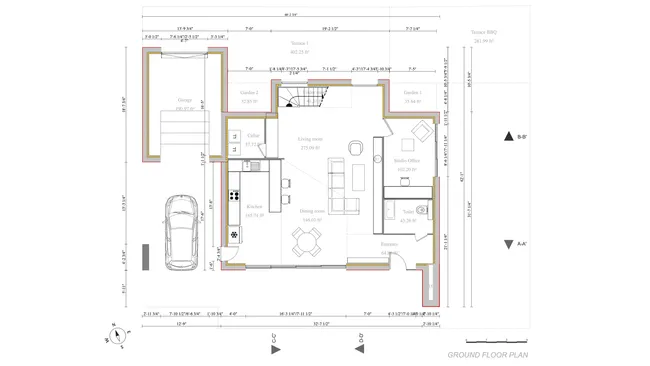
Craftsman Remodel Floor Plan
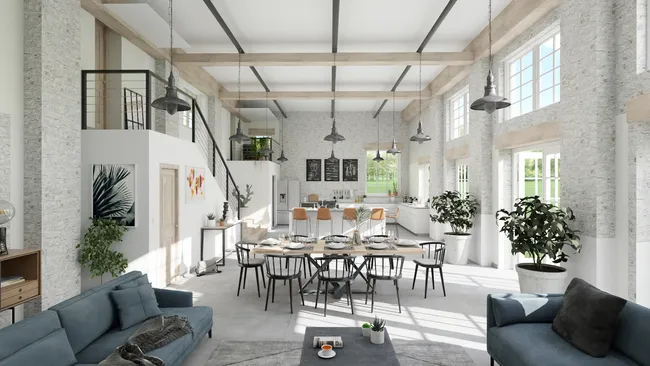
Open Concept Layout
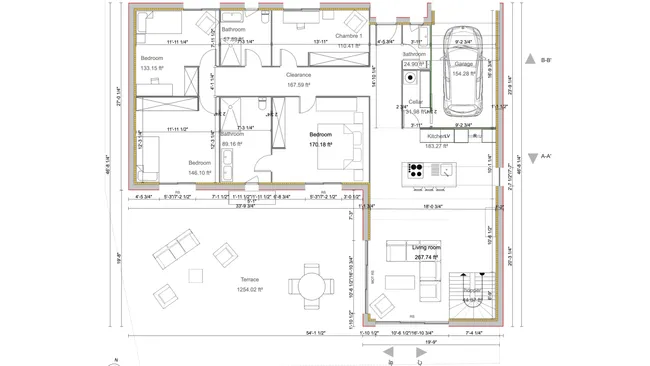
Duplex Flip Plan

Livingroom Remodel
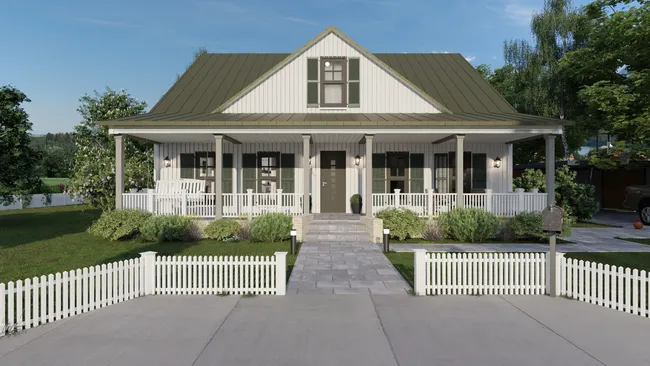
Modern Farmhouse Remodel

Exterior Curb Appeal Images
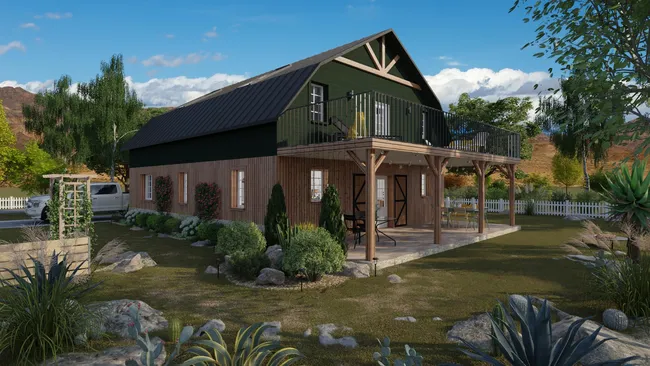
Barndominium Flip
It’s easy to use.
But you can always count on Cedreo support.
For an even faster start, access tutorials and help articles.
Get tips to do more, faster.
Read What our Happy Customers Say About Cedreo
“Great Software at a Great Price”
“The greatest benefit has been to allow our clients to visualize their projects.”
“Excellent Software”
“The 3D renderings that came out from the software were phenomenal!”
House Flipping Design Software FAQs
What deliverables can I generate to help sell properties I am flipping and communicate with my contractors?
Generate 2D floor plans, 3D floor plans, and photorealistic renderings, then organize them into presentation documents for buyers, lenders, and contractors.
These deliverables support deal analysis and project management and help you market each property more effectively to potential buyers in your real estate market.
Can I import an existing sketch, blueprint, or floor plan into the software for my house flipping project in Cedreo?
Yes, you can import existing floor plans in common image and CAD formats and trace over them inside Cedreo’s home flipping software.
This avoids time consuming redraws and keeps your new flip design aligned with the property’s true dimensions.
I’m a flipper, not an interior designer. How easy is Cedreo to learn and use?
Cedreo is built for contractors, remodelers, and real estate investors who do not necessarily have a design background but still need professional home design tools.
Most house flippers create complete projects in just a few hours, stay organized, and run a more efficient business thanks to Cedreo’s intuitive workflows.
Can I easily test and compare different flipping options before starting construction?
Yes, you can duplicate projects, save multiple versions, and switch materials, layouts, and furnishings without redrawing from scratch.
This makes it easier to compare costs, profitability, and almost all financial aspects for different flip scenarios using your own real estate data.
How quickly can I go from an existing floor plan to a finalized, marketing ready presentation with Cedreo?
In many cases, real estate professionals create a new layout, furnish the home, and generate presentation documents for the flip in a few hours
Because Cedreo combines 3D views and renderings in one system, you streamline your process and spend less time wrestling with software.
How does Cedreo help me sell flips faster and at higher prices?
By combining clear plans, realistic 3D visuals, and organized presentations, this house flipping software helps buyers and investors say yes sooner.
You show potential buyers the full value of each property, improve customer satisfaction, and support the higher asking prices your finished flip deserves.