3D Interior Design Software
Show clients your interior design plans in stunning 3D detail and accelerate the approval process.
How to Use Professional Interior Design Software
Cedreo has all the tools interior designers need to create a complete proposal…no CAD software or extensions required!
Here’s how to create and edit all of your projects in our cloud-based platform.
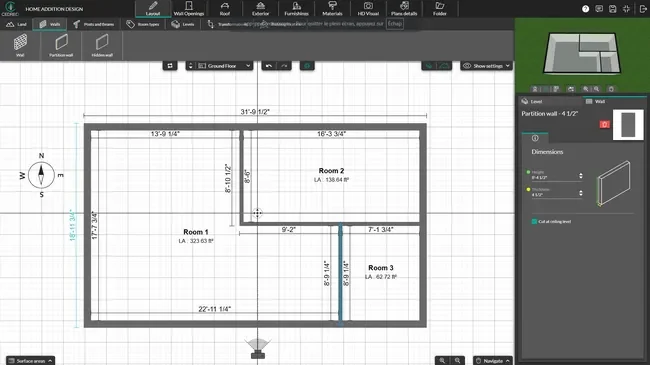
Draw the Room
Start with accurate floor plans so your space planning decisions (like traffic flow and clearances) hold up in real life.
- Import and trace over JPG, PNG, DWG, DXF or PDF files when you need to match an existing layout fast.
- Draw exterior and interior walls with intuitive drawing tools.
- Add doors and windows from the catalog, then adjust sizes and placement.
- Watch the 3D view update as you edit in 2D, or switch to a larger 3D view when you want to focus on the space
- Label rooms and add key dimensions.
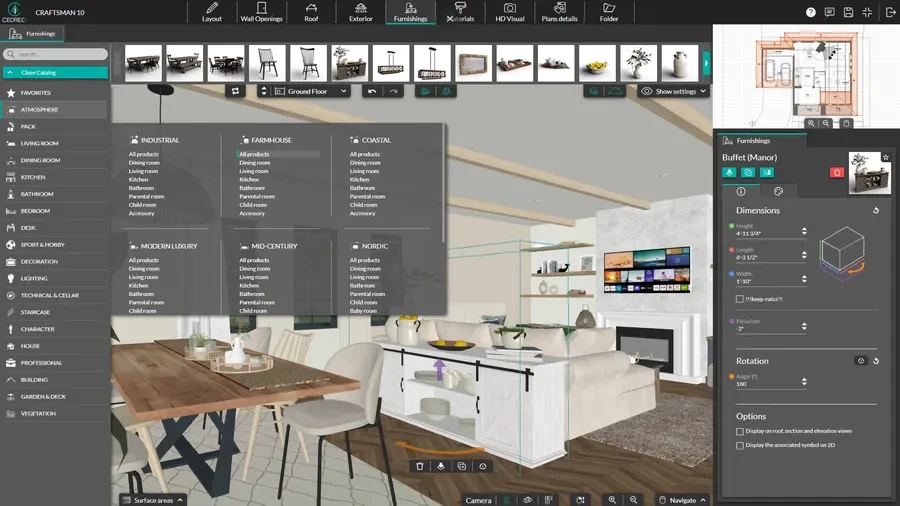
Choose Materials, Furniture & Decor
Once the layout is set, add key items and finishes to define the design direction.
- Choose materials for floors, walls, and main surfaces, then apply them with simple clicks.
- Add furniture, lighting, and decor from a large design catalog.
- Customize colors, finishes, and key details to match the client’s style.
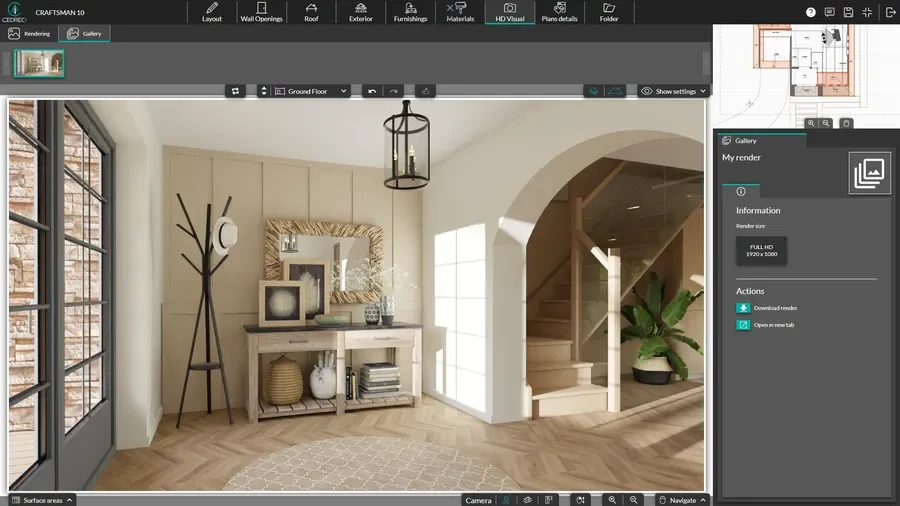
Generate 3D Interior Renderings
When the 3D design is ready, create photorealistic images that make it easy for homeowners to visualize the finished space.
- Automatic mode sets the camera and sun orientation to match how the room will feel during the day, so interior renderings always look accurate without manual lighting adjustments.
- Generate photorealistic renderings in about 5 minutes.
- Generate two views of the same room simultaneously to cut wait time in half and show clients different perspectives faster.
- Download images or add them to branded project presentations.
2D Floor Plans that Show Essential Details
2D floor plans give you a clean starting point that makes it easy to confirm room sizes, furniture zones, and flow.
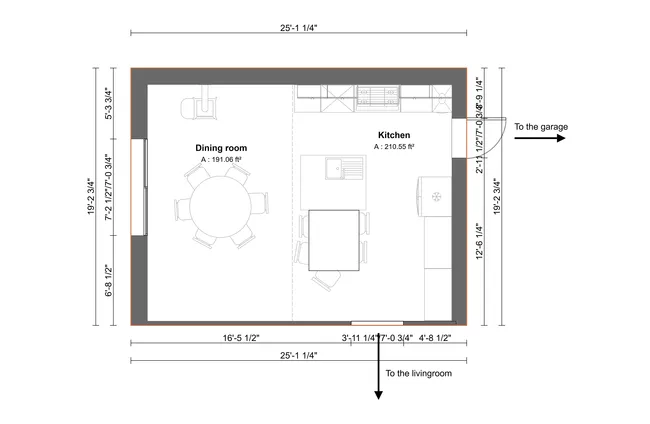
- Comprehensive plan details: Include dimensions, room-by-room surface areas, and clear plan symbols so clients and crews can understand the layout at a glance.
- Electrical plans: Map outlets, switches, and lighting with clean symbols and easy-to-follow lines.
- Reduce back-and-forth: You have the ability to add notes and simple callouts to prevent details from getting missed.
- To-scale: Easily export plans to-scale to show close-up details or a broader view of the layout.
3D Floor Plans for Quick Conceptualization
The best interior design software lets you create 3D floor plans. These show the 3D layout from a top-down perspective, so everyone can see the finished design start to take shape
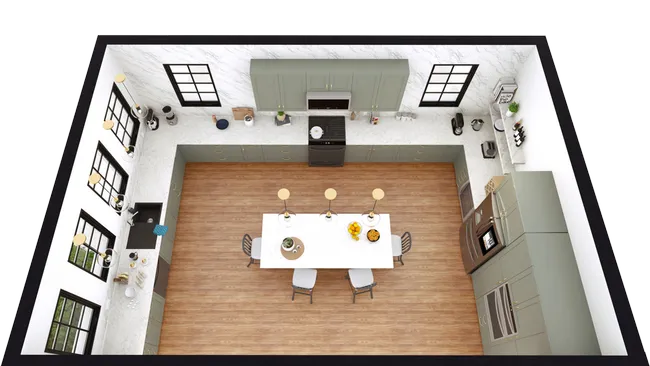
- Show space in context: Present furniture placement, circulation, and sightlines so the layout makes sense right away.
- Test room distribution fast: Move walls and key zones around to compare layouts and find the best balance of space and function.
- Catch layout issues early: Spot tight clearances and awkward flow while changes are still easy.
Interior 3D Renderings to Showcase Ideas
Cedreo provides the most realistic interior 3D renderings to help you communicate your vision to your client.
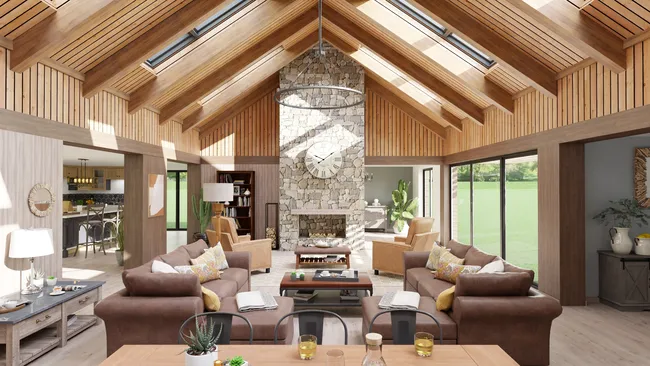
- Sell the look: Show materials, textures, and finishes with realistic detail.
- Switch from day to night: Compare how the design reads in daytime versus evening lighting to test different moods.
- Compare options clearly: Viewpoints are saved automatically so you can show alternatives and before-and-after changes from the exact same angle. This makes it easy for clients to confidently evaluate design decisions.
- Works for all types of projects: Create interior 3D renderings for residential homes and commercial spaces with the same workflow.
Key Features Designers Need in Software for Interior Design
Cedreo gives interior designers the tools they need to plan spaces, test styles, and present ideas clearly without slowing down projects.
Easy Floor Plans Drawing for All Rooms
Draw a single room layout or build a multi-room floor plan in a few minutes, then tweak dimensions with click-and-drag tools that resize multiple rooms at once.
Viewpoints Saved Automatically
Camera angles are stored as soon as a rendering is created, so you can instantly show the same view across different options and help clients choose faster.
Before-and-After Images
Capture “existing” and “proposed” views from matching angles so clients can see exactly what changes and why it matter.
Built-In Design Catalog
Choose from a broad library of customizable materials, doors, windows, and furniture, with many items grouped by style for easy design consistency. All paid plans get full library access, no need to buy extra product packs.
World-Class Customer Support
Instead of being stuck with contact forms and user forums, you get access to support from a real person, your dedicated success manager, whom you can contact via call, chat, or email.
Intuitive & Easy to Learn
Start designing quickly with a user-friendly workflow that does not require a 3D modeling or CAD background.
Real Interior Designs Created With Cedreo
Cedreo is a versatile home design software that supports everything from single rooms to an entire house and even commercial interiors.
Check out these examples of what interior design firms and solo designers can create with Cedreo.
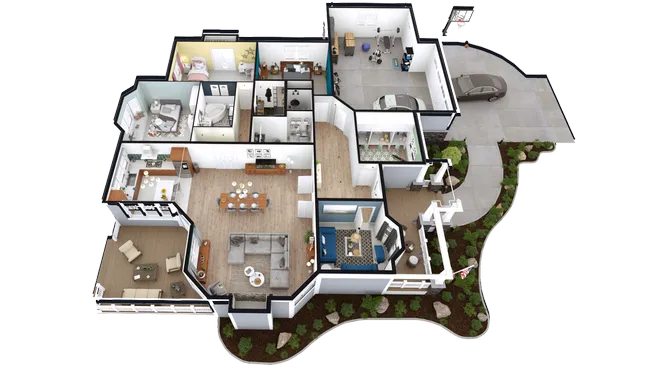
Entire house 3D floor plan
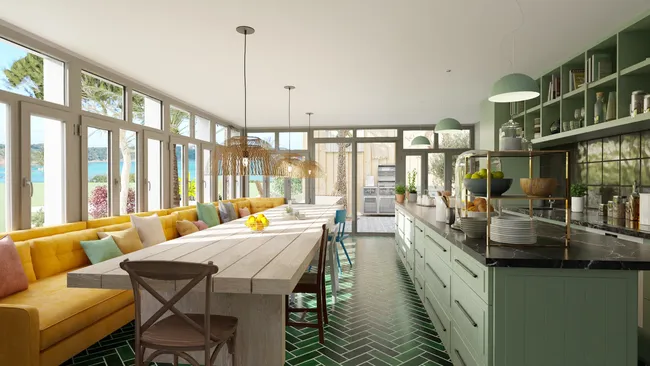
Restaurant interior rendering
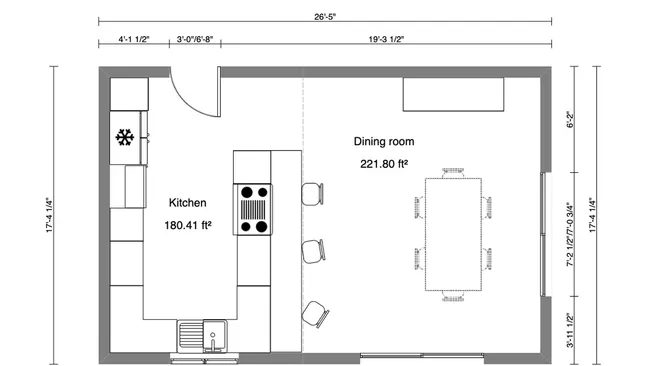
2D kitchen plan
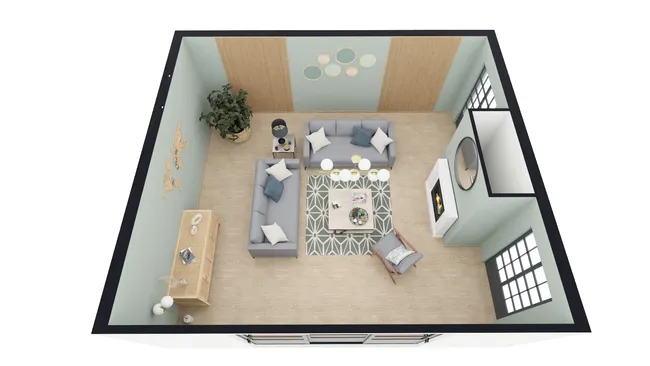
3D living room layout
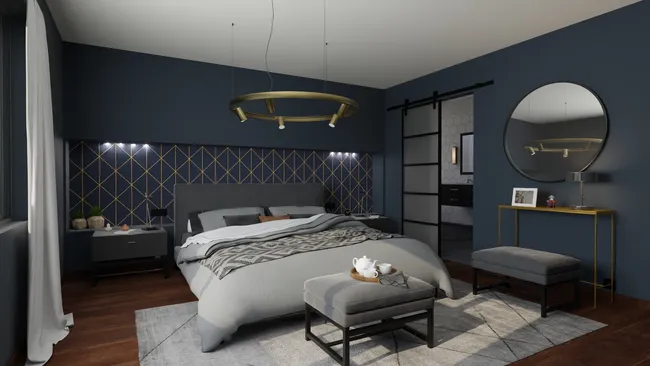
3D master bedroom rendering
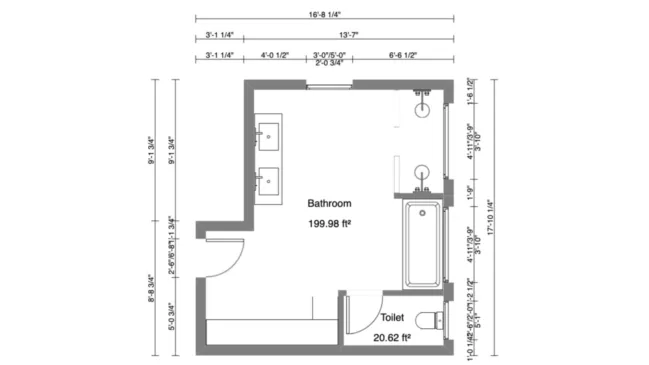
2D bathroom blueprint
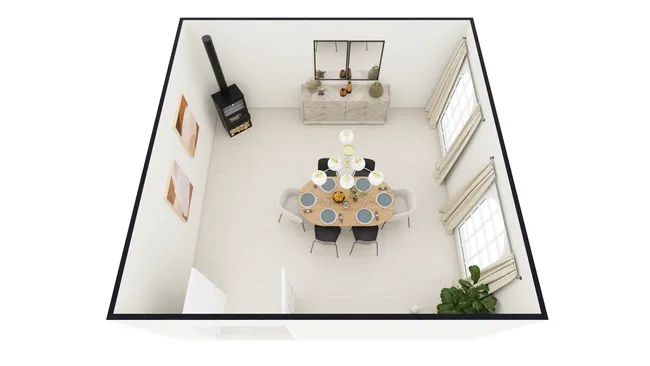
Dining room 3D floor plan
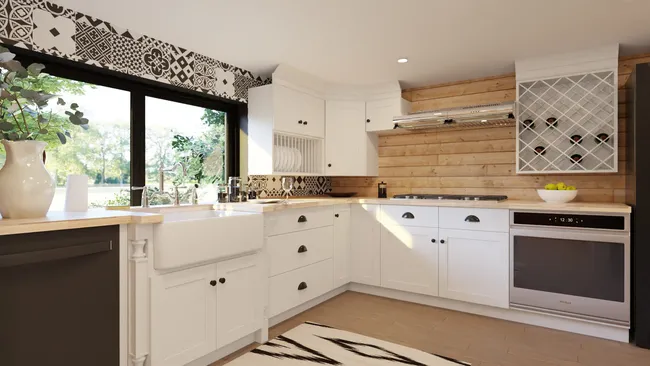
Farmhouse style interior rendering
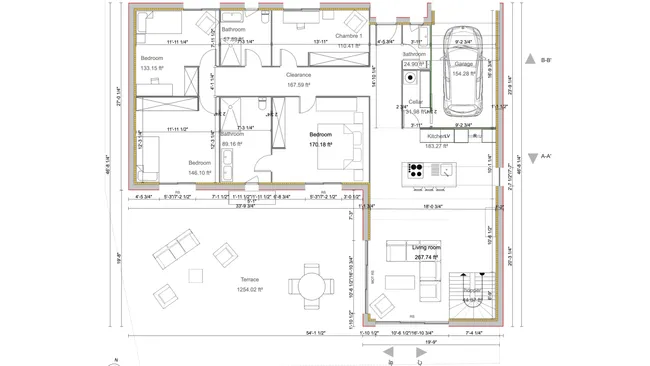
Modern style home 2D floor plan
It’s easy to use.
But you can always count on Cedreo support.
For an even faster start, access tutorials and help articles.
Get tips to do more, faster.
“It produces strong renderings in 3D easy for a client to capture the essence of the design being proposed. The emphasis is on providing practical and effective tools for the conceptual design stage.”
3D Design Software for Interior Designers FAQs
What do interior designers and interior design firms use for software?
Interior designers use a mix of software, like floor plan tools, 3D modeling programs, and rendering apps, to sketch layouts and visualize a house with client-ready images.
More are switching to Cedreo since it combines those core features in one web app, so you can present options faster and get clearer client feedback.
How to learn interior design software like Cedreo?
Start with one room and follow Cedreo’s tutorials and knowledge base to develop your process from a 2D sketch to a 3D model.
Paid users also get free training and help from a real person, so you can keep projects moving without a steep learning curve.
What’s the benefit of interior design rendering software?
Renderings help clients explore materials, furniture and decor items, and lighting before you buy or build.
That clarity helps align choices to the budget and move the design toward their dream.
What is the best home interior design software for Mac?
For Mac, look for a home design tool that runs on the web in a browser and supports collaboration.
Cedreo works on Mac and Windows with no installation required.
How to create 3D interior designs in Cedreo?
Draw the room or house in 2D, then place materials, furniture and decor items while the 3D view updates.
When you are ready, request a rendering to share client-ready images…it’s that easy.
Can interior design software create photorealistic visualizations that clients can understand?
Yes, many services can create photorealistic visualizations, but the real value is quality combined with speed and clarity.
Cedreo software produces photorealistic 3D renderings in about 5 minutes so you can present high quality images to clients with less hassle.
How extensive is the furniture and decor library in interior design software?
A strong library helps you explore more layouts and styles without modeling everything yourself.
Cedreo includes a large catalog of more than 8,500 pieces of furniture, fixtures, and decor items for residential and commercial projects.
Can you customize furniture colors, fabrics, and finishes in the software?
Customization supports creativity because clients react to details like color, materials, and finishes.
Cedreo lets you adjust material finishes and colors on many items so the design matches the client’s style.
How can you create an interior design presentation to send to clients for approval?
Use all-in-one design software like Cedreo to combine 2D floor plans, 3D floor plans, and renderings into a clean presentation document.
Follow these steps: create the front cover page, add plans & renderings to secondary pages, add text to provide clarifying details, and finally, add your company logo.
Can you design commercial interiors (offices, restaurants, retail) or just residential in Cedreo?
You can design residential houses and many commercial spaces, such as restaurants and retail, for architectural planning.
This flexibility helps you take on more projects without having to switch tools.