How to Use Cedreo Home Design Software
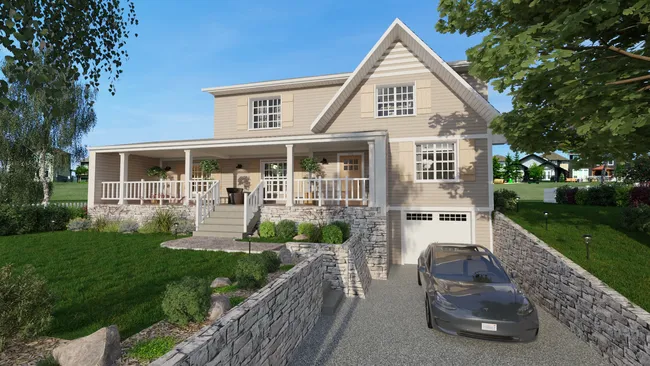
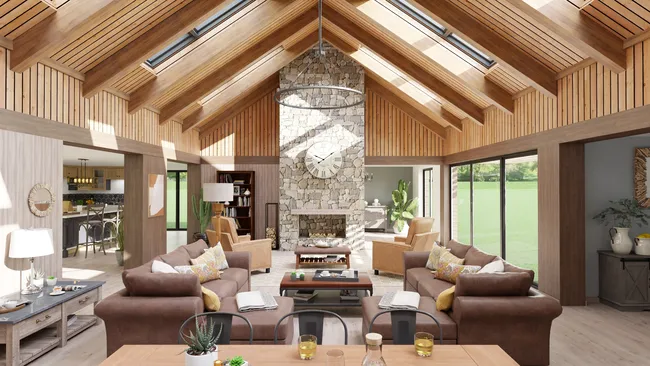
To use Cedreo home design software, sign up free at cedreo.com, no download needed. Create a project and draw your floor plan with drag-and-drop tools. Cedreo generates the 3D model in real time as you work in 2D, letting you go from a blank canvas to complete set of plans and photorealistic 3D renderings in about 2 hours.
Here is how to use Cedreo step by step:
- Create your free account. Go to cedreo.com, sign up for free and activate your account to start designing right away. The free plan gives you access to one project with limited furnishing options and 5 photorealistic 3D renderings, which is enough to explore the platform and test it on a real project.
- Start a new project and import an existing plan. From your Cedreo dashboard, click “Create a new project” and enter basic project information. You can either start drawing walls from scratch or import an existing floor plan in JPG, PNG, PDF, DWG, or DXF format. If you import a plan, Cedreo lets you trace over it using smart magnetism tools that keep your lines clean and corners perfectly square. You can also import a survey plan to trace the lot and model the terrain. Add elevation lines, embankments, retaining walls, driveways and decks to get an accurate site plan.
- Draw your floor plan in 2D. Use the continuous wall drawing tool to outline exterior and interior walls in just a few clicks. Dimensions update automatically as you draw. Then drag and drop structural elements like doors, windows, and stairs from the built-in library. You can customize dimensions, styles, and placement for every element. Cedreo supports up to 6 levels, including basements. As you work in 2D, Cedreo simultaneously generates the 3D model in real time, so you can visualize in 3D in the top right window while you draw.
- Furnish and decorate in 3D. Access Cedreo’s built-in library of over 10,000 pieces of furniture, decor items, and materials to furnish every room. Customize their dimensions, colors and textures. Select grouped product packs to furnish fast. Choose flooring, wall finishes, paint colors, lighting fixtures, appliances, and landscaping elements.
- Generate photorealistic 3D renderings. Once you are satisfied with the design, select your viewing angles, adjust the sun orientation, select a background image and click to generate a photorealistic 3D rendering. Cedreo produces high-quality interior and exterior renderings in approximately 5 minutes. These renderings include realistic lighting, textures, and shadows.
- Generate your full sets of plans. You can get plans based on the design right away: site plans, 2D floor plans, electrical plans, cross-sections, elevation drawings, and surface area tables. If you modify the design, the plans generated will update automatically.
- Create presentation documents. Cedreo lets you compile all your plans and renderings into branded presentation documents. Include site plans, floor plans, elevations, cross-sections, and 3D renderings in a document to share with clients, or construction teams.
Most users can create a complete home design, from 2D floor plan to furnished 3D renderings, in about 2 hours. Cedreo includes free customer support, tutorial videos, and a dedicated Success Manager on paid plans to help you get productive quickly..