Professional 3D Home Design Software Features
Understand Cedreo’s features to see how its toolkit makes your projects stand out while reducing drafting time.
Floor Plan Drawing
Create professional 2D floor plans in minutes with Cedreo’s intuitive drawing tools. From basic layouts to detailed architectural plans, you can draw walls, add openings, customize room dimensions, and apply finishes with total control. Smart features like automatic dimensioning, magnetic snapping and instant angle calculations ensure accuracy while the drag-and-drop interface keeps the process fast and effortless.
Learn more about floor plan software
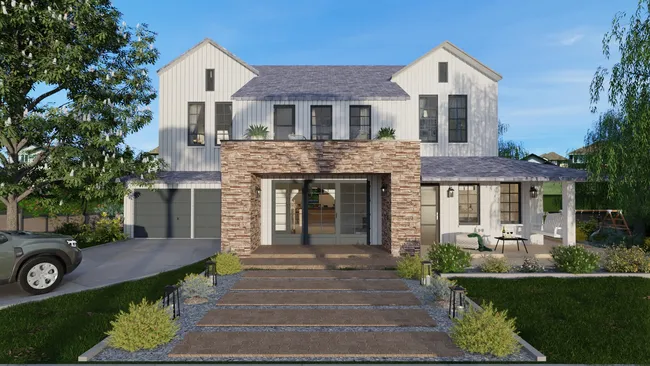
Walls & Openings
Draw walls and partitions, then drag and drop doors and windows to define the core structure of your building.
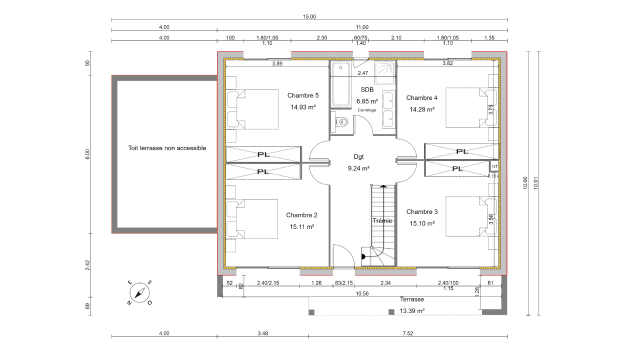
2D Floor Plan
Get true‑to‑scale 2D floor plans with symbols, dimensions, and room labels, ready to print or share in metric and imperial units.
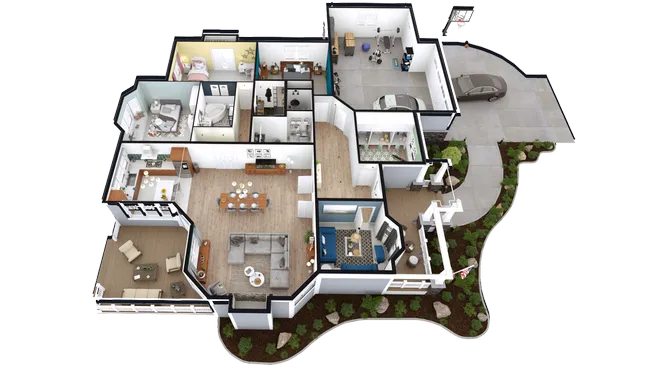
3D Floor Plan
Generate 3D floor plans to visualize the entire project (layout, furniture, materials, and lighting) so customers can better understand the space.
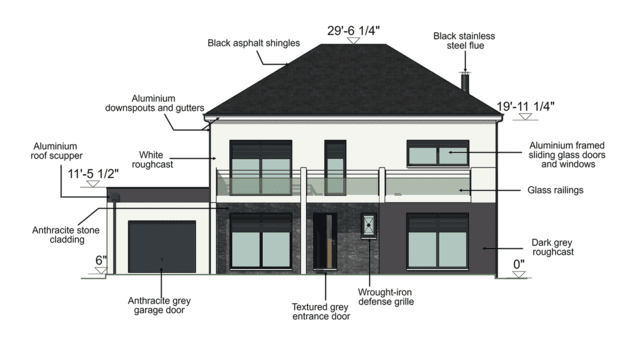
Cross Section & Elevation
Generate section and elevation drawings automatically, complete with custom annotations and dimensions.
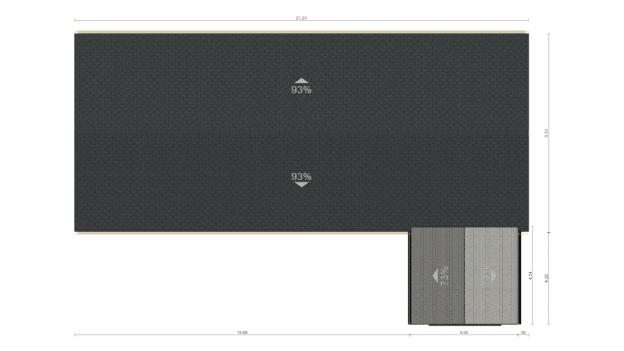
Roof
Create roofs and valleys automatically, insert dormers, and choose materials and finishes.
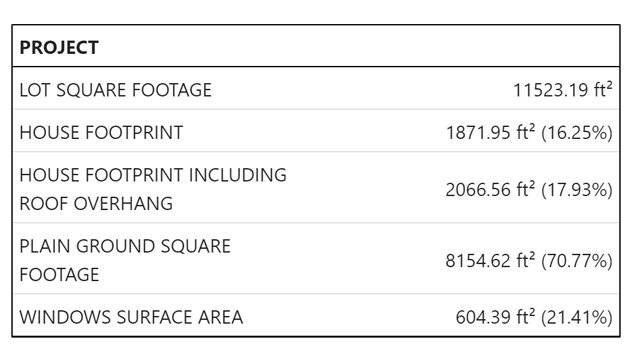
Surface Area Table
Automatically generate tables for habitable, usable, and total floor areas.
Site Planning
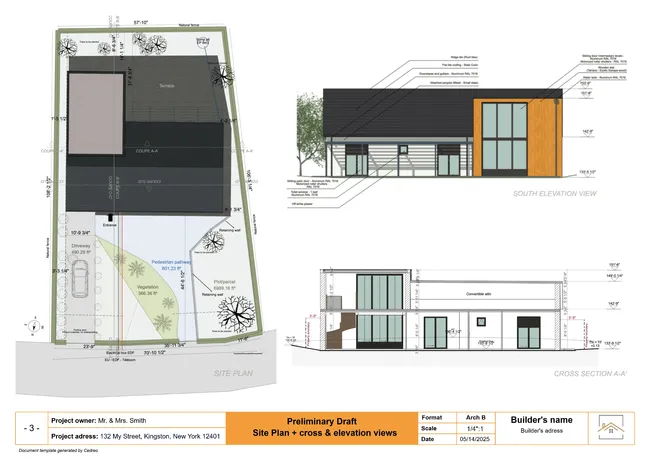
Design complete site contexts that showcase your projects in their real-world environment. Add terrain modeling with custom elevation points, position buildings on slopes, and incorporate landscaping elements, driveways, and outdoor features. Cedreo’s site planning tools help you visualize property boundaries, setbacks, and grading to ensure designs meet zoning requirements and client expectations.
Learn more about site plan software
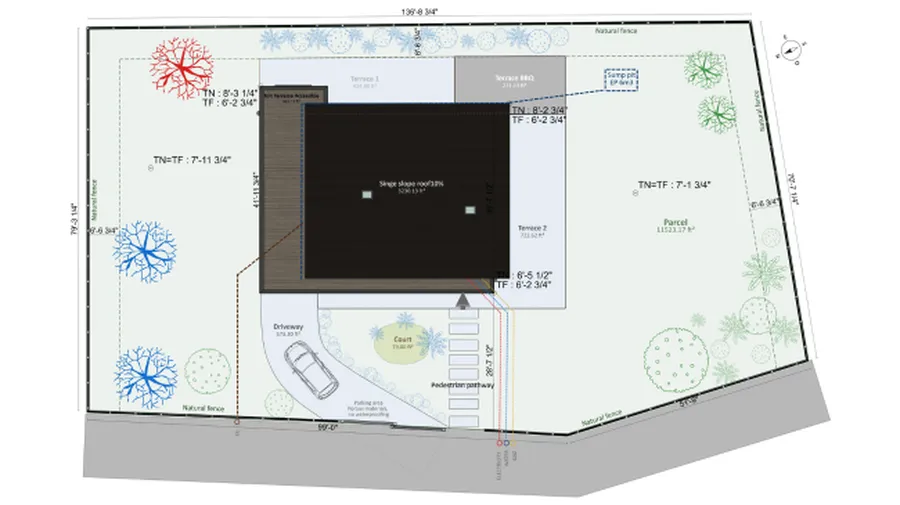
Terrain Modeling
Create a finished site plan in just 20 minutes with advanced terrain modeling tools engineered to optimize your time and simplify every step of the process.

Terrain Design
Arrange outdoor areas on the finished terrain and present a layout aligned with your clients’ expectations.
3D Visualization
Generate photorealistic 3D renderings in under 5 minutes with Cedreo’s cloud-powered rendering engine. Apply real-world materials and finishes, adjust lighting for different times of day, and create interior and exterior views that help clients visualize their finished project. No rendering queue means you get instant results during client meetings and can iterate on designs in real-time.
Learn more about 3D visualization software

3D Furnishing
Choose from a wide selection of furniture, décor, textures, and materials to help clients visualize their future home.
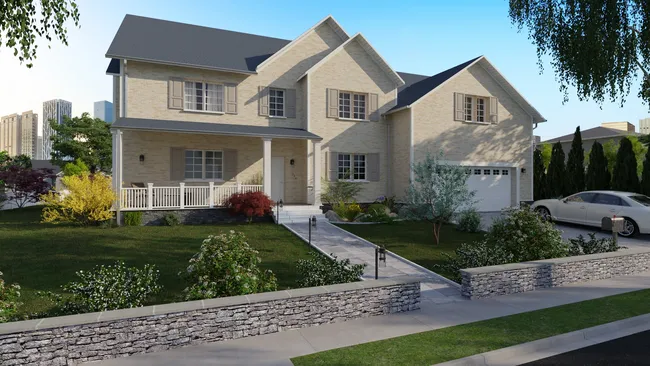
3D Rendering
Reassure clients with realistic 3D perspectives and photorealistic images with accurate lighting and materials.
Project Presentation
Deliver client-ready presentation documents that you can quickly generate from your designs. Cedreo helps you compile professional PDFs that include floor plans, 3D renderings, and project specifications. Just format it and brand it for your business. Generate polished presentations for every project in minutes, ensuring consistent quality and saving you hours of manual work.
Learn more about presentation documents
Presentation Documents
Instantly share polished, professionally formatted presentations with clients via email to present your projects.
Customer Success
Get the support you need to design with confidence. Explore our comprehensive knowledge base to learn at your own pace, or connect with real people via chat, phone, or email. Expert human support is available on Pro and Enterprise plans to help you master Cedreo faster and maximize your results.
Help Center
Access step-by-step tutorials, video guides, and detailed articles to master Cedreo features at your own pace.
Live Support
Connect with Cedreo experts via chat, phone, or email on all paid plans for personalized help when you need it most.
Cedreo vs. Competitors
The toolkit you need to dominate conceptual design. Floor plan drawing, site planning, 3D visualization and project presentations…all with one powerful and easy-to-use platform. All your plans, in one intuitive platform.
| Cedreo | Chief Architect | SketchUp | Planner 5D | |
| Use case | House design | House design | 3D modeling | Interior design |
| Best for | Contractors, remodelers | Builders | Project designers | Home enthusiasts |
| Floor plan drawing | ★★★★★ | ★★★★★ | ★★★★☆ (with LayOut) | ★★★★☆ |
| Site planning | ★★★★★ | ★★★☆☆ | ★★★★☆ | ★★☆☆☆ |
| 3D visualization | ★★★★★ | ★★★★☆ | ★★★★★ (with paid plugins) | ★★★☆☆ |
| Project presentation | ★★★★★ | ★★★☆☆ | ★★★☆☆ | ★☆☆☆☆ |
| Support | ★★★★★ | ★★★★☆ | ★★★★☆ | ★★★★☆ |
| Learning curve | Easy – 2 to 4 hours | Steep – 2 to 4 months | Steep – 1 to 3 weeks | Easy – 2 to 4 hours |


“This software is easy to use and offers me the ability to let customers see their finished product before it is built. Many customers have a hard time visualizing typical construction plans. The 3D view lets our customers get a true feeling of the finished product they will be getting.”
“Cedreo is a great piece of software for rapid 3D visualisations. Love its HD renderings and ability to reuse existing buildings and adapt in minutes. And it most definitely has one of the best support teams I have ever come across.”
FAQ
What is Cedreo?
Cedreo is cloud-based 3D home design software built specifically for residential building professionals. Unlike complex CAD programs that require extensive training, Cedreo combines floor plan drawing, site planning, 3D visualization, and presentation tools in one intuitive platform. Contractors, remodelers, home builders, and interior designers use Cedreo to design faster, win more projects, and communicate clearly with clients… all without the steep learning curve of traditional architecture software.
Why’s Cedreo so popular?
Cedreo delivers professional results at speeds that traditional CAD software can’t match. Most professionals create their first complete project design within hours of starting, not weeks. The software generates photorealistic 3D renderings in under 5 minutes (not overnight), runs entirely in the cloud (no expensive hardware required), and costs significantly less than desktop alternatives. Contractors appreciate the focus on residential construction standards, while clients love seeing their projects visualized before construction begins. This combination of speed, ease-of-use, and affordability has made Cedreo the go-to design tool for over 2 million users worldwide.
Can I import existing floor plans into Cedreo?
Yes, you can import floor plan images (JPG, PNG, PDF, DXF, DWG) as reference backgrounds to trace over. This is particularly useful when working with existing homes for remodeling projects or when you have client-provided sketches. Simply upload your image, scale it correctly, then use Cedreo’s drawing tools to create accurate 2D plans based on the reference.
What file formats can I export from Cedreo?
Cedreo exports your designs in multiple formats to fit your workflow. You can export floor plans and site plans as 300dpi high-resolution images in JPG or DXF files for use in other CAD software, or as comprehensive project presentations in PDF format. This flexibility ensures your designs work with contractors, clients, and other software in your workflow.
Is Cedreo cloud-based?
Yes, Cedreo is 100% cloud-based and runs entirely in your web browser. There is no software to download or install, simply log in from any computer with internet access and start designing immediately. All your projects are automatically saved and synchronized to the cloud in real-time, which means you can access your designs from any device and never worry about losing work due to computer crashes or hardware failures. Because Cedreo runs in the cloud, you also avoid the expense of high-end graphics workstations that traditional desktop CAD software requires.
Does Cedreo work on Mac and PC?
Yes, Cedreo runs entirely in your web browser, so it works on any computer with internet access: Mac or PC. There’s no software to install or update, and all your projects synchronize automatically to the cloud. This means you can start a design in your office on a Mac, review it on-site with a laptop, and finalize it at home on a PC. You just need a modern web browser (Chrome, Safari, Firefox, or Edge) and an internet connection.
Does Cedreo include a library of materials and furnishings?
Yes, Cedreo includes an extensive library of real-world materials, finishes, furnishings, and fixtures. Choose from thousands of options including flooring, wall coverings, countertops, cabinets, appliances, and furniture. Customize the color and textures, as well as landscaping elements, so your 3D renderings show clients exactly what their finished project will look like.
How long does it take to learn Cedreo?
Most contractors and designers complete their first project design within 2-4 hours of starting with Cedreo, even without prior CAD experience. The interface is intentionally simple. If you can use a web browser, you can use Cedreo. That said, mastering all features and optimizing your workflow takes about 1-2 weeks of regular use. Cedreo provides video tutorials, live training sessions, and dedicated support to accelerate your learning as soon as you subscribe to a paid plan. Many users report being billable with Cedreo within their first week, compared to months of training required for traditional CAD software.
Can I try Cedreo before subscribing?
Yes, Cedreo offers a free version that gives you access to limited features. You can create complete project designs and generate 3D renderings to evaluate whether Cedreo fits your workflow. No credit card is required to start your trial. This hands-on experience is the best way to see if Cedreo’s speed and simplicity work for your business.