Office Design Software
From small home offices to commercial businesses, design office layouts in no time with Cedreo’s office space planner.
How to Use the Cedreo 3D Office Design Software?
Cedreo makes office design online simple for contractors, remodelers, and designers, even if you have zero CAD experience. Use this three-step workflow to go from idea to polished 3D images fast.
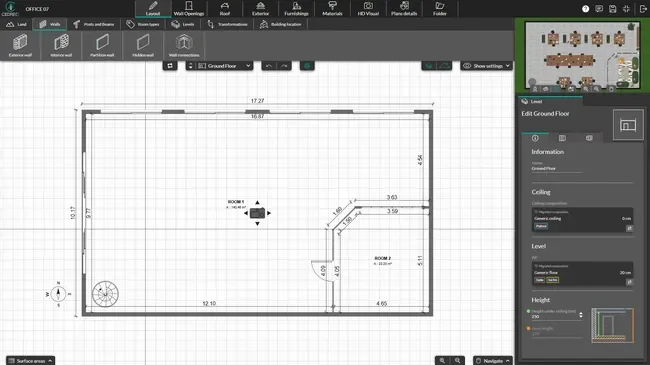
Draw the Office Layout
Start with accurate dimensions so your office layout design works in real life, not just on paper.
- Import an existing blueprint or office floor plan (JPEG, PNG, PDF, DWG, or DXF) and trace it to get accurate dimensions.
- Draw walls, doors, and windows in just a few clicks, even if you’re starting from scratch.
- Label rooms (office lobby, meeting areas, private offices) so everyone understands the plan.
- Let the software calculate room dimensions and surface areas as you draw, so you save time on manual measuring.
Learn more about the drawing tools
Add Furniture, Materials & Decor
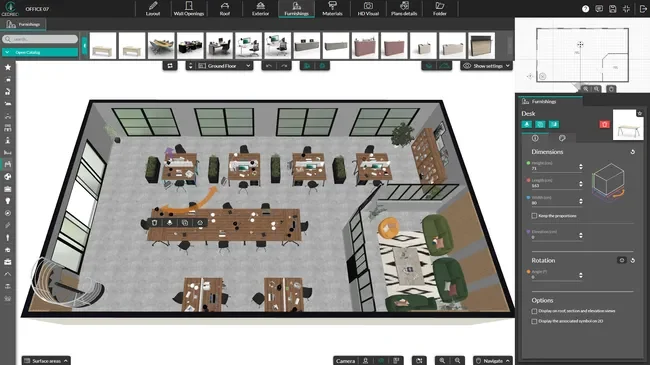
Build a functional office space by placing desks, seating, storage, and finishes with a simple drag-and-drop workflow.
- Drag and drop office furniture to test different layouts for teams, common areas, and focus zones.
- Apply materials and colors to floors and walls to match the brand and the work style.
- Create meeting areas with the right size and spacing.
- Try multiple design ideas fast by swapping items and finishes without redrawing the whole project.
Generate 3D Office Renderings
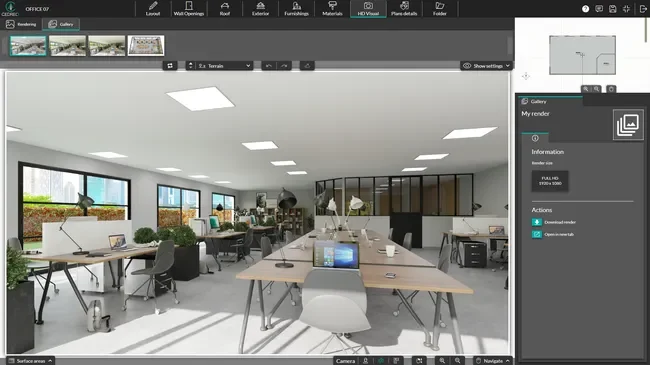
Turn your 3D office design software model into client-ready visuals that speed up approvals.
- Create high resolution renderings in minutes from saved camera views.
- Adjust lighting, time of day, and perspective to match how the space will look in real life.
- Save viewpoints to compare different office planning options with the same angle every time.
- Export images for client presentations, email, and your website.
Fast & Detailed 2D Office Floor Plans
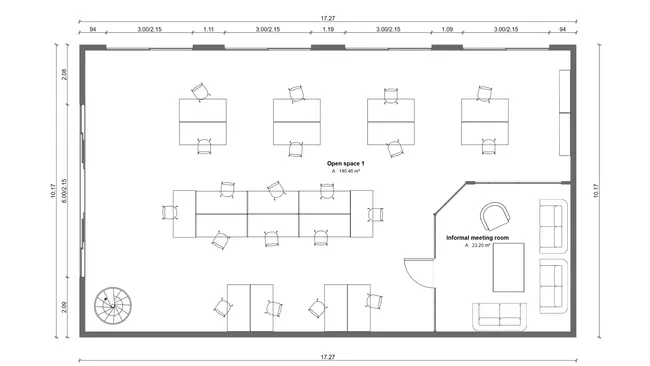
A clean 2D office layout helps you plan space, scope work, and keep clients and contractors aligned.
- Fast planning: Build a clear office floor plan that speeds up space planning and early budget talks.
- Easy edits: Move walls and resize rooms quickly when clients ask to explore different options.
- Clear details: Show room names, dimensions, and surface areas so the whole team sees the same information.
- Better coordination: Use symbols for doors, windows, furniture, and key features so the plan is easy to follow.
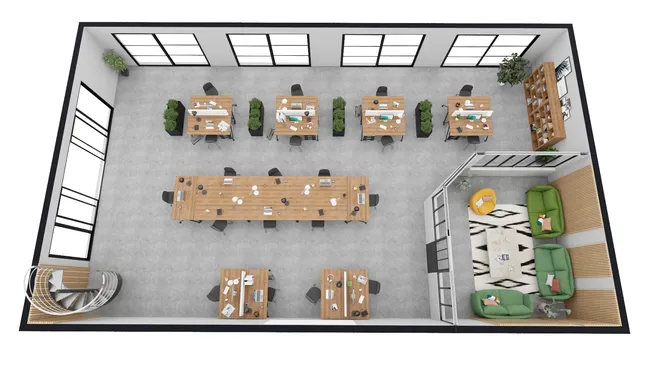
3D Office Floor Plans
A 3D floor plan view helps all stakeholders understand flow and function. Quickly spot tight walkways, awkward desk spacing, and meeting rooms that feel too small.
- Instant 3D model: Watch your office layout take shape in a 3D view as you draw in 2D.
- Better space feel: Check paths, spacing, and sightlines so the office works for real people.
- Compare layouts: Duplicate and test different layouts side by side to pick the best option faster.
- Faster furnishing: Pull from a large library of 3D objects that are organized by function and style.
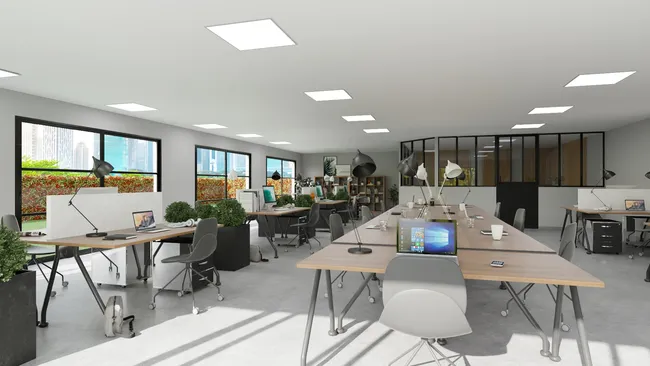
Photorealistic 3D Office Renderings
3D renderings turn office floor plans into visuals that help clients say “yes” sooner.
- Lighting control: Test day and night scenes to show how the office will look through a full workday.
- Client buy-in: Show a life-like finished space so decisions feel easy and confident.
- Marketing ready: Use your 3D office images on your website and social channels to attract new business.
- Presentation ready: Drop these visuals into project presentations so clients and stakeholders can review, compare, and approve faster.
Top Cedreo Office Space Planner Features
Cedreo combines all the tools with an efficient workflow, so you can create, present, and revise office designs faster.
Draw Floor Plans Easily
Draw an office floor plan fast for one room or multiple rooms, so you can explore layouts without getting stuck in CAD.
Save Viewpoints to Compare Ideas
Save camera angles and reuse them to compare different office layouts, furniture plans, and finishes.
Before and After Views
Show the “before” and the “after” in the same project so clients and stakeholders see the value of the change right away.
Large 3D Product Catalog
Choose from a large catalog of materials, doors, windows, and furniture, then customize colors and finishes to match the brand and style.
World-Class Support
Get help from real people when you need it, plus knowledge resources that keep your team moving when deadlines get tight.
Easy to Learn
Get productive quickly with a simple, visual workflow that fits busy pros who need results fast.
Office Designs Made with Cedreo
Cedreo supports many office planning needs, from small home office makeovers to full commercial office layouts.
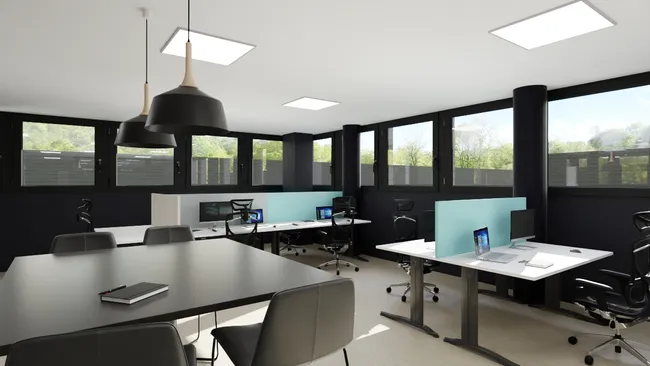
Open concept office layout
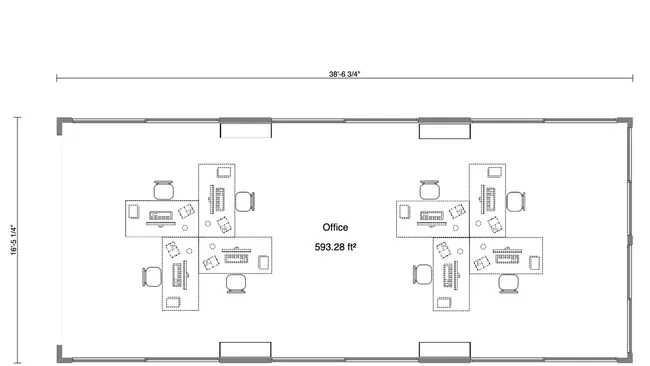
Cubicle office layout
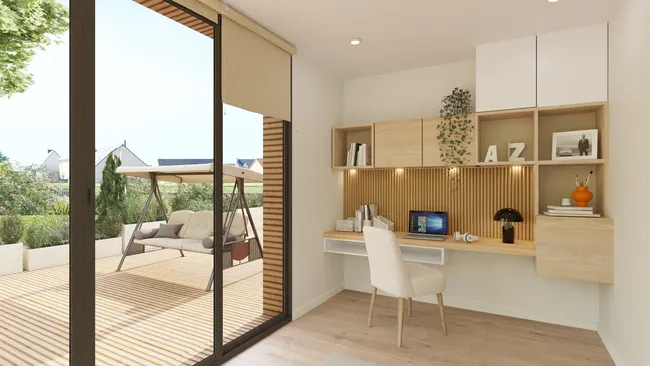
Work from home office
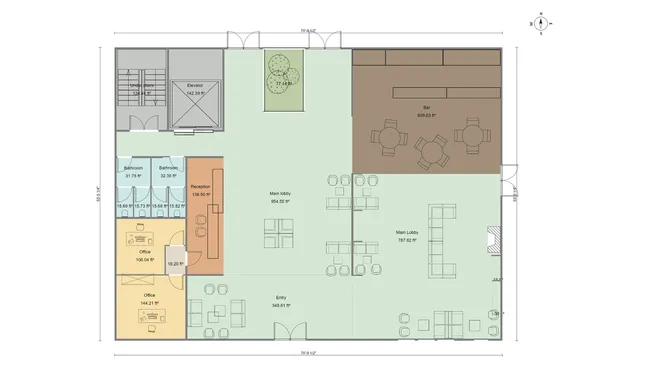
Reception and lobby plan
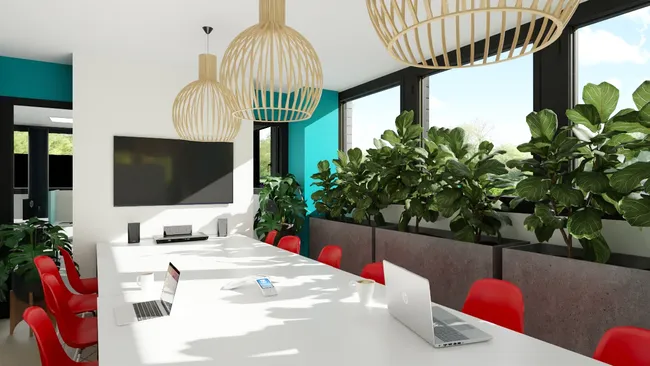
Conference and meeting rooms
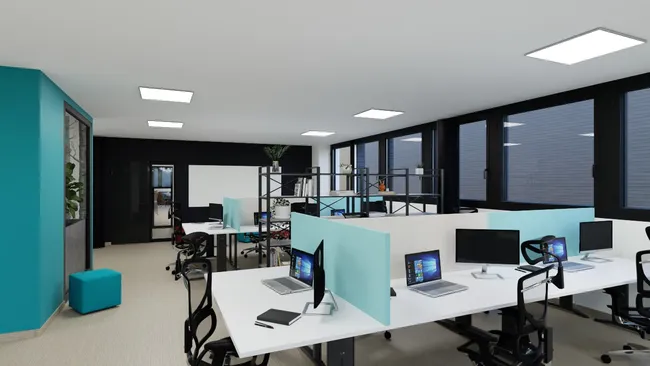
3D coworking space plan
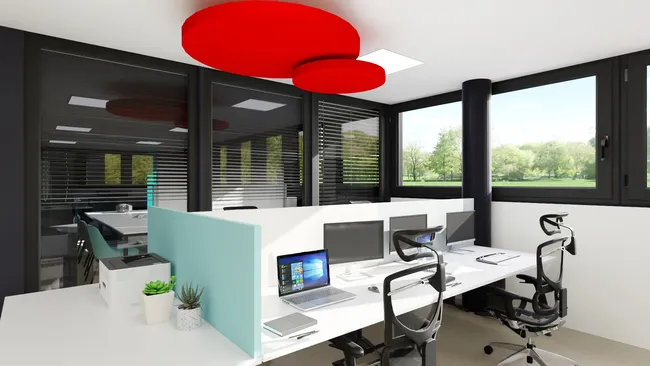
Hybrid office hot desks
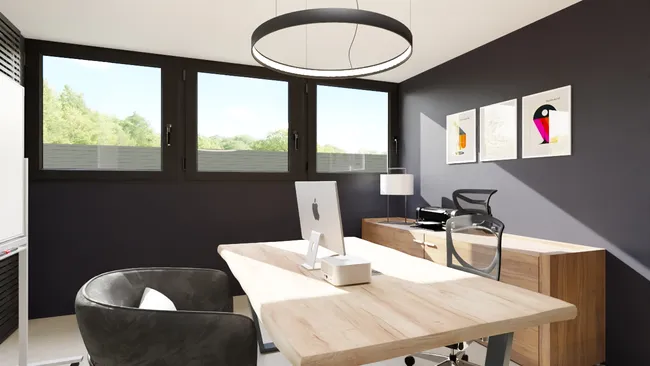
Private office suite
Multi-level office 3D floor plan
It’s easy to use.
But you can always count on Cedreo support.
For an even faster start, access tutorials and help articles.
Get tips to do more, faster.
“Finally! A 3D home designer I can actually work and use!”
“Cedreo is so easy to view in 3D, navigate around in the space, and to create a house in hours, not weeks.”
Office Design Software FAQs
What is office design software?
Office design software (like Cedreo) helps you create an office floor plan, place furniture, and present the space with 2D and 3D visuals.
How long does it take to design an office layout with Cedreo?
Many pros can go from layout to 2D and 3D floor plans plus interior renderings in 2 hours or less, depending on project size and detail.
Can I design both commercial offices and home offices?
Yes, you can create an office for a business or a home office, then customize the style and layout to fit the space.
Can I see 2D and 3D office layouts simultaneously?
Yes, Cedreo lets you work in 2D while your 3D office view updates as you make changes.
Can I design open office layouts with Cedreo?
Yes, you can plan open offices, cubicles, private offices, and shared common areas, all while quickly testing different layouts.
Can I import existing office floor plans into Cedreo?
Yes, you can import existing plans and trace them to build your new office layout faster.
Can I customize office furniture colors and materials?
Yes, you can adjust colors, finishes, and materials so your office furniture matches the look your client wants.
Does an office designer calculate room dimensions automatically?
Yes, office design software like Cedreo updates measurements as you draw, which helps you stay accurate during office planning.
It also has a surface area table with calculations that automatically update as you work.
Do I need to download office design software?
If you use software like Cedreo, no, Cedreo is cloud-based software, so you can work from a browser without installing software and constant updates on every computer.