Landscape Planner
From backyard design to high-end outdoor kitchens, design a complete outdoor space in hours with Cedreo’s simple landscape design software.
3D Landscape Design Software – The Design Process
Whether you’re planning a garden or a hardscape, Cedreo’s landscaping planner helps you create professional plans and stunning 3D visuals faster than ever, even with ZERO CAD experience.
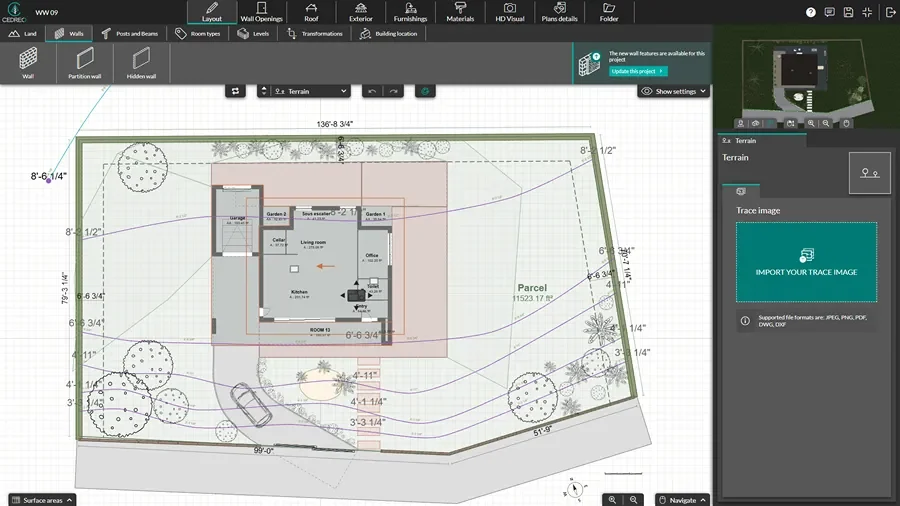
Design the Terrain
Start with the right lot shape and elevations so your finished project matches real results.
- Import an existing site plan, then trace it to keep accurate dimensions.
- Draw property boundaries, setbacks, and the house placement so your outdoor space layout stays realistic.
- Model flat or sloped terrain with elevation lines so grades and transitions make sense.
- Add key hardscape elements like driveways, paths, patios, decks, and fences in just a few clicks.
Add Materials and Plants
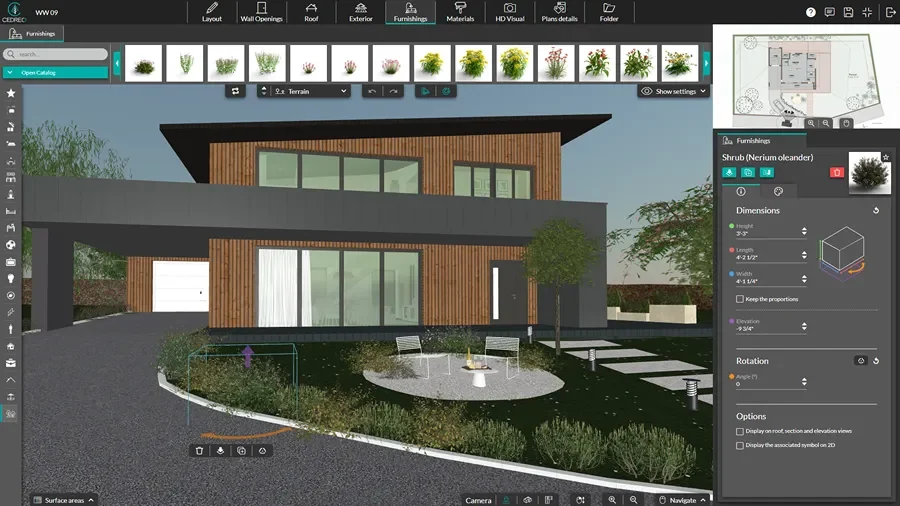
Pick surface coverings, materials, and plants to turn landscaping ideas into a buildable design.
- Drag and drop textures and materials to define lawns, gravel, mulch, pavers, and other surface areas.
- Add trees, plants, hedges, and garden decorations.
- Place outdoor features like pools, patios, and decks.
- Use the catalog to stage the space with outdoor items like seating areas and lawn furniture.
Generate Exterior 3D Renderings
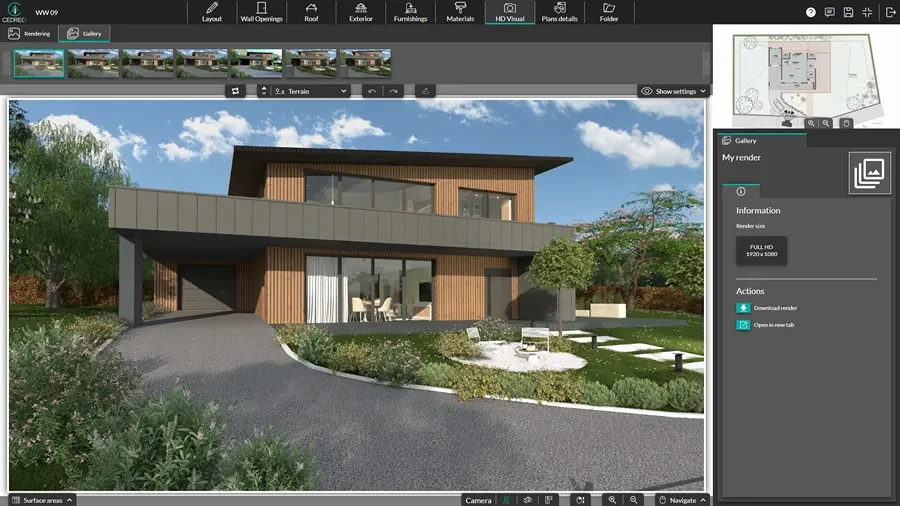
Create photorealistic visuals so clients understand the design fast and you avoid costly mistakes later.
- Adjust sun orientation and time of day so shadows and lighting feel right for the outdoor space.
- Save viewpoints to compare options, including before and after visuals.
- Generate exterior and landscape renderings in 5 minutes or less.
Site Plans & 3D Floor Plans
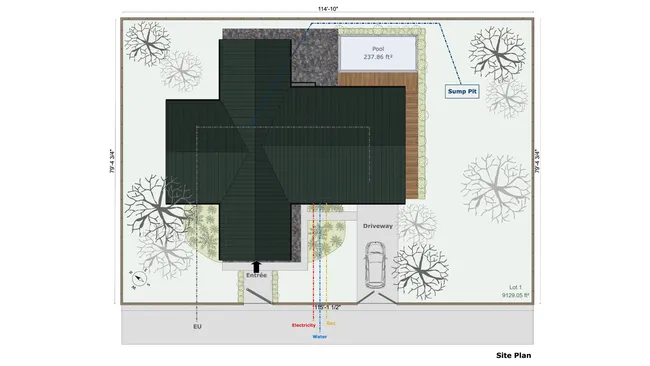
A clean site plan and 3D plan show how the home and outdoor space fit together, so clients and crews stay aligned.
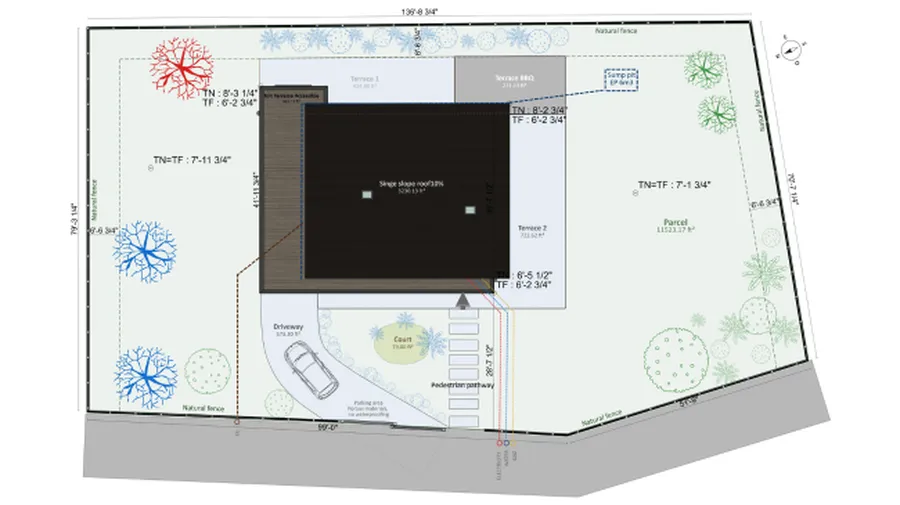
- Detailed site plans: Show boundaries, paths, and key exterior zones with clear dimensions.
- Outdoor details: Communicate hardscape elements, planting areas, and access points in one view.
- Building footprint: Draw an accurate building footprint on the site plan to use as the foundation for the landscape plans around it.
- Site particulars: Set the plan scale and orientation, then add custom annotations so every detail is clear and easy-to-follow.
Realistic Renderings of the Outdoor Space
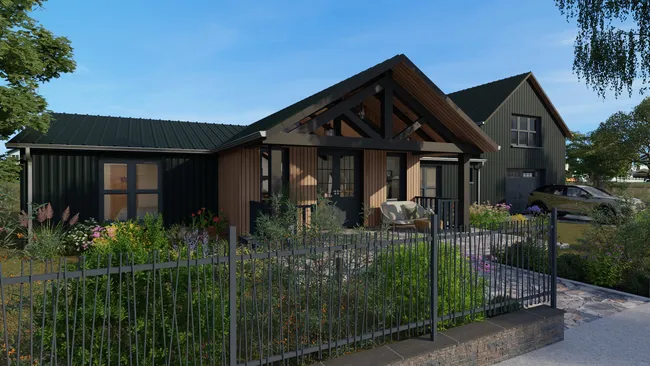
Exterior renderings reduce back-and-forth and help speed up approvals since clients can easily visualize the exterior space.
- Backyard realism: Showcase patios, pools, decks, planting zones, and outdoor living areas as a finished space.
- Facade context: Show how the landscape fits the home exterior, including paths, driveways, and entry views.
- Lighting and shadows: Adjust sun orientation and time of day so clients understand how the space will feel morning to evening.
- Authentic environments: Add background images to 3D views to visualize the project in realistic surroundings.
Present Landscaping Projects
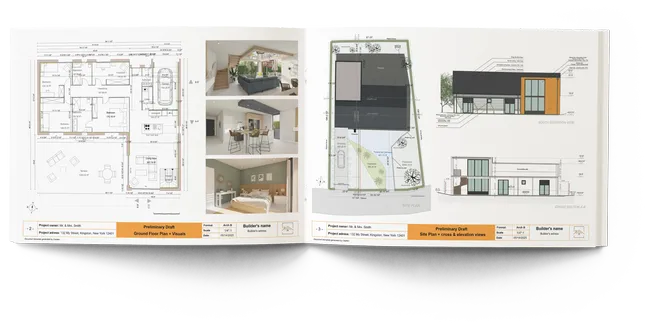
Presentation documents pull your plans and visuals into one client-ready package, so decisions happen faster and fewer details get missed.
- One place for everything: Combine the site plan, key notes, and exterior renderings to tell the full story.
- Option comparisons: Show two or three concept directions side by side, so clients can choose without confusion.
- Clear scope: Highlight what’s included in the landscape plan, including zones, materials, and major outdoor features.
- Professional handoff: Share a clean document that helps align homeowners, crews, and trades from day one.
Top Features of this Garden Design Software
Cedreo combines powerful tools with a user-friendly workflow, so you can create professional landscape, garden, or backyard designs faster.
Import Plans for Accurate Home Placement
Import JPG, PNG, DWG, DXF, or PDF files, then trace them to draw the lot and place the house correctly on the site.
Quick Boundary Drawing
Draw property lines, key zones, exterior walls, and outdoor edges fast, so your landscape plan stays clean and easy to read.
Sun Orientation Controls
Adjust sun orientation and time of day to show realistic shadows across the backyard and the exterior facade.
Extensive Library of Real Plants & Materials
Choose from 8,500+ finishes, surface coverings, furnishings, and vegetation to customize the landscape to your client.
World-Class Support
Talk to a real person (your dedicated success manager) then you need help. Plus, refer to tutorials and learning resources to help your projects stay on track.
Easy to Learn
Intuitive tools and workflows help contractors start designing professional landscapes immediately, even without 3D design experience.
Landscape Projects Made with Cedreo
From a front yard touchup to a client’s dream garden, Cedreo’s online landscape planner helps you design yards that impress clients and help you land more projects.
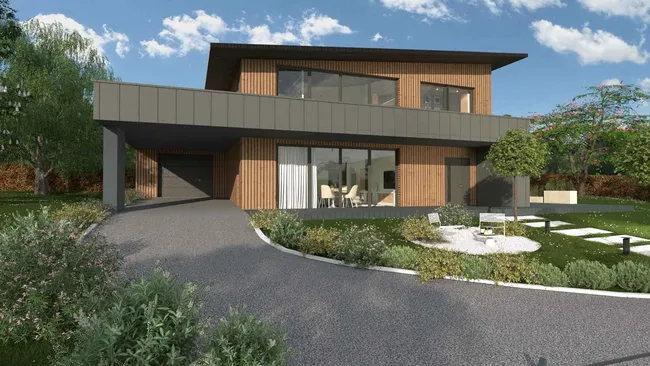
Front yard facade plan
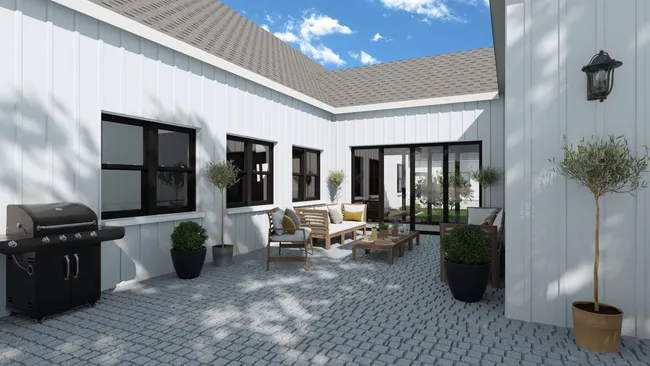
Backyard family patio
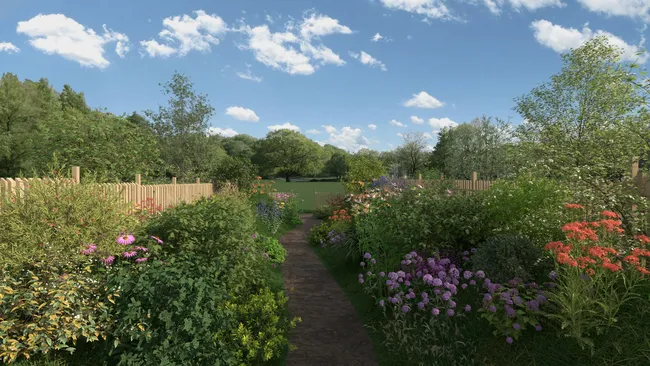
Flower bed layout
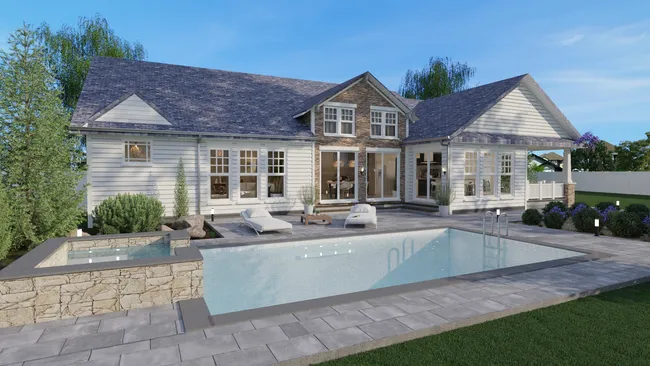
Pool and deck
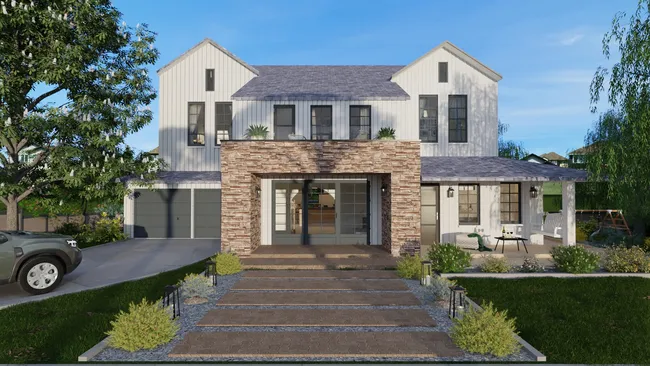
Driveway and pathway
Fence and hedge plan
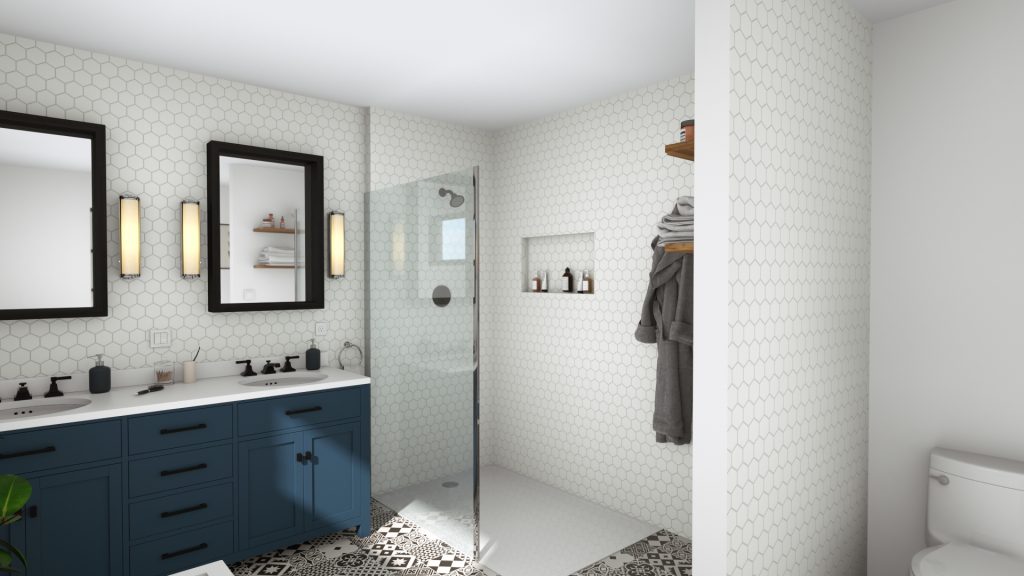
Sloped backyard with patio
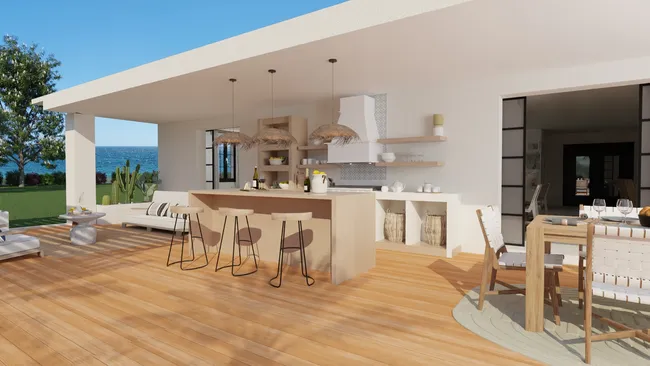
Outdoor kitchen
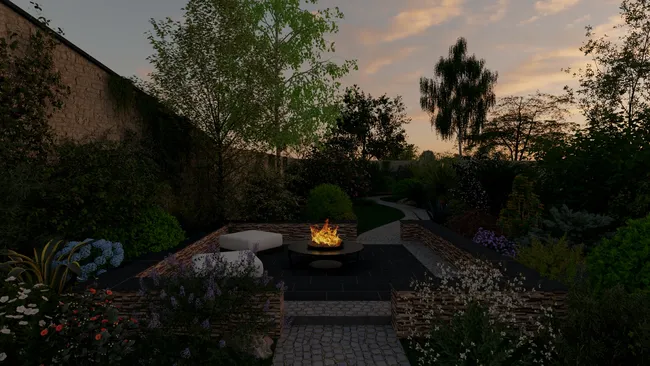
Firepit hardscape
It’s easy to use.
But you can always count on Cedreo support.
For an even faster start, access tutorials and help articles.
Get tips to do more, faster.
Read What our Happy Customers Say About Cedreo
“Great Software at a Great Price”
“The greatest benefit has been to allow our clients to visualize their projects.”
“Excellent Software”
“The 3D renderings that came out from the software were phenomenal!”
Landscape Planner FAQs
Landscape design software helps you create a landscape plan using tools for terrain, materials, plants, and 3D visuals.
It is a faster way to visualize outdoor ideas than hand sketches alone.
Use software like Cedreo as a backyard planner to model the terrain and place key hardscape elements like patios, paths, and fences.
Then add materials, vegetation, and 3D images so clients can approve the backyard design with confidence.
The best garden design software is the one that helps you produce clear plans and visuals quickly, without a steep learning curve.
More are choosing Cedreo, since it’s built for building and remodeling pros who need fast concepts, 3D views, and client-ready presentations.
Many professionals can create a complete conceptual design in two hours or less.
Then you can generate photorealistic exterior images in about 5 minutes.
Cedreo includes a wide selection of trees, plants, outdoor decorations, as well as many surface coverings and finishes.
Plus, the design library is constantly getting new items added.
Yes, you can design pools, patios, decks, pathways, fences, and other common hardscape elements.
You can also show how they connect to the home using 2D plans, 3D views, and exterior renderings.
Use exterior renderings and presentation documents (like the ones you create with Cedreo) to help customers understand the overall design vision.
Add clear images, textures, real plants, accurate lighting and details like shrubs, grass, and materials to make the design easier to understand.
No, you do not need to be an architect or professional designer to create professional landscape designs.
Cedreo’s intuitive interface and tools help users create a polished landscape plan, even if landscape design is only part of your work.
Yes, Cedreo works as a garden planner to design custom solutions for outdoor kitchens, patios, hardscapes, etc.
Cedreo has a straightforward design process that helps you quickly design and visualize the perfect garden for your client.