House Plan Design Software for Mac
Create professional 2D and 3D floor plans online, so Mac users can move from idea to client-ready visuals in just a few clicks.
How To Use House Plan Design Software For Mac
Design work moves fast, and you need a floor plan software workflow that keeps up (without heavy installs or compatibility issues).
Here’s a simple 3-step process for creating detailed floor plans on macOS with Cedreo.
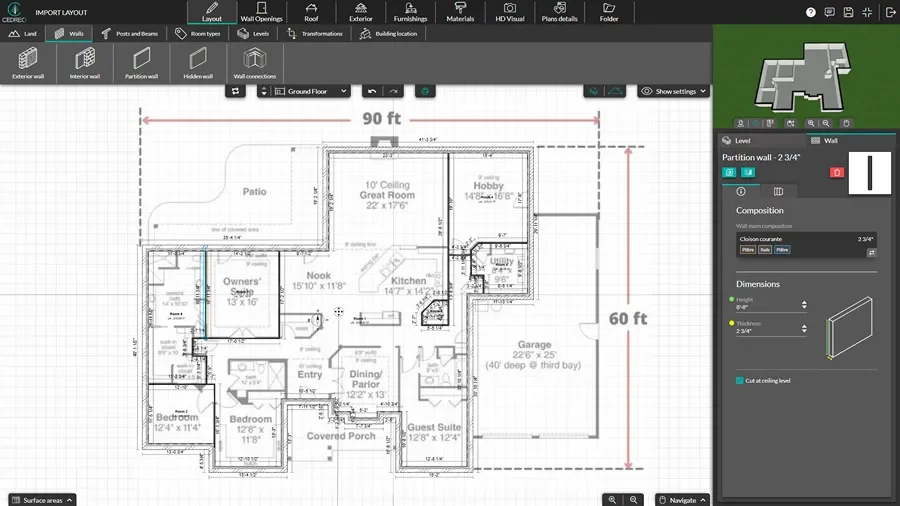
Import an Existing Plan & Draw Walls
Start from scratch or bring in an existing plan, then build a clean layout you can trust.
- Import reference files (JPG, PNG, PDF, DWG, or DXF) and trace over them to speed up redraw work.
- Outline exterior and interior walls using continuous drawing tools, so you can shape rooms quickly.
- Adjust wall thickness and types.
- Drop in room labels and keep your floor plan organized from the start.
Resize, Add Levels, Doors, Windows & Finish In 3D
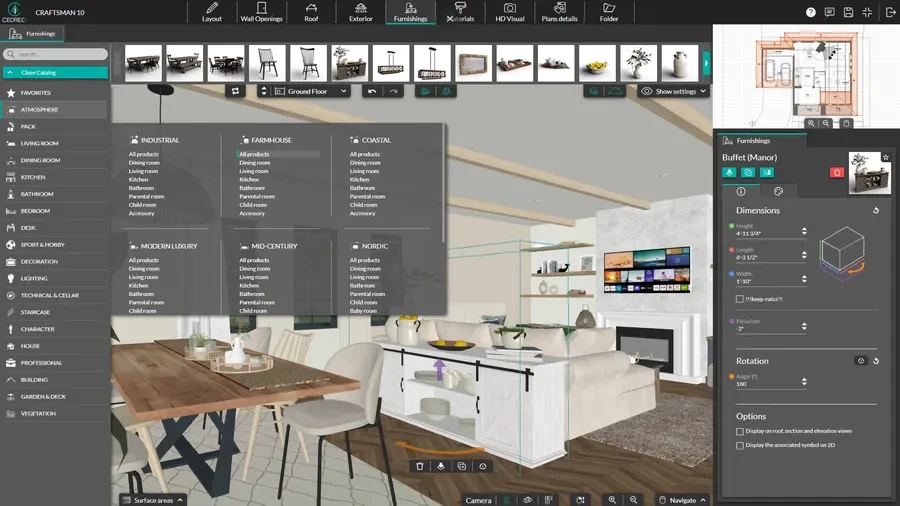
Once the layout is set, build out the details that make the plan usable for real decisions.
- Use one-click resizing tools to enlarge or reduce the layout while keeping proportions consistent.
- Add levels or a basement by duplicating drafted floors, then keep stair locations aligned.
- Drag and drop doors and windows from a large catalog, then fine-tune sizes and placement.
- Add 3D furniture, materials, and decor objects to show how the space works, not just how it measures.
Add Symbols, Notes, & Export Deliverables
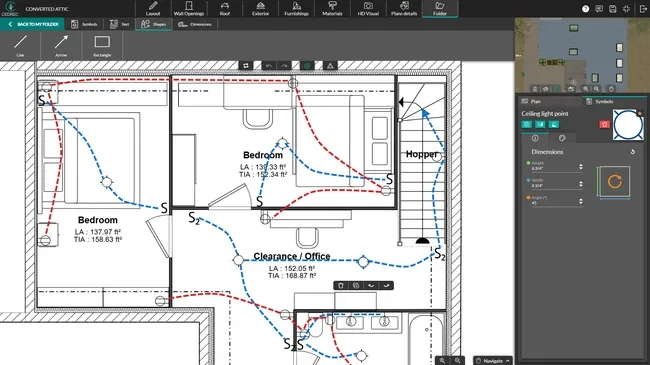
This is where your blueprint software for Mac turns a layout into a clear presentation for homeowners and building crews.
- Add dimensions and annotations to support planning.
- Place technical and blueprint symbols (like outlets, switches, lighting, fixtures, and appliances) to clarify intent.
- Combine 2D plans, 3D renderings, and key images into a polished presentation document with your branding.
- Download outputs for sharing, printing, or archiving when your project needs to leave the app.
Fast & Detailed 2D Floor Plans
When you need quick alignment, 2D floor plans let you showcase a clear layout that clients, trades, and project partners can understand at a glance.
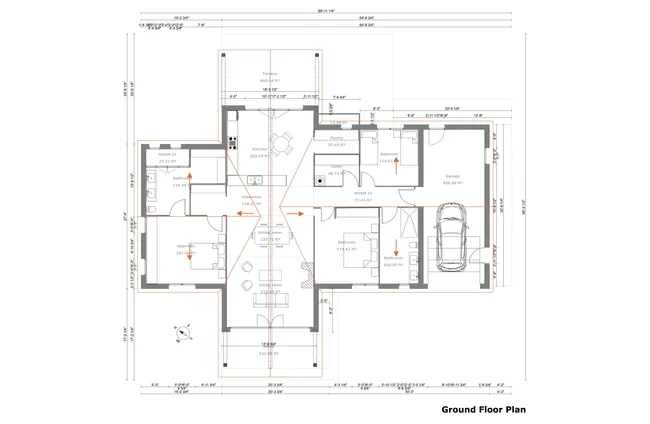
- Complete plans: See annotations, window & door details, wall types, a compass, and more, so plans tell the full story.
- Full dimension details: Present room sizes and surface areas that support faster manual estimating, material selections, and planning.
- Easy-to-understand plans: Custom labels, symbols, and callouts ensure fewer details get lost in translation.
- To-scale: Easily download 2D plans in a variety of scales for detail or overall scope.
3D Plans for Easy Visualization
2D explains the layout, but 3D helps you showcase the lived-in feel, so clients can say “yes” with fewer revisions.
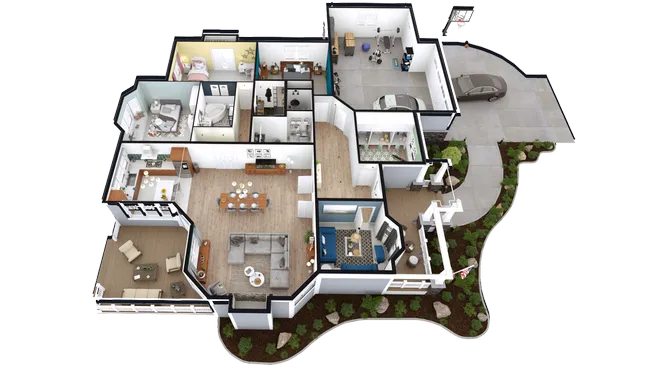
- Sell the vision faster: Present a 3D view that helps clients instantly understand scale, flow, and sightlines.
- Prove the layout works: Showcase furniture placement and circulation so the space feels functional, not just pretty.
- Show materials in context: Preview finish combinations on walls and floors so clients can compare style options with less guesswork.
- Fast, high-quality renderings: Get renderings in 5 minutes that show accurate natural and artificial lighting, as well as realistic textures and materials.
Other Types of Plans You Can Create
Cedreo helps macOS users design complete projects from every angle, not just a basic floor plan.
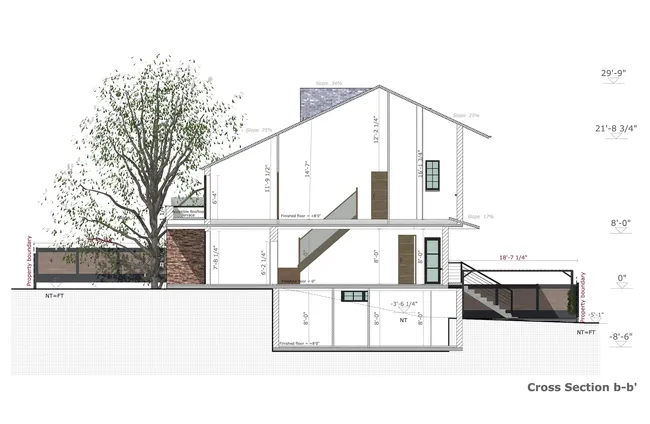
- Site plans: Model terrain and show the building on the lot with landscaping context.
- Electrical plans: Add outlets, switches, and lighting layouts with customizable colors and lines.
- Cross-sections: Generate section views to explain vertical relationships and key build details.
- Elevation drawings: Create elevation views to communicate exterior design from all sides.
Top Features of the Best Floor Plan Software for Mac Users
Cedreo’s platform combines speed, clarity, and a simple interface, so home builders, architects, and interior designers can create professional plans without getting bogged down.
Export Floor Plans
Download 2D floor plans as JPG, PDF, or DXF files when you need to share, print, or use deliverables outside the software.
Terrain Modeling
Shape terrain for site plans by modeling slopes with precise elevation changes to see how the home sits on the finished grade.
Automatic Roofs
Generate roof designs faster with automatic exterior wall detection and roof generation, while still giving you control to customize the final roof design.
Presentation Documents
Pull plans, images, and surface area tables into client-ready documents, then add your logo and business info for a polished proposal.
World-Class Customer Support
You shouldn’t have to rely on contact forms and user forums. Call, chat, or email your dedicated success manager for fast help from a real person.
Intuitive & Easy-to-Learn
Use simple, drag-and-drop tools and a clear layout so you can start producing professional plans quickly, even if you’re new to design software.
Create Floor Plans Like These With Cedreo on MacOS
From small remodels to full builds, Cedreo’s floor plan creator for Mac supports a wide range of house and commercial layouts.
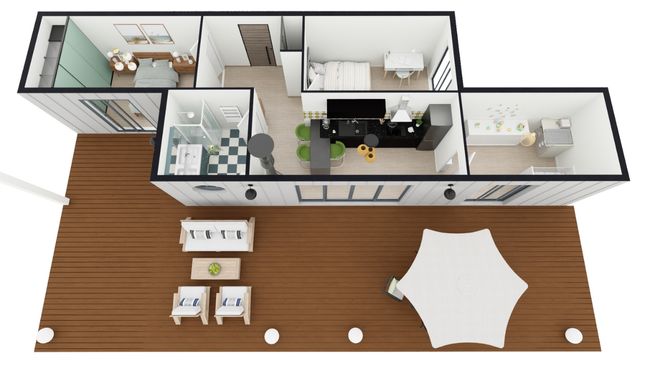
3D container house plan
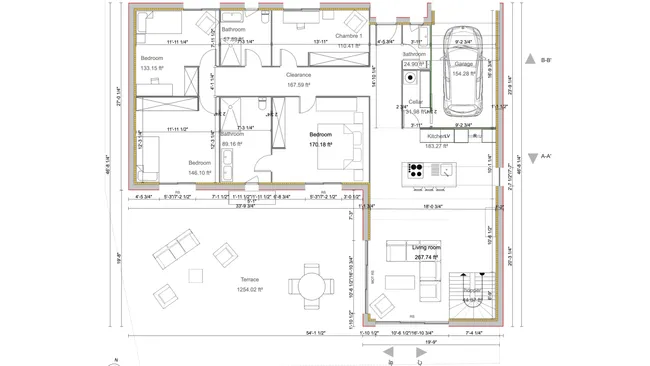
2D farmhouse floor plan
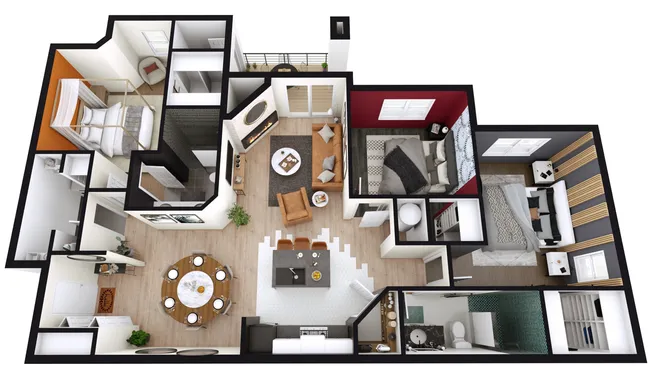
3D apartment floor plan
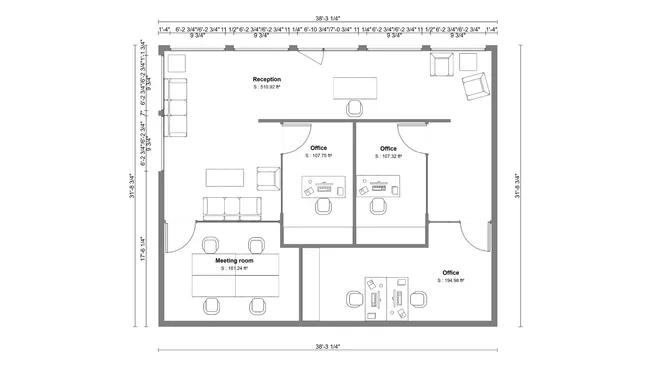
Commercial floor plan blueprint
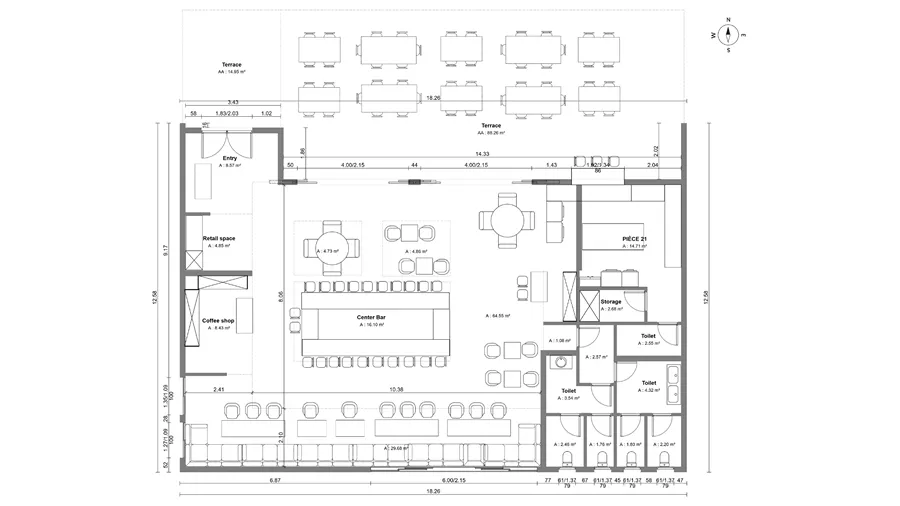
Restaurant floor plan

3D kitchen visualization
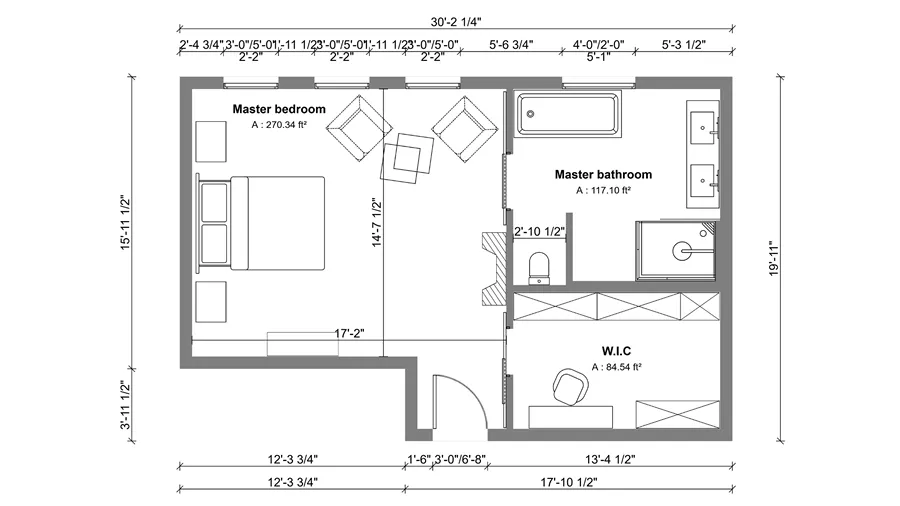
2D master suite floor plan
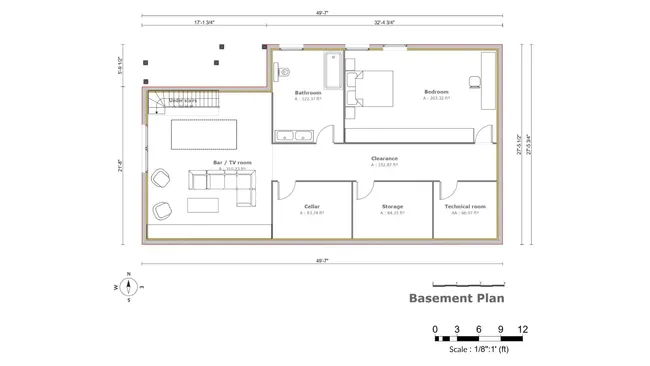
Finished basement floor plan

Landscape rendering
It’s easy to use.
But you can always count on Cedreo support.
For an even faster start, access tutorials and help articles.
Get tips to do more, faster.
“The ease of drawing the 2D layout plan was the main draw to this program. It was very intuitive compared to some other programs that were trialed.”
FAQ
What Is the Best Floor Plan Software for Mac?
For most contractors, the best floor plan software for Mac is a web-based tool like Cedreo when they want speed, easy learning, and the ability to visualize both 2D and 3D with full control.
If you need to quickly create floor plans and 3D visuals for client meetings, Cedreo is a strong option.
Is Cedreo Native Mac Software or Web-Based?
Cedreo is a web-based, cloud-based app that runs in your browser on your computer.
You just need a PC or Mac and an internet connection.
Can Floor Plan Software for Mac Create Both 2D Plans and 3D Renderings?
Yes, Cedreo lets you create 2D floor plans and view the design project in 3D, including the ability to add furniture, decor, and other objects from its design library.
It can also generate photorealistic 3D renderings with accurate lighting and textures.
Can I Use a Mac Trackpad or Do I Need a Mouse for Floor Plan Software?
You should use a mouse for precision drawing and faster control, especially on house floor plan designs.
If you draw walls, add measurements, and zoom in and out all day, a mouse usually feels more accurate.
Can Mac and PC Users Collaborate On the Same Floor Plan Project?
Yes, since Cedreo is cloud-based, Mac and PC users can access the same project from any computer with a browser, whether they’re in the office or working in different countries.
Can I Save Floor Plan Files Locally On My Mac or Only In the Cloud?
Your projects stay stored securely in the cloud, so you can access them across devices with a connection.
You can also export files as PDF and DXF to your Mac computer for archiving or use in other programs.
How To Draw Floor Plans On A Mac?
Open Cedreo in your browser, start from scratch or import an existing plan, then draw walls, add doors and windows, and label rooms.
Finish by adding furniture, decorations, and details like lamps to help clients visualize the space as it would look in real life.