Cedreo: The Best Home Design Software Alternative to Chief Architect
Cedreo is cloud-based home design software built specifically for residential contractors, remodelers, and home builders who need to win projects fast. From house plans to photorealistic 3D renderings, Cedreo produces complete client presentations in under 2 hours. For housing professionals evaluating their options, the choice of software makes all the difference.
Chief Architect’s steep learning curve and complex features slow down contractors who need to sell projects fast. That’s why Cedreo software has become the leading Chief Architect alternative for contractors and remodelers. It combines professional-quality presentations with 2-hour project turnaround and intuitive tools that require zero training. If you don’t want to deal with Chief Architect’s complexity, here’s what sets Cedreo apart.
Cedreo vs Chief Architect: In Depth Comparison
Cedreo and Chief Architect software both serve residential design professionals, but they differ significantly in complexity and target audience. Cedreo is the better choice for contractors, remodelers, and home builders who need fast, professional conceptual designs with minimal learning curve (complete projects in 2 hours). Chief Architect is better suited for architectural firms that need detailed construction documentation and advanced technical drawing capabilities. Here’s the in depth comparison.
| Feature | Cedreo | Chief Architect |
| Best for | Contractors, remodelers, interior designers, home builders | Architects, architectural firms, custom home builders |
| Starting price | Paid plans start at $159/month, with everything included in the subscription (no hidden fees, no need for paid add-ons) | $229/month, the hardware cost to get a rendering-capable computer, plus paid training courses to be able to use the software |
| Cloud-based vs. desktop | 100% cloud-based (works on any computer with a browser) | Desktop software (Mac/Windows installation required) |
| Learning curve | Low, first project in hours | Steep, weeks to months of training |
| Time to a complete design | 2 hours (for one-story houses) | Days to weeks (requires a training period in order to start) |
| 3D rendering speed | 2-5 minutes (cloud-based rendering) | 15-30+ minutes per render (requires powerful hardware) |
| Hardware requirements | Any computer with an internet connection | High-performance computer (16GB+ RAM, dedicated GPU recommended) |
| Automated features | Automatic roof generation, real time 2D-to-3D views, global material & color application to the entire house | Manual configuration required for most elements. Extensive set up options for every step. |
| Terrain modeling | Quick site plan creation in 20 minutes with intuitive elevation tools for detailed topographic modeling, importing topographic data, embankments, and retaining walls | Advanced terrain tools and detailed topographic modeling available, but require extensive configuration and training to use |
| House plans | Floor plans, elevations, cross-sections, site plans, and electrical plans | Detailed construction documents, framing, and technical specifications |
| Customer support | Phone, live chat, email, video library, knowledge base, and webinars | Knowledge base, forums, email support, and paid training available |
Cedreo is Top-Rated by Savvy Industry Experts
Verified user reviews on Capterra reveal why contractors prefer Cedreo over Chief Architect. Higher ratings across customer support, ease of use, 2D drawing, and 3D rendering aren’t just numbers, they represent real contractors getting faster support, completing projects quicker, and closing more deals. Cedreo scores 4.4/5 on Capterra and 4.8/5 on G2, higher than Chief Architect in 2D drawing, ease of use, customer service, and rendering. See how Cedreo software compares to Chief Architect based on feedback from professionals like you.
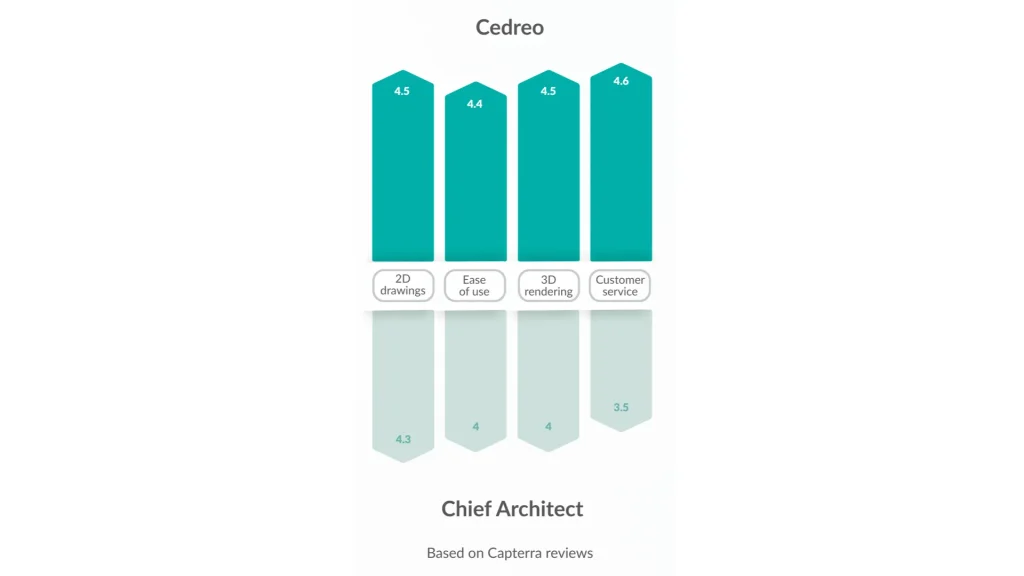
Ease of Use & Learning Curve: Cedreo Wins for User-Friendliness & Simplicity
Cedreo’s user friendly interface and drag-and-drop design process let contractors and remodelers create complete home designs (including 2d and 3d floor plans) without prior architecture software experience. Most users finish their first fully furnished project with professional 3D visuals within 2 hours. If your priority is fast client visuals without extensive training, Cedreo delivers significantly faster results. Chief Architect software is worth the investment only if you need its advanced features for detailed technical documentation on very complex projects.
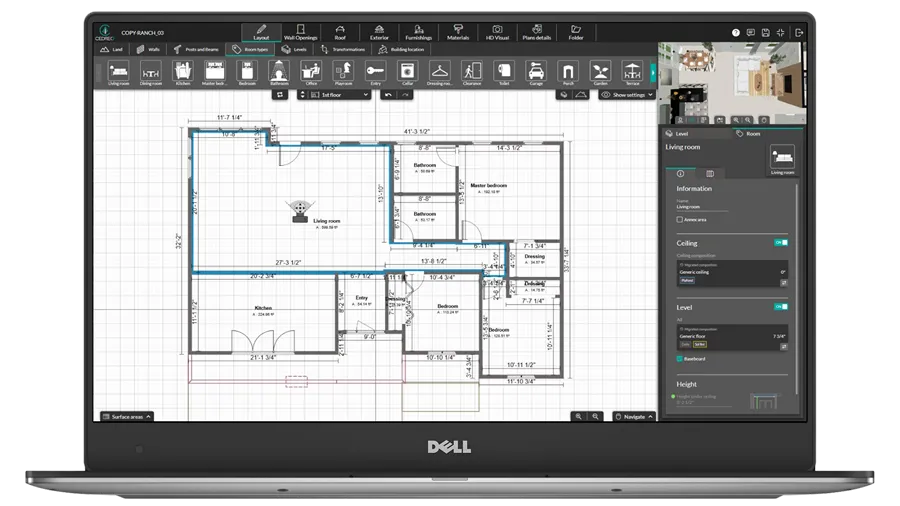
Interface ease-of-use
- Cedreo features a streamlined, intuitive menu with clearly labeled tools organized by workflow. Everything you need is within 2 clicks.
- Chief Architect has a complex, nested menu structure with hundreds of settings and additional features across multiple windows, requiring significant time to locate specific tools.
Feature set
- Cedreo focuses on the essential features that contractors use all of the time, removing unnecessary complexity.
- Chief Architect tends to have an overwhelming feature set which can be too much when you are working on simple residential projects.
Platform & accessibility
- Cedreo’s cloud-based architecture provides maximum flexibility so you can access projects from any computer.
- Chief Architect requires software installation and updates.
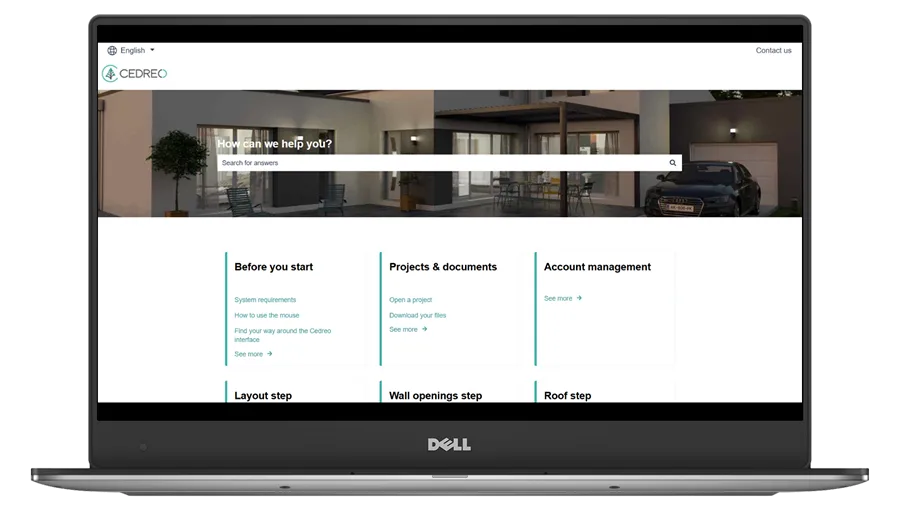
Customer support
- Cedreo’s live chat, phone, and email support allows fast response time (typically under 10 minutes for live chat).
- Chief Architect offers more traditional support, like in-depth documentation and email, with phone support reserved for Premier subscribers.
Design and 3D Rendering Capabilities: Cedreo Wins for Speed and Quality
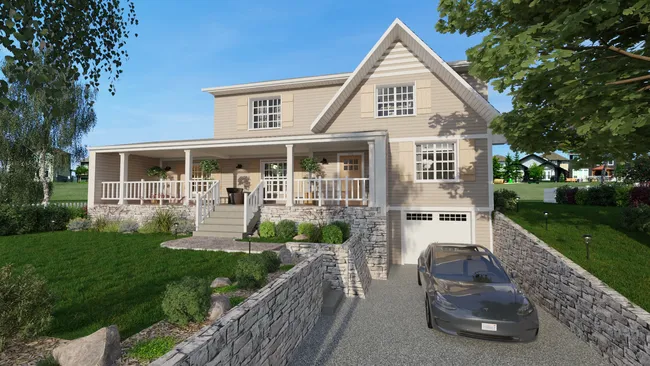
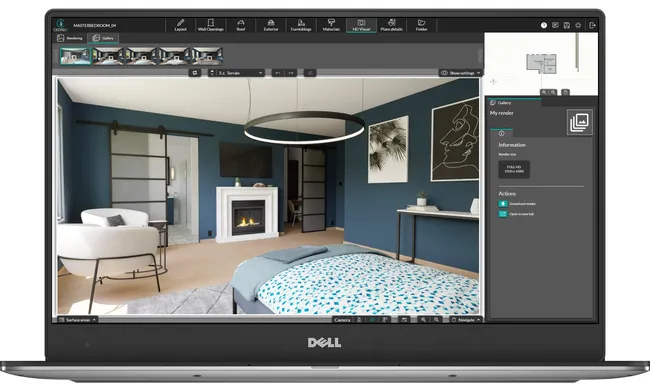
Chief Architect delivers great rendering quality through ray tracing, but it requires a powerful computer system. Cedreo produces photorealistic renderings with realistic lighting, textures, and shadows without complex settings. The key difference is speed: Cedreo renders 3D models in the cloud in minutes, while Chief Architect requires powerful computer hardware and longer processing times.
Rendering time
- Cedreo processes photorealistic 3D renderings in 2-5 minutes using cloud servers, allowing you to continue working.
- Chief Architect requires 15-30+ minutes per render depending on your computer’s specs, and your system becomes unusable during the rendering process.
3D rendering quality
- Cedreo produces photorealistic 3D visuals, with very limited set up, so your design process keeps moving.
- Chief Architect generates 3D visualizations that have a noticeably computer-generated appearance. Also, Chief Architect’s nighttime scene quality isn’t as good as its daytime renders, whereas Cedreo maintains consistent photorealism across all lighting conditions for both interior design and exterior views.
Rendering configuration
- Cedreo’s one-click rendering requires zero technical setup, just select your view, background image, sun orientation and then render.
- Chief Architect software requires configuring multiple settings for each image: camera position, shadow quality, reflection intensity, lighting sources, sun angles, ray tracing technique, and many more. This complexity can be time-consuming for contractors focused on selling projects.
Hardware needs
- Cedreo software works on any computer with an internet connection, so all renderings happen on cloud servers.
- Chief Architect requires a high-end computer with 16GB+ RAM and a dedicated graphics card (GPU) that supports ray tracing.
Terrain Modeling Tools: Cedreo Wins for Immediate Site Plan Design
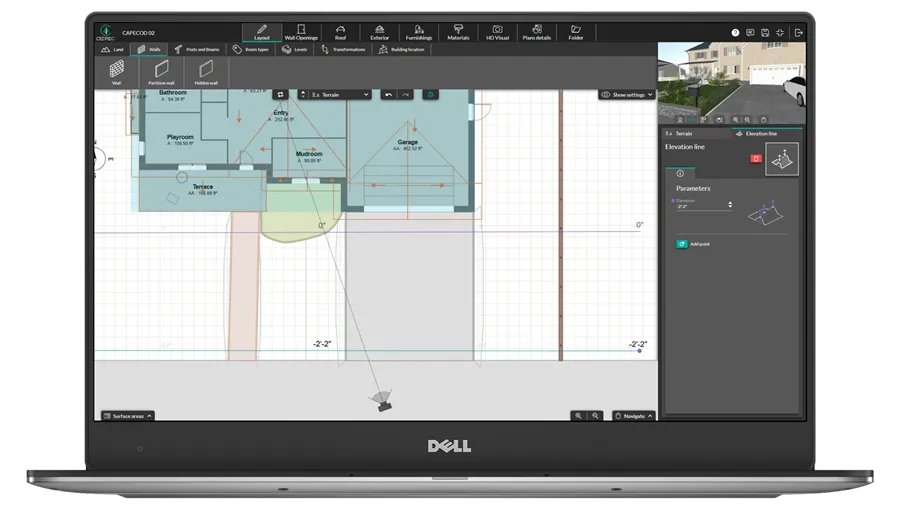
Time spent on terrain modeling is time away from selling projects. When comparing Chief Architect and Cedreo here, what takes 20 minutes in Cedreo can take several hours in Chief Architect, especially for users still learning the software. For contractors who need accurate site plans to show clients where buildings sit on sloped lots, retaining walls, and driveway grading, Cedreo’s comprehensive toolset supports a faster design process without the learning curve or a significant time investment.
Quick terrain design
- Cedreo creates professional terrain models in 20 minutes with user friendly point-and-click elevation tools with automatic contour generation and slope calculations.
- Chief Architect requires several hours to create equivalent terrain models due to complex terrain perimeter setup and elevation region configuration.
Retaining walls
- Cedreo allows you to place retaining walls anywhere on your terrain, and they work across elevation changes automatically without causing terrain irregularities.
- Chief Architect’s retaining walls require careful placement to avoid crossing elevation lines, which can cause terrain irregularities requiring manual fixes using terrain holes and cross-section adjustments, among other things.
Import surveys
- Cedreo software imports topographic surveys (PDF, JPG, PNG, DWG, DXF) as underlays, so you can click elevation reference points and start designing immediately with no CAD layer management.
- Chief Architect imports CAD survey data (DWG, DXF) but requires strong layer and element management.
Terrain and building
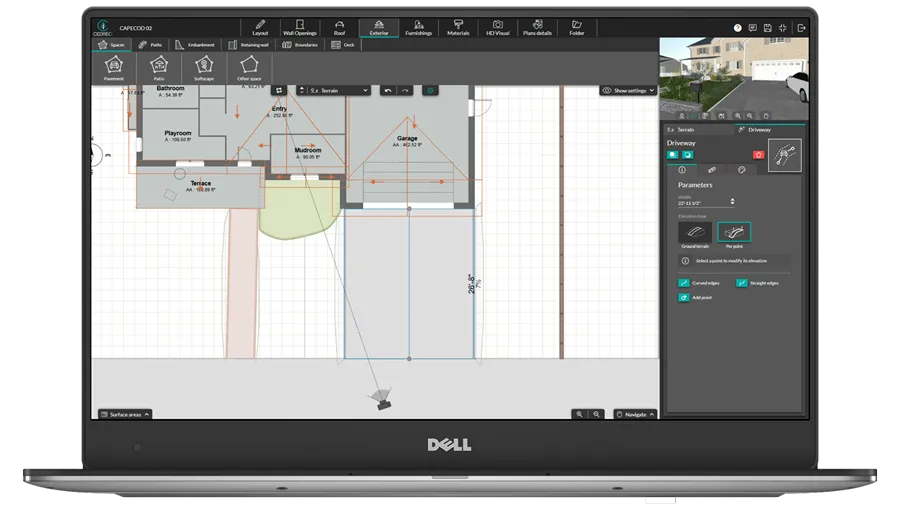
- Cedreo automatically integrates terrain with structures: buildings adjust to elevation, driveways conform to slopes, and everything in 2D and 3D updates together when terrain changes.
- Chief Architect makes you manually configure foundation elevation references and terrain intersections with the building.
Automation Features: Cedreo Wins for Productivity
If you’re looking for an alternative to Chief Architect’s complex automation setup, Cedreo delivers the user friendly automation contractors actually need. While Chief Architect requires configuring complex layer systems and manual document transfers, Cedreo’s intuitive automation allows you thrive without the busywork, saving you 10+ hours per project on repetitive tasks that don’t contribute to closing deals.
Global material application
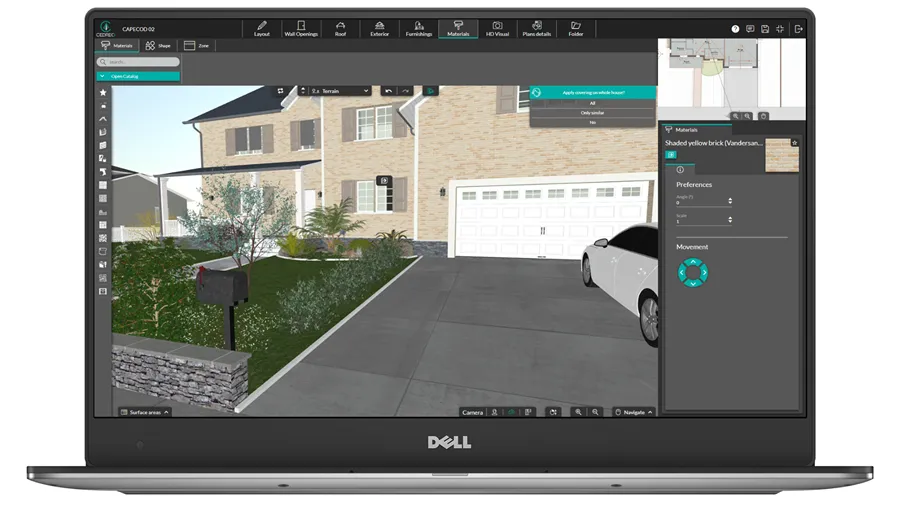
- With Cedreo, apply materials, colors, or finishes to all walls, windows, doors, or roofing in one click. Update your entire house’s exterior siding in seconds instead of clicking each wall individually. You can also automatically add gutters and overhangs around the house.
- Chief Architect requires manual application to each element or complex layer configurations.
Automatic document updates
- When you modify your design, all 2D plans (floor plans, elevations, cross-sections, site plans) automatically update in your presentation document.
- Chief Architect often makes you apply finishes one surface at a time, unless you manage more complex layers and material settings.
When to Choose Cedreo: The Best Tool for Creating Complete Home Designs Fast
Cedreo’s cloud-based architecture provides maximum flexibility. You can access projects from any computer, with no software installation or updates required. Enjoy speed, ease of use, and cloud accessibility that help you deliver professional projects with photorealistic renderings, fast. It’s the clear winner for contractors, remodelers, interior designers, and home builders who want to keep conceptual design in-house and impress clients with fast turnaround.
You Need to Create Designs Quickly
If you value speed and ease of use, then Cedreo is the right software. Time is money in contracting, and Cedreo saves you both. Unlike Chief Architect, Cedreo lets you create complete, professional home designs in under 2 hours, even with no prior design experience. Use intuitive drag-and-drop tools that optimize the design process and let you deliver client-ready presentations the same day.
You Want All the Documents that Help Sell Projects
Cedreo generates complete presentation packages in one workflow: floor plans, 3D renderings, site plans, elevations, cross-sections, and electrical plans. Export professional PDFs with your branding to present during initial meetings and sell your projects. Start designing projects that win contracts instead of spending time learning tools that slow you down.
You Want Customer Support You Can Rely On
Users consistently rate Cedreo’s customer support as “exceptional” for good reason. Our support team responds in under 10 minutes via live chat and phone, with no waiting days for email replies or searching forums for answers. Get instant help when you need it. You can also count on comprehensive video tutorials, webinars, and other resources included free with your subscription.
Examples of Home Designs You Can Create With Cedreo
Check out these designs, all created in under 2 hours with Cedreo. Similar projects would take days or weeks in Chief Architect. Detailed floor plans, 3D renderings, site plans, elevations, cross-sections, and presentation documents…everything contractors need to impress clients and close deals, done fast without the normal steep learning curve.
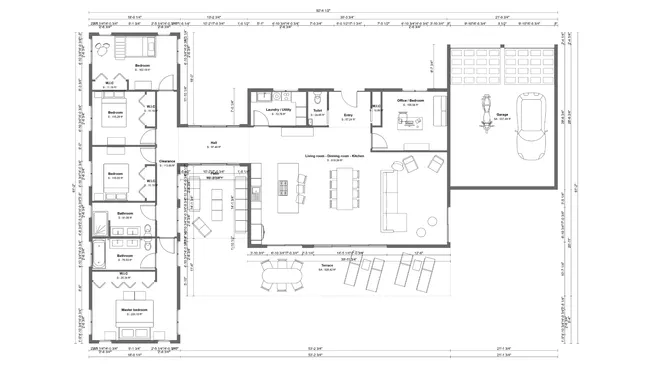
Floor plan
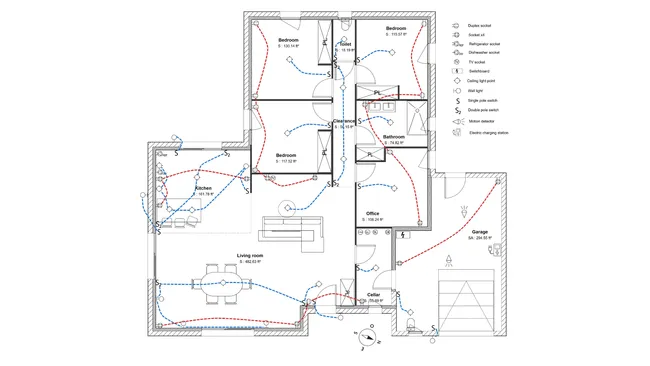
Electrical plan
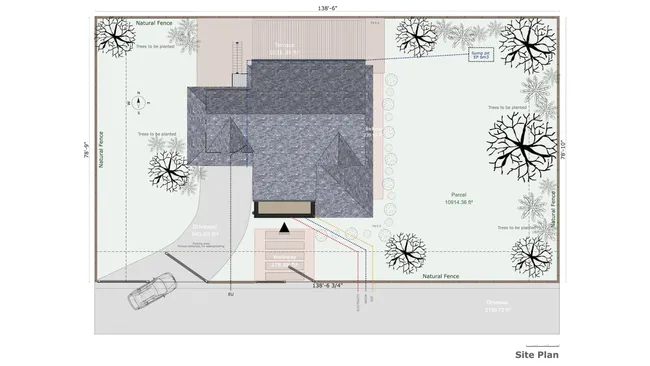
Site plan
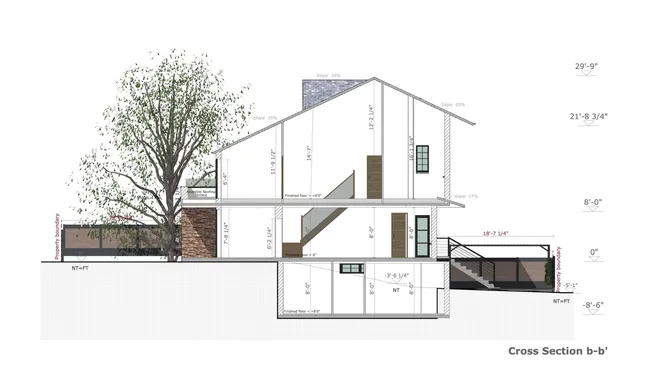
Cross section
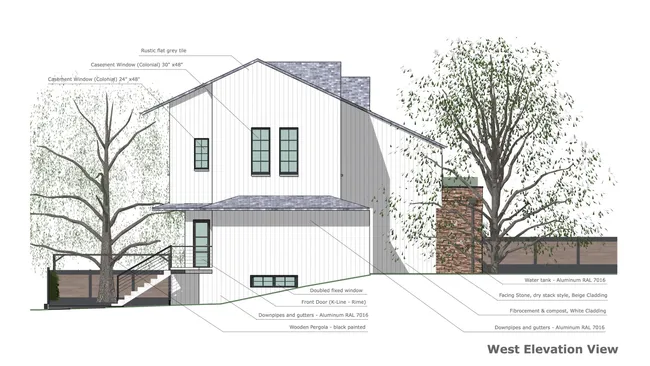
Elevation
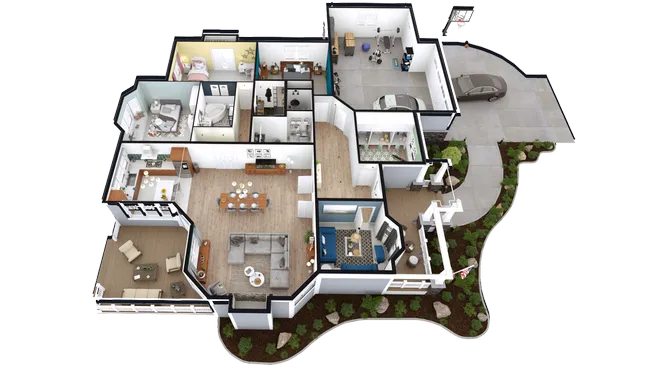
3D floor plans
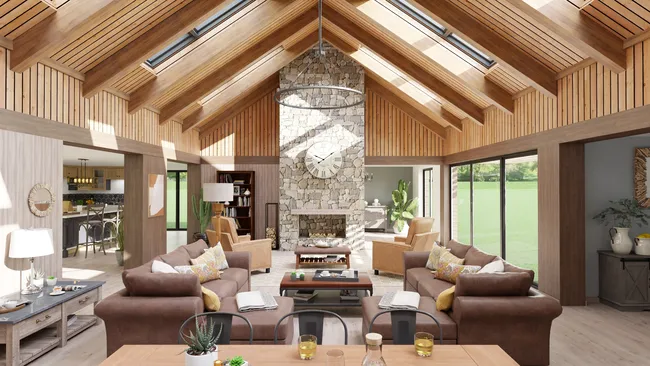
Interior 3D rendering
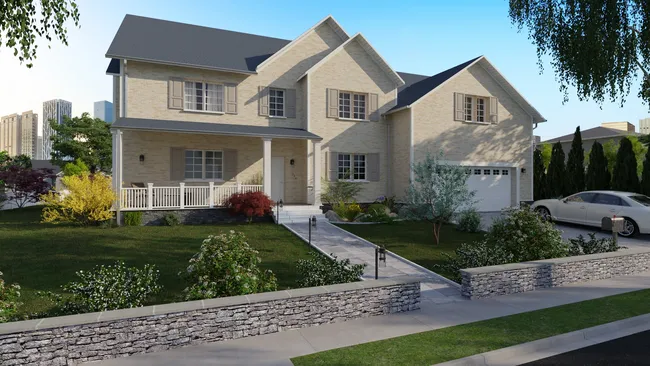
Exterior 3D rendering
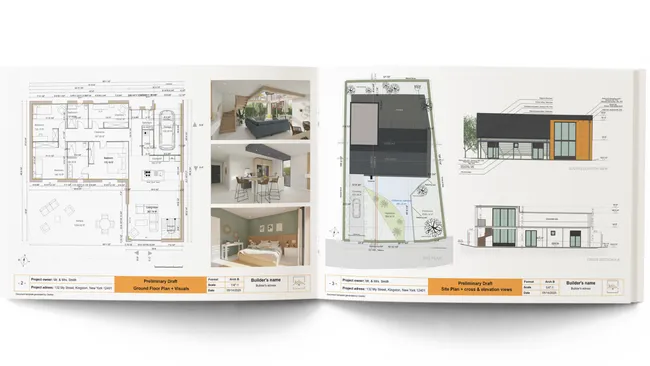
Presentation document
Customer Reviews Tell the Real Story
Don’t just take our word for it. Contractors and remodelers who switched from Chief Architect to Cedreo consistently highlight three key advantages: ease of use that requires zero training, photorealistic 3D renderings that help clients visualize their projects, and exceptional support that’s always available when needed. Here’s what real users say about working with Cedreo design software every day.
“This software is easy to use and offers me the ability to let customers see their finished product before it is built. Many customers have a hard time visualizing typical construction plans. The 3D view let our customers get a true feeling of the finished product they will be getting.”
“Cedreo is a great piece of software for rapid 3D visualisations. Love it’s HD renderings and ability to reuse existing buildings and adapt in a swift. And it most definitely has one of the best support teams I have ever came across.”
FAQ
Cedreo design software is better for contractors who need fast project turnaround with a user friendly interface and minimal learning curve. You can create detailed floor plans and full 2D and 3D presentations in under 2 hours versus weeks with Chief Architect Premier. Chief Architect is better for architectural firms that need detailed construction documentation for complex architecture designs.
Yes, Cedreo software is significantly easier to use. Most users create their first complete project within hours with no prior experience. Chief Architect has a steep learning curve that requires weeks or months of training to become proficient.
You can import PDF, JPG, PNG, DWF, and DXF floor plans into Cedreo and trace over them to create detailed floor plans quickly. Cedreo’s intuitive interface makes the drawing process fast so you can go from 2D floor plans to 3D models in less time.
The main difference is that Cedreo is cloud-based software and designed for speed and simplicity, while Chief Architect is desktop-based software focused on detailed architectural documentation. Cedreo prioritizes fast client presentations, while Chief Architect emphasizes technical precision for construction documents.
If you’re a contractor, remodeler, or home builder who spends too much time learning complex software or waiting for renderings, then make the switch to Cedreo and save 10+ hours per project. Chief Architect can still make sense to use for construction documents, but save it for jobs you’ve already closed.
Cedreo works on any Mac or Windows computer with a web browser. Chief Architect requires local installation on Mac or Windows computers with substantial processing power and memory.
Cedreo is the best alternative to Chief Architect because it eliminates the three biggest pain points contractors face: a steep learning curve (2 hours vs. 2 weeks), expensive hardware requirements (works on any computer vs. $3,000+ rendering PC), and less than desirable rendering capabilities (fast and photorealistic vs. complex and basic images).
Yes, contractors can create 2D and 3D floor plans in Cedreo without CAD software experience because the user friendly interface guides the design process. For advanced CAD tools, you may still prefer traditional CAD software.