3D Patio Design Software
Design 2D & 3D patio layouts in minutes, so clients can picture the outdoor living space and you land more jobs!
How To Create Patio Layouts and 3D Visualizations Online
Every part of the Cedreo patio design software makes the road from planning to completion as seamless as possible. And since Cedreo is cloud-based software, you can design a patio online without needing to download a large program.
See how you can create your next patio design in 3 simple steps:
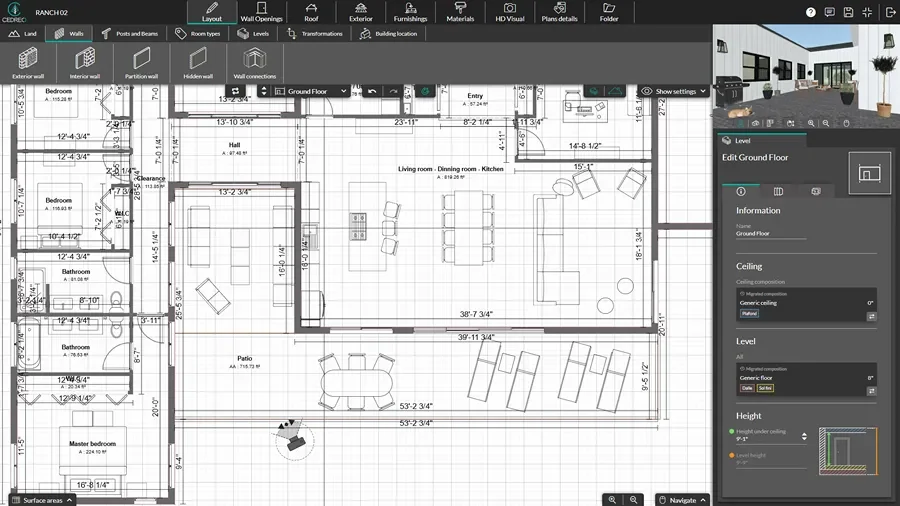
Draw the House Plan & Add the Patio
Start with accurate dimensions so the patio area connects cleanly to the home and the outdoor space.
- If you already have a floor plan for the home, you can import a scalable version in JPEG or PNG format and use it to trace the walls.
- Import a terrain layer, draw the property boundaries, and move the layer to the correct orientation.
- Add outdoor design features like decks, pathways, lawns, driveways, and gardens around the home.
Add Patio Furnishings & Materials
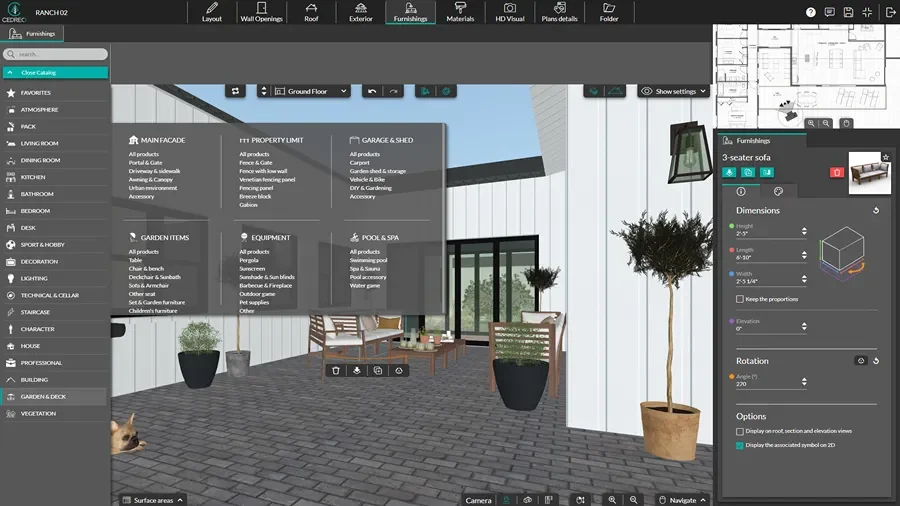
Help clients visualize their outdoor living space by adding patio furniture. Choose from an extensive product library of objects and materials.
- Add exterior objects like outdoor furniture and lawn furniture to test spacing for outdoor dining, lounging, and walking paths.
- Include trees, shrubs, and plant symbols to show shade, privacy, and landscaping plans.
- Apply surface materials like pavers, concrete, brick, wood, and stone.
- Add exterior lighting and adjust basic lighting settings so the outdoor living area feels realistic.
Generate Renderings of the Patio
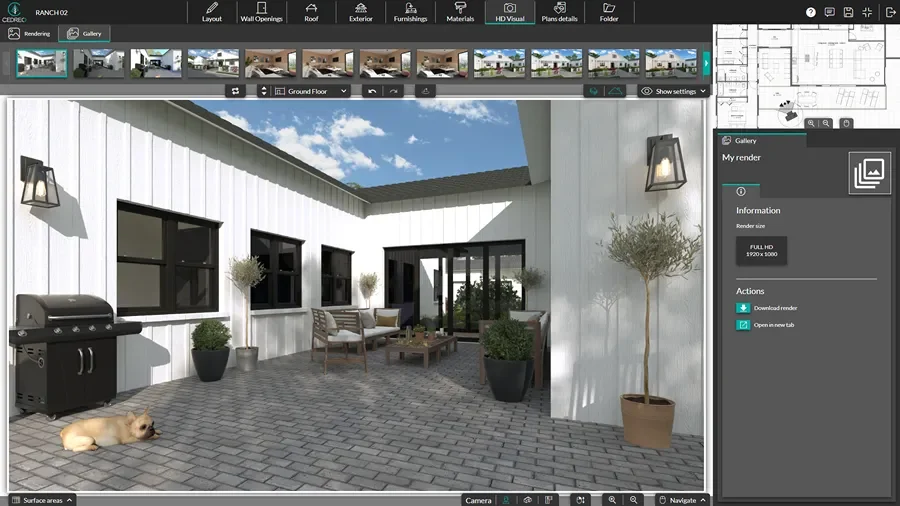
A lifelike rendering of what final projects will look like can be the key to closing your next deal.
- Customize camera perspective to show the best angles of the outdoor living space.
- Set time of day, sun orientation, and exterior lighting.
- Request a rendering and get a photorealistic exterior image in about five minutes.
- Use the visuals in presentation documents for clear, professional client reviews.
2D Patio Layouts
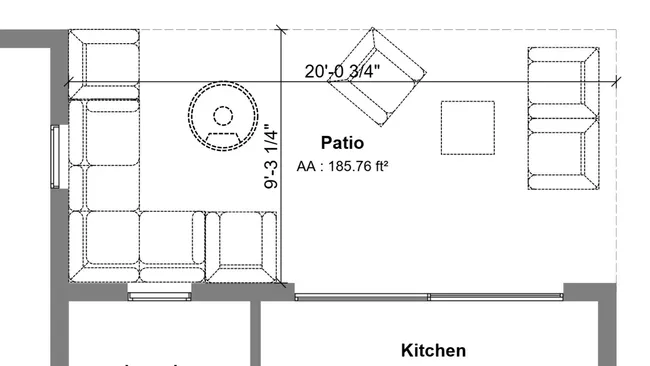
A 2D patio floor plan gives a clear view of the project with exact dimensions and shows how the patio sits next to the house, including existing doors and windows.
- Symbols: Add furniture and plant symbols to the 2D patio layout to check spacing, define zones, and show where key landscape elements will be placed.
- Quantity takeoffs: Use surface areas and dimensions to estimate materials like pavers, concrete, and edging.
- Custom dimensions and annotations: Add clear dimensions, notes, and callouts so clients and crews understand the plan without guesswork.
- Team handoff: Print or export plans to scale as a PDF file so crews can reference the plan on site.
3D Patio Layouts
For your clients to fully understand their new project, they need more than just 2D plans. The Cedreo patio planner provides a realistic 3D floor plan view from above that helps you and your clients better see the flow of the entire design.
And unlike most patio design software that makes you switch windows or exit your 2D plan, Cedreo lets you simultaneously view your design in 3D as you draw in 2D.
- Multiple angles: Showcase the patio from different viewpoints, including shots that frame the house or focus only on the outdoor area.
- Material testing: Swap finishes like pavers, concrete, and stone to compare options quickly.
- Furnishing: Add outdoor furniture, greenery, and exterior lighting to bring the patio area to life.
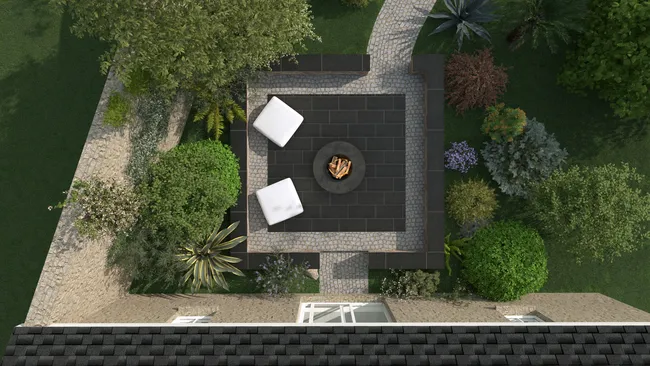
Photorealistic 3D Renderings of the Outdoor Space
No project presentation is complete without a photorealistic 3D visualization. Cedreo’s online patio designer helps users like you create professional outdoor renderings that help clients envision themselves in their new garden and patio area.
Lighting setup: Adjust sun orientation, time of day, and exterior lighting so shadows and ambiance look accurate for the site.
- Compare before/after: Show transformations clearly for remodels, additions, and outdoor upgrades.
- Camera angles: Capture wide angle shots, close-ups, and even a view from inside the house looking out to the patio for an interior perspective.
- Fast output: Request a rendering and get high-quality visuals in about five minutes.
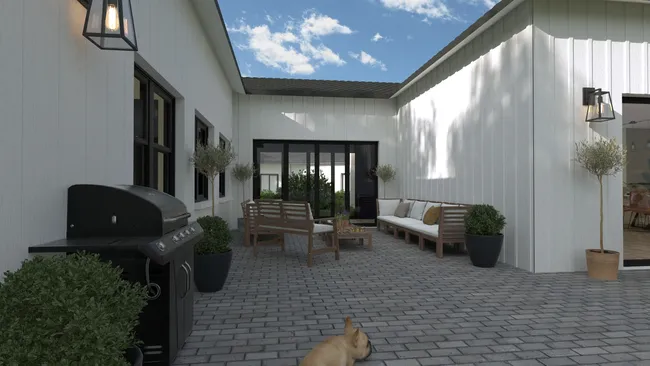
Patio Planner Software Top Features
Cedreo combines powerful outdoor design tools with an easy workflow, so you can present patio designs faster.
Terrain Modeling
You have full control to add and shape terrain so you can account for slopes, elevation changes, and how the patio sits on the site.
Save Viewpoints to Compare Layouts
Save named camera viewpoints (wide shots and close-ups) so you can reuse the same angles when you compare options.
Before and After Views
Create “existing” and “proposed” views from the same project so clients can quickly see what changes in the garden and patio area.
Presentation Documents
Export designs as client-ready documents that pull in your 2D plans, 3D views, and renderings, along with key labels, notes, and company branding.
World-Class Customer Support
Use tutorials and the knowledge base for quick answers, then reach support by phone, email, or chat when you need hands-on help.
Easy to Learn
Work with a drag-and-drop interface and a ready-made object library, so you can start producing professional patio layouts fast.
2D and 3D Patio Layout Examples
From quick backyard refreshes to full dream garden design, Cedreo’s online patio design tool helps you present outdoor living spaces in 3D even without prior design experience. Check out some examples of real patio designs created with Cedreo.
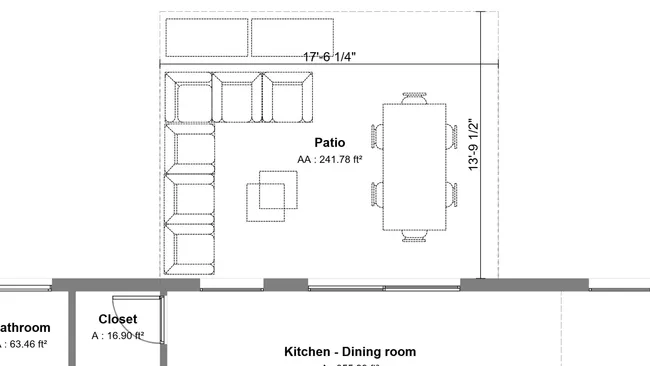
2D patio layout
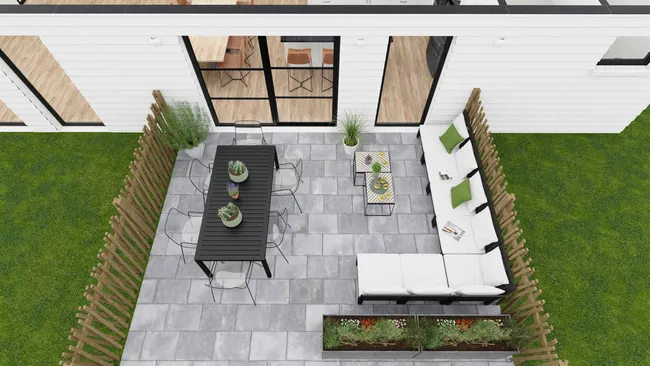
3D patio layout
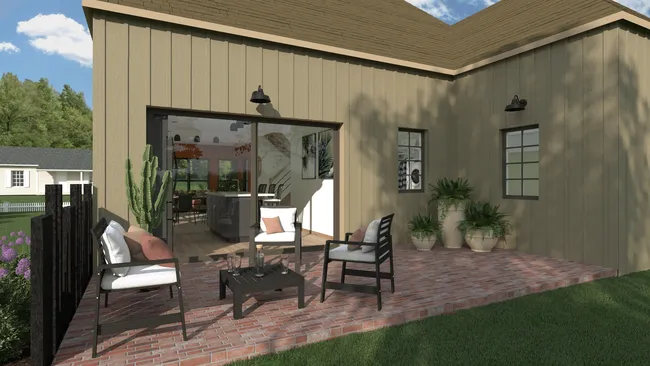
Backyard patio rendering
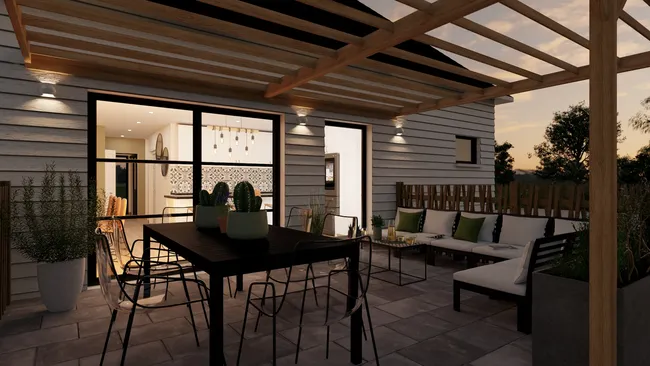
Concrete patio design
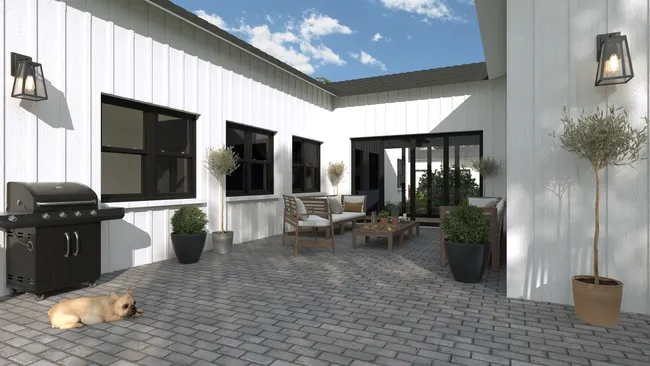
Paver patio design
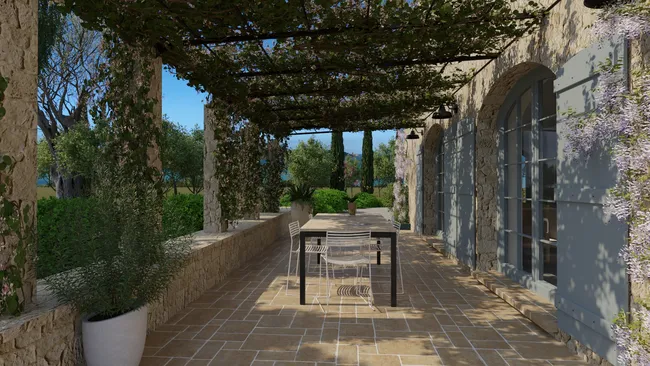
3D patio design with pergola
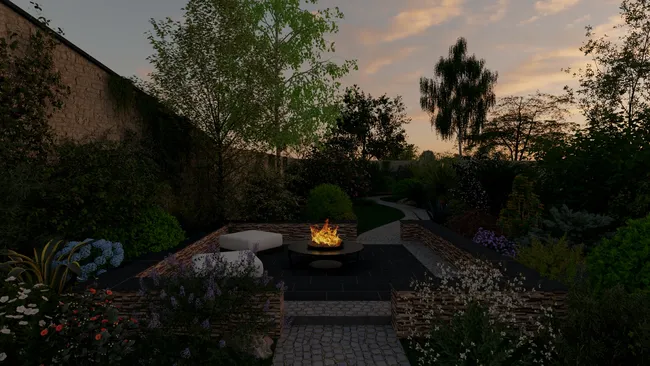
3D patio rendering with fire pit

3D patio design with plants
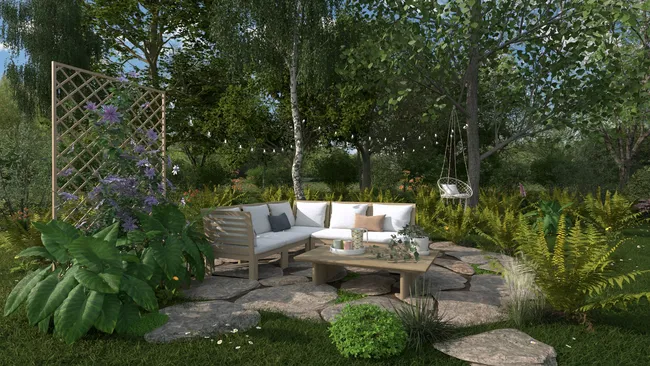
Outdoor area within the overall landscape
It’s easy to use.
But you can always count on Cedreo support.
For an even faster start, access tutorials and help articles.
Get tips to do more, faster.
“The ease of drawing the 2D layout plan was the main draw to this program. It was very intuitive compared to some other programs that were trialed.”
FAQ
The best patio design software helps you create 2D and 3D patio layouts quickly, visualize the outdoor living space, and present it clearly to clients.
Cedreo is built for contractors, remodelers and landscape designers who want to save time and bring patio ideas to life with minimal design experience needed.
Yes, a strong patio design tool lets you test common materials so clients can compare look, scope, and the perfect blend for their unique style.
Cedreo makes it easy to apply different surface materials to patios, decks, and pathways and see the change in detail in 2D and 3D.
With the right patio planner software, you can go from a floor plan to 3D patio views in one working session.
Cedreo helps you start designing faster, even with limited design experience, so you can save time from concept to presentation and create full 3D designs in 2 hours or less.
Yes, you can design patios and decks that include steps, slopes, and elevation changes for a more complete outdoor area.
Cedreo’s patio planner tools include terrain modeling that helps you account for grades and levels across the landscape.
Show the patio design in 3D, then share photorealistic exterior renderings so clients can visualize the patio online.
Cedreo helps you bring the full vision to life with clear visuals that capture materials, lighting, and everyday life in the space.
Yes, you can design patios around an existing home footprint and connect them to the garden and the broader landscape design.
Cedreo supports importing a plan so you can build the patio layout around the house and export designs for clients and landscaping professionals.
A 2D plan focuses on layout, dimensions, and clear communication for building, including labels and detail.
A 3D visualization uses the same design tools to show ideas, perspective, flow, and faster client decisions.
Yes, slope planning gets easier when you can model terrain and see how features sit on the lot.
Cedreo supports terrain modeling so you can plan patios, paths, and planting areas with more confidence.
Yes, you can design commercial outdoor spaces when you need clear seating zones, circulation paths, and a professional designer-style presentation.
Cedreo supports both residential and commercial projects, and you can export designs to share with stakeholders.
In Cedreo backyard patio design software, just import the existing floor plan into the patio design tool (PDF, PNG, JPEG, DWG, or DXF), then add walls, doors, and windows in just a few clicks so your patio planner matches the home.
Then use the design tool to drag and drop plants, trees, and other landscape design elements from the extensive library to create a complete outdoor area.