Deck Designer
Draw professional deck plans, site layouts, and photorealistic exterior visuals faster with Cedreo’s deck planner.
How to Use Deck Design Software?
Use the Cedreo deck tool to create deck designs in just a few steps, even if you have no CAD experience.
Draw the House Plan & Terrain
Start with accurate dimensions and real site conditions so your deck fits the house and lot.
- Import existing house plans or draw from scratch.
- Place the house on the site plan to define location, setbacks, and access.
- Model flat or sloped terrain to match real site conditions.
- Add stairs, openings, and connections between the house and the deck.
Features:
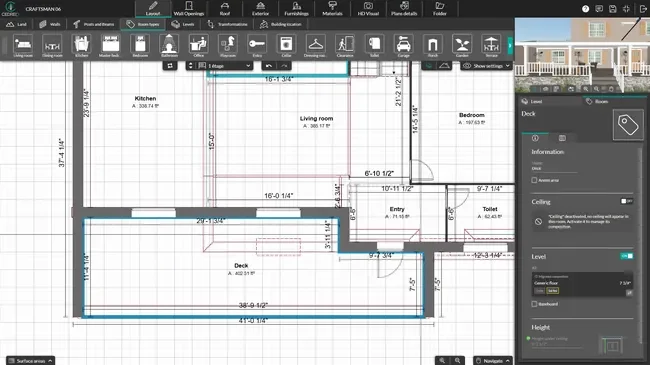
Apply Deck Materials, Railings & Furniture
Build the deck layout and customize every visible detail.
- Adjust deck shape, size, thickness, and deck skirting.
- Apply decking materials, colors, and finishes.
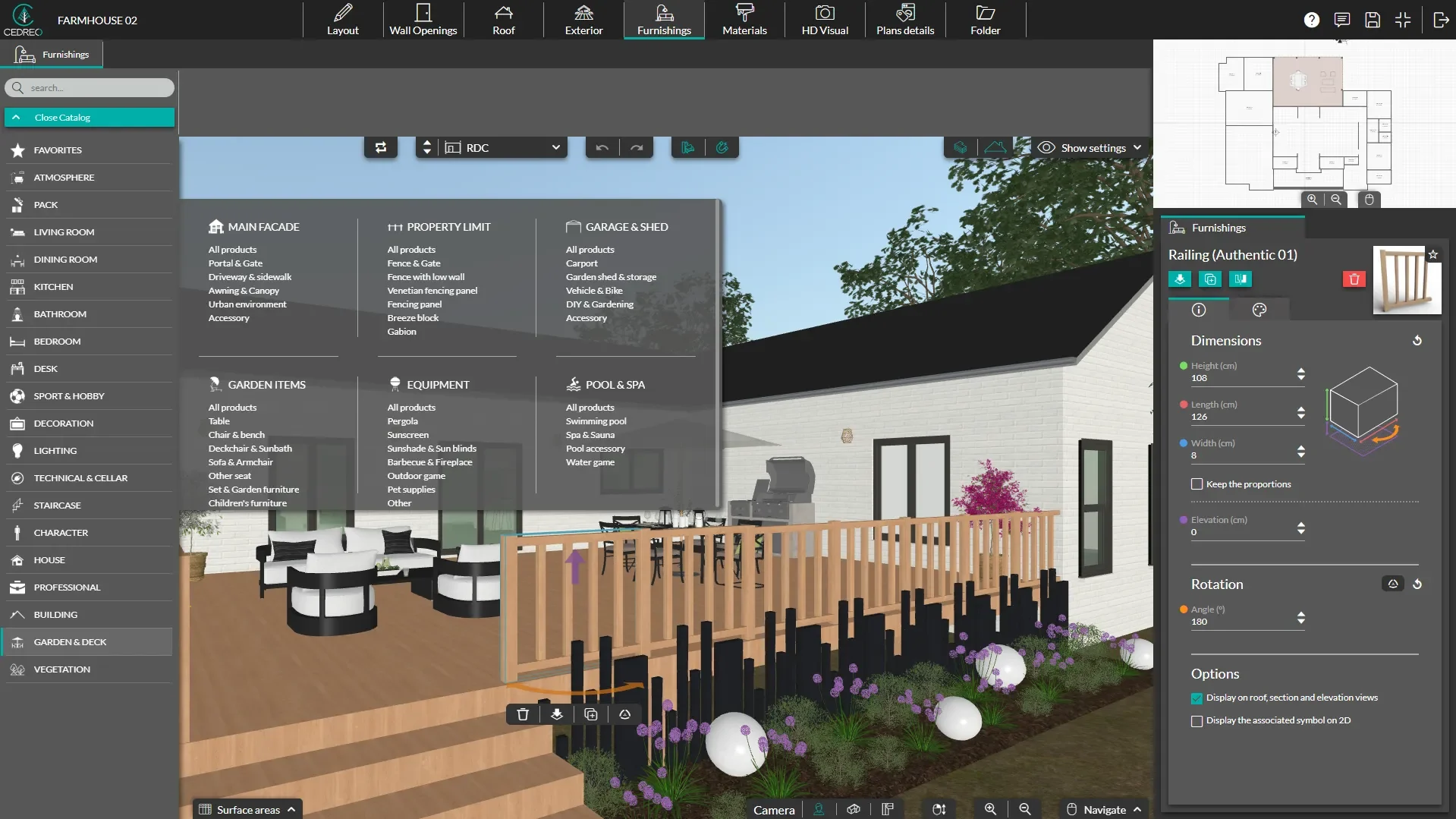
- Select railings, stairs, and safety elements.
- Add furniture, lighting, and vegetation to complete the exterior layout.
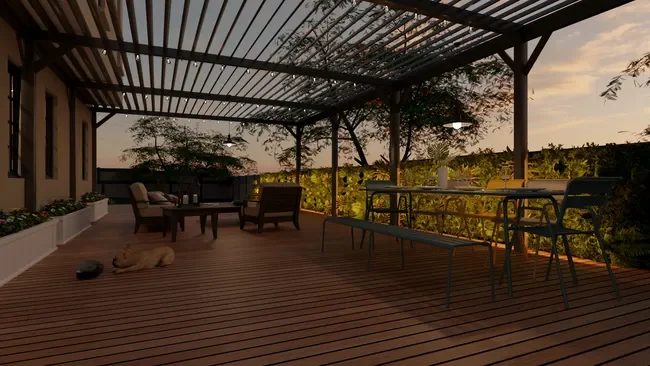
See the Deck Design in 3D
Turn your deck plans into visuals your clients can understand fast.
- View the deck in 3D alongside the house.
- Adjust sun orientation and lighting for realistic results.
- Save views to compare design options.
- Generate exterior 3D renderings in minutes.
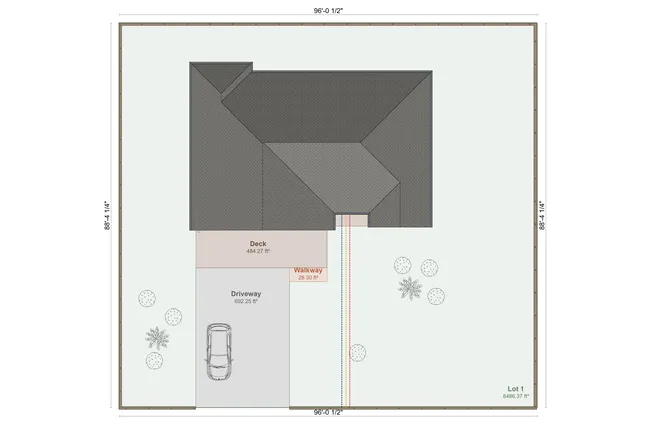
Site Plans to Show Deck Placement
A detailed site plan helps clients and contractors understand how the deck fits the property. Cedreo’s deck planner software lets you accurately place the house and deck on the lot.
- Deck placement: See the exact deck location and orientation in relation to the house.
- Property context: Understand how the deck relates to property lines, terrain, and access points.
- Stair connections: Show how stairs connect the deck to the yard, driveway, or other outdoor areas.
- Outdoor integration: Plan space for landscaping, paths, pools, or outdoor kitchens around the deck.
3D Deck Layouts for Better Design Decisions
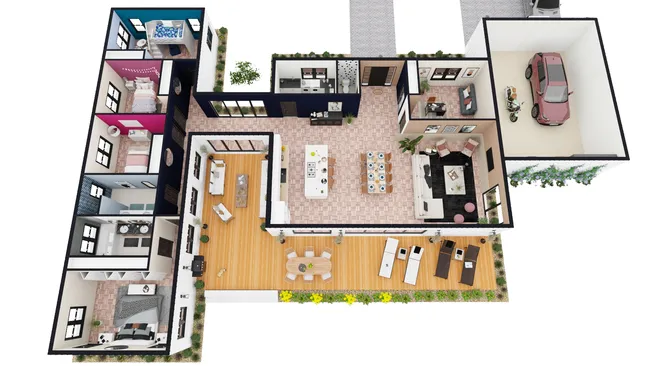
A 3D deck layout gives you and your client a complete view of the project. This makes it easier to design the perfect deck that works in real life, not just on paper.
- Full perspective: Explore the 3D deck from any angle to understand scale and layout.
- Functional flow: Check stair placement and circulation around exterior furniture before construction.
- 3D plans: Download 3D plans from a bird’s eye view so it’s easy to see how the deck fits into the overall landscape.
Exterior 3D Renderings That Sell the Project
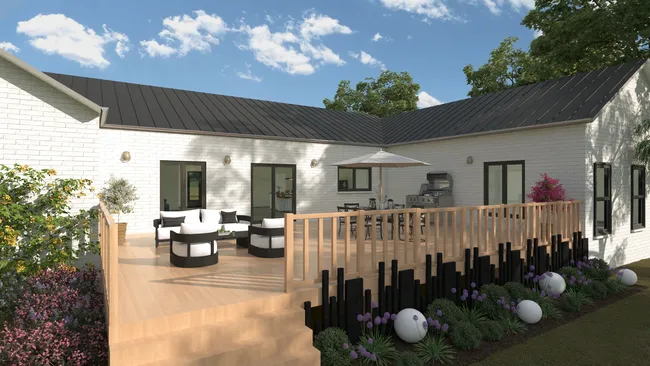
Photorealistic exterior renderings help clients visualize the finished deck with the house. These visuals reduce confusion and help clients say “yes” to your proposals.
- Fast renderings: Generate lifelike exterior images in just a few minutes.
- Material realism: Show how decking materials, railings, and furniture look together.
- Lighting control: Create daytime or evening scenes with accurate lighting.
- Client presentations: Use images in branded project presentations together with 2D blueprints and notes.
Top Features of this Deck Planner
Cedreo combines powerful exterior design tools with simple workflows made for professionals.
Import Existing House Plans
Upload existing floor plans in PDF, JPG, PNG, DWG, or DXF formats and trace over them to start with an accurate house plan.
Precise Deck Adjustments
Control deck thickness, skirting height, shape, and stairs so your deck plans match construction needs.
Deck Materials Library
Choose from a wide range of decking materials and railing styles to define the look, safety, and finish of each deck project.
Furniture and Vegetation Placement
Add outdoor furniture, planters, and vegetation to show how clients can use the deck and how it blends into the surrounding exterior space.
World-Class Support
Get real help from a real person exactly when you need it. Plus, videos with instructions, tutorials, and learning resources help your projects stay on track.
Easy to Learn
Get up to speed quickly with intuitive tools and workflows that let contractors start designing decks even without a CAD background.
Deck Projects Made with Cedreo
The Cedreo deck design software for contractors lets you work on a wide range of deck and outdoor projects like these.
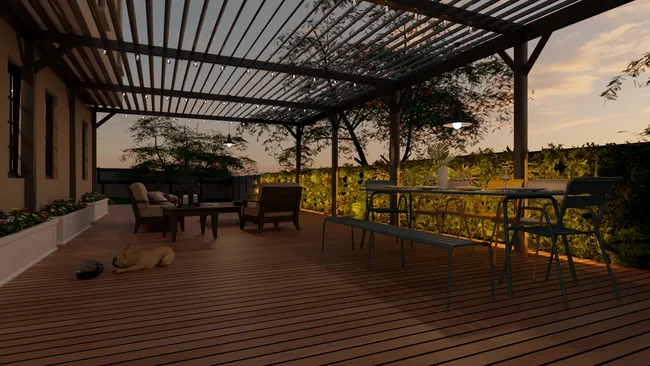
Traditional wood deck
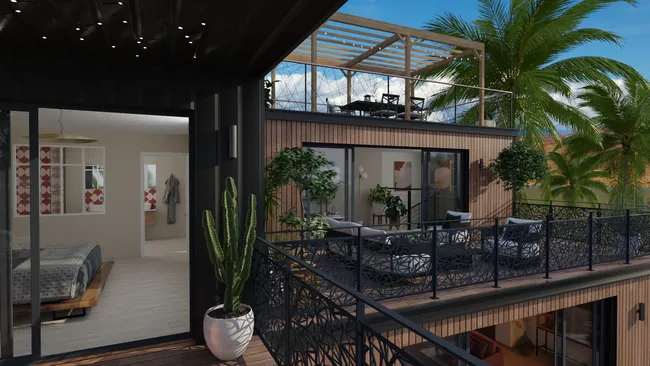
Deck with modern railing
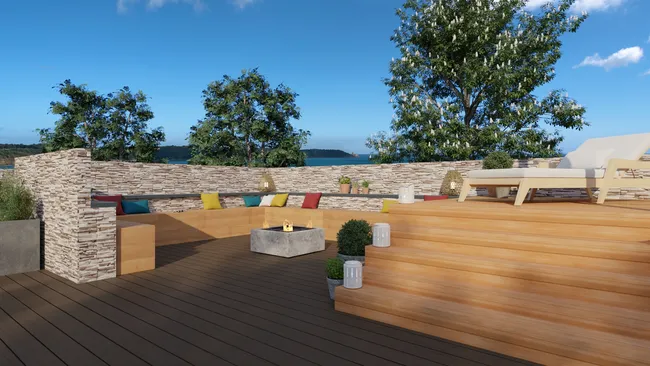
Multi-level deck plan
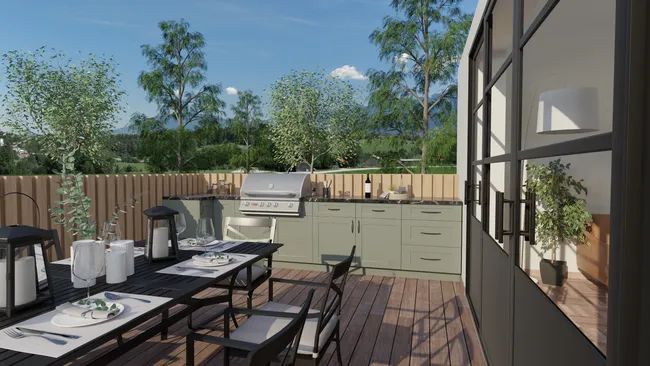
Deck with outdoor kitchen
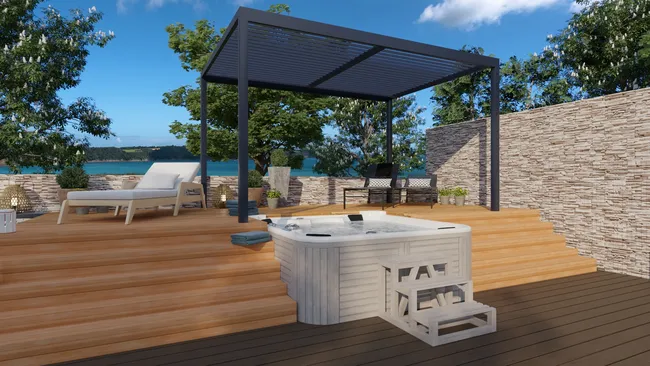
Deck design with jacuzzi
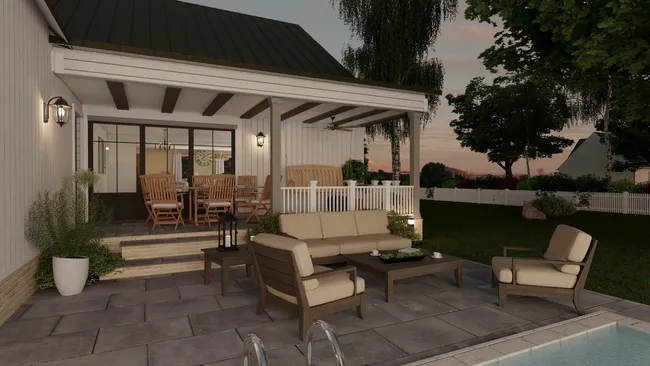
Furnished deck with lighting
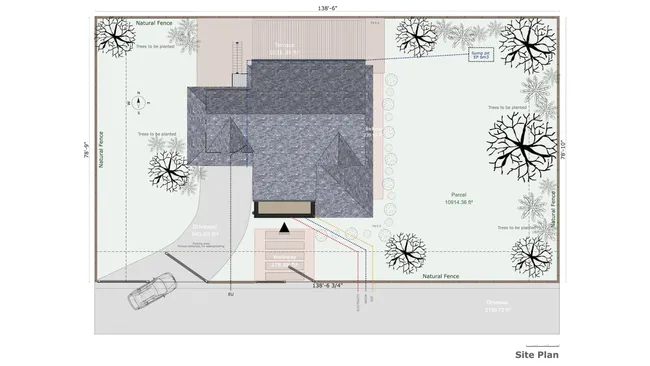
Site plan with backyard deck
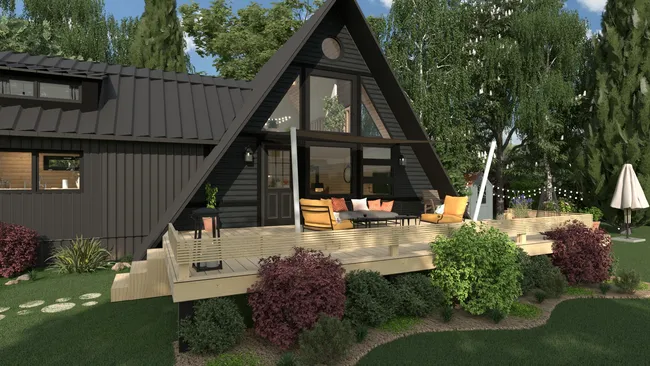
Raised deck with stairs
Deck design with vegetation
It’s easy to use.
But you can always count on Cedreo support.
For an even faster start, access tutorials and help articles.
Get tips to do more, faster.
“Precise terrain modeling helps us avoid unpleasant surprises during technical visits.”
FAQ
Software for deck design helps you create deck plans, layouts, and 3D visuals before construction.
It gives you a way to test design options, materials, and layouts digitally to avoid mistakes on-site.
Yes, Cedreo lets you design decks as part of a complete exterior and site plan.
You can place the deck in relation to the house, terrain, and surrounding features.
Yes, you can apply different decking materials, finishes, and colors to your deck design.
This helps clients compare options and understand cost and appearance.
Add measurements and notes, and then export a variety of plans (2D deck plans, site plans, elevations) from the Folder tab.
Or go to the HD Visual tab to generate 3D floor plans and photorealistic renderings.
You can import existing plans and trace over them to design your new deck in Cedreo.
In the Layout tab, open the Trace Image window on the right-hand side to import an image to trace over.
Yes, Cedreo allows you to design decks alongside pools, outdoor kitchens, and landscaping elements.
This gives you the power to present a complete outdoor project.
Cedreo is built specifically for construction and remodeling professionals, while SketchUp is a general-purpose modeling tool.
Cedreo focuses on speed, ease of use, and client-ready deliverables, whereas SketchUp often requires more manual modeling and setup, even for simple deck projects.
Yes, you can add vegetation, paths, and outdoor elements around the deck.
This gives clients a full picture of the finished exterior.
Use Cedreo’s cloud-based deck designer tool to design your deck from any laptop or desktop computer with wifi.
Because the program runs in your browser, you can save and update saved deck plans for each decking project and manage the building process from any internet-connected computer without installing software.