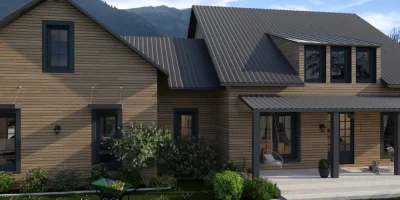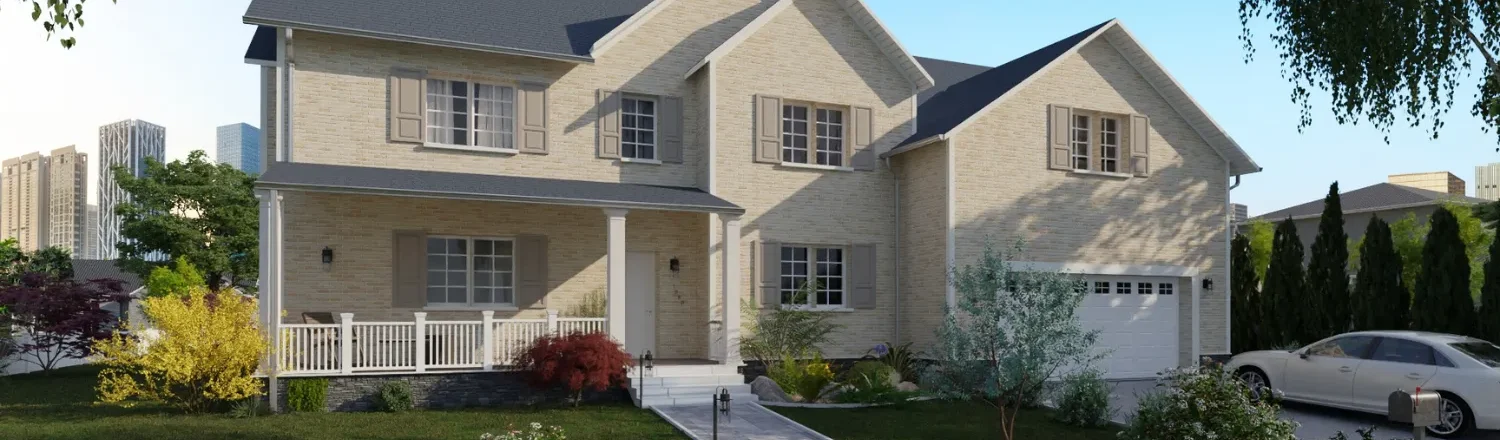
Less designing. More selling. Here’s why your house design app should be a business tool in 2026.
Picking the best house design app can feel impossible in 2026 because there are just so many choices.
And unfortunately, most tools are complicated to use and slow down contractors who need fast results.
That’s why the best app to design a house should shorten the time to proposal, help you avoid expensive mistakes, and get client sign-offs faster with clear visuals.
In this 7-minute read, we show you exactly what to look for so you can spend less time fiddling with software and more time selling your projects.
Key takeaways
- Choose tools that turn house plans into client-ready visuals fast, so you can move from idea to “yes” in fewer meetings.
- Pick an app with an easy learning curve, since speed matters when you are presenting ideas to clients.
- Look for a strong furniture and material library, because good design ideas land better when clients can visualize the room.
- Cedreo is a top choice since it helps housing professionals draft and present 2D and 3D concepts quickly, which supports faster approvals and more closed projects.
Why trust us? Here at Cedreo, we’ve got 20+ years of experience working with housing pros in the home design space. So we know what it takes for builders and designers to create projects that land them more clients! Plus, we’re including real user reviews in this article.
See How You Can Create Complete Projects with Cedreo
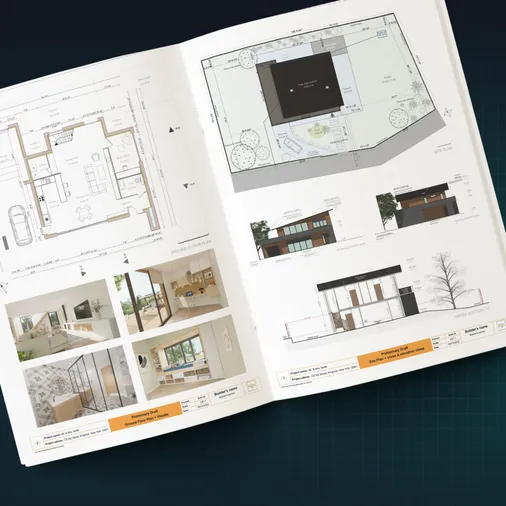
Plans – Get site plans, 2D floor plans, electrical plans, cross sections and elevation views — with all the technical details you need for a comprehensive project overview.
3D Visualizations – Use interior and exterior 3D renderings as well as 3D floor plans to help clients understand the finished project.
Documentation – Manage all your visual documents in one place, so it’s easier to present and sell your projects.
No credit card required, no commitment
How House Design Apps Grow Sales
A good home design tool does more than just drawing…it can actually help shorten your sales cycle and protect your margin.
House Plans from First Meeting
Good design apps help you create a solid first-draft floor plan and 3D visuals while the client is still excited about the project.
- Your time to concept is faster, so you can send a proposal sooner.
- You make edits live, so you waste less time on back-and-forth.
- You spot layout issues early, so you avoid rework later.
Client Visuals That Close Deals
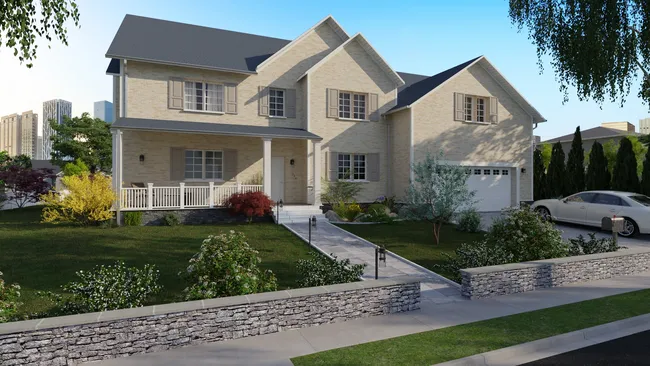
High-quality images reduce doubts because clients can see the space, not just guess.
- 3D views help homeowners understand scale, flow, and furniture placement way better than 2D plans alone.
- Better visuals support quicker design choices on finishes and layouts.
- Faster clarity means fewer delays before the build starts.
Fast Onboarding for Your Team
A shorter learning curve helps your team learn to use the software without weeks of training.
- New users can contribute sooner, even if they are not designers.
- Your process stays consistent across jobs, which improves quality control.
- You keep momentum in busy seasons, since training doesn’t stall production.
It’s easy to see how the right house design application helps keep your business moving forward.
Now check out some of the practical features you need to look for in a home design app.
Features You Need In a House Design App
Choosing the best app to design a house means finding one that offers the right tools for your projects.
So from real estate professionals to interior design professionals, here are the top tools you need to start designing.
User-Friendly Interface
Why important: If the app feels intuitive, your team can start designing sooner and keep projects moving.
What to look for:
- Drag and drop walls, doors, and furniture.
- Fast edits to layouts, room sizes, and openings.
- Clear dimensions and area totals on every floor plan.
- Controls that make sense for a beginner.
Comprehensive Design Tools
Why important: Complete floor plan and 2D drawing tools keep your house plans accurate, and 3D floor plan tools help clients visualize the design before you build.
What to look for:
- The ability to import existing plans in a variety of formats.
- Complete floor plan and 2D drawing tools with dimensions, plus solid exports (PDF and images).
- 3D floor plan tools that update as you edit walls, openings, and layouts.
- Custom 3D shapes or flexible modeling for unique details.
Extensive Object and Material Libraries

Why important: A big library helps you test design ideas quickly and match a client’s style.
What to look for:
- A large furniture and materials catalog for interior and exterior design.
- Simple search, filters, and favorites for fast access.
- Editable finishes like paint, flooring, and textures.
- Enough variety to cover both basic and premium looks.
Access Anywhere
Why important: You should be able to work from your desktop at the office and still show ideas in the field.
What to look for:
- Ability to access your projects anywhere you have internet.
- Cloud saving so every project stays backed up.
- Solid performance without a high-end computer.
Advanced Features for Pros
Why important: Advanced features help you sell full-scope work, not just a single room.
What to look for:
- Elevations and cross sections for clearer build details.
- Electrical plans or symbol tools for outlets, switches, and lighting layouts.
- Exterior and site tools for a complete home design.
- Terrain modeling that supports flat lots and slopes.
- Accurate lighting effects and controls, like day or night, sun direction, and shadows.
- Surface area reports that help with estimating and material takeoffs.
Cost and Licensing
Why important: Pricing affects profit, especially when you need more features, more users, or more projects.
What to look for:
- A free version or free trials to test the tools.
- Fair pricing for teams, not just solo users.
- Transparent add-on costs for renderings or libraries.
Customer Support and Training
Why important: Fast support keeps your projects from losing momentum.
What to look for:
- Live help by chat, email, or phone with a real person.
- Short tutorials that cover the basics quickly.
- A searchable help center.
- Training options for teams and new users.
So those are the top design app features you want to look for.
Which is the best software with a winning combination of those features?
Check out the next section with 12 of the best options.
12 Best House Design Apps 2026
The best apps fall into two groups.
Professional House Design Apps
These tools focus on speed, accuracy, and details.
- Cedreo
- Revit
- AutoCAD
- Magicplan
- SketchUp
- Foyr Neo
- RoomScan Pro
- Houzz
DIY Home Design Apps
These apps can be great for learning, decorating, and basic room layouts.
- Planner 5D
- Live Home 3D
- Floorplanner
- SmartDraw
Comparison Table
Use this table as a fast filter before you choose the app for your next project.
| App | 2D Floor Plan Capabilities | Furnishing & Material Library | 3D Rendering Quality | Client Presentations | Learning Curve | Support Quality | Pricing |
| Cedreo | Advanced | Large | Excellent | Excellent | Easy | Excellent | $$ |
| Revit | Advanced | Basic | Good (with add-ons) | Good (Better with add-ons) | Steep | Average | $$$ |
| AutoCAD | Advanced | Large | Good (with add-ons) | Basic | Steep | Excellent | $$$ |
| Magicplan | Good | Basic | Basic | Good | Easy | Average | $$ |
| SketchUp | Moderate | Large (with user-generated options) | Excellent (with add-ons) | Good | Steep | Average | $$ |
| Foyr | Good | Large | Excellent | Good | Moderate | Average | $$ |
| RoomScan Pro | Good | Basic | Basic | Basic | Easy | Limited | $ |
| Houzz | Advanced | Large | Good | Good | Easy | Good | $$$ |
| Planner 5D | Good | Large | Good | Good | Easy | Average | $$ |
| Live Home 3D | Good | Moderate | Good | Good | Moderate | Average | $ |
| Floorplanner | Good | Large | Good | Good | Easy | Average | $$ |
| SmartDraw | Good | Basic (2D symbols only) | None | Basic | Easy | Average | $ |
1. TOP PICK – Cedreo
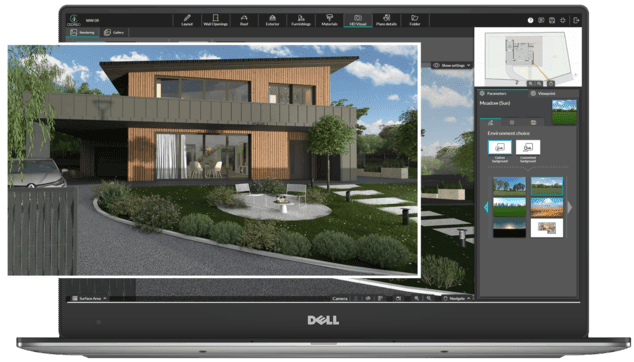
Best for: Contractors, remodelers, and designers who want fast house plans and client-ready visuals.
Available on: desktop browser anywhere you have a laptop and internet connection.
App overview: Cedreo is an innovative house design program that more and more design/construction professionals are switching to.
Instead of complicated CAD interfaces and expensive 3D modeling programs, Cedreo lets virtually anyone create professional 2D and 3D home designs in just a matter of hours.
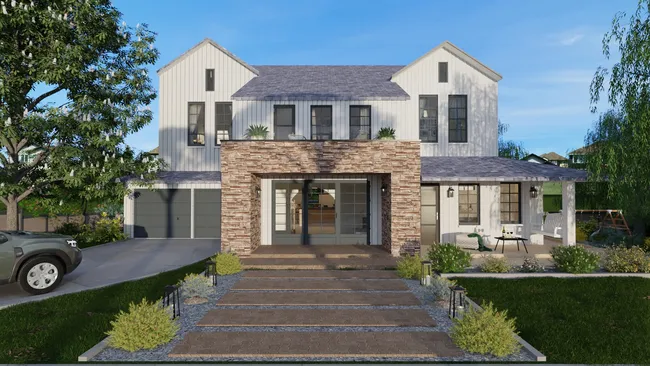
Experienced housing professionals love the intelligent toolset that is engineered to save you time and money. And with the ability to create fully furnished and decorated 3D renderings with accurate lighting effects, it’s easier than ever to communicate your ideas to your clients.
Real Reviews:
“We can design almost anything. That’s ultimately why we chose Cedreo. Using the 3D renderings most certainly helps in selling the project.” – Heartwood Build & Design
“I started searching for a rendering software so I have previously tested SketchUp however I found from the trial period that I was able to achieve much more in a shorter amount of time using Cedreo. It literally takes me a couple of hours to do one plan with Cedreo!” – Sixpence 21 LTD
“I have used a lot of drawing programs and the ease of use of this one has been great. The customer service help is fast and the renderings look very realistic compared to some others. I love the directional lighting that I can put into each room and the options for walls, floors, furniture and lighting.” – Susan
Ease of Use
- Runs in a web browser on Mac or Windows, so you can work from any laptop with internet.
- Drag-and-drop tools help you start designing without CAD experience.
- Import existing plans (JPG, PNG, PDF, DWG, DXF) to speed up remodeling projects.
3D Rendering Quality
- Generate photorealistic interior and exterior images in 5 minutes or less.
- Control lighting with day or night settings, sun orientation, and saved viewpoints.
- Use images in proposals and on your website to help clients commit.
- Realistic images reduce mistakes and speed up client approvals.
Furniture and Material Library
- Library of 8,500+ furniture, fixtures, and decor items plus thousands of materials and finishes.
- Search and swap items fast, so you can test design ideas without starting over.
- New items are added monthly, which helps keep your designs fresh.
Support
- Phone, email, and chat support five days a week.
- Pro and Enterprise plans include a dedicated Success Manager for training and answers.
- Support is built for pros who need quick help so they’re projects stay on track.
Pricing: $$
2. Revit
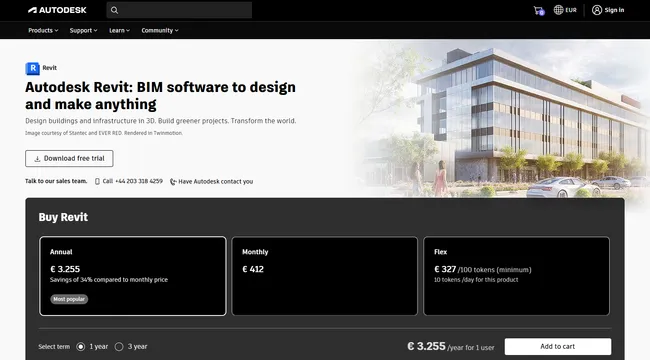
Best for: Architecture and engineering teams that need BIM models, coordinated drawings, and deep documentation.
Available On: Desktop
App Overview: Revit is built around one core idea: the model drives the drawings.
When you change the model, your plans, sections, elevations, and schedules update from the same source.
That is great for large, complex projects, but it can feel like overkill if you just need quick house plans to sell a remodel.
Real Review:
“I mainly use it to extract 3D architectural models for architectural visualization in other rendering programs, it allows different workflows since it has many extensions to export.” – Juan C.
Key features:
- Parametric building modeling for walls, floors, and roofs.
- Coordinated views for plans, sections, and elevations.
- Schedules and documentation tools for sheets.
- Worksharing for multi-user teams.
- Interoperability with common BIM and CAD formats.
Pros:
- Excellent for large-scale documentation.
- Strong coordination when many people touch the same set.
- A common standard in many firms.
Cons:
- Steep learning curve and setup time.
- Can feel heavy for most residential construction and remodeling projects.
Pricing: $$$
3. AutoCAD
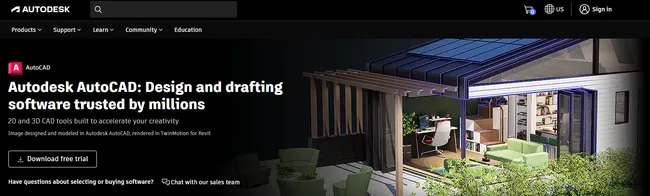
Best for: Precise 2D drafting, details, and edits when you need classic CAD control.
Available On: Desktop and mobile (with limited features).
App Overview: AutoCAD is the workhorse of 2D drafting.
If you care about layers, lineweights, and tight dimensions, it gives you that control.
It also offers web and mobile access for viewing and light edits when you’re away from your laptop.
Real Review:
“I mostly use AutoCAD for renovation projects. Most of these projects already have an existing file to work off of. These types of projects usually do not need a 3d model developed. These projects can move fast and have a quick turnaround.” – Kevin S.
Key features:
- 2D drafting tools for plans and details.
- Layers, blocks, and annotation controls.
- DWG compatibility for sharing.
- PDF and markup workflows for revisions.
- Desktop, web, and mobile access for DWG files.
Pros:
- Deep control for details and technical drawings.
- Easy to share DWG files with other pros.
- Great for construction notes and revisions.
Cons:
- Not built for fast client-ready visuals.
- Training time can be high if you are new.
- You need additional software for true 3D models and renderings.
Pricing: $$$
4. Magicplan

Best For: Remodelers and restoration pros who want to capture a floor plan on a mobile device.
Available On: Android and iOS
App Overview: Magicplan aims to replace the traditional paper and pencil method of sketching floor plans in the field.
It’s a nice solution for when you’re visiting a property and need to make a quick floor plan sketch.
Then, add notes and photos to the floor plan that you can pass along to your design team.
And if the homeowner needs a quick estimate, Magicplan helps you do that while you’re away from your desk.
Real Review:
“I really like that it is easy to create sketches from homes and all the area calculation is done.” – Bence
Pricing: $$
5. SketchUp
Best For: Pros who want flexible 3D modeling and do not mind building their own workflow.
Available On: Android, iOS, Windows, and Mac.
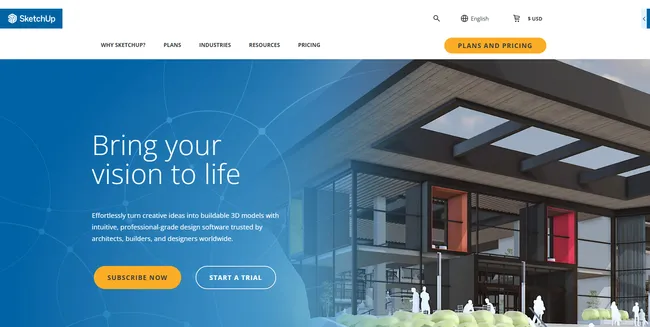
App Overview: SketchUp is a 3D modeling program with a wide range of applications, from creating 3D product models to designing commercial buildings.
If you use SketchUp as a house designing app, it’s good if you already have some 3D modeling or CAD experience.
And while SketchUp (especially the PRO version) gives you powerful tools for creating custom shapes, to use it primarily as home design software, you need to purchase add-ons to create professional 2D floor plans and 3d renderings.
Real Reviews:
“I appreciate that Sketchup provides a lot of plug-ins and features that enable us to create more complex graphics. “ – Jessica
“The program is relatively intuitive if you have any familiarity with CAD software.” – Danny
Pricing: $$
6. Foyr
Best For: Interior designers who want room visuals, renders, and walkthroughs without heavy CAD.
Available On: Web browsers.
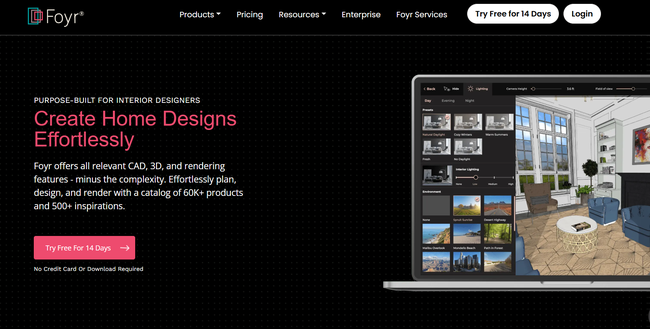
App Overview: Foyr Neo is a render-first tool that helps you stage rooms fast.
You build the room, drop in furniture, then generate visuals that sell the look.
It’s best for interior design work, so full exterior and site planning are not the focus.
Key features:
- Web-based 2D planning and 3D room design.
- Large model catalog (50,000+ models).
- Photorealistic rendering options, including 4K.
- 3D walkthrough tools.
- Export options for floor plans and visuals.
Pros:
- Strong for interior design presentations.
- Faster to learn than many CAD tools.
- Good for designers who sell style and finishes.
Cons:
- Not built around contractor estimating workflows.
- Can be limiting for full home design.
Pricing: $$
7. RoomScan Pro
Best For: Easy floor plan creation in the field.
Available On: iOS mobile apps (Certain features only work with Pro model iPhones and iPads).
App Overview: RoomScan simplifies the tedious task of creating an accurate floor plan of an existing home.
Instead of relying on tape measures and hand-drawn sketches (which are usually less than accurate), RoomScan Pro uses the latest iPhone Pro and iPad Pro’s built-in LiDAR technology to create precise 2D floor plans.
Or you can use compatible Bluetooth laser measures, which integrate with the app to do the same.
Once you export the plan, you can move it into other tools for design or presentations.
Real Review:
“I’ve tried a half-dozen room scanners with my iPhone 12 Pro. I have to admit that this one is the most accurate.”
Key features:
- iPhone and iPad floor plan capture.
- LiDAR and Apple RoomPlan options on supported devices.
- Notes and photos pinned to the plan.
- Export formats like PDF, PNG, DXF, and IFC.
- Optional support for Bluetooth laser measures.
Pros:
- Very useful for remodeling documentation.
- Exports help you hand off plans to a designer.
- Big time saver if you measure every day.
Cons:
- iOS-only workflow.
- Not meant for client-ready 3D renderings.
Pricing: $
8. Houzz PRO
Best For: Contractors who want a CRM and estimating software with built-in 2D and 3D design tools.
Available On: Web browsers, Android and iOS.
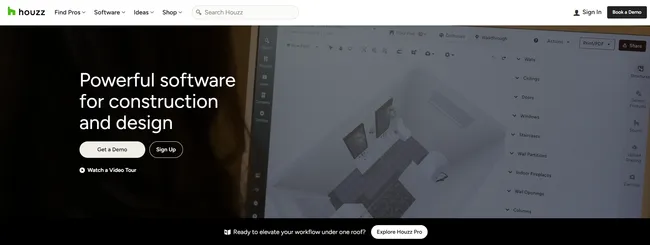
Overview: Houzz Pro is business software for remodeling and design professionals, and it includes integrated home design tools.
You can scan a room in the Houzz Pro app to generate a 2D and 3D floor plan, then edit and share it from your desktop.
It is a strong option if you want one system for managing clients and quoting work, but it is not a full home design platform for complete house plans, exteriors, or terrain.
Key features:
- 3D room scan in the mobile app (with supported devices) to create 2D and 3D floor plans.
- CRM tools to manage leads and clients.
- Estimates, invoicing, and online payments.
- Project management tools that can include schedules, budgets, and change orders (plan-dependent).
Pros:
- Good fit for a sales process that needs leads, proposals, and follow-up in one place.
- Room scans can speed up early planning during site visits.
- Easy to share visuals and keep client communication organized.
Cons:
- Not designed for full-house modeling, site plans, or advanced architectural drawings.
- Pricing can be high compared to design-only apps.
Pricing: $$$
9. Planner 5D
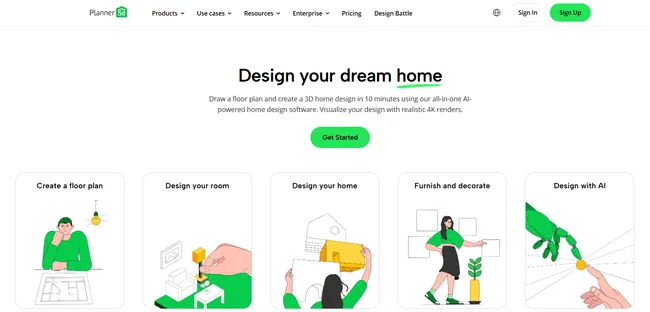
Best For: DIY users and students who want to explore layouts and decorate ideas.
Available On: Android, iOS, and Desktop.
App Overview: if you’re completely new to the house design world and are looking for easy-to-use programs for a DIY interior design project, the Planner 5D app could be for you.
This design software has some cool features like simple 3D visualizations, virtual reality viewing, and automated furniture arrangement.
The free version is a nice start, and paid upgrades open up a larger catalog and more features.
However, if you are a construction, remodeling, or interior design professional, you’ll probably need more features than what this home design app has to offer.
Real Review:
“5D Planner made my apartment redesign. First I thought I would need some professional architect or designer to help me in planning my apartment design. But a friend recommended the app. And it worked.”
Key features:
- 2D and 3D floor plan modes.
- Large furniture and decor catalog.
- “Snapshot” style images for sharing.
- Options that support iOS, Android, and web use.
- Sync options across devices depending on plan.
Pros:
- Easy to start designing right away.
- Great for simple interior design practice.
- Helpful for quick inspiration.
Cons:
- Not built for contractor plan sets or sales proposals.
- Advanced control can feel limited for pros.
Pricing: $
10. Live Home 3D
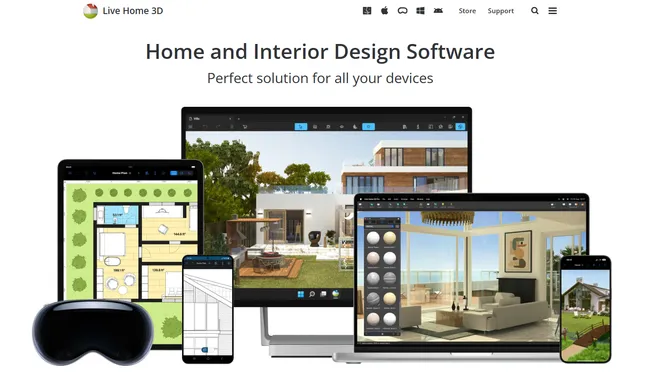
Best For: DIY home remodelers.
Available On: Android, iOS, Windows, and Mac.
App Overview: Live Home 3D packs a surprising amount of features into its house design platform: kitchen planner, landscape design, 3D renderings, and even an augmented reality feature for iOS.
And its entire toolset is relatively easy-to-use even if you’re not a design professional.
There’s a limited library of video tutorials and articles to help the DIYer get started with their designs.
But if you’re a housing pro you’ll probably miss having a personalized support team (like you get with Cedreo!)
Real Review:
“It was fairly easy to get going and design a basic structure. Picking colours and finishes wasn’t hard and there’s a wide range of furniture to pick from so you can end up with a walkthrough fairly easily.” – Fiona
Key features:
- 2D floor plan tools with a 3D view.
- Walkthrough and image export options.
- Cross-platform options (Mac, Windows, iOS, and Android).
- Optional LiDAR room scanning on supported Apple devices.
- Extra model sources and add-on content packs.
Pros:
- Nice mix of DIY tools without full pro complexity.
- Good visuals for homeowners.
- Flexible if you like to test many options.
Cons:
- Not geared to contractor sales speed.
- Pro workflows can take longer than purpose-built tools.
Pricing: $
11. Floorplanner
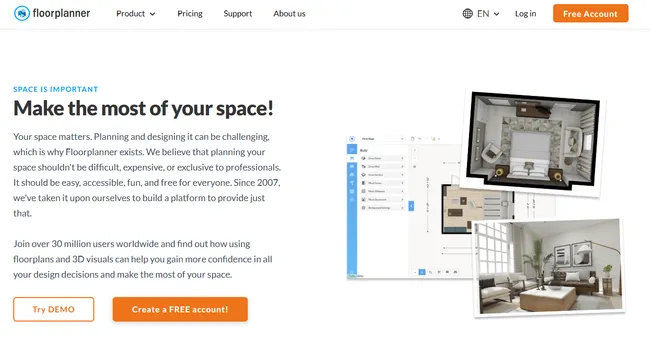
Best For: Quick floor plans, furnished layouts, and sharable images for interiors.
Available On: Web browsers and Android.
App Overview: Floorplanner is a nice home design app for creating beautiful interiors.
Just draw the floor plan and then decorate it with furniture and fixtures.
Floorplanner lets you choose from several different 3D rendering qualities all the way up to 8K.
However, since Floorplanner is focused on interiors, if you need to design an entire house (interiors, exteriors, landscaping, roof, etc.) you’ll want to go with another app like Cedreo.
Real Review:
“I really liked the way it allows you to literally make any kind of plan you desire. It gives detail info about wall measurements and such. Helps a lot in making a material list. I used on my iPad mostly.” – Real Estate Professional
Key features:
- Browser-based floor plan editor.
- Real-time 3D view while you design.
- Very large 3D model library.
- Photorealistic renders up to 8K.
- Credit and subscription upgrades for exports and team features.
Pros:
- Fast for interior layouts.
- Great for sharing visuals early.
- Easy for beginners.
Cons:
- Limited for full construction documentation.
- Exterior and site planning tools are not the focus.
Pricing: $$
12. SmartDraw
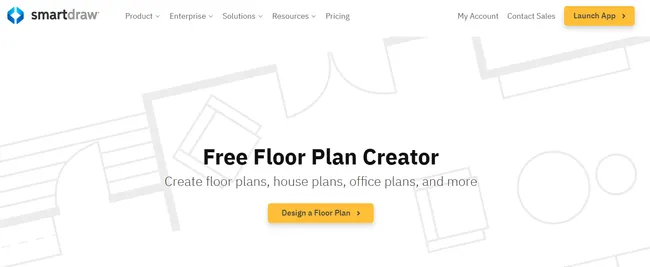
Best for: Creating basic 2D floor plans and diagrams.
Available On: Web browsers.
App Overview: Smartdraw is more than just a 2D house design app.
Sure you can create detailed 2D floor plans with architectural and mechanical symbols.
But you can also use it to create a wide variety of other charts and diagrams.
It integrates easily with cloud storage and other productivity apps like Office, Teams, and Google Workspace.
That makes it an excellent option for housing professionals who need a tool for drawing simple floor plans and organizing their businesses.
Real Review:
“I’ve used this for years to plan out the cubicle layout of our office, the details and features make it very easy to visualize and help people determine the best fits.” – Steven
Key features:
- Floor plan templates with drag-and-drop symbols.
- Draw-to-scale settings you can adjust.
- Simple edits for walls, shapes, and dimensions.
- Export options for sharing in documents.
- Integrations with tools like Microsoft and Google apps.
Pros:
- Very quick to learn for new users.
- Great for simple 2D plans and diagrams.
- Easy to share with clients and teams.
Cons:
- No true 3D home modeling.
- Limited for detailed construction sets and project presentations.
Pricing: $
The Right House Design App for You Is…
So which house design app is the right one for you? If you’re a residential contractor, remodeler or real estate pro, and are looking for an easy-to-use home design app that’s still powerful enough to create custom residential home plans, go with Cedreo.

No other home design program lets you do so much so fast.
- Create an entire set of house plans (interior and exterior) in as little as 2 hours
- Download pro-level 3D renderings in 5 minutes or less
- Create custom presentation docs that win you more clients
- Get on-demand world-class support that keeps your business moving forward
House Design App FAQs
Cedreo works well for contractors because you can draft a floor plan fast and show 3D visuals that confirm scope before you price the job.
Use it to compare options in one meeting, then share clear images to lock in layout and finish decisions.
Cedreo is a strong option when you want to turn ideas into clean house plans without a steep learning curve.
It is most helpful when you need both accurate 2D drawings and 3D visualizations to guide early decisions.
Cedreo is beginner-friendly software that’s still powerful enough for professional-level designs.
Easily draw 2D floor plans that get converted into 3D models, and then download professional renderings in under 5 minutes.