Custom Home Builder Software
From first floor plan to photorealistic 3D visuals, design and sell custom home projects in hours with Cedreo’s home building software.
How to Use Custom Home Builder Software
Cedreo gives home builders all the tools they need to create complete designs for custom homes, even without a CAD background.
Here’s how to go from initial planning to client-ready presentations in one platform.
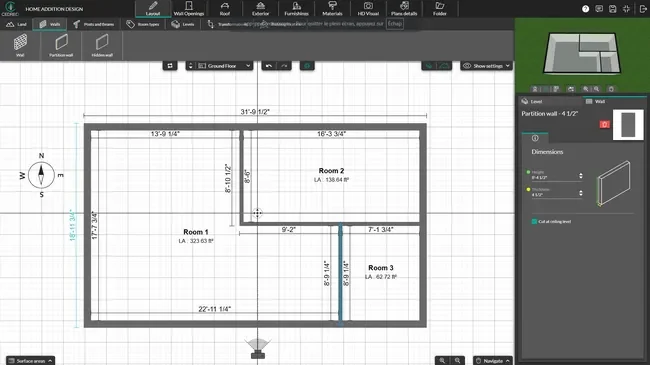
Draw the House Plans
Start with an accurate set of floor and site plans so key details are clearly defined before construction begins.
- Import existing sketches or blueprints in JPG, PNG, PDF, DWG, or DXF formats and trace over them to keep accurate dimensions.
- Draw interior and exterior walls with intuitive tools, then add doors, windows, and stairs from the built-in catalog.
- Model the terrain with accurate slopes and elevation points to match real site conditions.
- Add room labels, dimensions, and surface area calculations.
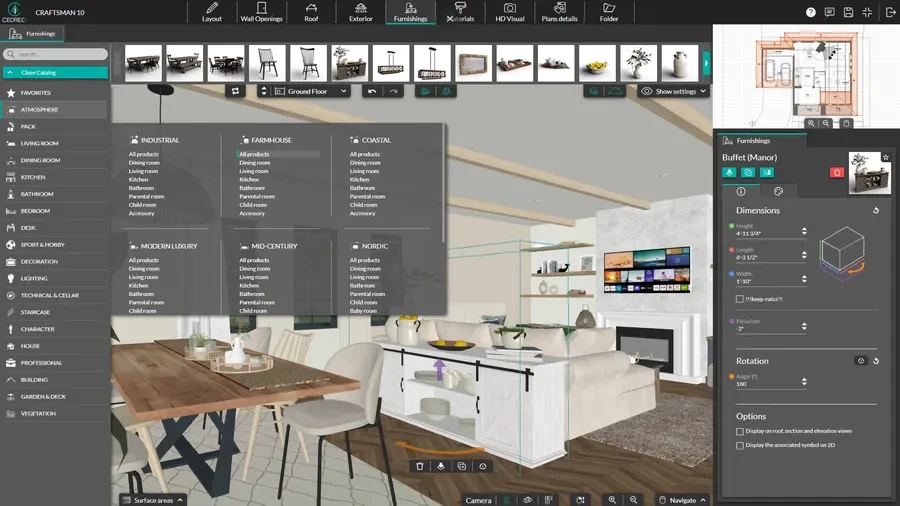
Choose Materials, Furniture & Decor
Once the floor plan is set, add materials and furnishings so clients can see how their home will work in real life.
- Apply flooring, paint, tile, and exterior materials from the design library.
- Drag and drop furniture, lighting, cabinets, and appliances.
- Customize colors, finishes, and furnishings to match the plan.
- Test different material combinations to compare options before submitting final selections for construction.
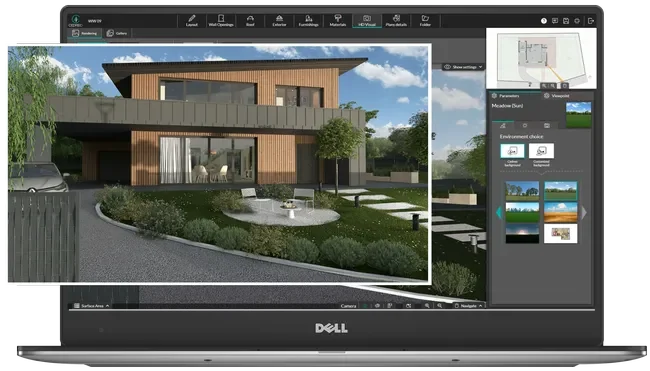
Generate Renderings & Presentations
Turn your plans into photorealistic images and branded documents that help you close custom home sales faster.
- Choose the background image and select a point of view.
- Adjust lighting, time of day, and sun orientation to create views with realistic lighting.
- Generate interior and exterior 3D renderings to visualize the entire home.
- Combine floor plans, renderings, and project details into a branded presentation document.
2D and 3D Floor Plans for Custom Home Projects
Better plans lead to better communication, fewer change orders, and stronger project management from start to finish.
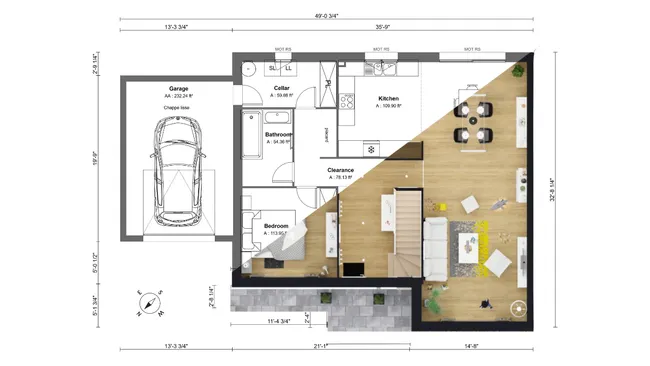
- Draft layouts fast: Build clean 2D floor plans quickly with intuitive drawing tools and automated measurements, so you can present options during the first client meeting.
- 3D floor plans in real time: Watch the 3D model update as you draw in 2D, or switch to the full 3D view to explore the layout from above.
- Electrical plans: Add outlets, switches, and lighting layouts so your construction team and subcontractors can scope electrical work from the same set of plans.
- Surface area reports: Get automatic room-by-room surface area calculations that update in real time as you draw, to help with faster square footage based estimating.
Technical Plans with Clear Build Details
Technical plans help home builders improve communication with construction details.
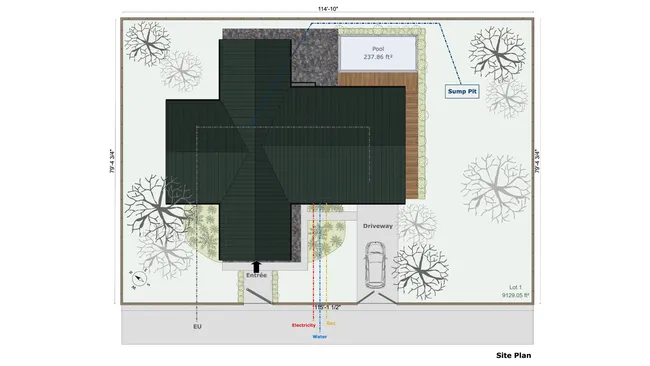
- Site plans: Map out lot boundaries, setbacks, driveways, landscaping, and terrain slopes to document every aspect of the property.
- Cross sections: Generate vertical slice views that reveal structural details, ceiling heights, and how different levels of the house connect.
- Elevation drawings: Create exterior views from each side of the house with automatic dimensions and annotations.
- Custom dimensions & annotations: Add additional dimensions and detailed notes directly to your plans to highlight important design elements.
3D Renderings that Help Grow Your Construction Business
Photorealistic 3D renderings transform how builders present projects to customers.
High quality visuals create a superior client experience that helps buyers visualize their future house and approve concepts faster.
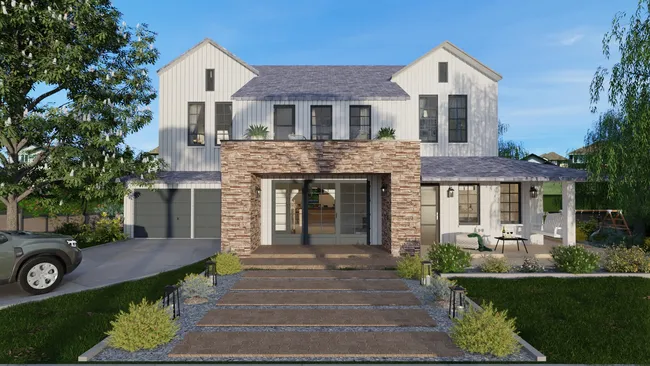
- Show the home in its real environment: Add a real background image of the site to visualize how the home will look on location.
- Fast results: Generate high-quality renderings in about 5 minutes, not hours or days.
- Sell the atmosphere, not just layouts: Show the exterior and interior in daylight and evening lighting so clients understand how the home will feel at different times.
- Marketing ready: Use renderings on your website, social media, and listing platforms to generate demand and attract new customers to your home building business.
Key Features in Software for Home Building Businesses
Cedreo combines powerful tools with simple workflows so home builders can easily manage multiple projects, streamline construction operations, and grow their construction business.
Easily Manage Concept Drawings in One Platform
Create floor plans, site plans, electrical plans, cross sections, elevations, and 3D renderings in one platform…no need to juggle separate software or rely on outside designers.
Automation to Save You Time
Automated measurements, surface area tables, and real-time 3D updates speed up the design process so you spend less time drafting and more time on running your construction business.
Download and Print to Scale
Download and export every plan to scale for printing or submitting to GCs, subcontractors, and vendors.
Cloud-Based: No Downloads or Updates
Cedreo is 100% cloud-based, so there are no software downloads, installations, or updates to manage. Your team can access plans from the office, the job site, or home from any computer with internet.
World-Class Customer Support
Paid plans include a free training session, onboarding calls, and ongoing support from real people (not just chat bots and user forums) to keep your projects on track.
Easy to Learn
It’s so easy to learn that most users can complete their first project within a few hours even if they’ve never touched 3D modeling or CAD software.
Real Projects Created With Cedreo Home Building Design Software
Cedreo is a versatile custom home building software that supports everything from tiny homes to multi-story custom homes.
Check out these examples of what home builders and contractors can create with Cedreo.
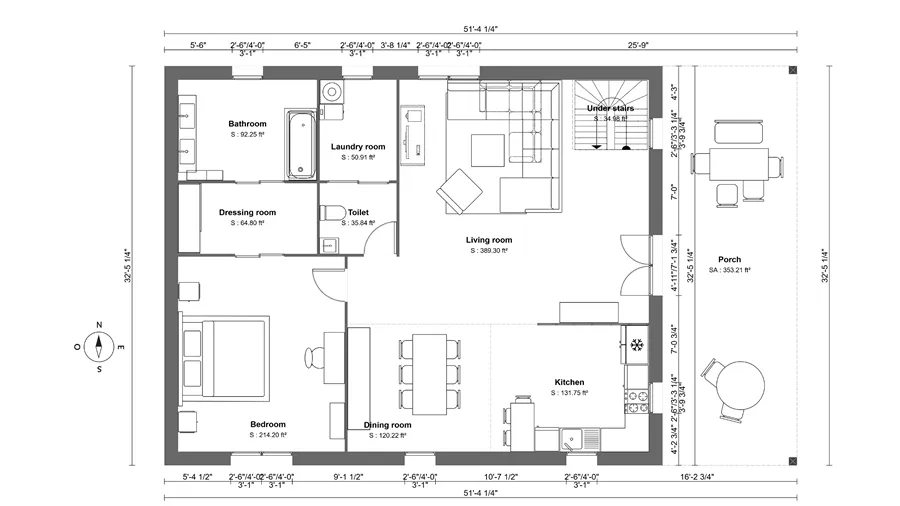
Barndominium floor plan
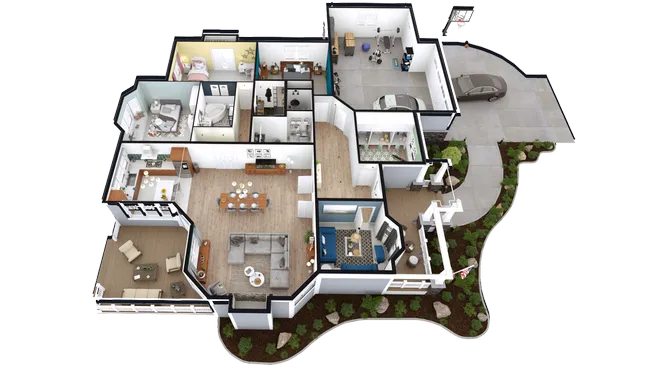
3 bedroom 3D floor plan
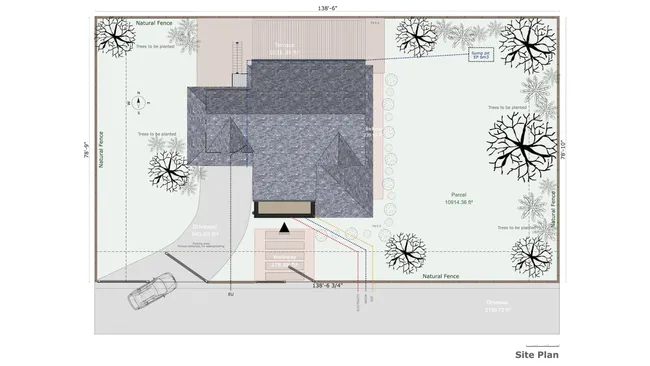
Rural home site plan
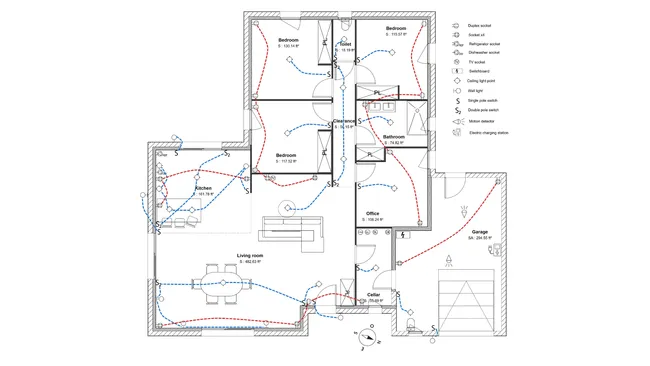
Single family home electrical plan
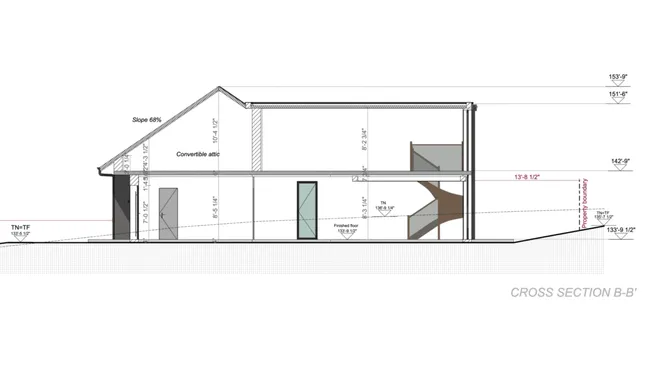
2-story house cross section
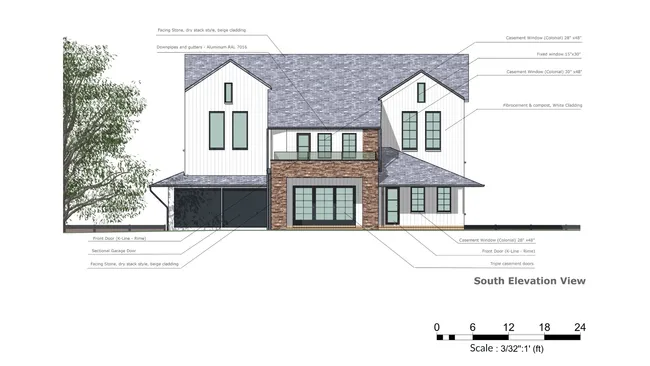
Front elevation drawing
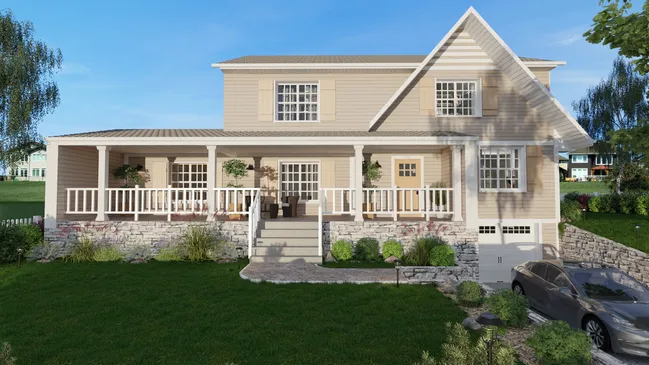
Exterior facade 3D rendering
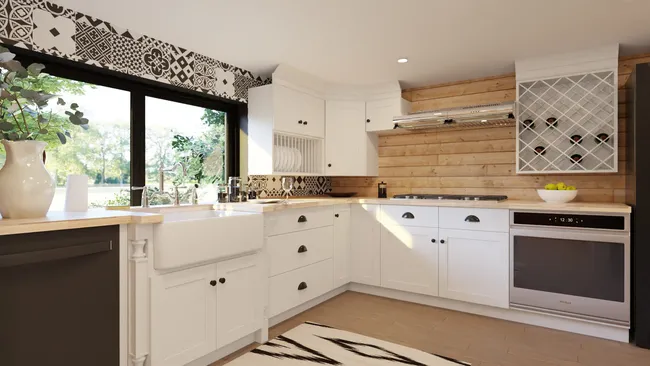
Interior kitchen 3D rendering
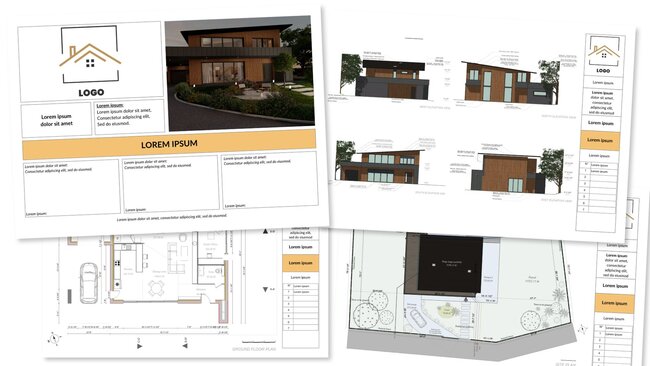
Luxury home presentation document
It’s easy to use.
But you can always count on Cedreo support.
For an even faster start, access tutorials and help articles.
Get tips to do more, faster.
“Easy to learn. I’ve only been using it for a few hours and have a presentation for my client”
Home Builder Design Software FAQs
Home builder software helps builders and contractors create professional floor plans, 3D renderings, and presentations for custom home projects.
It replaces manual drafting and separate tools with one platform that covers the entire process, from 2D plans to document management to client-ready deliverables.
The best home builder software combines floor plans, 3D visualization, and presentation tools in one platform so you can move from concept to client approval quickly.
Cedreo is built for residential construction professionals who want to streamline early stages of the home building process without the steep learning curve of traditional CAD software.
With Cedreo, most home builders create a complete project with floor plans, furnishing, and renderings in about 2 hours.
Cedreo’s intuitive tools and automation features reduce drafting time so your team can focus on sales, schedules, operations and project management.
Yes, Cedreo includes site plan tools that let you model terrain, define lot boundaries, and add landscaping elements like driveways, pathways, fences, and plants.
This helps you show clients how the house sits on the property and fits the surrounding land.
Yes. Cedreo is designed for construction industry professionals who need design tools but don’t have a CAD or architecture background.
The drag-and-drop interface requires minimal training, so builders can start producing professional designs and running a more efficient business right away.
Yes, you can import existing floor plans and sketches in JPG, PNG, PDF, DWG, or DXF formats and trace over them inside Cedreo.
This saves time and keeps your new design aligned with the property’s real dimensions.
Yes, home building plan software like Cedreo lets you create 2D plans, 3D views, and photorealistic renderings all in one platform.
This eliminates the need for separate software and supports seamless communication between your team and clients throughout the project.
You can design single-family homes, multi-story houses, additions, garages, tiny homes, barndominiums, and even small commercial projects.
Cedreo supports the range of residential construction jobs that custom home builders handle across the industry.
Builders use design software to create photorealistic renderings and branded presentation documents that help clients visualize the finished house.
By showing customers a clear picture of their future home during the sales process, they improve communication, manage client expectations, and sign more contracts, which has a direct impact on cash flow and profitability for the business.