A shipping container home planner needs to do more than just draw four walls.
Clients want container homes because they’re affordable and sustainable.
And the numbers back that up: the global container house market is projected to grow from $72 billion in 2026 to $128 billion by 2034.
As a container home builder, you need software that handles site layout, 3D visualization, and client presentations… all before construction starts.
Here’s how to choose the right planner for your projects, and why Cedreo is the tool residential builders are switching to.
Why trust us? Here at Cedreo, we’ve got 20+ years of experience working with housing pros in the home design software space. We know what it takes for professional builders to create projects that help them grow their businesses!
See How You Can Create Complete Projects with Cedreo
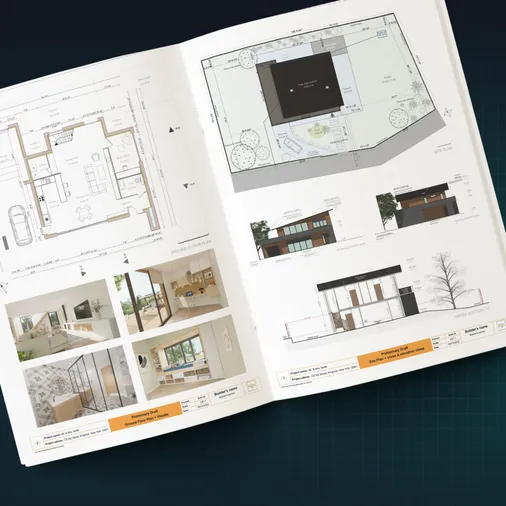
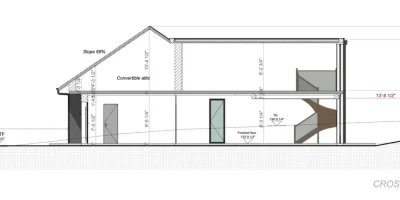
Plans – Get site plans, 2D floor plans, electrical plans, cross sections and elevation views — with all the technical details you need for a comprehensive project overview.
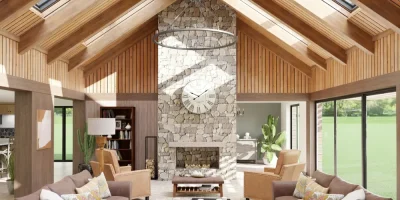
3D Visualizations – Use interior and exterior 3D renderings as well as 3D floor plans to help clients understand the finished project.
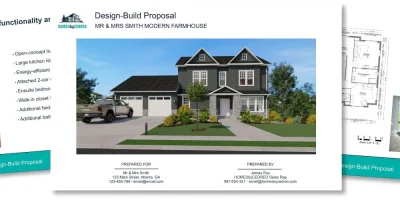
Documentation – Manage all your visual documents in one place, so it’s easier to present and sell your projects.
No credit card required, no commitment
What Is a Shipping Container Home Planner?
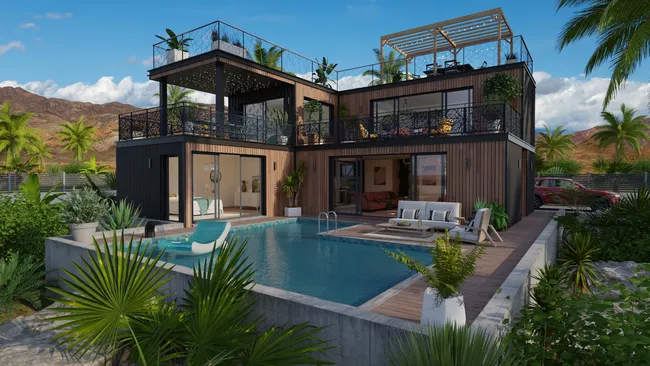
A shipping container home planner is purpose-built design software that handles container dimensions, multi-level layouts, site placement, and photorealistic rendering in one workflow.
It lets you design around the fixed structure of repurposed shipping containers, so every wall, door, and window fits the real dimensions of the box.
That matters because container homes give you limited space to work with… a few inches off in the plans can mean costly changes once the build starts.
With a planner like Cedreo, builders create a complete container home design (2D plans, 3D renderings, and presentation documents) in under 2 hours.
It’s the first step in a smooth container house design process.
How Container Home Builders Are Using Home Design Software
Here are four ways container home builders like you are using 3D software to design better container homes for their clients, and they’re doing it faster than ever before.
Create Accurate Representations of Shipping Containers
Successful container home builders aren’t sketching designs on paper, they’re using home design software to create accurate digital models of shipping containers.
With the right tools, they can replicate the exact size, proportions, and even the corrugated texture of container walls.
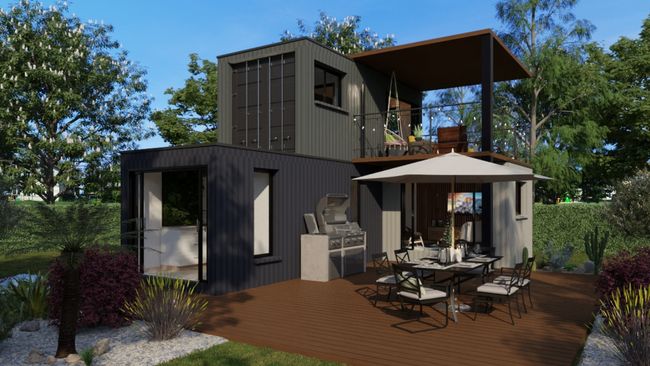
Instead of estimating space, they work with precise dimensions for doors, windows, and interior design layouts, ensuring every element fits before construction begins.
This level of accuracy helps avoid costly mistakes and makes the building process much smoother.
Customize Site Layouts with Just a Few Clicks
Instead of guessing how a shipping container home will fit on a property, builders using 3D home design planners can visualize the entire site before construction starts.
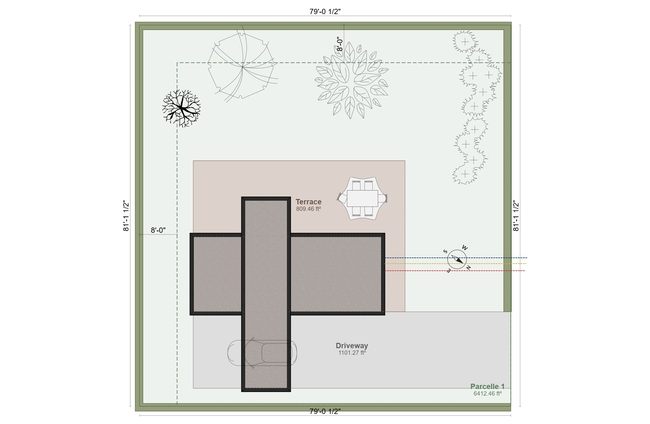
Many are strategically placing containers, adjusting their positions for better airflow, natural light, and accessibility.
Others are designing multi-level homes, stacking containers, and experimenting with different orientations.
By testing multiple layouts in software first, they avoid expensive repositioning once the build begins.
Secure Faster Client Approvals
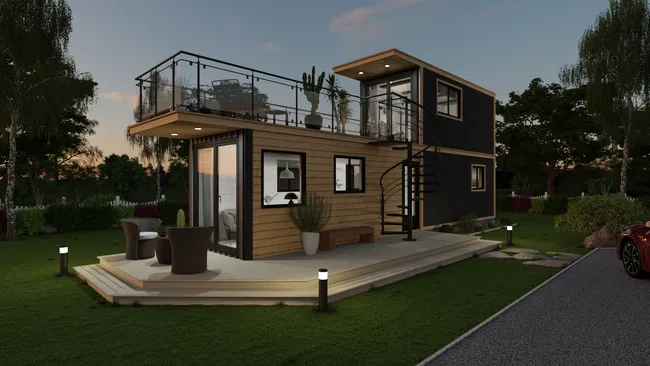
Builders who use shipping container house design software don’t just describe their ideas, they show them.
High-quality 3D renderings help clients visualize their future home, so it’s easier to finalize designs. show them.
Customize Every Detail for Container-Specific Designs
Unlike traditional homes, container homes have unique design challenges, and builders using container home planners have found ways to solve them.
Many are customizing floor plans to account for the limited width of containers, ensuring furniture, windows, and doors fit perfectly.
Others are removing walls between stacked containers to create larger open-concept spaces.
With customization tools, they’re designing interior layouts, insulation solutions, and creative storage spaces tailored to container living.
What a Shipping Container Home Planner Should Include
Not all container house design software is created equal, especially when it comes to shipping container homes.
From our 20+ years of experience with home design software, we’ve compiled the following list of the must-have planner features that make it easier for you to design container homes.
Easy-to-Use 2D & 3D Floor Plan Creation
A user-friendly interface is essential for quickly designing shipping container home layouts.
The best container home design software makes it easy to draw floor plans, place walls, doors, and windows, and adjust layouts in just a few clicks.
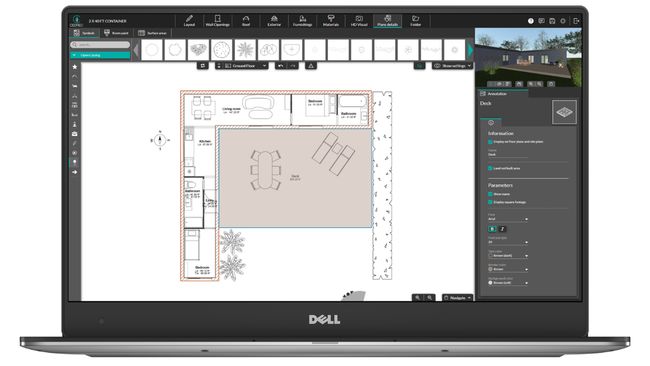
Both 2D floor plans and 3D visualizations are crucial.
In 2D mode, builders can create precise blueprints with electrical, plumbing, and HVAC symbols, as well as adding markups to show where you need structural reinforcements.
In 3D mode, you can explore the home from every angle to make sure the space, lighting, and materials all work together.
Having a user-friendly program means you can create container home designs without the steep learning curve of traditional CAD software.
With intuitive tools, you can customize layouts, adjust dimensions, and visualize the entire home design process before construction begins.
Tools for Creating Accurate Representations of Shipping Containers
Shipping containers have a distinct shape that’s very different from traditional homes.
Professional home design software should let you draw realistic container models, including the corrugated texture of the walls and steel frames.
These details ensure that the design translates properly into the real world during construction.
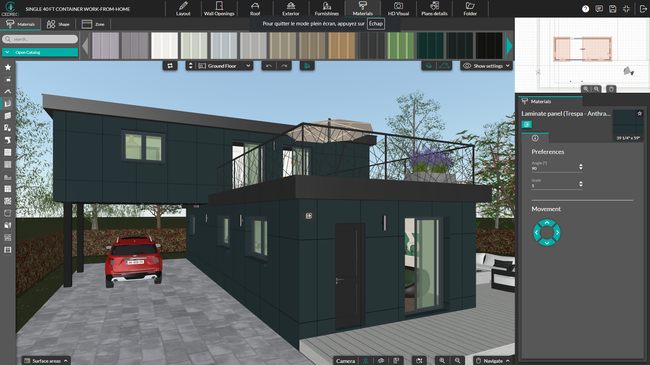
In addition to creating accurate representations, software should let you move containers freely, duplicate layouts, and stack containers in multiple levels.
This flexibility is essential for exploring different design ideas, whether for a tiny container home or a multi-container luxury residence.
*Watch this video to see how you can draw a shipping container in Cedreo software.
Multi-Level & Stacking Capabilities
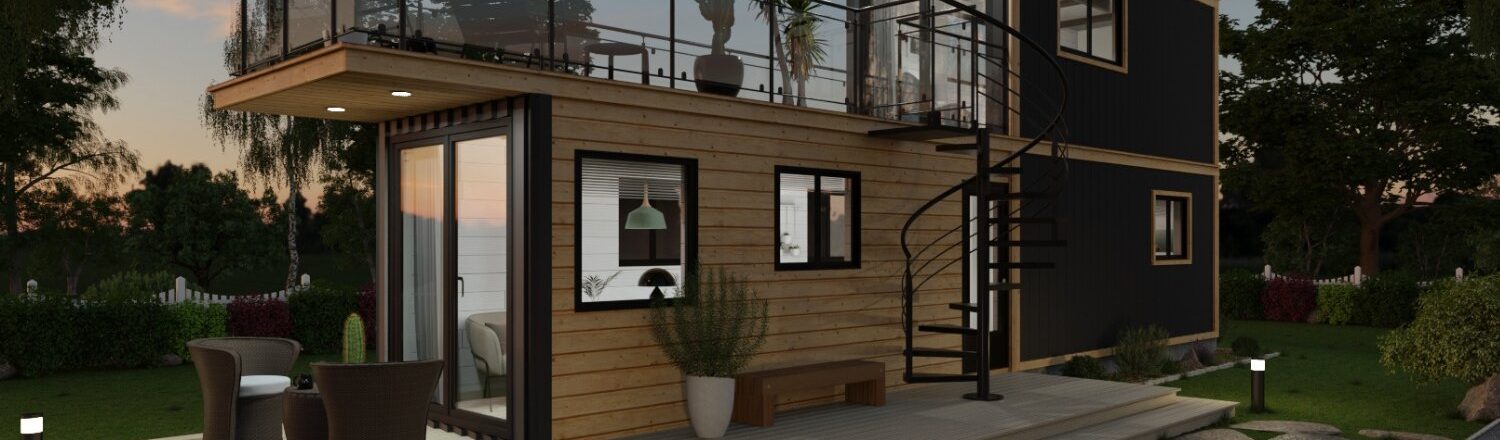
One of the biggest advantages of shipping container home design software is the ability to easily stack containers to create multi-story homes.
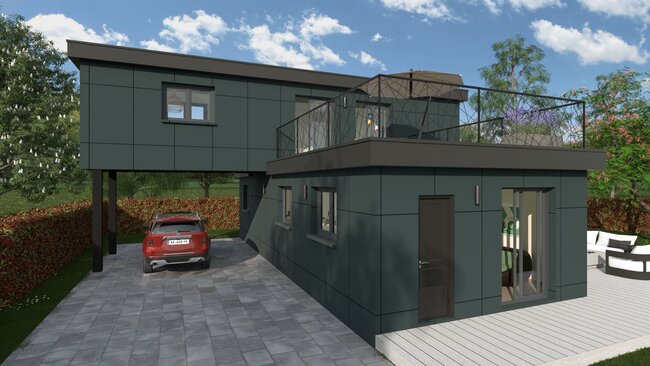
With multi-level design tools, builders can easily place containers on top of each other and ensure proper alignment and support.
Customization features let you move and adjust walls where necessary for creating open-concept interiors.
Advanced Customization Options
Unlike traditional homes, containers have fixed dimensions, so you need precise control over your layout to maximize space and create a functional design.
With the right container home design software, you can modify wall thickness, adjust interior partitions, and choose the right materials for insulation, temperature control, and energy efficiency.
Need more natural light?
Resize windows and doors to improve airflow and make compact spaces feel larger.
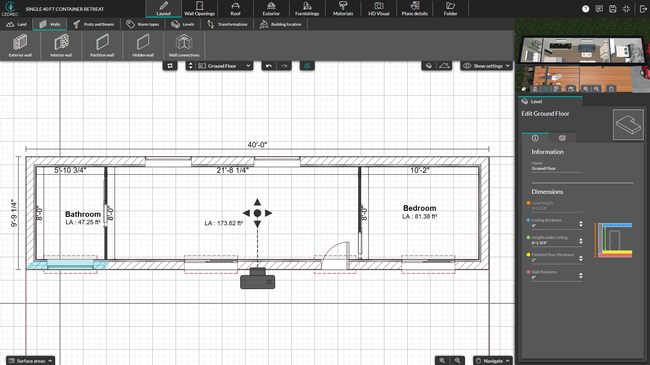
When combining multiple containers, hidden walls help you design open-concept layouts while keeping accurate calculations for surface areas and materials.
You can also create custom opening sizes for transitions between connected containers.
Construction Ready Documents
Blueprints are more than just floor plans, they provide key information for the construction team.
That’s why your software should let you add custom markups and dimensions as well as provide elevation drawings.
This gives you the power to clearly communicate how the construction team should build each part of the home.
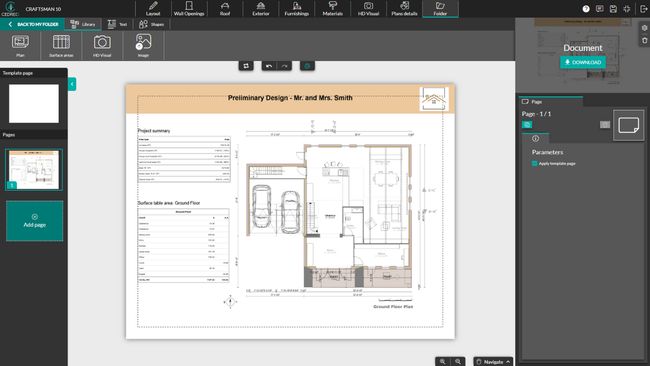
You also need the ability to add HVAC, plumbing, and electrical symbols.
Tools like these promote clear communication between all team members which saves your business time and hassle.
Pre-Made Design Elements & Material Customization
Your container home design should reflect your client’s style and functionality needs.
Instead of building everything from scratch, you can speed up the process by using pre-made design elements from an extensive material library.
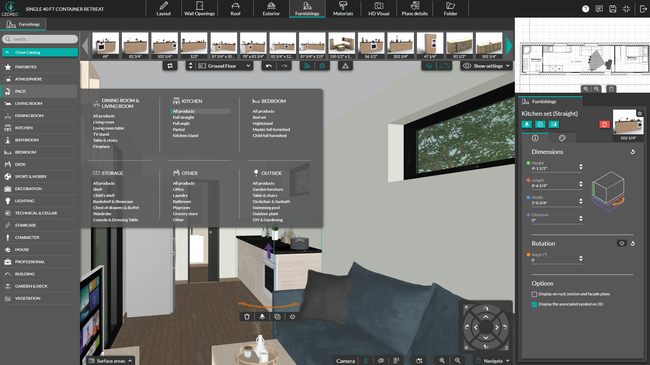
With container home design software, you can access a wide range of materials, including wood, steel, concrete, and insulation panels, to create realistic interiors and exteriors. You can also apply coatings, cladding, and finishes to improve energy efficiency and durability.
Want to see how your space will look once it’s furnished?
Look for software that lets you add furniture and fixtures from a pre-modeled catalog so you can visualize practical layouts without the guesswork.
Outdoor & Site Planning Features
A shipping container home isn’t just about the structure itself, it needs to work within its surroundings.
That’s why your software should include outdoor planning tools to help you map out the entire site layout and optimize the space.
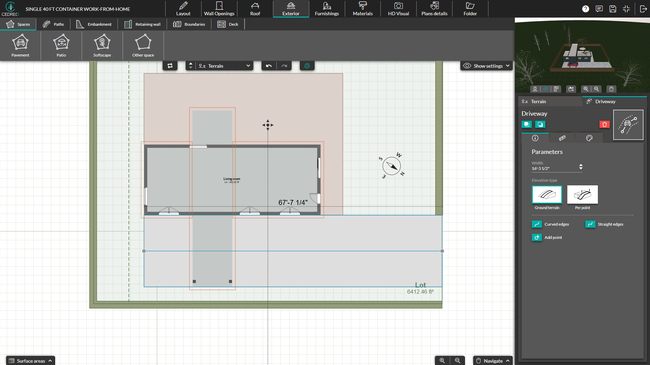
With the right software, you can:
- Design outdoor living areas – Add patios, decks, and walkways to make the most of available space.
- Incorporate terrain modeling – Adjust for sloped or uneven land to ensure proper container placement.
- Add essential exterior elements – Include driveways, fences, and landscaping to complete the design.
- Optimize sunlight and wind flow – Position containers for natural ventilation and energy efficiency.
High-Quality 3D Renderings
Before you start construction on your shipping container home design, you need a clear, realistic vision of the final project.
That’s where high-quality 3D renderings come in.
With the right 3D planner software, you can instantly generate photorealistic images that bring your layout to life.
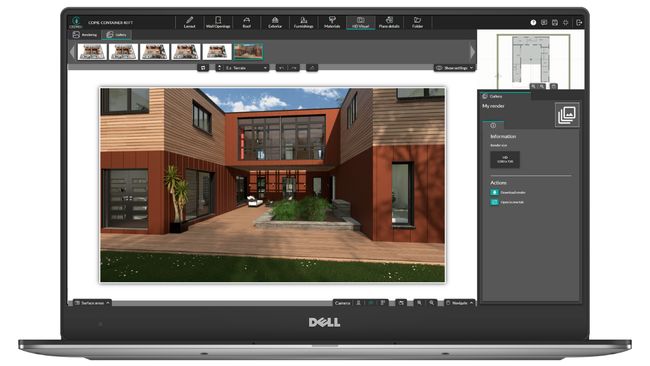
Check out one of these images from Cedreo software.
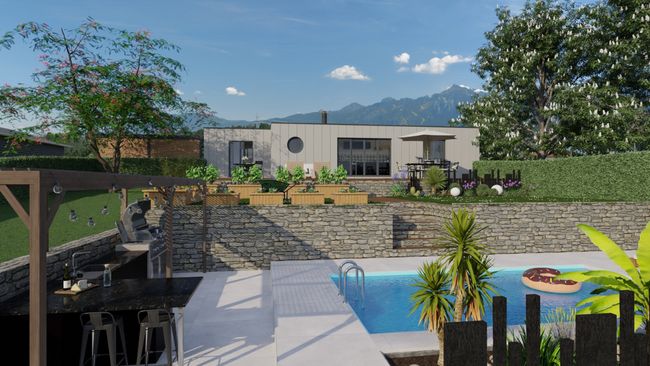
These renderings let you see how furniture fits in compact spaces, test different materials and finishes, and ensure that natural light flows effectively through windows and doors.
Whether you’re presenting to a client, or a contractor, a detailed 3D view helps everyone involved understand the design before construction begins.
Project Presentation & Client Collaboration Tools
Clear communication is key to successful home design, and having the right presentation tools can save you time and prevent misunderstandings.
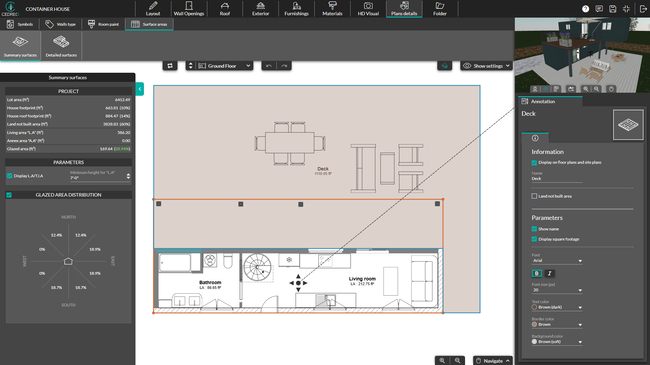
Instead of juggling multiple files, you can create polished project presentations that include:
- Blueprints & technical drawings – Ensure your team has blueprints you can print to scale with all the necessary symbols, dimensions, and markups.
- 2D floor plans & 3D renderings – Give clients and contractors a clear visualization of the finished project.
- Surface area calculations – Accurate surface area calculations make it easier to create material takeoffs, estimate costs, and communicate project scope to your clients.
- Collaboration and sharing tools – Easily collaborate in real-time with team members and contractors whether they’re using a Mac or PC. Download and share plans and images in standard formats that your client can even view on their mobile device.
Shipping Container House Design Software – 3 Options
Here are three popular options for container home design software:
- Sketchup
- Autodesk Revit
- Cedreo – Popular Pick!
*Check out our article with a comprehensive list of the best container home design software options.
SketchUp
Quick Overview: SketchUp is a versatile 3D modeling tool that can be used for shipping container home design, but it requires additional plugins and extensions to achieve professional-quality architectural plans and renderings.
Pros:
- Highly customizable – You can build detailed container home models from scratch.
- Large user community – Plenty of tutorials and third-party plugins are available.
- Free software version available – Good for users testing out basic 3D modeling.
Cons:
- Lacks built-in architectural tools – You need add-ons for home design and rendering.
- Steep learning curve – Requires manual modeling and knowledge of 3D space.
Autodesk Revit
Quick Overview: Autodesk Revit is an industry-leading BIM (Building Information Modeling) software, commonly used for large-scale commercial projects, but it can also be adapted for container home design with the right expertise.
Pros
- Powerful structural design tools – Great for complex, multi-container commercial projects.
- Detailed construction documentation – Helps with building code compliance.
- Integrates with other Autodesk products – Useful for professionals working in team environments.
Cons
- Overly complex for residential projects – Designed for large commercial buildings, not small container homes.
- Requires professional training – Not user-friendly for beginners or those without CAD experience.
Cedreo – Popular Pick!
Quick Overview: Cedreo is the ideal container home planner for residential builders, remodelers, and contractors.
Unlike SketchUp or Revit, Cedreo is a full-featured home design software that lets you quickly create 2D floor plans, 3D renderings, and professional presentation documents… all in one place.
It’s powerful yet easy to use, making it perfect for contractors and builders who want high-quality designs without the steep learning curve.
Pros
- User-friendly interface – No CAD experience needed, making it accessible to new users and professionals alike.
- All-in-one solution – Includes all of the features we highlighted above like 3D floor plan tools, 3D rendering, and blueprint creation without extra plugins.
- Fast & efficient – Its floor plan software lets you design container home layouts, customize materials, and add furniture in just a few clicks.
Cons
- Requires an internet connection – Cedreo is cloud-based, so you need online access to use it. However, that also means you’re not tied to a single desktop computer. Access and edit designs anywhere you have a laptop and WiFi.
Choose the Right Shipping Container Home Planner
Ready to use 3D design software to grow your container home business? Why not start with Cedreo? More and more housing professionals are making the switch.
Its unique set of features is perfect for container home builders.
- Create an entire container home design in under 2 hours
- Streamline the design process with intuitive software
- Get 3D photorealistic renderings — no CAD or 3D experience required
- Customize virtually every aspect of the design
- Reuse existing floor plans to save time
- Shorten the sales cycle and close more deals
With a FREE version, you’ve got nothing to lose. Sign up for Cedreo container home design software today!
Shipping Container Home Planner FAQs
What is the best shipping container home planner for residential builders?
The best shipping container home planner is purpose-built for residential work, easy to learn, and able to produce floor plans and container home plans without extra plugins.
Cedreo fits that profile for most container home builders, since it combines 2D plans, 3D visualization, and presentation documents in one place.
Can shipping container home planner software generate presentation-ready documents?
Yes. Good planner software like Cedreo lets you turn blueprints, 2D floor plans, container home plans, and photorealistic renderings into polished presentations you can share with clients before construction begins.
How long does it take to design a shipping container home with planning software?
With an easy-to-use container home planner, a basic container home design takes a couple of hours rather than days.
In Cedreo, many builders and contractors finish a full container home design in under 2 hours.
How do you create a floor plan for a shipping container home?
To create a floor plan for a shipping container home, you start by drawing the container’s exact dimensions, then add interior walls, doors, and windows to match your layout.
In Cedreo, you draw the floor plan in 2D and the 3D view updates automatically as you work.
Can you design a multi-level shipping container home with planning software?
Yes, a good container home planner lets you stack multiple containers, align them properly, and remove walls between levels for practical open-concept layouts.
Cedreo handles multi-level container homes with no CAD experience required.
How do you show a shipping container home design to a client before construction?
Show clients photorealistic 3D renderings so they can see materials, furniture, lighting, and finishes before anything gets built.
Cedreo produces photorealistic images like these along with shareable project presentations that make client approvals faster.