Floor Plan Creator for 2D & 3D House Plans
Cedreo is an online floor plan creator built for contractors, home builders, and remodelers to design complete 2D and 3D house plans in two hours. It handles the full home design workflow: floor plans, 3D visualizations, furnishing, and client presentation documents, all in one platform.
Builders & Remodelers Can Design Any Type of Project in Under Two Hours
Save time and create accurate design layouts using Cedreo’s easy house plan creator. This online tool is for builders, contractors, remodelers, and interior designers who want to draw quality, precise floor plans for a wide variety of projects.
New Home Construction
Create and iterate full residential designs, from starter homes to custom builds, faster and with greater clarity using Cedreo.
- Draft multi-level home floor plans with garages, basements, and custom footprints.
- Visualize exterior finishes, terrain, and rooflines in 3D.
- Generate presentation-ready documents to showcase designs.
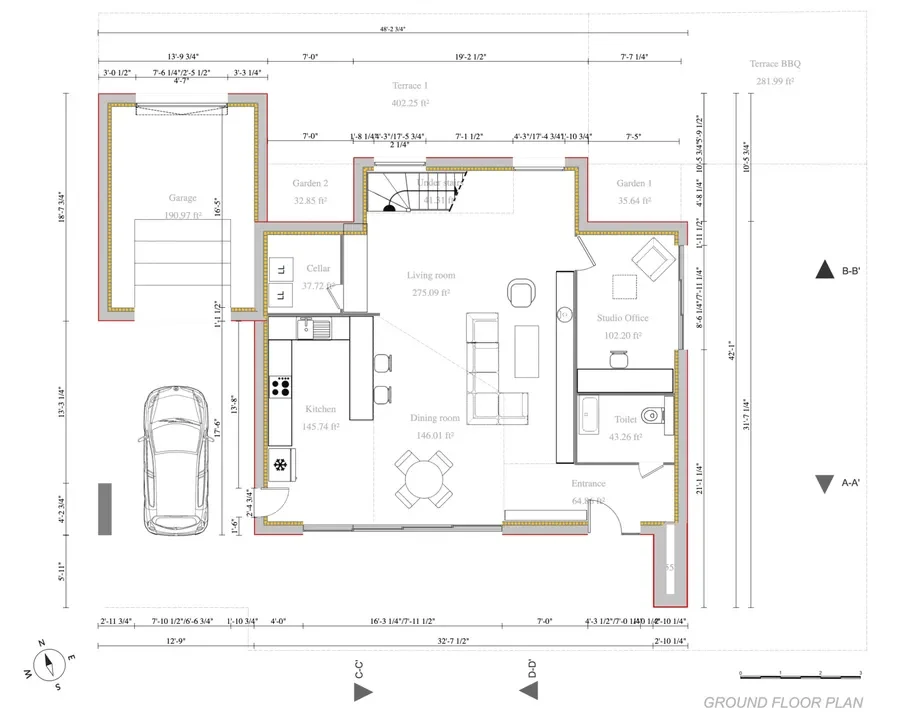
Commercial
Design functional layouts for small commercial projects like cafés, boutiques, or offices with Cedreo’s intuitive tools.
- Configure seating, service areas, and employee zones for optimal flow.
- Create 3D visuals to support investor pitches.
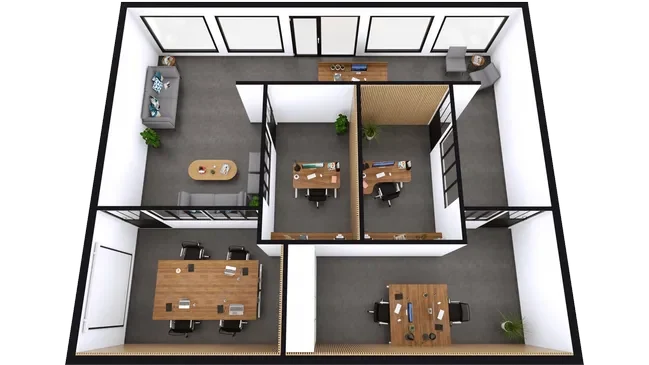
Remodeling & Additions
Whether updating an outdated layout or expanding a home, Cedreo helps you visualize and plan smarter improvements.
- Import and edit existing layouts
- Compare before-and-after visuals to accelerate client decisions.
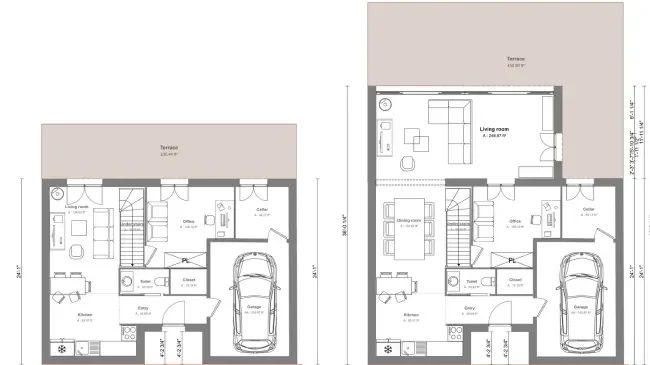
Cedreo Eliminates the Bottlenecks That Slow Contractors Down
Cedreo’s online floor plan generator is packed with features that streamline every step of your design process, from initial layouts to final presentations.
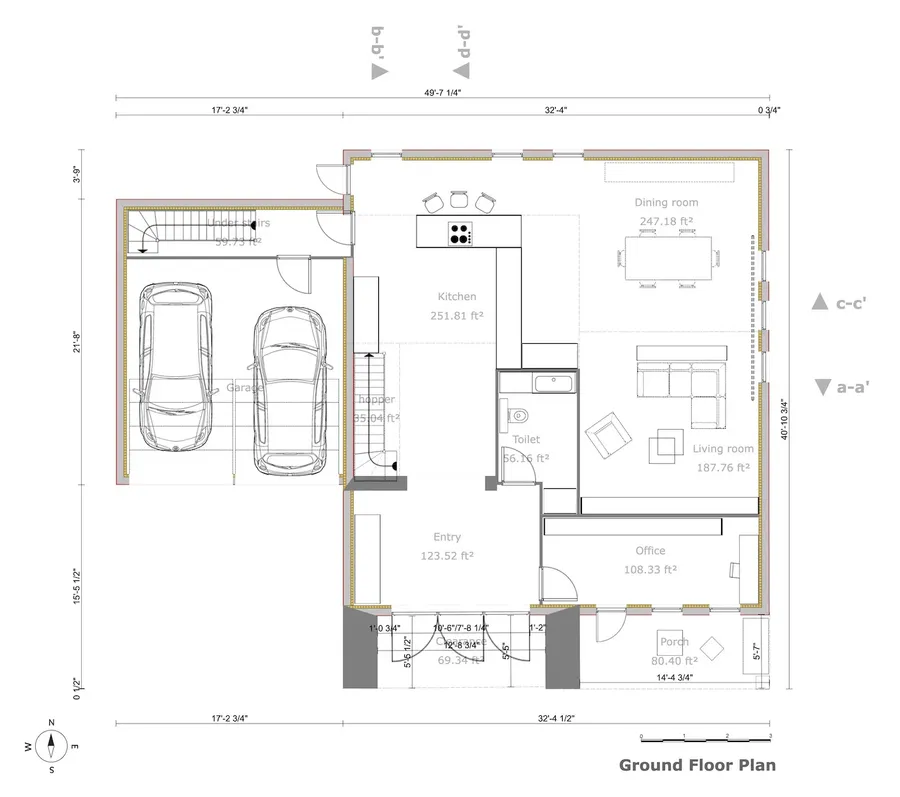
Contractors Can Design a Full Home Plan in Under Two Hours
Create detailed floor plans for an entire home in under 2 hours. Don’t waste your time drawing lines, measuring spaces, and calculating dimensions. Cedreo’s online floor plan creator does it all.
No Design Training Required, New Users Start Producing Plans Immediately
With almost no learning curve, on-demand support, and access to our vast knowledge base, you’ll quickly be able to start using Cedreo to accelerate your floor plan creation process and produce photorealistic project visuals.
Clients Approve Designs Faster With Photorealistic 3D Visuals
Test different layouts, furniture arrangements, and material options with just a few clicks. Find your client’s perfect design and then present it with high-quality 3D visuals to improve communication and secure project approval.
Cedreo Produces Every Type of Plan in One Tool
Despite being an easy-to-use floor plan generator, Cedreo has the power to create a wide variety of plan types. That ensures you have the plans you need.
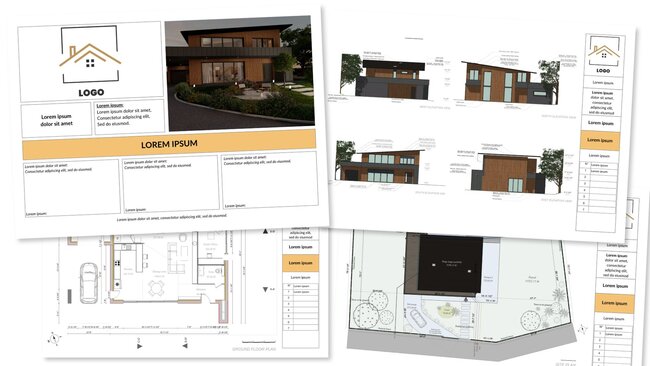
- 2D floor plans
- 3D floor plans
- Cross-sections & elevations
- Electrical plans
- Site plans
From Blank Canvas to Client-ready Presentation in 3 Steps
Whether your project is big or small, it’s easy to use the Cedreo floor plan maker to bring your projects to life.
Start from Scratch or Import an Existing Plan in Any Format
To create a floor plan, click and drag to place and expand walls. Adjust the scale of your layout to reflect the real room and house dimensions. Choose doors and windows from the openings library and easily resize them. Then complete each room with items from the extensive symbol library.
Stage a Realistic Interior From 7,000+ Furniture Items
With over 7,000 customizable pieces of 3D furniture, objects, and materials, you have all the flexibility you need to realistically capture the interior of your client’s dream house as it will be in everyday life.
Learn more about 3D furnishing
Export Branded Presentation Documents Without Leaving Cedreo
Manage all of your visual documents in one place. Import your logo, graphics, and annotations. Then customize the layout with your corporate colors for amazing preliminary project drafts.
Cedreo Handles the Technical Work So You Can Focus on Design
Cedreo gives you all the tools to rapidly create house plans without special CAD or 3D design experience. Here are some of the advanced features. See later on real projects you can create with them!
Import Any Plan File and Duplicate Projects as Reusable Templates
Import scalable plan files (DWG, DXF, PDF, JPG, or PNG) directly into the floor plan maker, then draw new layers over the imported plan. From there, duplicate the project to create reusable templates you can easily adapt for future designs.
Trace Full Wall Layouts and Resize Any Section With One Click & Drag
Trace load-bearing walls and add partitions in minutes. Then draw the floor plan continuously by left-clicking wherever you need to create an angle or corner in the home design. To resize, drag and drop the wall and move it to expand or compress the layout.
See a Live 3D View While Drawing in 2D – No Switching Views
The 3D view window allows you to visualize your design in real-time while drawing in 2D, providing clarity during the design process and saving time.
Add Room Names, Wall Types, and Color Codes Directly on the Plan
Customize and organize your plan by adding room names & wall types, technical symbols, and color-coded areas.
Room Dimensions Update Automatically as You Adjust Walls
As you adjust walls or resize rooms, area calculations update automatically in real time. It’s easy to view the area of each room, as well as the overall living space, site area, and glazed area.
Choose From 2,000+ Doors and Windows and Customize in One Click
Add doors and windows that match room function, dimensions, and style. Each opening added to the home plan is displayed on the 2D floor plan with a symbol. Easily customize the color of 1 or all openings, the opening direction, orientation, and depth. Then duplicate customized openings in just one click.
Dimensions Appear Automatically, Then Add Custom Annotations Where Needed
Dimensions automatically appear on your plan to make it easier to read. With a few clicks, you can add user-defined dimension lines and annotations where you need more detail.
One-Click Roof Generation Based on Your Floor Plan Footprint
With automatic roof detection, select one of the many roof types available and the software does the rest. With one click, validate the roof design, and then customize if needed.
Export as PDF, DXF, or JPG – Ready for Print or CAD
Select the scale and download it to PDF format for printing to scale. Or export it as a DXF file for CAD programs or PNG or JPEG for easy viewing on a mobile device.
Examples of Floor Plans Created with Cedreo
Cedreo’s advanced features let you create floor plans for virtually any type of house, room, or small business. Check out these examples.
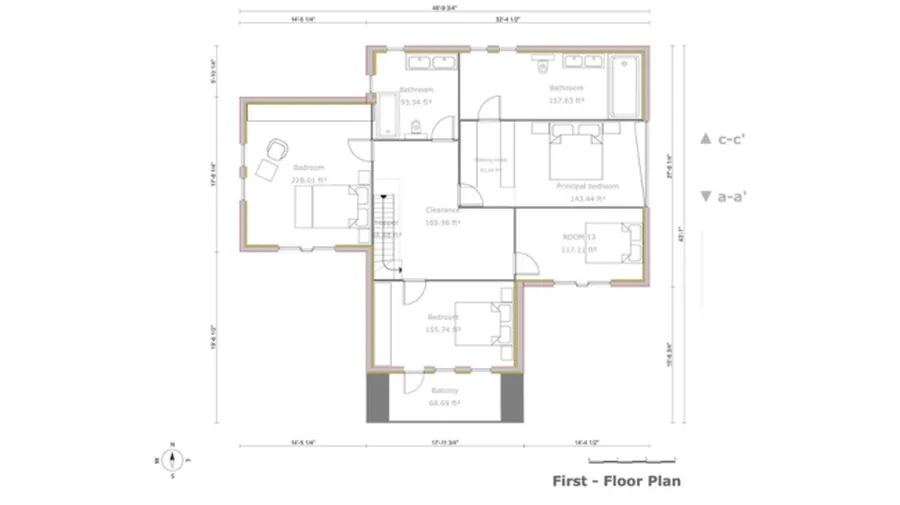
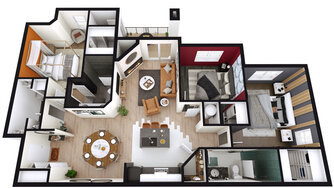
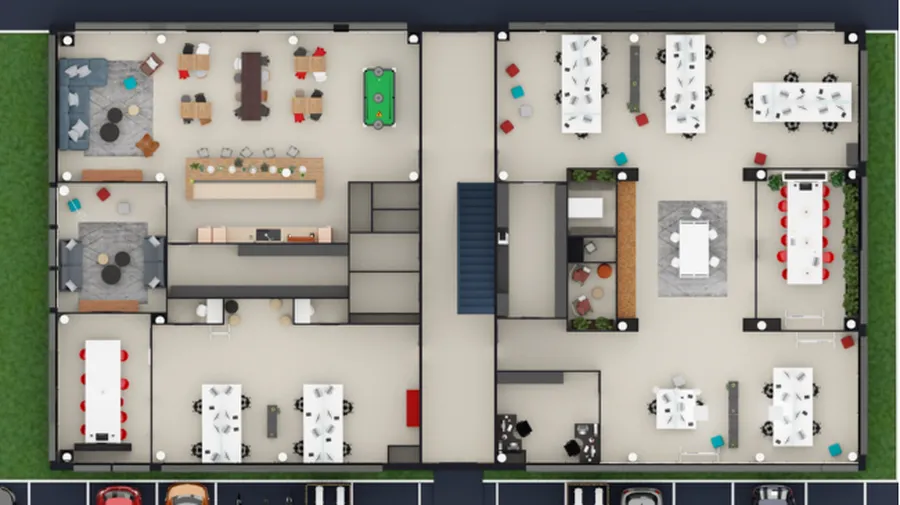
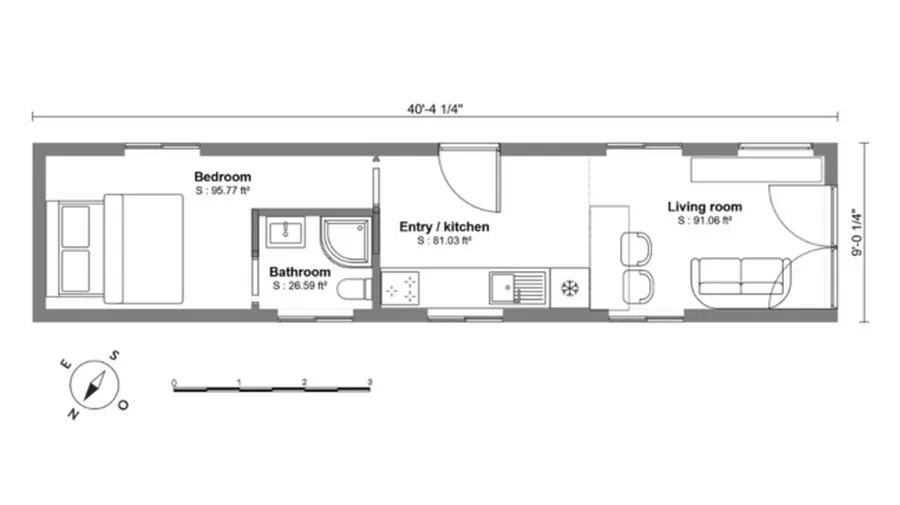
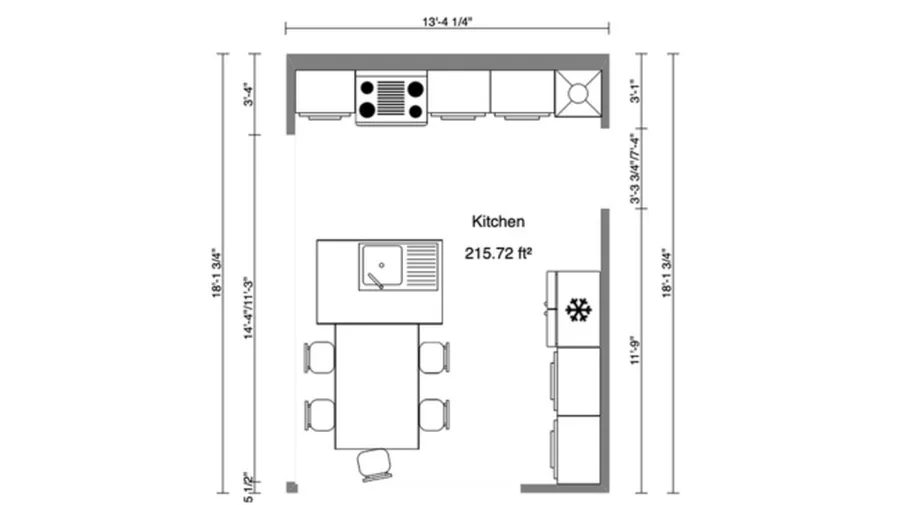
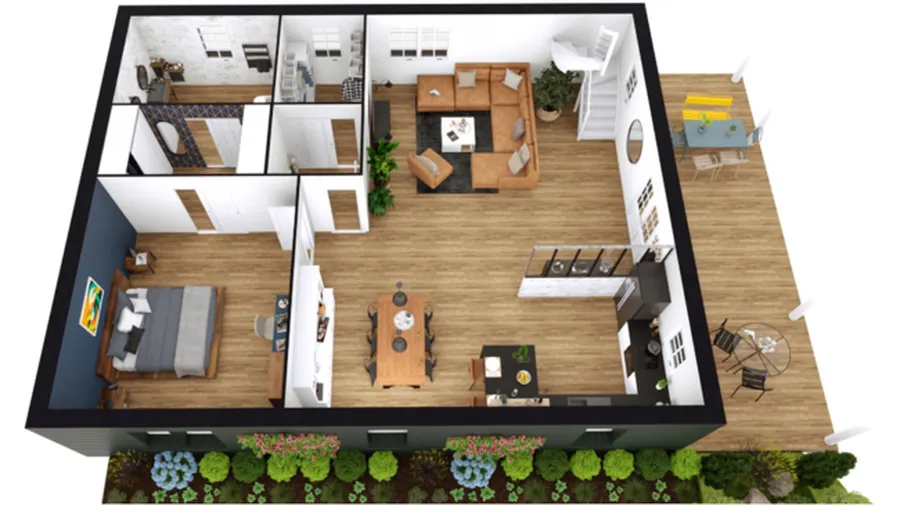
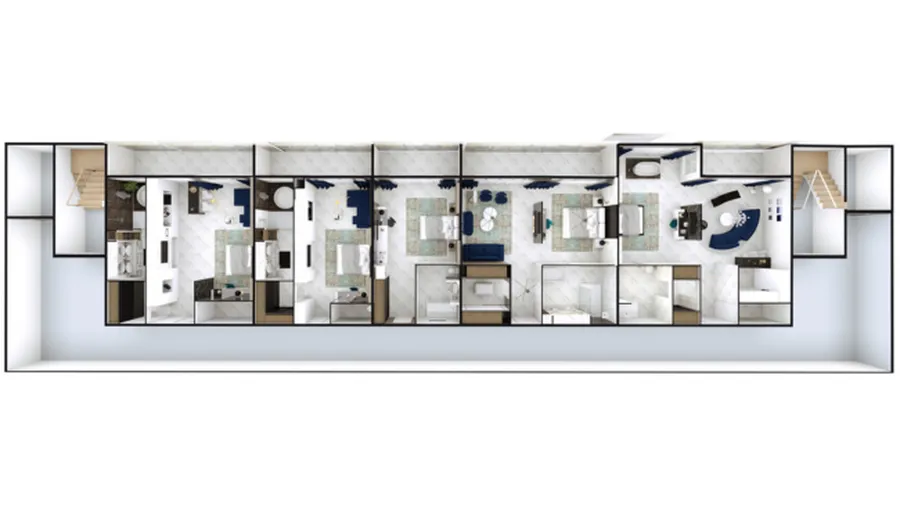
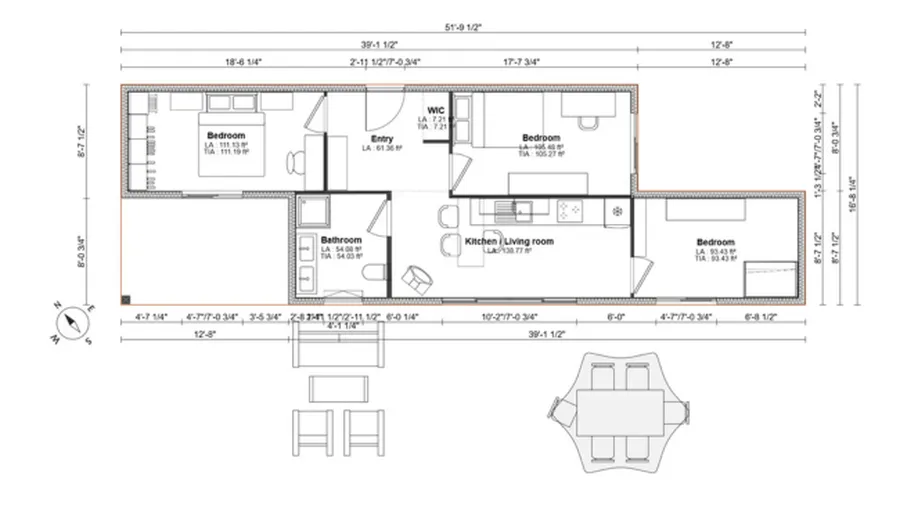
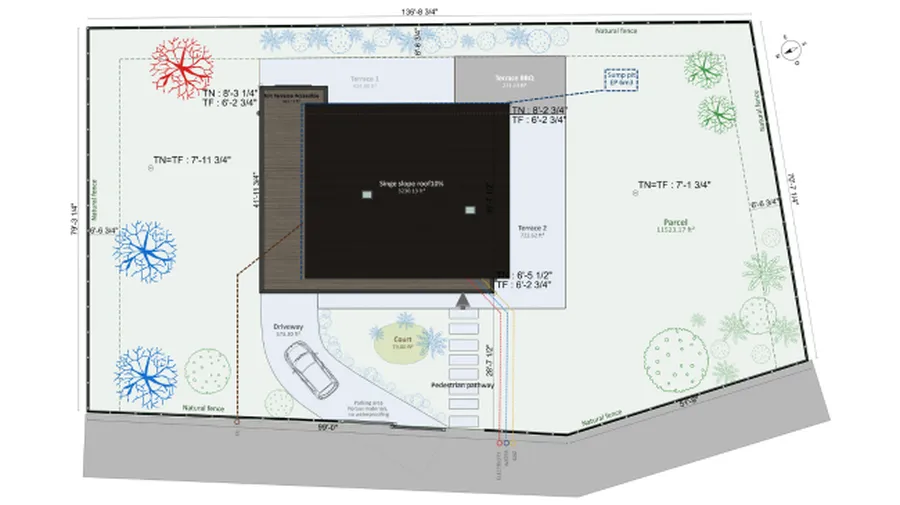
Cedreo Combines Floor Plans, 3D Renderings & Presentations Features in a Single Platform.
Want to see everything you can do with Cedreo?
Read What our Happy Customers Say About Cedreo
“I really appreciate the quick support!”
“That worked like a charm. Really enjoying the program, it will save me several thousands of dollars versus hiring a designer to make plans to submit to the town.”
“Useful for real estate marketing”
“Cedreo allows you to quickly mock up a whole scheme in just a couple of hours which really saves so much time!”
Floor Plan Maker FAQs
Let’s cover some frequently asked questions about creating floor plans.
How to choose the best house design creator?
When evaluating any floor plan tool, the key criteria are interface simplicity, library depth, and output flexibility, such as printing to scale, DXF export for CAD handoff, and client presentations. Cedreo is built to meet all of these requirements without requiring CAD or design training. Cedreo also supports metric and imperial units, multi-level floor plans, and real-time area calculations that update automatically as walls are adjusted.
What is the easiest way to create a floor plan design?
The easiest way to create a floor plan is to use Cedreo’s click-and-drag wall drawing system where dimensions and area calculations update in real time as the layout takes shape. Add doors, windows, furniture, and fixtures from a library of 7,000+ items, and the 3D view renders simultaneously so there’s no need to switch between modes. Plans are stored in the cloud, accessible from any device with an internet connection. For construction professionals who need to produce accurate plans quickly and without design software experience, this workflow significantly reduces the time from brief to finished plan.
Is there an outdoor floor plan creator for landscaping and patios?
Cedreo includes tools for designing outdoor spaces as part of the same workflow used for interior floor plans. Users can define exterior zones like patios, gardens, pool areas, add outdoor furniture, and visualize how natural light falls across the site. The site plan feature supports terrain modeling, driveways, and landscaping elements alongside the building footprint. This makes it possible to deliver a complete site and building presentation within a single project file.
What is the best floor plan creator?
Cedreo is the best floor plan creator for residential contractors and builders. It produces a complete set of house plans in two hours, with automatic area calculations, 7,000+ furniture items, and export to JPG or DXF… no design software experience needed. Construction professionals worldwide rely on the platform for home construction, renovation, and light commercial projects.
Can I import an existing floor plan into a floor plan creator?
Cedreo accepts imported files in DWG, DXF, PDF, JPG, and PNG formats, which you can load directly into the workspace as a reference layer. Once imported, users draw new walls and elements over the existing plan without altering the original file. This workflow is common among remodelers and contractors who are working from as-built drawings, architect-provided files, or client sketches. For renovation and addition projects, it eliminates the need to redraw a property from scratch before design work can begin.
What file formats can I export from a house plan creator?
Cedreo exports completed floor plans in formats such as PDF for printing to scale, DXF for handoff to CAD programs, and PNG or JPG for digital sharing. The PDF export includes scale settings, so you can use the plans as for contractor documentation. DXF output lets the design continue in AutoCAD or similar software when required by a project team or municipality. For construction professionals who need to share designs across different workflows and stakeholders, having multiple export formats in a single tool removes a common bottleneck.
Does a floor plan creator work for multi-story homes?
Cedreo supports multi-level projects including basements, main floors, upper floors, and garages, each drawn and managed as a separate level within the same project file. Wall placement, openings, and area calculations update independently per floor, and the 3D view renders all levels together so spatial relationships between stories are visible during the design process. Staircase placement and floor voids are handled within the same interface. For builders and contractors working on two-story custom builds or homes with finished basements, this means the entire structure can be designed, visualized, and presented from one file.
How long does it take to learn how to use a floor plan creator?
Cedreo is designed so that construction professionals can draw a complete floor plan on their first session, without prior training. The interface uses click-and-drag wall drawing, a structured library for doors, windows, and furniture each with their 2D symbol, and automatic area calculations. On-demand support and a help center are available to keep you moving. Most users working on residential projects report feeling comfortable using the software within just a few hours of use. Tools built for architects or engineers, such as AutoCAD, Chief Architect or Revit, typically require weeks or months of dedicated learning before producing usable outputs.
Can a contractor use a floor plan creator without a design background?
Cedreo was built specifically for contractors, builders, and remodelers, not architects or CAD professionals. You don’t need any prior design software experience to produce a complete set of house plans. The workflow follows the logic of a construction project: draw exterior and interior walls to create rooms, place openings, furnish, and generate visuals. Automatic roof detection, real-time area calculations, and a library of 7,000+ furniture items are there to reduce the drafting time as well as the time-to-presentation. Contractors use the platform to create client-facing designs and preliminary project documents without involving a separate designer or draftsman.
Can I create elevations as well as floor plans?
Cedreo produces cross-sections and elevation views alongside 2D and 3D floor plans within the same project. Once you draw the plan, elevation and cross-section views are generated from this drawing. There is no need to redraw anything or switch tools. Exterior elevations show rooflines, facade materials, window and door placements. Cross-sections cut through the structure to show interior heights, levels, and spatial relationships between rooms.
Can I share or present a floor plan directly to a client from the house plan creator?
Cedreo includes a presentation document feature that lets contractors and custom home builders compile plans, 3D renderings, and project details into a branded document within the same platform. Users can import their company logo, add annotations, and apply custom colors. You can export floor plans as DXF or PDF files for sharing by email or on-screen during a client meeting. The 3D view renders in real time as you draw, so showing a client a visual at the end of a design session requires no additional steps or software. Construction professionals use this to present plan layout options, confirm design, and accelerate client sign-off.
Does Cedreo offer a free floor plan creator?
Cedreo offers a free account without using a credit card, that lets contractors and builders explore the platform and start designing floor plans. Paid plans unlock the full feature set including 3D rendering, unlimited projects, and branded presentation documents. Pricing details are available on the Cedreo pricing page.