The best software for home design cuts proposal time from days to hours so you land more jobs faster.
Are you wasting 10+ hours per project fighting complicated CAD software?
It’s a costly problem right now because clients expect high quality visuals before they sign a contract.
That’s why the best house design software should help contractors, remodelers, and home builders move from a floor plan to a polished presentation without burning billable hours.
When the learning curve is steep, you slow down, revisions pile up, and you lose momentum while a competitor gets the second meeting.
And when you outsource to a design firm, your profit margin shrinks, and every change request turns into another delay.
So in this 2026 guide, we’ll compare the best rated home design software so you can pick a tool that renders fast, explains the design clearly, and helps you win bids sooner.
Key Takeaways
- The best rated house design software helps you turn a floor plan into client-ready visuals fast, so you can quote sooner.
- Choose 3D home design software that is easy to learn, because a long training curve eats billable hours and slows revisions.
- Look for tools that handle 2D and 3D together, so you don’t have to juggle as many tools.
- Cedreo helps housing pros create 2D plans, 3D renderings, and polished proposals in about two hours, which can help you win more projects faster.
Why trust us? Here at Cedreo, we’ve got 20+ years of experience working with professionals in the home design space. We’ve seen firsthand the kind of software that helps contractors and builders design faster and land more jobs!
See How You Can Create Complete Projects with Cedreo
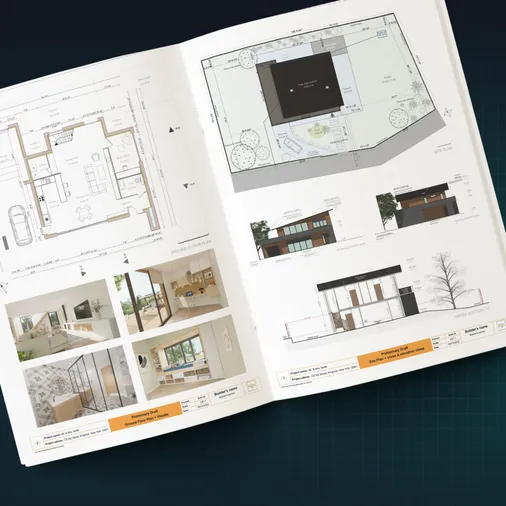
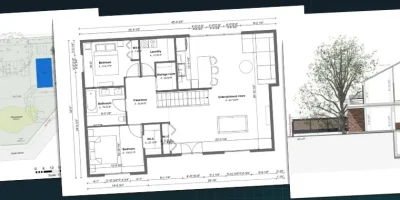
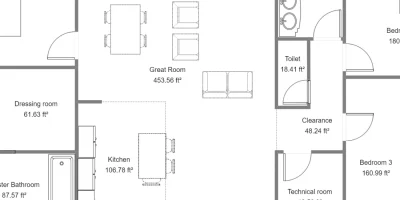
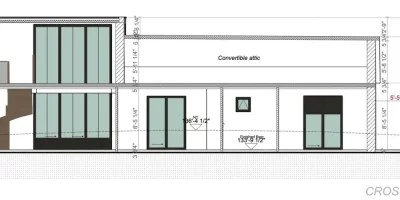
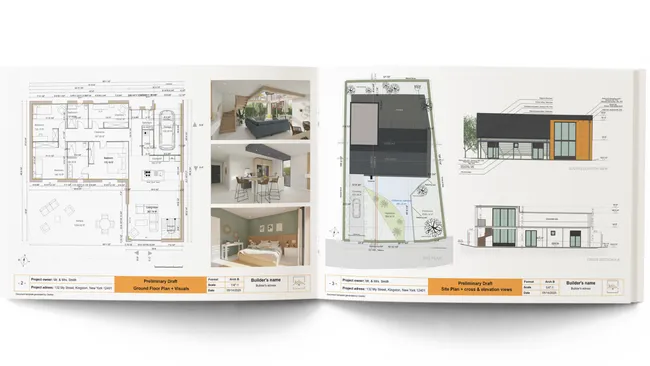
Plans – Get site plans, 2D floor plans, electrical plans, cross sections and elevation views — with all the technical details you need for a comprehensive project overview.
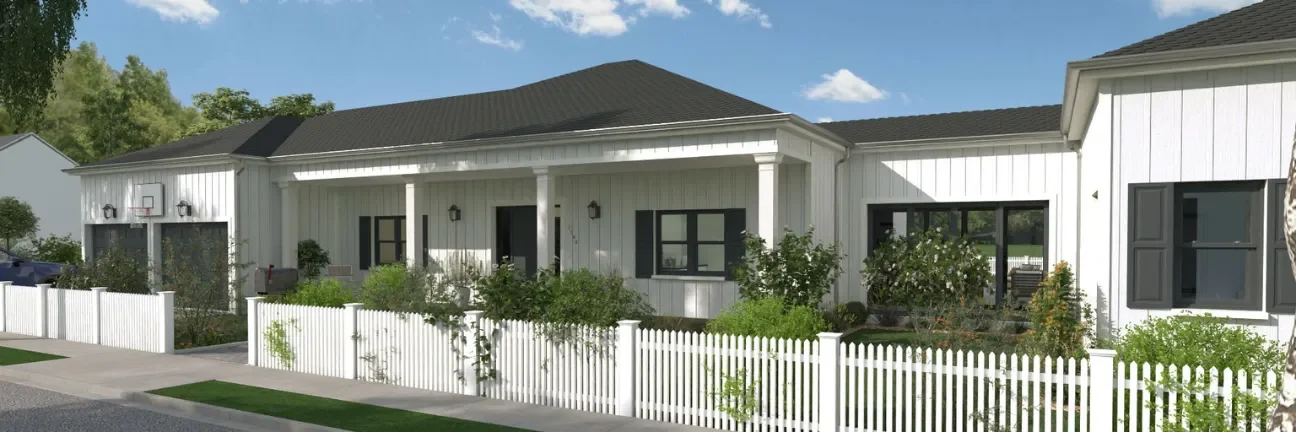
3D Visualizations – Use interior and exterior 3D renderings as well as 3D floor plans to help clients understand the finished project.
Documentation – Manage all your visual documents in one place, so it’s easier to present and sell your projects.
No credit card required, no commitment
How the Best 3D Home Design Software Helps Your Business
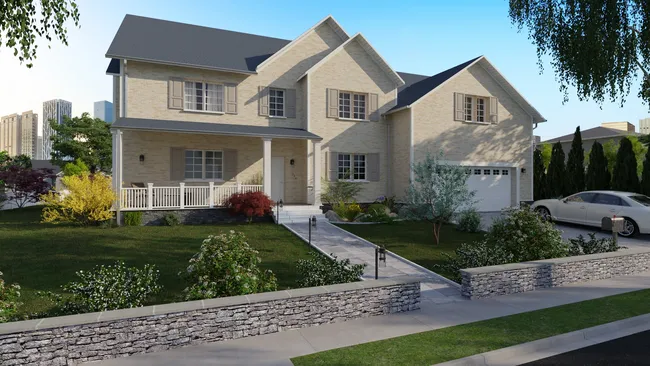
Great 3D home design software isn’t just for pretty pictures, because it helps you sell the project and plan the work with fewer surprises.
If you pick the right design software, you can move faster from first call to signed contract.
Choose the best software and your business benefits from…
- Time to design: Faster layouts and quick edits help you price the job sooner, so competitors don’t even make it to the second meeting.
- Client presentation impact: Clear 3D visuals help clients understand the plan, trust the scope, and confidently approve decisions.
- Learning curve and onboarding speed: Simple tools get your team producing work quickly, while complex software drags out every revision and drives up costs.
Next, let’s break down what to look for so you can compare tools apples to apples.
What to Look for in the Best Software for Home Design
The right home design tool should help you create a clear house design, sell the idea, and support the build without slowing your team down.
Speed to Presentation (2 Hours or Less)
Why important: Fast turnaround helps you price the project and lock in decisions before the client shops your bid.
What to look for:
- A workflow that goes from floor plan to client-ready pages in one sitting.
- Quick revision tools, so you can adjust layout, rooms, and materials during a client meeting.
- Tools with automated processes that save you time.
Ease of Use for Home Builders (no CAD Background Needed)
Why important: A steep learning curve drains billable time and makes every revision harder than it should be.
What to look for:
- An interface that lets you draw walls, add windows, and place doors with simple clicks.
- Drag-and-drop tools for furniture, finishes, and room elements.
- Built-in help like video tutorials or guided onboarding.
- Just enough options for customization but not too many that they become overwhelming.
2D and 3D Integration
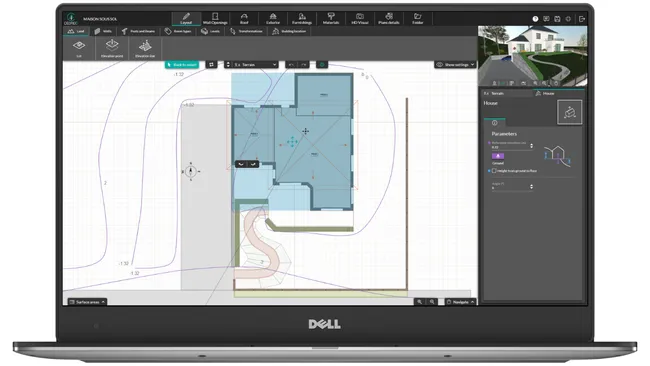
Why important: When 2D and 3D stay connected, you avoid mismatched plans and confused clients.
What to look for:
- A 2D and 3D workflow where updates to the 2D plan reflect in the 3D home view right away.
- The ability to make simple adjustments to interior and exterior spaces without rebuilding the model.
- Simple ways to switch views when you present options.
Fast Rendering (5 Minutes, Not Hours)
Why important: Slow renders kill momentum, and clients lose confidence when they can’t visualize the dream home.
What to look for:
- Cloud rendering that finishes in minutes for both interior design and exterior spaces.
- Quality images without paid plug-ins or complex rendering settings.
- Options to save viewpoints so you can compare ideas quickly.
Cloud Accessibility (Work From Anywhere)
Why important: If you can only work on one computer, you lose speed on job sites and in client meetings.
What to look for:
- Browser access that works on Mac and PC.
- Projects that save online, so you can start designing at the office and finish on-site.
- Easy sharing for clients, subs, or professional designers you collaborate with.
Support Quality (Live Help When Stuck)
Why important: If you get stuck or something doesn’t seem to be working like it should, your project stalls and your customer support wait time becomes your problem.
What to look for:
- Live chat and phone support, not just forums.
- Clear training resources, including short videos and how-to docs.
- Help from real people that understands builders, remodelers, and construction workflows.
Scalability (Multi-user, Unlimited Projects)
Why important: If the software can’t grow with your team, you will outgrow it right when you’re trying to scale your business.
What to look for:
- Pricing that stays predictable as you add projects and users.
- Multi-user enterprise plans.
- Sharing and permissions that fit how you run jobs.
15 Best Rated Home Design Software for 2026
Here’s a quick way to compare the options by use case, so you can jump to the tools that fit your workflow.
Best for contractors vs. DIY
- Contractors: Cedreo, Chief Architect, SketchUp
- DIY: Sweet Home 3D, Planner 5D, FloorPlanner
Best for Mac vs. PC
- Mac: Cedreo, ArchiCAD, Live Home 3D
- PC: Cedreo, Chief Architect
Best free vs. paid options
- Best free: Sweet Home 3D
- Best paid for pros: Cedreo, Chief Architect, SketchUp
Best for 3D rendering quality
- Top 3D visuals: Cedreo, Foyr Neo, SketchUp with Extensions
Here’s the overall comparison table.
| Software name | Best for | Rendering quality & speed | Learning curve | Cloud-based? | Support quality | Pricing |
| Cedreo | Full sets of plans and fast proposals for contractors | ⭐⭐⭐⭐⭐ | Easy | Yes | Excellent | $$ |
| Chief Architect | Construction docs, framing, materials lists | ⭐⭐⭐⭐ | Steep | No | Excellent | $$$ |
| SketchUp | Flexible 3D modeling for concepts and details | ⭐⭐⭐ (More with extensions) | Steep (For creating full 2D/3D plans) | No | Average | $$ |
| ArchiCAD | BIM on Mac for complex projects | ⭐⭐⭐ | Steep | No | Excellent | $$$ |
| SoftPlan | Buildable plans with strong takeoffs | ⭐⭐⭐ | Steep | No | Average | $$$ |
| Autodesk Revit | Engineer-level BIM coordination | ⭐⭐⭐⭐(More with extensions) | Steep | No | Excellent | $$$ |
| Planner 5D | Quick layouts and visuals (mobile-friendly) | ⭐⭐⭐ | Easy | Yes | Average | $$ |
| FloorPlanner | Fast, clean floor plans for sharing | ⭐⭐⭐ | Easy | Yes | Average | $ |
| Foyr Neo | Fast photorealistic sales visuals | ⭐⭐⭐⭐⭐ | Easy | Yes | Average | $$ |
| RoomSketcher | 2D/3D plans plus redraw service | ⭐⭐⭐ | Easy | Yes | Average | $ |
| Live Home 3D | One-time license 2D/3D for Mac and iPad | ⭐⭐⭐ | Moderate | No | Average | $ |
| SmartDraw | Quick 2D plans and schematic diagrams | Only 2D | Easy | Yes | Average | $ |
| HomeByMe | Branded interior visuals with product staging | ⭐⭐⭐⭐ | Easy | Yes | Average | $$ |
| Sweet Home 3D | Free basic plans and simple 3D | ⭐⭐ | Moderate | No | Limited | Free |
| Homestyler | 3D renders and virtual staging | ⭐⭐⭐⭐⭐ | Easy | Yes | Limited | $ |
Let’s start the full product reviews with our top pick overall: Cedreo.
1. Cedreo – TOP PICK Overall
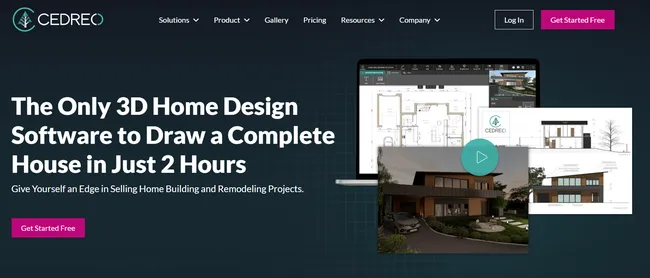
Best for: Contractors and remodelers who need fast, client-ready designs.
Cedreo is a cloud-based home design software built for housing pros who want to create 2D plans, 3D visuals, and proposal documents without the headaches of traditional CAD.
It’s our top pick because you can move from a simple floor plan to a complete 2D/3D presentation in about two hours, even if you’re starting from scratch.
But just because it’s fast doesn’t mean it’s powerful.
With Cedreo you can still create full sets of 2D plans complete with custom annotations, measurements, site plans, terrain modeling, electrical plans and more.
Real Reviews:
Crystal D. – Really effective so far. It has overall helped me jump start my business.
Daniel J.K – No other 3D home design even compares to Cedreo. So happy we found it!
Ease of use (learning curve)
Cedreo is designed to be learned in minutes, so you spend your time selling and building instead of training.
- Draw walls with simple clicks, then add doors and add windows with drag-and-drop controls.
- Start from scratch or trace over imported plans, which is a big time saver on remodel work.
- Build a full proposal fast because 2D and 3D update together as you design.
Create full sets of plans
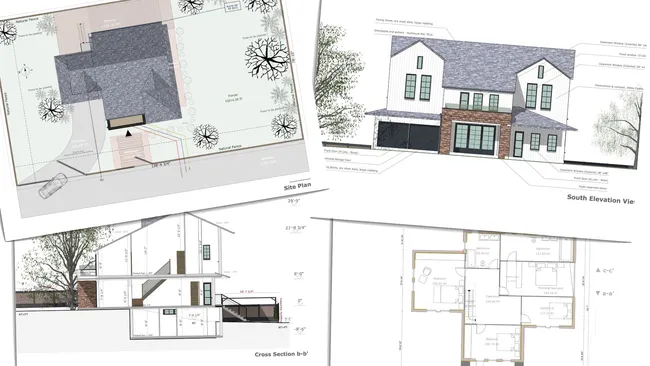
Cedreo helps you produce the plan types builders actually need to explain scope and move the job forward.
- Create site plans with accurate terrain modeling to show how the house fits the lot.
- Build electrical plans, plus cross-sections and elevation views for clearer construction communication.
- Add dimensions and custom notes on plans to reduce questions and revision loops.
3D rendering quality and speed

Cedreo gives you photorealistic visuals without a complicated rendering workflow.
- Generate interior and exterior renderings in about five minutes.
- Adjust lighting (day or night) and sun orientation to show materials and curb appeal clearly.
- Save before/after viewpoints so you can compare options like layouts, finishes, and furniture.
- Get strong image quality without relying on expensive rendering plug-ins or complicated menus.
Furniture and material library
Cedreo includes a large built-in catalog so you can stage an entire house and show real-life choices…no need to purchase additional product packs.
- Access a design library of over 10,000 furniture, fixtures, decor items, and finishes.
- Use searchable items and 3D product packs to furnish rooms quickly.
- New catalog items are added monthly, which keeps designs looking current.
Client presentations
Cedreo helps you package the full story into client-ready pages that feel professional.
- Build branded proposal documents with your logo and project notes.
- Drop in 2D plans, 3D floor plans, renderings, and surface area reports in one place.
- Update the design once and keep presentation pages synced as you revise.
Support
Cedreo backs you up with real help so you do not get stuck mid-project.
- Get support via phone, email, and chat from real people.
- Access tutorials and a help center for quick answers when you are working late.
Pricing: $$
Cedreo offers freemium access so you can try the software, then upgrade to a paid plan for professional features and higher output needs.
2. Chief Architect
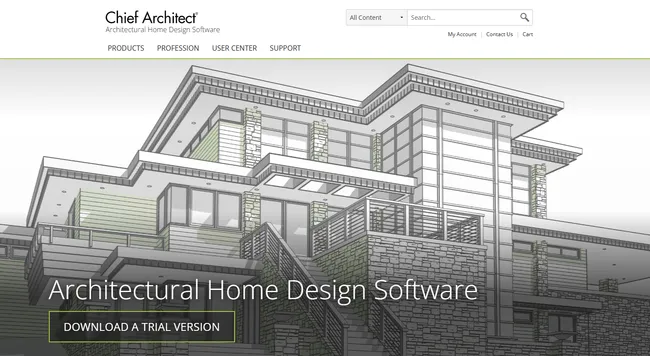
Best for: Design-build pros who need full structural construction detail.
Chief Architect is a residential-focused design software that turns your 2D floor plan into a connected 3D home model as you draw.
It’s built for producing construction documents, with tools for framing, materials lists, and layout sheets that stay coordinated.
That depth comes with a higher price and a bigger learning curve, so it’s usually best when experienced users plan to use it on a steady stream of home design projects.
Key features:
- 2D drafting tools that generate a connected 3D model.
- Framing tools for common residential systems.
- Layout sheets for plans, elevations, and details that stay in sync.
- Terrain and site tools for sloped lots and grading visuals.
- Materials lists that update as the model changes.
Pros:
- Construction documentation for builders who want to keep design in-house.
- Great control over roofs, framing, and detailed assemblies.
- Good file compatibility for DWG and DXF workflows.
- Training options once you commit to learning it.
Cons:
- The learning curve can be heavy if you only need fast presentations.
- Higher cost than most tools on this list.
- Some Chief Architect tools like rendering and terrain modeling have complex interfaces that can bog down your work.
Pricing: $$$
Real user review from Capterra:“The speed of generating a 3D building for a client to see can be very quick, but the learning curve and the inherent limitations just made it not worth the effort. I spent 40+ hours trying to generate drawings for an existing house, while the client made changes on the fly. I couldn’t overcome the learning curve or the limitations in a timely fashion and not only didn’t get paid, but lost the client.” Mark H. Consultant.
3. SketchUp
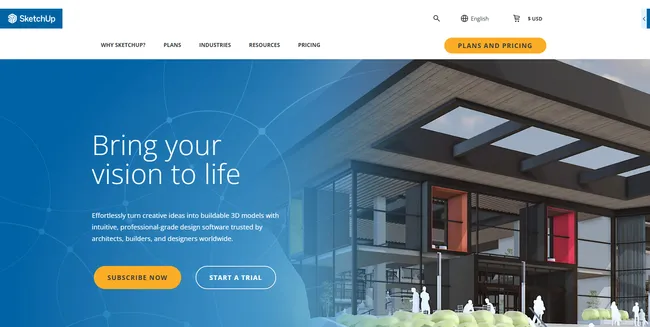
Best for: Pros who want flexible 3D modeling for concepts, details, and custom shapes.
SketchUp is a fast, flexible 3D modeling tool that’s great for early house design, quick massing, and tricky construction details.
It works well when you need to explore ideas with clients, especially when you want to adjust custom shapes and designs.
To turn those ideas into buildable plans and polished visuals, most pros rely on LayOut plus extensions for documentation, framing-style automation, and photorealistic rendering.
Key features:
- Push-pull 3D modeling for quick massing and layouts.
- LayOut tool for creating 2D pages from the 3D model.
- Large component library (3D Warehouse) for furniture and objects.
- Strong extension ecosystem for specialized workflows.
Pros:
- Very flexible for modeling almost anything.
- Great for live design sessions when clients want to explore options.
- Strong community and lots of training content.
Cons:
- Full construction documentation takes discipline, meticulous organization, plus add-ons and setup.
- Photorealistic rendering often requires paid tools like V-Ray or other plugins.
Pricing: $$
Real user review from Capterra: “Very good and also fun because I can make various models in one software. Sometimes SketchUp is too dependent on add-ons or extensions…” Deni H. Freelancer
4. ArchiCAD
Best for: Mac-based architects and high-end custom builders who want full BIM power.
ArchiCAD is a BIM platform from Graphisoft that’s popular with architects, especially on Mac.
It supports a full workflow from early 3D modeling to construction documents, so it can handle complex, detail-heavy projects.
It feels more design-friendly than some BIM tools, but you still need time to learn the BIM mindset and set up your templates.
Key features:
- Full BIM modeling with coordinated 2D and 3D views.
- Renovation tools to separate existing, demo, and new work in one model.
- Team collaboration options for shared projects.
- Built-in visualization tools for client-facing images.
- Construction documentation tools for plans, sections, and schedules.
Pros:
- Strong choice for Mac users who need professional BIM output.
- Good balance of design freedom and documentation strength.
- Helpful renovation workflows for remodel and addition projects.
Cons:
- Steeper learning curve than most contractor-first home design tools.
- Subscription pricing can be hard to justify for low design volume.
Pricing: $$$
Real user review from Capterra: “I like the robustness of the software. It is complex and it requires regular use in order to utilize it with any effectiveness. I don’t think there is a way around this.” Chris K Principal, Architecture & Planning
5. SoftPlan
Best for: Builders and remodelers who want strong construction drawings plus accurate material takeoffs.
SoftPlan is a residential design and drafting tool that focuses on construction documentation and quantifying materials as you design.
It’s especially popular when you need dependable bills of materials for estimating and ordering.
You can create solid 2D plans and workable 3D visuals, but the platform is less about flashy rendering and more about buildable outputs.
Key features:
- 2D drafting tools tuned for construction-ready plan sets.
- Materials list and quantity tools that update as the plan changes.
- Electrical symbol workflows that support clear system layouts.
- Site tools for modeling lots and basic grading visuals.
- DWG and DXF import and export for working with outside partners.
Pros:
- Good option for contractors who want estimating and ordering accuracy.
- Produces plans that field crews can use.
- Practical tools for residential workflows without needing a full BIM platform.
Cons:
- Rendering and presentation features are not as strong as visualization-first tools.
- Advanced 3D and roof work take time to master.
Pricing: $$$
Real user review from Capterra: “Software runs fast on a basic desktop computer. Complex roofs can be hard to draw unless you do it full time or have lots of experience drawing roofs.” Winston E. President, Construction Company
12. Autodesk Revit
Best for: Firms doing complex work that must coordinate with architects and engineers in BIM.
Revit is Autodesk’s flagship BIM software and a standard in many architecture and engineering workflows.
It’s powerful for coordinated models, clash reduction, and detailed construction documentation across big teams.
For most small residential contractors, the training time and setup work can feel like overkill unless you truly need Revit-based collaboration.
Key features:
- Parametric BIM modeling that updates across every view.
- Team collaboration tools for coordinated project files.
- Deep construction documentation tools for plans, sections, and schedules.
- Terrain and site tools, including detailed toposurface workflows.
- Large plugin ecosystem for rendering and specialized analysis.
Pros:
- Best-in-class coordination when you work with Revit-based partners.
- Extremely detailed documentation and scheduling capabilities.
- Strong for multi-family, mixed-use, and complex engineered projects.
Cons:
- Very steep learning curve and high training cost.
- Extra tools or plugins are often needed for fast, client-ready renderings.
Pricing: $$$
Real user review from G2: “Revit’s steep learning curve and performance issues with large models frustrate me most in MEP workflows. High subscription costs without perpetual licensing add unnecessary pressure for freelancers.” Pilla T. Mechanical Engineer
7. Planner 5D
Best for: Homeowners and pros who want a quick sketchpad for basic layouts and visuals.
Planner 5D is a home design tool that helps you build a floor plan, add furniture, and switch into a 3D home view fast.
It’s popular for personal use and early-stage ideas, especially if you like working on a tablet.
For contractors, it can help you visualize options, but it is too limited for full construction documentation.
Key features:
- 2D and 3D modes for fast layout changes.
- Mobile scanning tools that can speed up capturing existing rooms.
- Basic 3D visuals for interior design and simple exterior views.
- Export options like DWG and DXF (plan dependent).
- A library of furniture and finishes for quick staging.
Pros:
- Easy to start designing with a simple interface.
- Helpful for quick client concept images and early layout talks.
- Strong mobile and tablet workflow.
Cons:
- Not the best rendering quality.
- Costs can add up if you need high output for professional projects.
- Limited terrain modeling tools compared to options like Cedreo.
Pricing: $$
Real user review from G2: “While the rendering quality in Planner 5D is decent, it’s not the most beautiful, so I wouldn’t showcase my designs extensively.” Vili P.
8. FloorPlanner
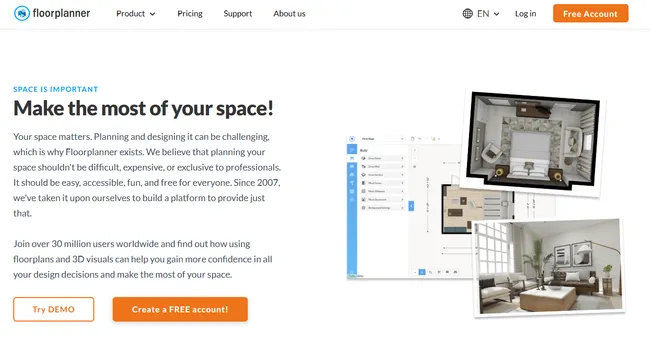
Best for: Real estate style floor plans and fast, clean layouts.
FloorPlanner is a browser-based home design software known for speed and simple floor plan output.
It’s great when you need a clear layout to share, especially for marketing or quick client communication.
Most builders will outgrow it for technical drawings because it focuses on visuals, not construction details.
Key features:
- Fast 2D drawing tools for floor plan creation.
- 3D views for basic room visualization.
- Credit-based exports for higher-quality images (plan dependent).
- Simple sharing tools for clients and team members.
- Works in a web browser, so there is no install.
Pros:
- Very fast for creating clean layouts.
- Easy for clients to understand the space and flow.
- Good option for light use because of the credit system.
Cons:
- Limited for elevations, cross sections, and build-ready documentation.
- 3D visuals aren’t the best
Pricing: $
Real user review from Software Advice: “Yes this is not CAD and most probably you will not be able to make final project for constructing, but least and not last you can play with design, choose shapes and structure, try materials, plan layouts and make calculations.” Giorgi D.
9. Foyr
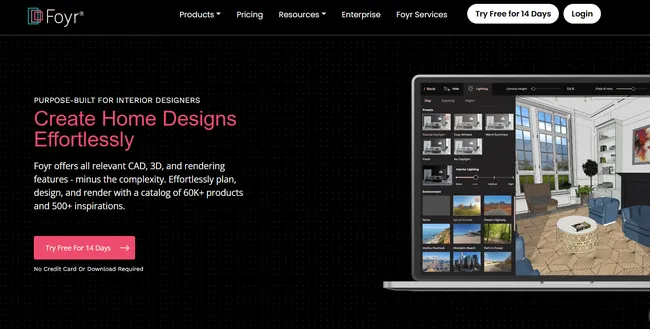
Best for: Fast interior visuals and sales-focused rendering.
Foyr is a cloud visualizer built to shorten the time from floor plan to photorealistic images.
It’s a strong fit for interior designers and remodel sales teams who need client-ready visuals quickly.
You can sell the dream home interior fast, but if you work with full home additions and need to show detailed exterior views and site plans, choose a tool like Cedreo.
Key features:
- Quick floor plan creation and 3D conversion.
- Large drag-and-drop catalog for furniture and decor.
- Rendering tools designed for fast photorealistic output.
- Simple presentation exports for clients.
- Browser-based platform for work from any computer.
Pros:
- Strong rendering speed for client presentations.
- Shallow learning curve for new users.
- Great for interior concept visuals.
Cons:
- No construction documentation.
- Not ideal for detailed site, terrain or electrical plan workflows.
Pricing: $$
Real user review from Capterra: “I wish some things were more technical in measurements for architectural planning.” Amy M. Interior Designer
10. RoomSketcher
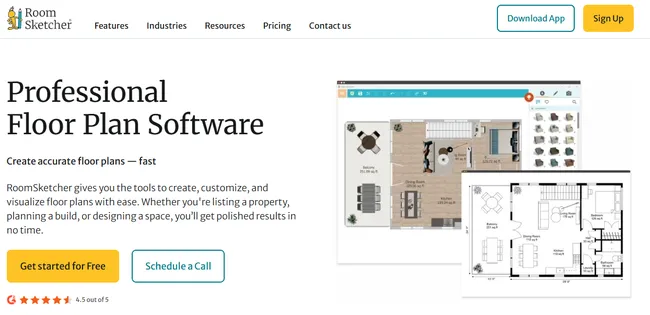
Best for: Real estate agents and new interior designers who want quick plans and a redraw service.
RoomSketcher is a floor plan and visualization tool that helps you create clean 2D and 3D layouts for clients.
One standout is its redraw service, where you can send a sketch or blueprint and get a polished digital plan back.
It’s great for real estate listings and planning conversations.
Key features:
- 2D and 3D floor plan tools for fast room layouts.
- Live 3D walkthroughs and 360 views for client visualization.
- Branded exports for plans and visuals.
- Site plan support for simple property visuals without terrain modeling.
- Redraw service to digitize existing plans.
Pros:
- Fast way to get professional-looking floor plans.
- Helpful service option when you do not want to draft from scratch.
- Easy for clients to visualize interior and exterior spaces.
Cons:
- Limited for sections, elevations, and construction detail.
- Limited exterior and terrain options so not the best choice if you’re doing full home designs, additions or landscape designs.
Pricing: $
Real user review from Capterra: “Wish it had elevations – I’m needing more building code features – as I’m trying to do the work for the architect.” Kris L. Real Estate
11. Live Home 3D
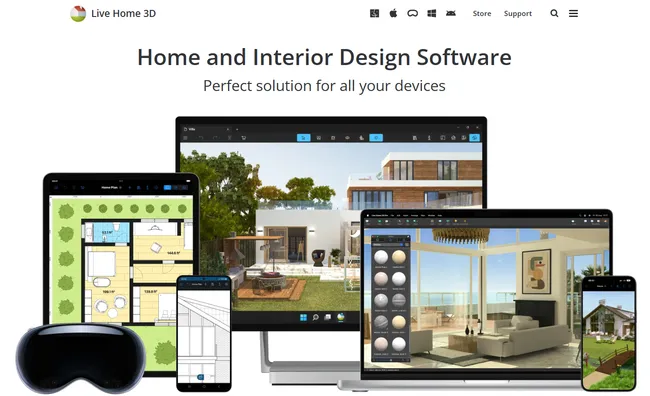
Best for: Mac and iPad users who want a one-time purchase tool for 2D and 3D home design.
Live Home 3D is a desktop and mobile design software that lets you create a floor plan, furnish rooms, and view the design as a 3D home.
It’s a strong fit when you want an install-based app you can use on-site, even when Wi‑Fi is not great.
You can create solid visuals and basic elevations, but many professionals aren’t satisfied with the quality of its 3D renderings.
Key features:
- 2D floor plan tools with measurements for room layout.
- 3D walkthrough views to visualize interior and exterior spaces.
- A terrain editor in Pro for basic site and grade shaping.
- Elevation views for simple exterior documentation (Pro).
- Exports to common formats like PDF and 3D model files for sharing.
Pros:
- Offers a lifetime license instead of a monthly subscription.
- Works well for quick remodeling concepts, furniture layouts, and client previews.
- Useful terrain and elevation tools for the price, especially on Mac.
- AR support for a unique presentation experience.
Cons:
- Not the best choice for detailed construction documentation.
- Some advanced content and tools depend on the Pro tier.
- Can’t import DWG/DXF maps for accurate terrain modeling
- App lags sometimes and can do so even more with an older computer.
Pricing: $$
Real user review from G2: “Easy to create designs. Not as complex as Autocad. Visually appealing with a lot of objects to place while designing. Desktop app freezes sometimes. This leads to loss of data.” Abdul S. Senior Automation Engineer
12. SmartDraw
Best for: Contractors who only need 2D floor plans and clean schematic diagrams.
SmartDraw is a web-based diagramming tool that includes floor plan templates and a large symbol library.
It’s most useful when you need to draw a clear layout fast, then share it with a team using common office tools.
Since it is not a 3D rendering tool, it works best as a support tool for planning, not as a full client presentation platform.
Key features:
- Quick-start 2D floor plan templates for fast layout drafts.
- Large symbol library for construction, electrical, and diagram work.
- Diagram tools for workflows beyond design (charts, org maps, process maps).
- Integrations and exports that fit common office stacks.
- Browser access so you can work from nearly any computer.
Pros:
- Very fast for creating clean 2D plans and basic diagrams.
- Helpful for electrical and system schematics when you don’t need 3D.
- Easy sharing and exporting for customers and internal teams.
Cons:
- No 3D capabilities, so it will not help clients visualize a dream home.
- Not built for elevations, cross sections, or terrain modeling.
- No CAD drawing import.
Pricing: $
Real user review from G2: “Very user friendly. Would be nice to have the ability to import CAD drawings to get shell and columns of building properly laid out as a starting point.” Warehouse Layout Designer
13. HomeByMe
Best for: Interior designers and showrooms that want branded interior visuals with real product furniture.
HomeByMe is an interior design software that lets you create a floor plan, then furnish and decorate in 3D using branded items.
It’s a good fit when you want clients to explore finishes, furniture, and room style choices before they commit.
For builders, it’s more of a visualization tool than a construction tool, even though some plans support CAD-style exports.
Key features:
- 2D floor plan creation with an easy layout workflow.
- 3D furnishing tools for interior decorating and product staging.
- Photorealistic renderings for client-ready images.
- Collaboration and sharing tools for feedback.
Pros:
- Strong for client-facing interior visuals and product-driven presentations.
- Useful when clients want to see furniture and materials that feel real.
- Good for quick inspiration boards and early layout decisions.
Cons:
- Very limited for exterior spaces, site planning, and construction documentation.
- Pricing is higher than some other visualization-first tools.
Pricing: $$
Real user review from Software Advice: “Good for interior design and decorating, but not so much on the structural or construction side. Not very good for architectural design.” Andrew D.
14. Sweet Home 3D
Best for: DIYers and students on a tight budget who need simple 2D plans and basic 3D views.
Sweet Home 3D is a free, open-source home design program that lets you draw a floor plan and see it in 3D.
It works well for quick interior remodeling ideas, furniture placement, and simple layouts when you want to start from scratch.
The visuals feel dated and the tool is limited for client presentations.
And if you want to expand its functionality with product packs, then you have to pay.
Key features:
- Draw 2D plans from scratch or import a reference plan.
- Switch between 2D and 3D views to visualize the room layout.
- Add furniture, textures, and objects from its model library.
- Add dimensions, arrows, and notes for basic plan clarity.
- Create simple walkthrough images and videos (quality is basic).
Pros:
- Free to use, which makes it a safe way to test a home design tool.
- Simple workflow for small projects and personal use.
- Useful when you only need a quick layout and a rough 3D home view.
Cons:
- Limited for pro workflows like elevations, sections, and site plans.
- Visual quality and collaboration tools lag behind modern cloud software.
Pricing: $
Real user review from Software Advice:“For free and open source software, this is a very advanced application. I’ve had some issues with rendering high quality pictures with realistic shading where there would be some artifacts that were not present in the 3D view.” Damir H.tures.
15. Homestyler
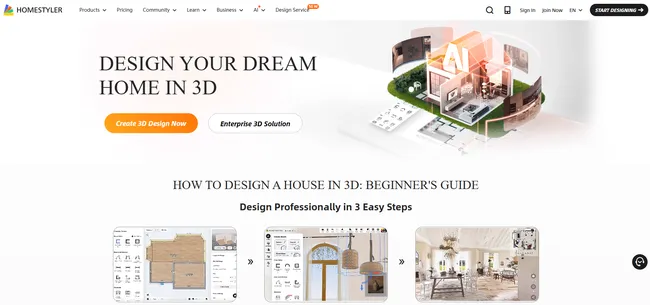
Best for: Unique interior visuals and virtual staging.
Homestyler is a cloud-based interior design software that lets you build a floor plan, furnish it, and generate renderings.
It’s especially useful when clients care about seeing furniture and style ideas before they commit.
For contractors, it works best as a sales visualizer to help sell projects.
Key features:
- 2D and 3D floor plan modes for quick layout work.
- Large 3D furniture library, including branded items.
- High-resolution renders, including panoramic views (plan dependent).
- Community designs you can explore for inspiration.
- AI tools like Designer, Moodboard, and Modeler (feature access varies by tier).
Pros:
- Strong rendering quality for the price, especially for marketing visuals.
- Shallow learning curve for interior decorating and staging.
- Helpful for showing clients multiple style directions quickly.
Cons:
- Pricing is confusing since pricing and output limits vary by tier, and there are options for purchasing additional models and templates…all which can feel confusing.
- Targeted toward interior designers so if you do full additions, site plans, roofs, house exteriors, and landscaping, you’ll need a different tool.
Pricing: $
Real user review from Software Advice: “I can’t use all the furniture unless I have a membership and sometimes I face problems with interior modeling.” Aya A. Architecture & Planning Professional
Which Software Is Right for Your Home Design Projects?
Choosing the best 3D home design software comes down to how fast you need to sell the idea and how much detail you need to document.
Use the reviews above to narrow your shortlist, then compare tools based on what matters most to your workflow:
- Speed to proposal: Can you go from floor plan to client presentation in a single meeting?
- Ease of use: Can your team start designing without weeks of training?
- Professional outputs: Can you share clear visuals and plans that reduce back-and-forth?
If you want a tool built for busy housing pros, Cedreo helps you create detailed 2D plans, 3D renderings, and branded proposal documents fast.
Ready to streamline your home design projects?
Best Home Design Programs FAQs
What is the best home design software for contractors?
For most contractors, Cedreo is the best home design software because it helps you create 2D plans, 3D visuals, and a client proposal fast.
If you need heavy construction documentation like framing and deep permit sets, Chief Architect can also be a good fit.
What is the best house design software for Mac?
Cedreo is a strong choice because it runs in a web browser on Mac, so you can design from anywhere without installing a heavy program.
If you want a Mac desktop BIM tool for complex projects, ArchiCAD is a popular option.
What is the best 3D home design software?
Cedreo is a top choice for pros who need fast, photorealistic 3D renderings to help clients visualize the finished house.
If you prioritize structural construction documents and material takeoffs over sales visuals and streamlined workflows, then tools like Chief Architect or Revit can make sense.
What home design software do professionals use?
Many professionals use a mix of tools, like a fast visualizer for client buy-in and a documentation-heavy platform for permit and build details.
From the software in this list, that often looks like Cedreo for fast sales-ready presentations, and then Chief Architect or Revit for structural construction details and material takeoffs.
Is there free home design software that’s actually good?
Yes, but most free tools are best for personal use and simple layouts, not professional client presentations.
Cedreo has a free version you can try, and you can subscribe to a budget-friendly paid plan when you need the pro features and outputs.
What’s the easiest home design software to learn?
Cloud tools built for speed tend to be the easiest, especially those with drag-and-drop controls and simple wall drawing.
For many contractors, Cedreo is easier to learn than traditional CAD or BIM programs.
Which home design software has the best customer support?
Software like Cedreo offers some of the best support around from real people you can reach fast by phone, email, or chat, plus training resources like video tutorials.
Cedreo includes support through multiple channels, and Pro and Enterprise plans include a dedicated customer success manager.
How long does it take to create a home design with software?
With an easy-to-use tool like Cedreo, you can create a 2D floor plan and 3D concept in as little as an hour or two, depending on project size.
Detailed construction documentation and multiple revisions can take much longer, especially in complex CAD or BIM platforms.