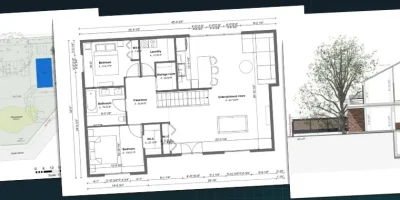
The best software makes it easy to create site plans that land you more jobs
Bids die when clients can’t picture setbacks, slopes, and where the new work actually sits on the lot.
But the best site plan software turns that messy early stage into clean visuals you can share fast.
If you are a builder, remodeler, or designer, you feel the squeeze every time you wait on 3rd party drafters or struggle with complicated software.
That delay costs you momentum, and it gives the homeowner time to collect more bids.
That’s why you need a tool that lets you map property boundaries, spot grading issues, and produce clear plan sheets without a months-long learning curve.
This guide breaks down the top site plan software for speed, ease of use, and the features that help you close projects faster in 2026.
Key Takeaways
- The best site plan software helps you turn surveys and rough notes into clear site plans before the client loses interest.
- Look for fast terrain modeling, simple exports, and visuals that explain setbacks, and slopes without a long learning curve.
- Match the tool to the job type: quick client concepts need speed, while complex sites need deeper drafting and grading controls (the best tools combine both).
- Cedreo helps housing professionals create site plans, 3D visuals, and client-ready presentations in one workflow, so you can move from idea to approval faster.
Why trust us? Here at Cedreo, we’ve got 20+ years of experience working with professionals in the home design space. We’ve seen firsthand the kind of software that helps contractors and builders design faster and land more jobs!
See How You Can Create Complete Projects with Cedreo
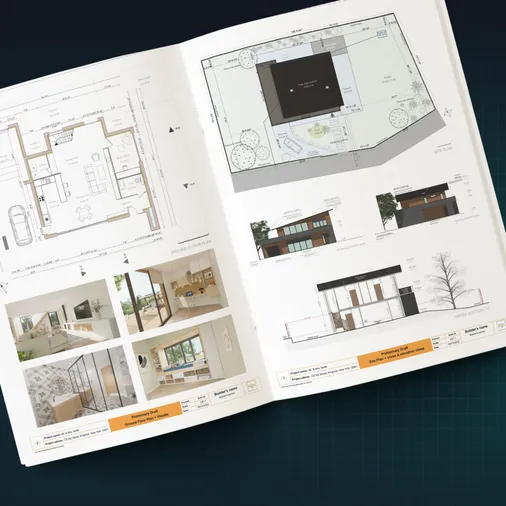
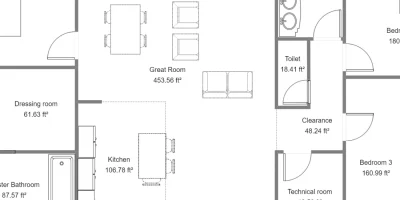
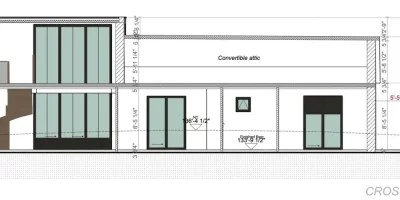
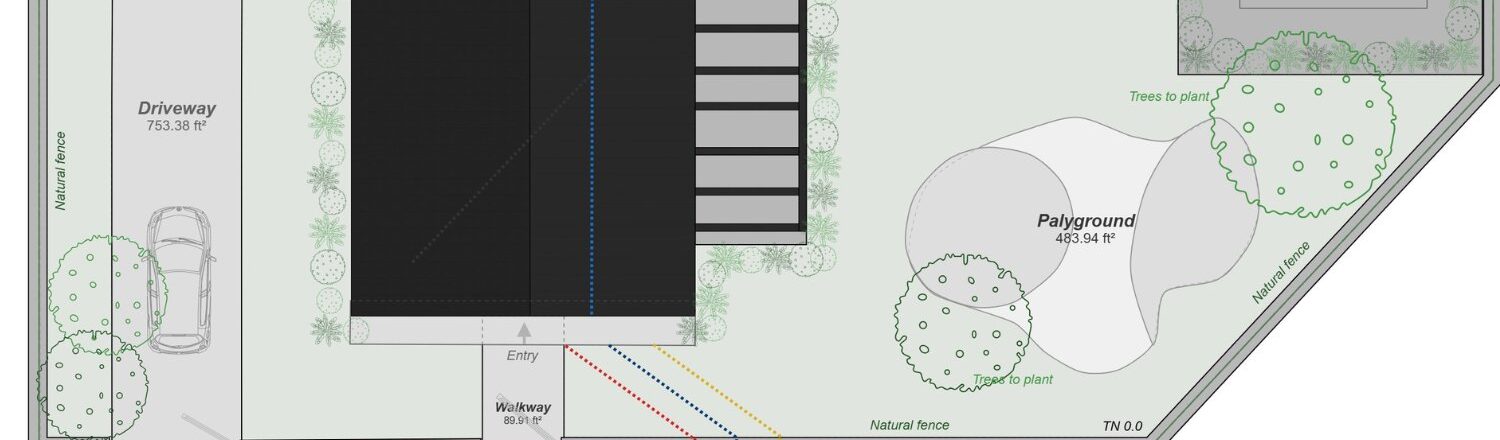
Plans – Get site plans, 2D floor plans, electrical plans, cross sections and elevation views — with all the technical details you need for a comprehensive project overview.
3D Visualizations – Use interior and exterior 3D renderings as well as 3D floor plans to help clients understand the finished project.
Documentation – Manage all your visual documents in one place, so it’s easier to present and sell your projects.
No credit card required, no commitment
What Contractors Actually Need in Site Plan Software
Most crews don’t need more buttons, they need site plan software that helps them make faster decisions with fewer redraws.
Create Site Plans in Hours, Not Days
Why important: Fast site plans keep bids moving, so clients say yes while the project is still fresh.
What to look for:
- Intuitive drawing tools that work with you, not against you.
- Drag-and-drop site elements like driveways, patios, and setbacks.
- Simple editing for property lines, dimensions, and callouts.
- Integrated presentation building.
Terrain Modeling Without Surveyor Delays
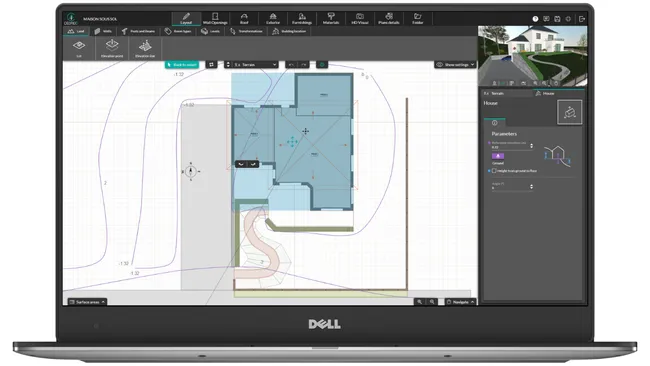
Why important: Slopes or retaining walls mistakes get expensive when you discover them after the contract is signed.
What to look for:
- Tools to create or adjust grade lines and elevation points quickly.
- The ability to model a basic slope from a few known elevations.
- Importing topo maps or DWG/DXF site maps.
- Clear elevation labels and spot grades you can read on the plan.
Integration With Floor Plans and 3D Visualization
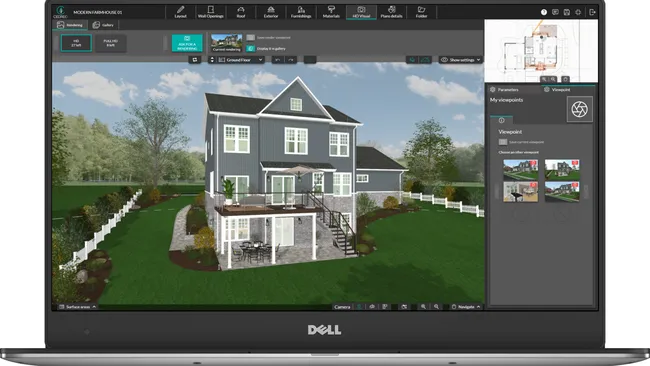
Why important: A site plan means more when it connects to the actual house layout and the client can see the full story.
What to look for:
- A workflow that links the building footprint to the site plan.
- 3D views that show height, slope, and how the home sits on the lot.
- Easy placement for decks, additions, and outdoor living areas.
- A single project file so you don’t juggle separate tools.
Export Options for Client Presentations
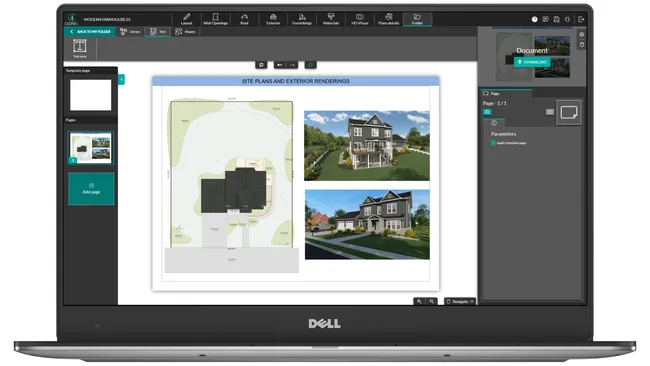
Why important: Clear project presentations reduce revision loops because clients understand what they are approving.
What to look for:
- PDF export with clean line weights, labels, and scale.
- High-quality images for email, proposals, and slide decks.
- The ability to generate multiple views (2D and 3D) from the same model.
- Shareable files clients can open without special software.
- Presentations with plans that automatically update as you make changes to the base design.
Cloud-based for Field Access
Why important: You make better decisions when you can pull up the latest site plans on-site instead of guessing from old printouts.
What to look for:
- Web access on a laptop, not just an office desktop.
- Easy sharing with teammates
- Fast syncing so changes made in the office show up in the field.
Reasonable Learning Curve (<1 week)
Why important: If you can’t learn it quickly, the software becomes shelfware and you go back to sketching.
What to look for:
- An interface built for builders and remodelers, not only CAD specialists.
- Short tutorials and in-app guidance that get you producing on day one.
- Responsive support that helps you unblock issues fast.
PRO TIP! Test-drive your top two tools on the same real job, then pick the one that produces client-ready site plans with the fewest clicks.
8 Best Site Plan Software Options
There are tons of tools for site plan drawing, from quick drag-and-drop apps to full CAD platforms.
In this list, we cover Cedreo, Chief Architect, AutoCAD, SketchUp, SmartDraw, Live Home 3D, Planner 5D, and RoomSketcher.
How to Choose Based on Project Type
Pick the software that matches the kind of work you do most often, since the “best” tool changes by job.
- Residential new construction: Cedreo, Chief Architect
- Renovations and additions: Cedreo, Live Home 3D
- Complex commercial: AutoCAD, Chief Architect
- Quick client presentations: Cedreo, SketchUp
- DIY homeowners: RoomSketcher, Planner 5D, SmartDraw
| Software | Best For | Key Features | Mac Compatibility | Learning Curve | Time to Create Site Plan | Terrain Design Capabilities | Terrain Modeling, How Easy? | Support Quality | Pricing |
| Cedreo | Contractors/remodelers who need fast, client-ready site plans + 3D | Site plan + 3D in one workflow, property boundaries/setbacks, terrain tools, presentation outputs | Yes | Easy | Minutes | Advanced | Easy | Excellent | $$ |
| Chief Architect | Architects needing detailed residential documentation | Strong residential tools, terrain/grade, detailed drawings, strong library | Yes | Steep | Hours | Advanced | Hard | Excellent | $$$ |
| AutoCAD | Technical drafting teams needing precise 2D CAD | Industry-standard drafting, DWG workflows, customization, strong documentation | Yes | Steep | Days | Basic | With Civil 3D | Excellent | $$$ |
| SketchUp | Concept modeling and quick 3D massing with add-ons | Fast 3D modeling, huge extension ecosystem, Sandbox terrain tools | Yes | Steep | Days | Basic | Hard | Average | $$ |
| Live Home 3D | Remodelers and designers who want simple 3D + site context | 2D/3D, terrain tools (Pro), quick visuals, good exports | Yes | Moderate | Hours | Moderate | Moderate | Average | $$ |
| RoomSketcher | Simple floor plans and basic site context for presentations | Easy plan creation, visuals, cloud projects, teams/credits | Yes | Easy | Hours | Basic | No Terrain Modeling | Average | $-$$ |
| Planner 5D | DIY and light concept visuals | Easy editor, quick 3D visuals, mobile/web access | Yes | Easy | Minutes | Basic | No Terrain Modeling | Limited | $ |
| SmartDraw | Fast diagrams and simple 2D site sketches | Templates, quick scaled drawings, easy sharing/export | Yes | Easy | Minutes | Basic | No Terrain Modeling | Average | $ |
Cedreo: TOP PICK!
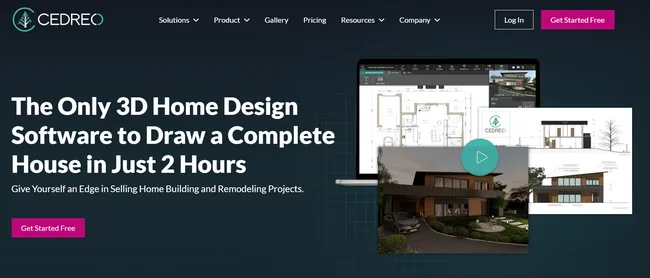
Best for: Fast but detailed site plans and 3D visuals for residential pros.
Cedreo is a cloud-based home design tool built for builders, remodelers, and designers who need to move from concept to approval fast.
Instead of bouncing between a site plan tool, a 3D modeler, and a presentation app, you can build the site plan and the home in one workflow.
That means fewer redraws and faster answers when a client asks, “Can we shift the house location 3 feet and still fit the driveway?”
It produces professional site plans and presentation-ready visuals quickly, without a steep CAD learning curve.
Real Review: “Overall, I needed to be able to learn and use a program fast. This program gave me everything I needed to achieve results in a short period of time, without being too stressed about time.” – Susan M. Design Professional
Terrain Design Capabilities
Cedreo’s terrain modeling tools help you show how the design sits on the lot, which reduces surprises later.
- Import DWG, DXF, PNG, JPG, PDF terrain files.
- Adjust terrain to reflect slopes and elevation changes.
- Place driveways, patios, decks, and other site elements in context.
- Review the site in 2D and 3D in real time so clients understand what changes affect.
- Generate elevations and cross sections that show the building in relation to the terrain.
Ease of Use (Learning Curve)
Cedreo is built for busy teams who need results fast.
- Builder-friendly tools that feel intuitive, even if you’re not a CAD drafter.
- Drag-and-drop floor plan software that speeds up early planning.
- Quick edits during meetings, so you keep the client moving forward.
3D Rendering Quality
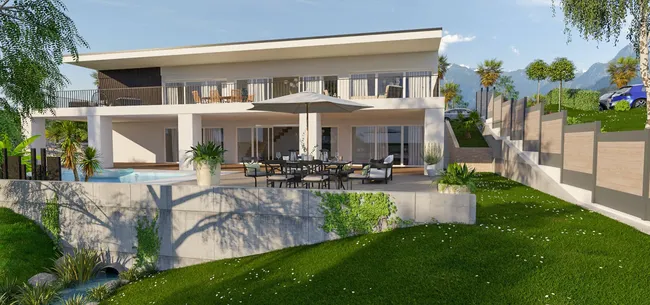
High-quality 3D renderings help clients commit sooner because they can picture the final result.
- High-quality 3D views that show massing and outdoor relationships.
- Materials and context options that make site concepts easier to trust.
- Consistent visuals across floor plans, elevations, and site views.
Client Presentations
Cedreo is designed to help you present, not just draw.
- Clean 2D site plans with easy-to-read labels and dimensions.
- Presentation-ready 3D images you can drop into proposals.
- One model that updates your deliverables when the plan changes.
- Combine 2D plans, 3D images, project details, and company branding on the same page into a polished presentation document.
Support
When a deadline is tight, support matters.
- Training content that helps new users get productive quickly.
- Users with a Pro or Enterprise plan get access to a dedicated success manager you can contact via phone, email, or chat.
Pricing: $$
Cedreo has a FREE version you can try today!
Chief Architect
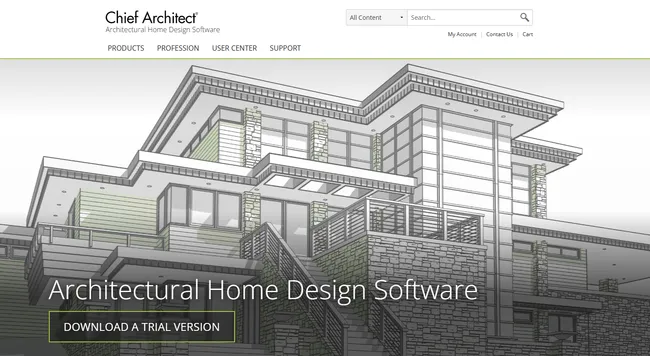
Best for: Architects who need detailed construction drawings and strong building tools.
Chief Architect is a desktop design program built around workflows that produce framing, walls and roofs structures and material takeoffs.
It shines when you need more than a basic site plan and you want the software to help generate elevations, sections, and material schedules.
It also has advanced terrain tools, but they can be challenging to use and they often take a long time to get right, even after you learn the process.
Key features
- Automatic building tools for walls, roofs, and framing
- Layout sheets for plan sets and printed drawings
- 3D views and walkthrough-style visualization
- Large object and material libraries
- Terrain tools for grade and site context
Pros
- Strong for detailed residential documentation
- Helpful automation once your templates are dialed in
- Solid 3D views for client communication
- Good library depth for common residential elements
Cons
- Steep learning curve, especially for terrain and grading workflows
- Terrain modeling can feel slow and fiddly on real-world lots
Pricing: $$$
Real user review from Capterra: “I couldn’t overcome the learning curve or the limitations in a timely fashion and not only didn’t get paid, but lost the client.” Mark H. Consultant.
AutoCAD
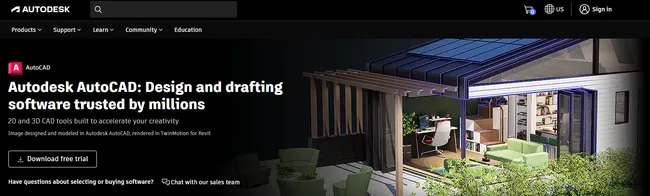
Best for: Technical teams who need precise 2D drafting and DWG-based workflows.
AutoCAD is a classic drafting tool for linework, annotation, and highly controlled documentation.
It works well when you need strict standards, custom layers, and files that play nicely with engineers and architects.
While you can create detailed 2D site plans, it’s not the fastest option.
Key features
- Precise 2D drafting and annotation tools
- Custom layers, blocks, and templates
- Specialized toolsets for architecture and MEP
- Plot and sheet controls for print-ready output
Pros
- Excellent accuracy for technical drawings
- Industry-standard format for collaboration
- Highly customizable for company standards
- Strong documentation control for plan sets
- Compatible with many extensions and plug-ins
Cons
- Subscription cost is high for many users
- Steep learning curve for beginners
- Takes a lot of manual work and organization to create detailed site plans
Pricing: $$$
Real user review from G2: “One of the main drawbacks of AutoCAD is its high subscription cost…and its 3D modeling capabilities are limited.” Kiranraj R.
SketchUp

Best for: 3D concepts and massing studies, especially when you use extensions.
SketchUp is a 3D modeler that can work for site plans when you treat it like a “visual planning” tool first and a drafting tool second.
A common workflow is to import a DWG or image of the survey, trace property lines and setbacks, then build simple site elements like the driveway, walkways, and patio pads.
For sloped lots, the built-in Sandbox tools let you shape basic terrain from contours or a grid, but it takes patience to keep the model clean and the grades believable.
If you need sheet-ready drawings, you will usually pair SketchUp with LayOut and, in many cases, add extensions for smoother terrain, labeling, or more polished outputs.
All of that adds complexity and time.
Key features
- Quick 3D modeling of basic shapes with push/pull tools
- 3D Warehouse for reusable models
- Sandbox tools for basic terrain shaping
- Large extension ecosystem
- Broad import and export support
Pros
- Fast for concept modeling with basic shapes
- Huge library of components and extensions
- Flexible workflows across many project types
Cons
- Native 2D drafting tools are limited without extensions
- Rendering often requires extra tools and extra cost
- Creating detailed plans requires a lot of manual work and meticulous organization
Pricing: $$
Real user review from G2: “Native rendering and 2D drafting tools remain basic without extensions, adding coasts and complexity.” Niraj P. Engineer
SmartDraw
Best for: Simple 2D site sketches and diagrams when you need something clean and shareable.
SmartDraw is more of a diagram tool than true site planning software.
It works best for basic site layouts, simple drawings, and quick concept communication.
If you need grading, terrain modeling, or construction-level plan sets, you will quickly hit its ceiling.
Key features
- Template library for diagrams and drawings
- Drag-and-drop shapes and symbols
- Simple scaling and dimensioning
- Easy sharing and export options
- Integrations with common office tools
Pros
- Very easy for non-CAD users to learn
- Fast for basic site plan diagrams
- Helpful templates for quick starts
- Good for internal planning and early sketches
Cons
- No true terrain modeling or grading tools
- Plan access and billing terms frustrate some users
Pricing: $
Real user review from G2: “Would be nice to have the ability to import CAD drawings to get shell and columns of building properly laid out as a starting point.” Warehouse Layout Designer
Live Home 3D
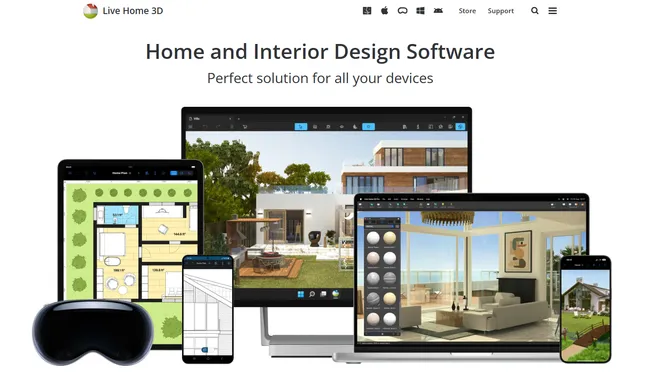
Best for: Remodeling concepts and quick 3D visuals when you want light site context on a Mac.
Live Home 3D (Pro version) can handle simple site plan needs for smaller residential jobs.
One key limitation for site plan work is file intake: you cannot import DXF or DWG survey files to trace over, so you often end up rebuilding property lines and setbacks by hand from measurements or a screenshot which isn’t as accurate.
Key features
- 2D plan drawing with automatic 3D views
- Site tools to place driveways, paths, patios, and landscaping elements
- Terrain shaping for basic slopes and elevation changes
- Export options for images and plan outputs
- Mac-friendly workflow for quick iterations
Pros
- Friendly learning curve for many users
- Good for fast concept visuals that include the house and site together
- Useful for additions, decks, and outdoor living ideas
- Solid for client-friendly 3D snapshots
Cons
- No DXF/DWG import for tracing surveys, which slows down accurate site layouts
- App lags sometimes, especially on older computers
- No detailed construction documentation
- Not the best customer support
Pricing: $$
Real user review from G2: “The app lags sometimes. No immediate support from the team.” Tejesh R. Operations Lead
Planner 5D
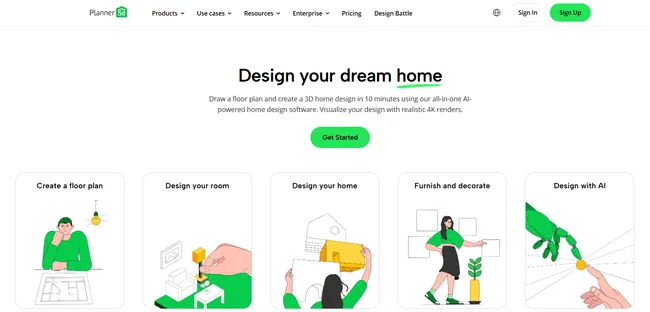
Best for: DIY users who want quick site layouts and basic 3D visuals.
Planner 5D is built for fast concepts, not detailed site plans.
You can sketch a simple house footprint and add outdoor items like paths or a patio area for a rough idea of space.
For site-related work, the biggest limitation is accuracy because you don’t get pro-grade tools for property lines, setbacks, or spot elevations.
That makes it risky for anything beyond early brainstorming.
Key features
- Simple drag-and-drop planning tools
- 2D and 3D viewing modes
- Large object catalog for basic visualization
- Web and mobile access
- Quick sharing for casual presentations
Pros
- Easy to learn for first-time users
- Fast for rough concepts and options
- Helpful visuals for early decision-making
- Works well for hobby and DIY use
Cons
- Limited for site plans that require scale, setbacks, or accurate dimensions
- Subscription complaints show up often in reviews
Pricing: $
Real user review from Capterra: “It honestly feels like they’ve designed the system to make it as difficult as possible to cancel and get a refund.“ Tomas F Architecture & Planning Director
RoomSketcher
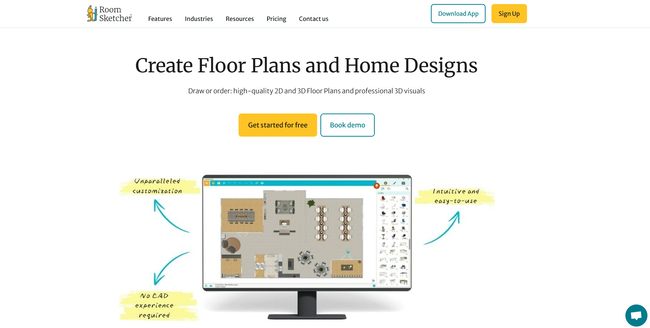
Best for: Simple plans and presentations when you need clean visuals fast.
RoomSketcher is a friendly tool for basic plan drawings, and it can support light site context for residential projects.
It works well for “here’s the concept on the lot” conversations, especially when you need something shareable for a client packet.
It is not the right fit when the job needs grading, contour lines, or detailed notes.
Key features
- Easy floor plan creation and editing
- Basic 3D visuals for presentations
- Blueprint upload to speed up tracing
- Cloud-based project access and sharing
- Add-on services for plan conversions
Pros
- Simple to learn and use
- Good visuals for quick presentations
- Blueprint upload can save time when laying out a lot
- Helpful support and training resources
Cons
- Credit system can increase costs and feels unclear
- Limited for terrain, grading, and permit-level site documentation
Pricing: $-$$
Real user review from Trustpilot: “I feel you shouldn’t be so limited to only a few things before you run out of credits. You receive 5 credits a month and it takes no time to use all of them.” – Phillip
How Does Cedreo Compare?
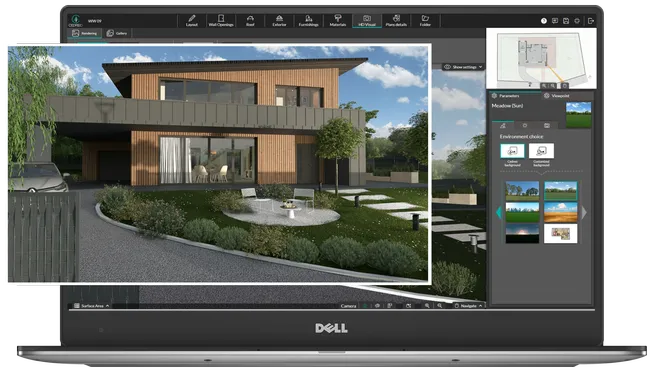
If you build or remodel homes, you need site plans that explain the lot fast, not software that turns every edit into a half-day task.
Cedreo stands out because it keeps the site plan, the home design, and the client visuals in one place, so changes don’t force you to redraw everything in separate tools.
Here is how that plays out against other popular options.
Cedreo vs. SketchUp
SketchUp is strong for quick 3D concepts with basic shapes, but many teams still need extra steps to turn that model into a clean, client-ready site plan.
- When SketchUp fits: You want fast massing, you already use LayOut, you have extensive 3D modeling experience, and you are comfortable managing extensions.
- Where it slows down: Terrain shaping and documentation often take more setup, plus the output depends on your add-ons and workflow.
- Why Cedreo can be easier: You can keep the site context and presentation visuals tied to the same project, which speeds up revisions during client feedback.
Cedreo vs. AutoCAD
AutoCAD is a precision drafting powerhouse, but most contractors don’t want to draft every line when they are trying to win a job.
- When AutoCAD fits: You need strict CAD standards, detailed annotation control, or DWG-heavy coordination with consultants.
- Where it slows down: Building a site plan plus visuals usually means more manual drafting and more time in setup.
- Why Cedreo can be a better fit: It is built for fast concept-to-approval work where clear 2D and 3D communication matters as much as line accuracy.
Cedreo vs. Chief Architect
Chief Architect can produce detailed residential documentation and it includes advanced terrain tools, but the workflow can feel heavy for quick site plan turnarounds.
- When Chief Architect fits: You need deep construction documentation for strict zoning regulations and you are willing to invest serious time in training and design workflows.
- Where it slows down: Terrain and grading tools are powerful, but they can be time-consuming to master and to execute on real lots.
- Why Cedreo can be faster: The workflow is geared toward detailed terrain modeling that’s still quick to produce without needing a CAD specialist.
Cedreo vs. RoomSketcher
RoomSketcher is easy for simple layouts and presentations, but it’s not built for more advanced site planning work.
- When RoomSketcher fits: You’re a homeowner who needs a simple DIY plan with light site context.
- Where it hits limits: Terrain, grading, and more technical site plan needs are limited.
- Why Cedreo is stronger for pros: It is a better match when you need the site plan to connect to the full home design and you want stronger visuals for approvals.
Bottom Line
If your priority is speed, clear client communication, and fewer redraws, Cedreo is usually a better fit than pure drafting tools and lighter presentation apps.
If you need deep CAD control or heavy documentation standards, AutoCAD or Chief Architect can make sense, but plan on more training time and slower revisions.
Choose Site Plan Software that Helps You Land More Jobs
The right site plan tool should help you move from survey to signed deal without extra redraws, training headaches, or messy handoffs.
Start by matching the software to your typical jobs, since a quick remodel concept and a complex sloped lot need very different workflows.
For most builders and remodelers, the sweet spot is a tool that keeps site plans, floor plans, and 3D visuals connected, so every client change stays under control.
Cedreo helps you do that with…
- Browser access
- Intuitive site tools
- Linked site plans + floor plans
- Detailed, but easy to execute terrain modeling
- Client-ready presentation docs
Site Plan Software FAQs
What is the easiest site plan software for contractors?
Cedreo is often a strong pick for contractors because it is built around residential workflows and it helps you create clear site plans and visuals without a CAD-heavy learning curve.
Simpler tools like SmartDraw and Planner 5D can also be used for quick site diagrams but they still lack the detail and 3D terrain tools that contractors need.
What’s the best site plan software for Mac?
If you work on a Mac, Cedreo is a practical option because it runs in a web browser and keeps your site plan, home design, and client visuals together.
SketchUp and RoomSketcher also work on Mac, but you may need extra steps or add-ons to match a contractor-ready site plan workflow.
How long does it take to learn site plan software?
Most contractors can get basic site plans going in a few hours with builder-friendly tools like Cedreo, while CAD platforms like AutoCAD and Chief Architect often take weeks to feel efficient.
The fastest way to learn is to build one real job from a survey plan using several tools to compare how they work.
What file formats should site plan software export?
At minimum, you want PDF for plan sheets and JPG or PNG for proposal visuals, and Cedreo supports export formats that work well for client sharing.
If you collaborate with engineers or architects, also look for DWG or DXF exports so you can pass plans onto more advanced drafting tools when needed.
Can site plan software handle sloped terrain?
Yes, with Cedreo, you can add elevation points and elevation lines, review the 2D plan, and then see how that translates to the 3D lot in relation to the house.