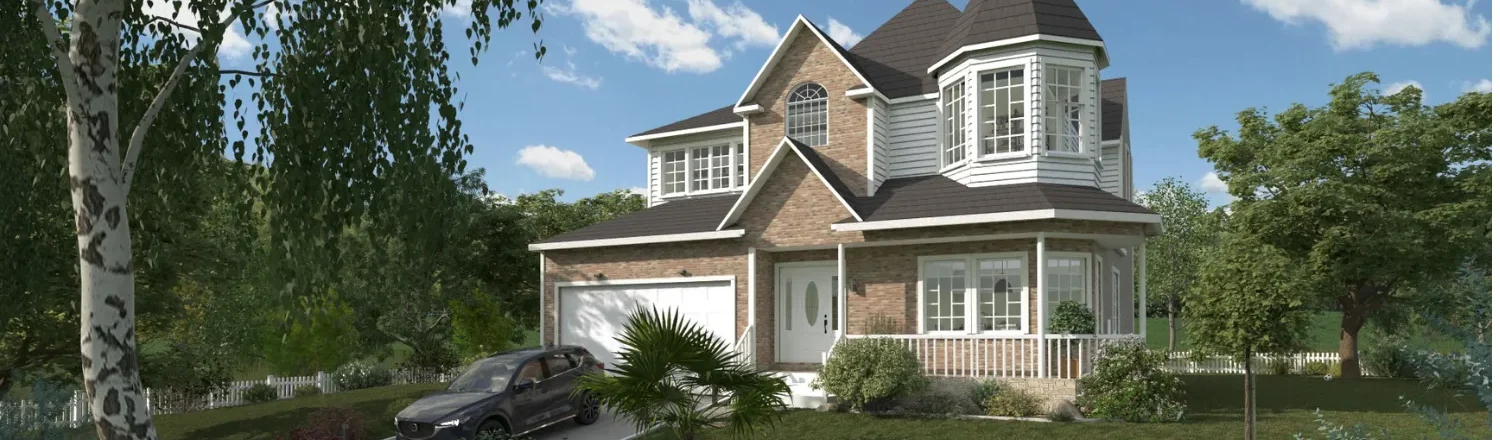
Rendering software is no longer a nice-to-have for contractors and remodelers who want to win more projects.
Homes presented with high-quality 3D renderings sell faster, face fewer objections, and support higher budgets than projects shown only in 2D.
That’s why selecting the best architectural rendering software is essential to closing more deals with 3D visuals that clients instantly understand.
The challenge is that many architectural rendering tools slow teams down with long render times, steep learning curves, hidden add-on costs, and expensive hardware requirements.
Even when visuals look impressive, some tools still fall short by failing to deliver presentation-ready outputs for client proposals.
In this 5-minute read, you’ll discover the 11 best architecture rendering software and learn which tools deliver professional results quickly, affordably, and without unnecessary complexity.
Key Takeaways
- The best architectural rendering software helps contractors close more sales by turning ideas into clear, photorealistic visuals clients trust.
- Fast rendering speed and an intuitive interface matter more than advanced features most housing pros never use.
- Many popular tools require add-ons, powerful hardware, and long training periods that slow down real-world projects.
- Cedreo is a top choice since it lets housing professionals create floor plans, 3D models, and client-ready presentations quickly and without technical complexity.
Why trust us? Here at Cedreo, we’ve got 20+ years of experience working with housing pros in the home design software space. We know what it takes for professional designers and builders to create 3D images that land them more clients!ftware space. We know what it takes for professional designers and builders to create projects that land them more clients!re.
See How You Can Create Complete Projects with Cedreo
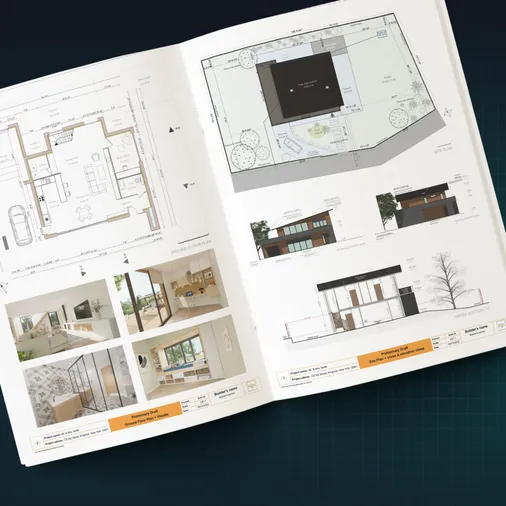
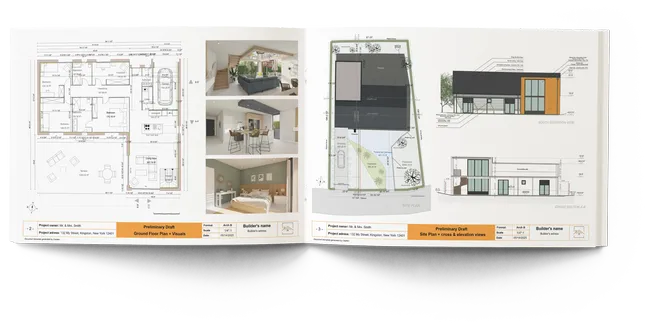
Plans – Get site plans, 2D floor plans, electrical plans, cross sections and elevation views — with all the technical details you need for a comprehensive project overview.
3D Visualizations – Use interior and exterior 3D renderings as well as 3D floor plans to help clients understand the finished project.
Documentation – Manage all your visual documents in one place, so it’s easier to present and sell your projects.
No credit card required, no commitment
How Rendering Software Helps Contractors Sell More Projects
Architectural rendering software plays a direct role in helping you get more work.
Here’s how.
Faster Time-to-Design
What it is: The amount of time it takes to go from an idea to usable 3D renderings.
Why it matters: Faster design means quicker presentations, faster revisions, and the ability to respond to clients before competitors do.
How the best software helps: The best architectural rendering tools combine intuitive 3D modeling with fast rendering so you can create photorealistic visuals without long setup or rendering time.
Stronger Client Presentation Impact
What it is: How clearly your design intent is communicated through visuals, walkthroughs, and final images.
Why it matters: Clients are far more confident saying yes when they can clearly see the finished project instead of interpreting technical drawings.
How the best software helps: High-quality images with realistic lighting, thoughtfully staged scenes, and clear presentation layouts turn abstract ideas into visuals clients instantly understand and trust.
Lower Learning Curve
What it is: How quickly you or your team can become productive with the software.
Why it matters: A steep learning curve slows down projects, increases training costs, and often leads to underused tools.
How the best software helps: Simple tools with an intuitive interface let contractors focus on selling and building instead of learning complex rendering workflows.
Key Considerations When Choosing The Best Architectural Rendering Software
In the last decade, architectural rendering has exploded in popularity, which means housing professionals now have more tools to choose from than ever before.
But the challenge isn’t finding software, but choosing the best architectural rendering software that actually fits your design process, skill level, and business goals.
Here are key things to consider.
Type of Software
Not all architectural rendering software works the same way, and choosing the right category upfront can save you time, money, and frustration.
All-in-one design/rendering software: These platforms combine floor plans, 3D modeling, and rendering in one tool, which keeps the design workflow simple and eliminates the need for multiple programs.
This works well for builders, remodelers, and designers who want speed, consistency, and client-ready visuals without a steep learning curve.
Rendering add-ons or extensions: These tools plug into existing modeling software and focus almost entirely on rendering quality and creative control.
This works well for professionals who already use advanced modeling software and want more fine control over lighting, materials, and photorealistic results.
The downside is added complexity, higher costs from multiple subscriptions, and longer setup or rendering times.
Standalone visualization tools: These platforms focus on presentation and visualization rather than modeling, often requiring you to import files from other software.
This works well for teams that already have 3D models and want interactive presentations, walkthroughs, or web-based client experiences.
The drawback is an extra step in the workflow, which can slow revisions when designs change frequently.
Ease of Use
Ease of use is one of the biggest factors to consider, especially if you have a limited 3D modeling background.
Be sure to figure out:
- What kind of learning curve does the software have?
- Does it have a user-friendly interface?
- Can you start using it right away?
- Or will you need to dedicate several weeks (or even months) to learn how to use it?
Features
Some rendering software is built for broad 3D visualization beyond buildings, including products, characters, gaming environments, and animation.
Other tools focus specifically on architectural design workflows.
When software is designed for many different industries, adapting it to residential construction can require extra setup, customization, and workarounds.
But tools built specifically for residential architectural design make it easier to create photorealistic renderings of buildings and their surroundings without jumping between multiple platforms.
So look for software that has the features you need for your projects without a lot of bloat features you won’t ever use.
Rendering Quality
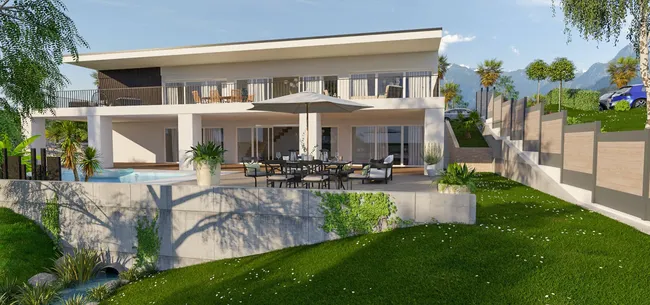
Rendering quality varies widely across tools.
Some software produces visuals that look flat or dated, while others can create images that are nearly indistinguishable from real photographs.
The best architectural rendering software uses a powerful rendering engine to produce lifelike visuals with realistic lighting, textures, shadows, and materials.
Look for tools that support a wide range of materials and deliver consistent photorealistic results without requiring advanced rendering expertise.
Rendering Speed
Rendering time has a direct impact on productivity, especially when working with tight deadlines or frequent client revisions.
Some software takes hours to process final visuals and locks you out while the rendering process runs.
Faster tools allow you to continue working while images render, or rely on cloud rendering instead of your local computer for quicker results.
If speed matters to your business, prioritize cloud-based rendering engines that produce high-quality images in minutes, not hours.
Compatibility
Rendering software should fit smoothly into your existing design workflows instead of forcing you to rely on multiple complex tools.
The best options reduce dependency on other software and support common file formats so you can move from design to final visuals with fewer steps.
Don’t miss some easy to use options in the next section.
Pricing
Pricing ranges from free tools to premium platforms that cost thousands per year.
Pay close attention to tiered plans, add-ons, and extension costs, since rendering software that looks affordable upfront can become expensive over time.
Support
Strong support makes a real difference when learning new rendering tools or solving technical issues.
Look for software that offers tutorials, documentation, and direct access to real support teams instead of relying only on community forums.
11 Best Architectural Rendering Tools
Not all architectural rendering software serves the same purpose, so comparing tools without context often leads to the wrong choice.
Some platforms handle everything from floor plans to final visuals, while others focus only on rendering or presentations, which is why we’ve grouped the best options into three categories based on real-world design workflows.
Category 1: All-in-One Design Software With Rendering
These tools combine 2D plans, 3D modeling, and rendering in a single platform.
Some have advanced rendering capabilities by themselves, while others need add-ons for more than basic renderings.
- Cedreo
- Chief Architect
- Archicad
- Autodesk Revit
- SketchUp
Category 2: 3D Rendering Add-Ons or Extensions
These rendering engines plug into existing modeling software and offer more creative control but require a separate design tool to work.
- V-Ray
- Enscape
- Maxwell Render
Category 3: Stand-Alone Visualization Tools
These tools focus on visualization and presentation rather than modeling, and typically require importing models created in other software.
- Lumion
- Shapespark
- Blender
Here’s a table to compare each option across the criteria that matter most to builders, remodelers, and designers.
| Software | Learning Curve | Rendering Speed | Rendering Quality | Add-Ons Required | Cloud or Desktop | Client Presentations | Pricing |
| Cedreo | Easy | Fast | Excellent | No | Cloud | Excellent | $$ |
| Chief Architect | Steep | Fast | Basic | No | Desktop | Good | $$$ |
| Archicad* | Steep | Moderate | Basic | Yes | Desktop | Good | $$$ |
| Autodesk Revit* | Steep | Moderate | Basic | Yes | Desktop | Basic | $$$ |
| SketchUp* | Moderate | Fast | Basic | Yes | Desktop | Basic | $$ |
| V-Ray | Steep | Slow | Excellent | Yes | Desktop | Basic | $$$ |
| Enscape | Easy | Fast | Good | Yes | Desktop | Excellent | $$ |
| Maxwell Render | Steep | Slow | Excellent | Yes | Desktop | Basic | $$$ |
| Lumion | Easy | Fast | Excellent | Yes | Desktop | Excellent | $$$ |
| Shapespark | Easy | Moderate | Good | No | Cloud | Excellent | $$ |
| Blender | Steep | Moderate | Excellent | No | Desktop | Basic | $ |
*Scores can be improved with the additional extensions.
Now let’s take a closer look at each tool, starting with the best all-in-one architectural rendering software for residential construction professionals.
1. Cedreo
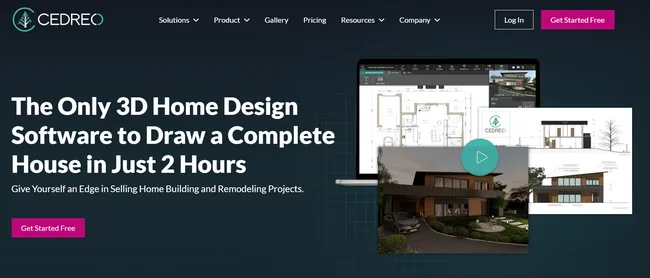
Best for: Residential builders, remodelers, and interior designers who need fast, professional visuals without complexity.
Why Cedreo is the top pick: Cedreo is purpose-built for residential construction professionals who need to create complete home designs without a steep learning curve or expensive hardware.
Instead of stitching together multiple tools, Cedreo keeps everything in one streamlined workflow.
You draw in 2D, see results instantly in 3D, and generate client-ready visuals in minutes.
It’s perfect for contractors who want to impress clients, speed up approvals, and close more projects faster.
Key Features
- Site planning tools for lots, setbacks, and exterior layouts
- Easy-to-use floor plan drawing tools
- Real-time 3D preview while designing in 2D
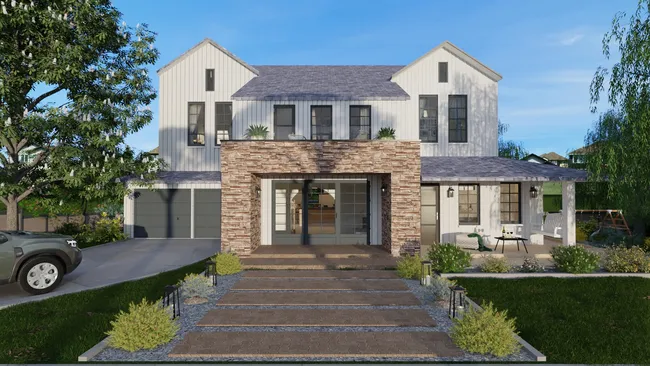
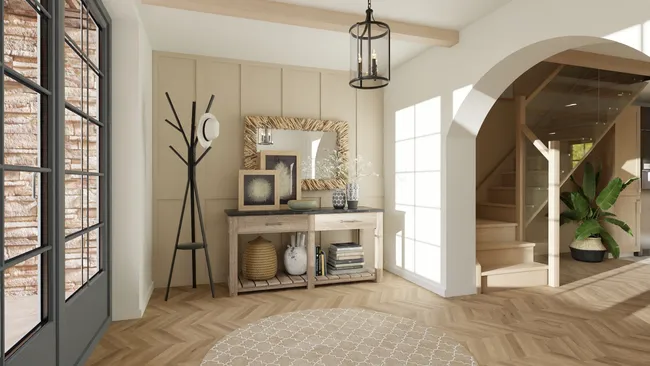
- Powerful rendering engine creates photorealistic images in 5 minutes or less
- Large built-in furniture, materials, and textures library
- Interior and exterior design support in one platform
- Professional presentation document generation
Key Benefits of Choosing Cedreo
- Speed to results: Go from a blank project to a fully furnished home design with professional renderings in under two hours, even without prior design experience.
- No hardware barriers: Work from any PC or Mac with an internet connection, since rendering happens in the cloud without the need for expensive graphics cards.
- All-in-one solution: Create site plans, floor plans, 3D floor plan models, and presentation documents in one tool instead of juggling multiple software platforms.
- Real-time 3D preview: Instantly see design changes in 3D as you draw in 2D, which reduces errors and speeds up revisions.
- 5-minute rendering: Generate high-quality, photorealistic images in minutes instead of waiting hours or overnight.
- Extensive built-in library: Access thousands of furniture items, materials, and textures without purchasing add-ons or extensions.
- Presentation-ready outputs: Automatically produce professional documents that combine 2D plans, 3D views, and renderings for client meetings.
- World-class customer support: Get responsive help, training resources, and onboarding support designed specifically for housing professionals.
Pricing: $$
Try Cedreo today for FREE and see how quickly you can turn ideas into professional 3D renderings that help you win more projects.
Examples: See more in the Cedreo design gallery.
2. Chief Architect
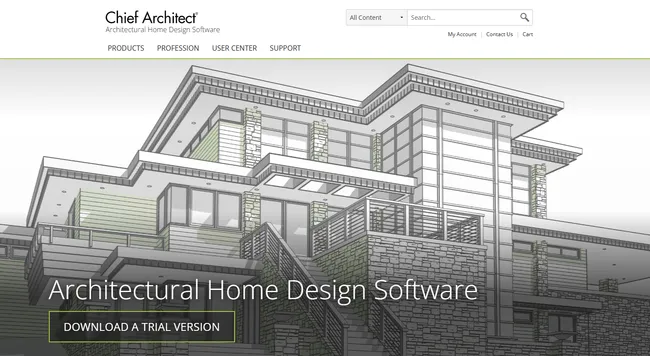
Best for: Residential designers, builders, and remodelers who want detailed home design tools with built-in 3D rendering.
Overview: Chief Architect is a residential-focused design software that combines 2D drafting, 3D modeling, and rendering in a single desktop application.
It is widely used for custom homes, remodels, and light residential projects with features like automatic roof generation, framing, and detailed construction elements.
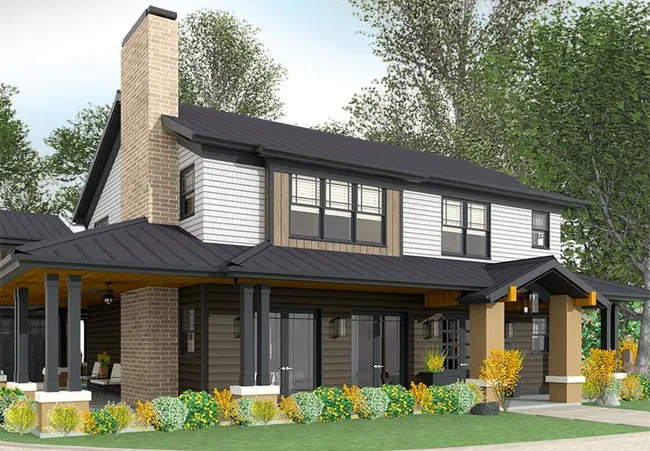
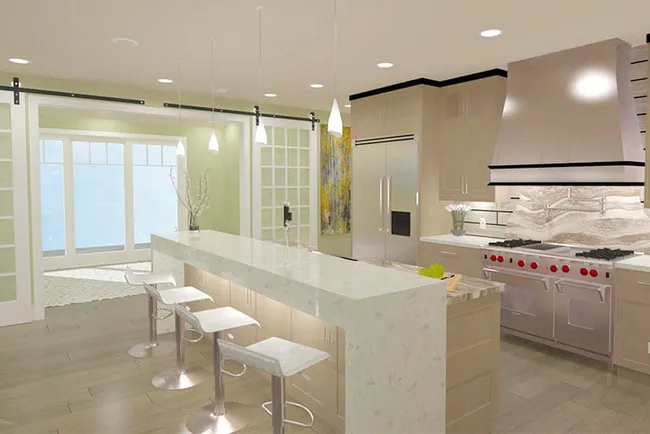
Chief Architect includes a built-in rendering engine with GPU ray tracing support, which lets you create 3D rendered images without relying on external add-ons.
The rendered outputs are functional but not as photorealistic as other options.
Key features
- Residential-specific design tools for walls, roofs, stairs, and framing
- Automatic 3D model generation from 2D plans
- Extensive object, material, and symbol libraries
- Construction documentation and layout tools
Pros
- Strong automation for residential design tasks
- Built-in 3D rendering without add-ons
- Detailed control over construction elements
Cons
- Moderate learning curve
- Desktop-only with higher hardware requirements
- Rendering quality is just so-so
Pricing: $$$
Learn more about Chief Architect.
Examples:
3. Archicad
Best for: Architectural firms working in BIM environments, especially on Mac.
Overview: Archicad is a full-featured BIM platform designed for architectural design, documentation, and coordination.
It supports both technical drawings and 3D visualization within a single environment.
Archicad includes built-in rendering tools for basic visuals and also integrates with third-party rendering engines for higher-end images.
While powerful, Archicad requires significant training and setup.
For small residential builders, its depth can feel excessive compared to simpler architectural rendering tools.
Key features
- Full BIM workflow for architectural design
- Native rendering and visualization tools
- BIMx for client presentations
- Mac and Windows compatibility
- Integration with external rendering engines
Pros
- Strong BIM and documentation tools
- Works well for complex projects
- Good presentation capabilities
Cons
- Steep learning curve
- Higher cost for small teams
Pricing: $$$
Learn more about Archicad.
4. Autodesk Revit
Best for: Large architecture firms and commercial projects requiring deep BIM coordination.
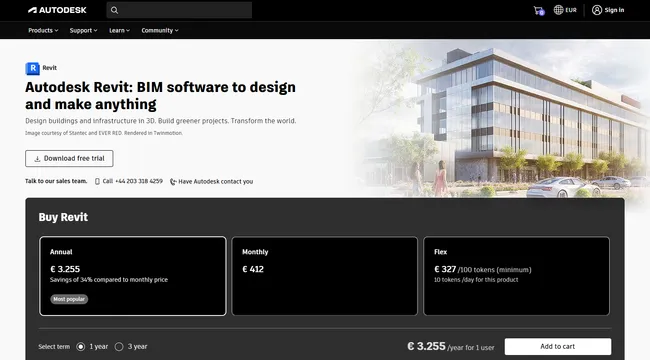
Overview: Revit is Autodesk Software’s flagship BIM software built for large-scale architectural, engineering, and construction projects.
It is designed to manage complex building data, coordinated changes, and detailed construction documentation on large projects.
Revit includes basic visualization tools, but its native rendering capabilities aren’t the best for client-facing presentations.
Most professionals rely on rendering add-ons or external visualization software to produce photorealistic results.
Key features
- Parametric BIM modeling
- Integrated construction documentation
- Coordination across disciplines
- Basic native rendering
- Compatibility with many rendering plugins
Pros
- Industry standard for BIM
- Strong coordination and documentation tools
- Large ecosystem of plugins
Cons
- Very steep learning curve
- Native rendering is limited
Pricing: $$$
Learn more about Revit.
5. SketchUp
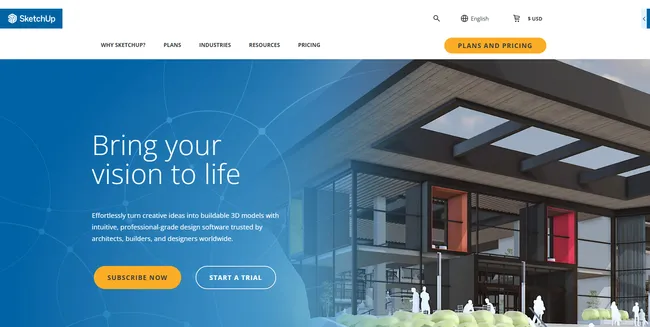
Best for: Contractors and designers who want custom 3D modeling with flexible rendering options.
Overview: SketchUp is a lightweight 3D modeling software widely used in residential architectural design for early concepts, massing studies, and quick spatial exploration.
While SketchUp includes basic 3D visualization tools, it is not designed for photorealistic rendering on its own.
For higher quality renderings, most professionals pair it with rendering plugins like V-Ray or Enscape.
Its real strength is speed and accessibility, not final rendering output.
For many contractors, SketchUp serves as the modeling foundation rather than a complete architectural rendering solution.
Key features
- Intuitive push-pull 3D modeling tools
- Large 3D Warehouse model library
- Cloud-based collaboration and file storage
- LayOut tool for 2D documentation
- Wide ecosystem of rendering extensions
Pros
- Very easy to learn compared to BIM tools
- Fast for early-stage design and concepts
- Large community and extension marketplace
Cons
- Requires add-ons for high-quality rendering
- Total cost increases as extensions are added
Pricing: $$
Learn more about SketchUp.
6. V-Ray
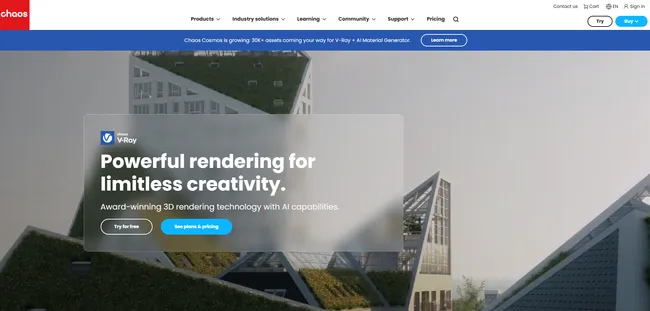
Best for: Experienced designers and visualization specialists who need maximum creative control and photorealistic results.
Overview: V-Ray is a professional-grade rendering engine built for architects and designers who need maximum creative control and photorealistic results.
It operates as a rendering add-on inside popular modeling software like SketchUp, Revit, Rhino, and 3ds Max, rather than as a standalone design tool.
Its physically based rendering engine provides exceptional results for static renders with realistic lighting, reflections, and materials.
That level of control comes at a cost, though, since achieving consistent results requires rendering knowledge, careful setup, and longer rendering times.
Key features
- Physically based rendering engine for lifelike lighting and materials
- Integration with SketchUp, Revit, Rhino, 3ds Max, and more
- Advanced material editor and texture controls
- Light Mix for post-render lighting adjustments
- Chaos Cosmos asset library
- Optional cloud rendering via Chaos Cloud
Pros
- Industry-leading photorealistic rendering quality
- Deep control over lighting, materials, and final visuals
- Widely supported with extensive learning resources
Cons
- Steep learning curve for new users
- Slower rendering times compared to real-time tools
Pricing: $$$
Learn more about V-Ray.
7. Enscape

Best for: Designers who want real-time visualization inside their modeling software.
Overview: Enscape is a real-time rendering plugin that runs directly inside popular modeling software like SketchUp, Revit, and Archicad.
It provides instant visual feedback by displaying a live rendered view as you design.
This makes it especially useful for quick design iterations, internal reviews, and client walkthroughs.
Enscape prioritizes speed and ease of use over deep rendering controls.
While it may not match traditional renderers that generate images after lengthy calculations for maximum realism, it delivers consistent visuals with minimal setup.
For many teams, Enscape becomes a daily design companion rather than a final rendering tool.
Key features
- Real-time rendering with live updates
- VR and walkthrough support
- Built-in asset library
- One-click rendering workflow
- Standalone executable exports
Pros
- Relatively easy to use
- Fast feedback during design
- Great for client presentations
Cons
- Limited fine control compared to other render add-ons
- Quality ceiling lower than V-Ray or Maxwell
Pricing: $$
Learn more about Enscape.
8. Maxwell
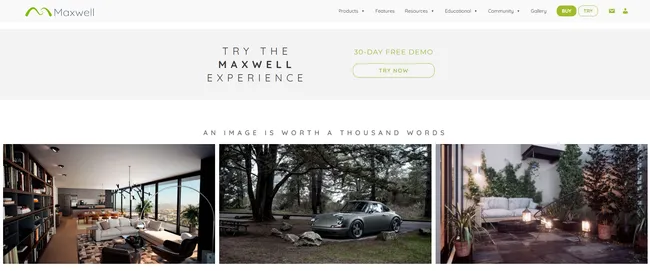
Best for: Professionals prioritizing physically accurate lighting over speed.
Overview: Maxwell Render is an unbiased (physically accurate, without lighting shortcuts) rendering engine focused on physically accurate lighting and material behavior.
It is often used when realism and lighting precision matter more than speed.
Maxwell integrates with several CAD and 3D modeling tools so users can render directly from their design software.
Maxwell is best suited for visualization specialists rather than teams working under tight deadlines.
Key features
- Physically accurate, unbiased rendering
- Integration with major CAD and modeling tools
- Multi-light rendering from a single scene
- High-quality material system
- Consistent, predictable lighting results
Pros
- Exceptional realism in lighting
- Trusted for product and architectural visualization
- Accurate, repeatable results
Cons
- Slow rendering speeds
- Steep learning curve
Pricing: $$$
Learn more about Maxwell.
9. Lumion
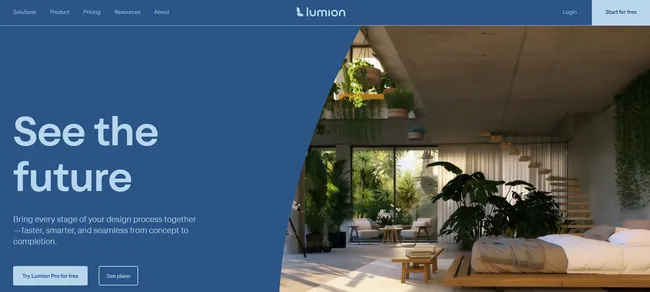
Best for: Professionals focused on high-impact visual presentations and exterior scenes.
Overview: Lumion is a standalone architectural visualization software focused on creating high-impact architectural renderings, animations, and walkthroughs.
Instead of modeling geometry, it imports models from other design tools such as SketchUp, Revit, or Archicad.
Lumion is known for its real-time rendering engine, extensive asset library, and cinematic environmental effects.
It lets you produce polished visuals quickly, especially for exterior scenes and landscape-heavy projects.
However, because it runs separately, it adds an extra step to the workflow.
Key features
- Real-time rendering engine
- Large library of assets and materials
- Live sync with major modeling tools
- Image, video, and panorama output
- Advanced environmental effects
Pros
- Very fast rendering for presentations
- Excellent visuals for exteriors
- Relatively easy to learn
Cons
- Windows-only
- Requires powerful hardware
Pricing: $$
Learn more about Lumion.
10. Shapespark
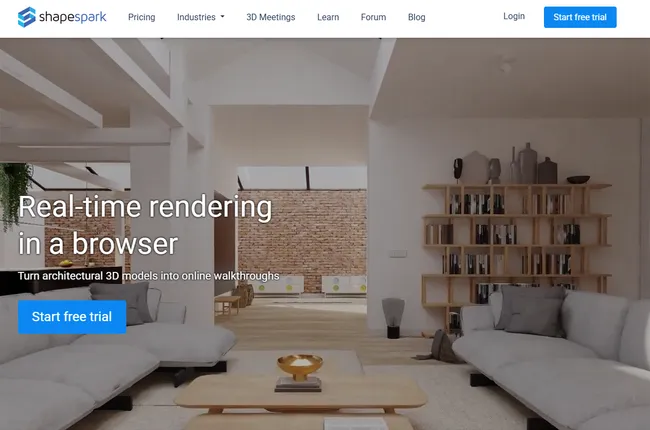
Best for: Teams that need interactive, browser-based client presentations.
Overview: Shapespark is a visualization and presentation platform designed to turn existing 3D models into interactive, browser-based walkthroughs.
It focuses on client communication rather than modeling or advanced rendering controls and the visuals are optimized for real-time interaction rather than maximum photorealism.
You upload a finished model and publish an experience that clients can explore from any device using a web link.
Key features
- Browser-based walkthroughs
- Interactive material and lighting controls
- Web hosting for presentations
- Integration with common modeling tools
- Easy sharing via link
Pros
- Excellent client presentation experience
- Very easy to use
- No special hardware required for viewing
Cons
- Not a modeling tool
- Rendering quality is lower than high-end engines
Pricing: $$
Learn more about Shapespark.
11. Blender
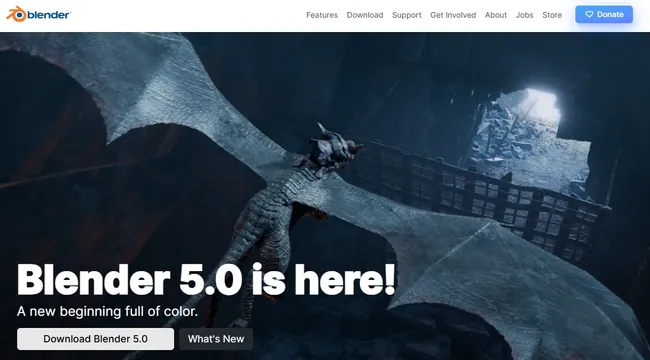
Best for: Visualization specialists and technically inclined users who want powerful tools at no cost.
Overview: Blender is a free, open-source 3D modeling and rendering platform capable of producing extremely high-quality architectural visuals.
It includes both Cycles, a physically based path-tracing rendering engine, and Eevee, a real-time rendering engine.
Blender is commonly used by visualization specialists, artists, and studios that need full creative freedom.
However, it is not built around architectural or construction workflows, which makes everyday tasks like scaling, documentation, and revisions more complex.
The interface and toolset can feel overwhelming for builders and remodelers.
Blender shines in expert hands but demands significant time investment to master.
Key features
- Cycles path-tracing engine for photorealistic rendering
- Eevee real-time rendering engine
- Advanced modeling, sculpting, and animation tools
- Large add-on ecosystem
- Active open-source development community
Pros
- Completely free to use
- Extremely high rendering quality potential
- Supports animation and visual effects
Cons
- Very steep learning curve
- Not designed around construction workflows
Pricing: Free
Learn more about Blender.
Best Rendering Software for Architectural Design: Final Tips
Choosing the best architectural rendering software depends on how fast you need results, how much complexity you can handle, and how clearly you present ideas to clients.
Some tools offer deep control but demand powerful hardware, add-ons, and long training, while others help builders and designers move faster and close more projects.
That’s where Cedreo fits.
- Create floor plans, 3D models, and photorealistic renderings in one intuitive platform.
- Avoid expensive hardware, plugins, and complex workflows.
- Deliver client-ready presentations that help buyers say yes with confidence.
If you want to streamline your architecture design process and win more projects without technical headaches, Cedreo is the go-to choice.
Try Cedreo for free today and see how fast professional 3D rendering can be.
Architectural Rendering Software FAQs
All-in-one architectural visualization tools like Cedreo are best for beginners since they keep the entire design workflow in one program.
It’s got intuitive tools that let you go from idea to polished 3D rendering in 2 hours or less.
Yes, many architectural rendering tools support importing existing plans or 3D models.
Compatibility varies by software, so it’s important to check supported file formats before committing.
Some architectural rendering software runs on Mac, while others are Windows-only.
Cloud-based platforms like Cedreo offer the most flexibility for mixed-device teams.
Not if you use cloud based architectural visualization software.
Cloud-based rendering software reduces the need for expensive graphics cards by handling rendering remotely instead of on your local machine.
Look for software, like Cedreo, that produces clear, photorealistic visuals quickly and supports strong client presentations.
Faster turnaround and better visuals directly improve client confidence and approval rates.