The best software doesn’t just do floor plans, it turns your ideas into sales tools that land you more clients.
The best tiny house design software helps you prove that 200 to 400 square feet can live big.
And since the tiny house market keeps growing, that matters more than ever.
But many builders are still losing projects because clients can’t visualize ultra-compact spaces.
And that’s because a 2D plan rarely tells the full story.
Every inch counts, so details like loft height, storage, and traffic flow need to be crystal clear.
If clients can’t picture it, they pause, ask for revisions, or keep shopping.
Free design apps often look rough, which makes premium tiny house pricing harder to justify.
Plus, clients want context.
They need to see the interior layout and how the tiny home fits on the property with a simple site plan.
This 2026 guide compares the best tiny house design software by features and pricing for builders, contractors, and designers.
You’ll see which tools solve tiny-house constraints and help you present options in a way that closes deals faster.
Key Takeaways
- Tiny house design software helps clients understand compact layouts faster, so you spend less time on redraws.
- Prioritize precise dimensions, loft planning, and custom kitchen and bath tools because tiny homes have no wasted space.
- Strong 3D visuals and presentation documents help you justify premium pricing and win approvals sooner.
- Cedreo helps housing professionals create accurate 2D plans, photorealistic 3D renderings, and client-ready presentations in one workflow.
Why trust us? Here at Cedreo, we’ve got 20+ years of experience working with housing pros in the home design space. So we know what it takes for builders and designers to create tiny house designs that land them more clients!
See How You Can Create Complete Projects with Cedreo
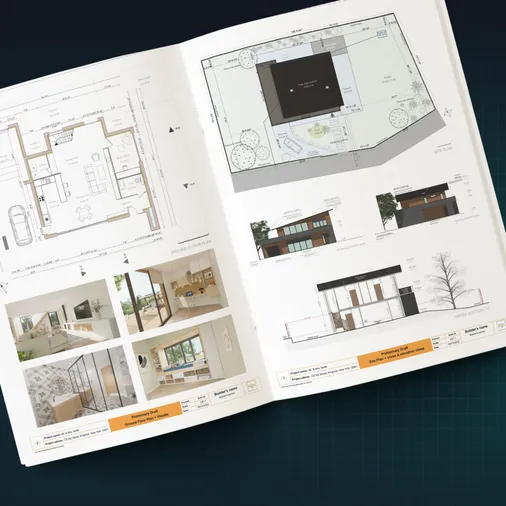
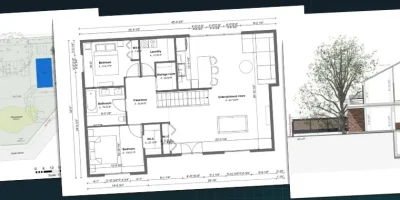
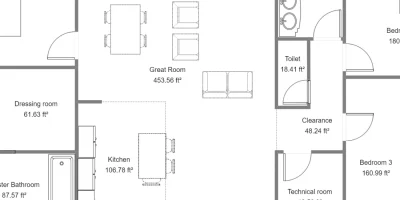
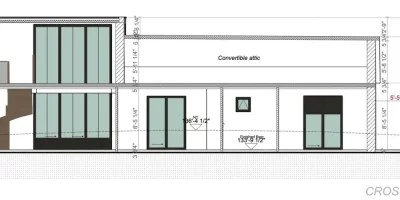
Plans – Get site plans, 2D floor plans, electrical plans, cross sections and elevation views — with all the technical details you need for a comprehensive project overview.
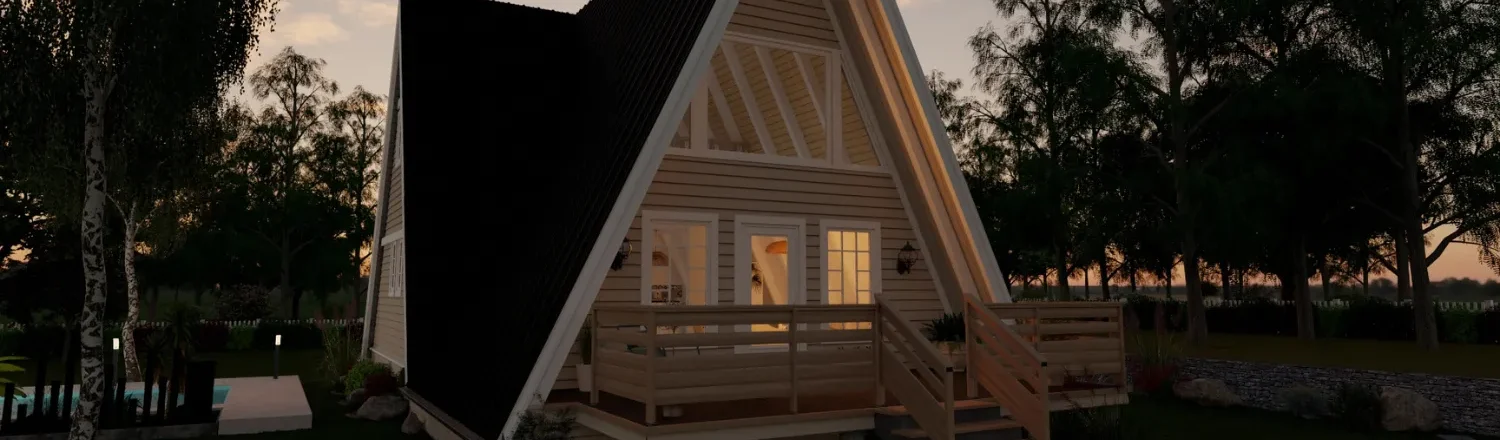
3D Visualizations – Use interior and exterior 3D renderings as well as 3D floor plans to help clients understand the finished project.
Documentation – Manage all your visual documents in one place, so it’s easier to present and sell your projects.
No credit card required, no commitment
Why Tiny House Software Matters for Home Builders & Contractors
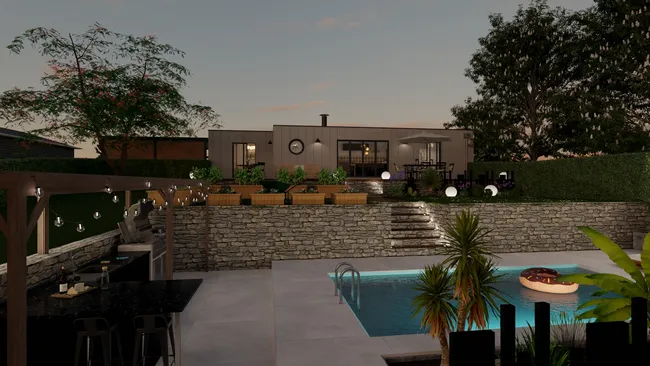
Tiny houses leave no room for guesswork, so you need tools that let you design tight layouts and explain them clearly.
When clients understand the space upfront, you avoid redraws and build the job you priced.
- Client visualization challenge: Most homeowners cannot read 2D plans well, so clear 3D views prevent missed expectations, change orders, and unhappy calls after the build.
- Professional competitive advantage: Clean drawings and sharp visuals help you stand out from hand sketches and dated software when clients compare bids.
- Time and cost savings: Faster edits, reusable details, and accurate dimensions shorten the path from idea to build while reducing costly field fixes.
Essential Features for Tiny Houses
The best tiny house designer helps you design tight spaces accurately, then sell the idea with clear visuals.
Precise Dimensions
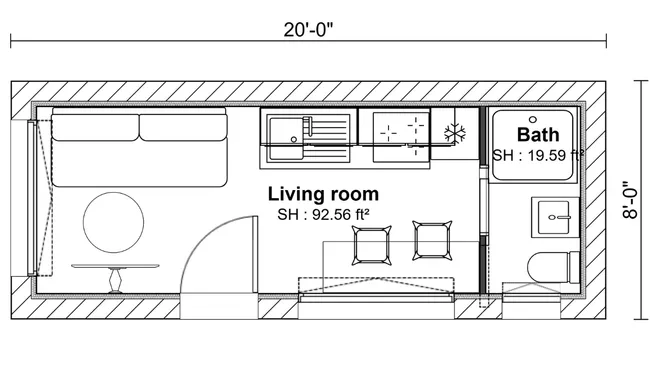
Why important: Tiny homes only work when every clearance, cabinet depth, and door swing is accurate.
What to look for:
- Numeric inputs for walls, openings, and angles.
- Reliable snaps, align tools, and dimension labels.
- Easy edits without breaking the layout.
- Reusable templates for repeatable details.
Lofts and Stairs
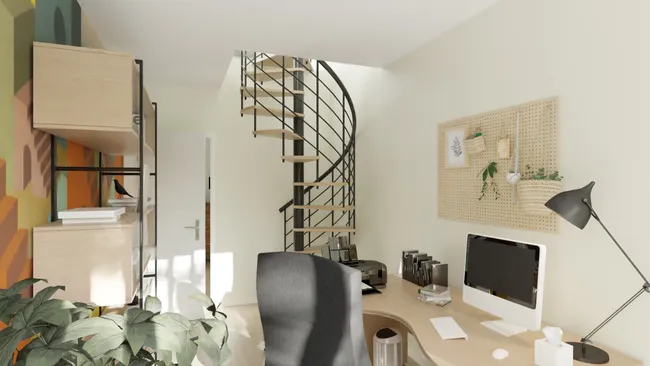
Why important: Loft headroom and stair placement can make or break comfort and safety in a small footprint.
What to look for:
- Multi-level support for lofts and platforms.
- Tools for stairs, landings, and railings.
- Adjustable ceiling heights and roof slopes.
- Views that clearly show headroom and circulation.
Multi-functional Space Visualizations
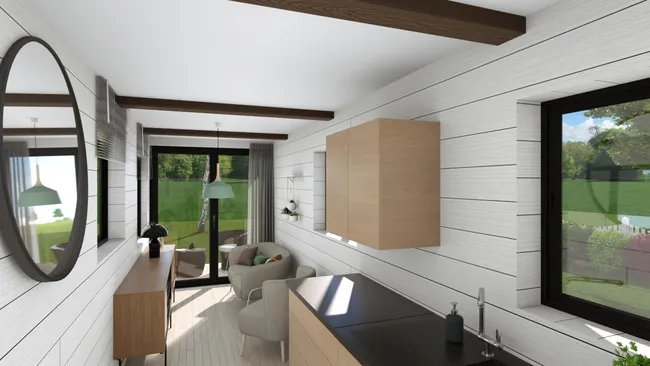
Why important: Clients need to see how one room can act as living, dining, and sleeping without feeling cramped.
What to look for:
- Moveable furniture you can swap fast.
- The ability to save and compare layout options.
- Built-ins and storage elements like benches and closets.
- Camera views that make small rooms feel readable.
Compact Kitchens and Baths
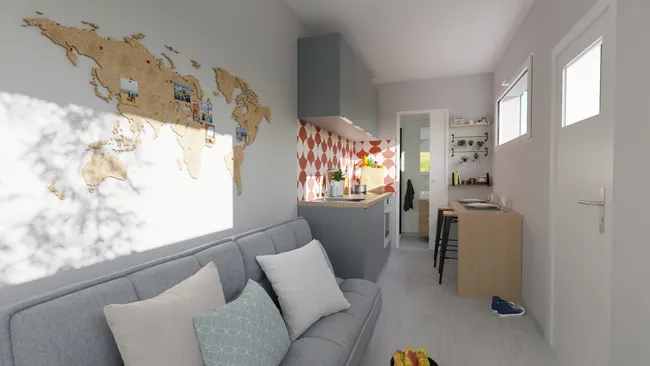
Why important: Kitchens and baths have the tightest clearances, so mistakes get expensive fast.
What to look for:
- Fixtures and appliances with customizable sizing.
- Easy resizing or swapping of items.
- Enough detail to plan wet baths, corner showers, and galley kitchens.
- Placement controls that keep spacing realistic.
Top-quality 3D Visuals
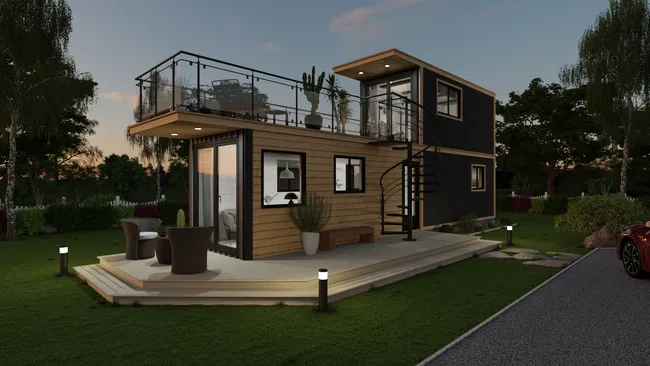
Why important: Strong 3D rendering helps you justify premium pricing and cut down on “I can’t picture it” delays.
What to look for:
- Interior and exterior views from multiple angles.
- Believable materials, lighting, and shadows.
- Fast render times for quick client reviews.
Site Planning
Why important: Many clients decide based on how the tiny house fits on their property, not just the floor plan.
What to look for:
- Basic site plan tools for lot context.
- Simple placement for decks, steps, and outdoor zones.
- Exterior views that show the home in context.
- Terrain modeling tools for sloped or uneven sites.
Client Presentations
Why important: A clean presentation turns your design into a clear decision, not a confusing set of drawings.
What to look for:
- Sheets that combine 2D plans and 3D views.
- Room labels and callouts that tell the story.
- PDF export for proposals and emails.
- Options to add company branding.
Easy Learning Curve
Why important: If your team learns the tool quickly, new hires get productive faster, onboarding is easier, and you save time and money.
What to look for:
- A simple interface with common tools easy to find.
- Onboarding training to get you up to speed fast.
- Support from a real person who can help your project stay on track.
9 Best Tiny House Design Software Platforms for 2022
Some tools are built for pros who need speed, accuracy, and client-ready visuals.
Others are better for DIY users or teams that just need a quick one-off layout on a tight budget.
Professional Tools
- Cedreo (Top Overall Pick!)
- SketchUp
- TinyEasy
- Chief Architect
DIY or tight budgets
- Sweet Home 3D
- HomeByMe
- Planner 5D
- SmartDraw
- Floorplanner
The table below compares the options at a glance, then we break down each platform with the real-world pros and trade-offs.
| Software | Best for (user type) | Loft design | Site planning | 3D quality | Ease of use | Price range | Learning curve | Pro presentations |
| Cedreo | Builders, contractors, designers | Yes | Excellent | ★★★★★ | ★★★★★ | $$ | Hours | Yes |
| SketchUp | Advanced users needing total modeling flexibility | Yes | Excellent | ★★★★★* | ★★☆☆☆ | $$ | Days+ | Yes |
| TinyEasy | Tiny house builders selling repeatable models | Yes | Basic | ★★★☆☆ | ★★★★★ | $$$ | Hours | Yes |
| Chief Architect | Builders needing full construction documentation | Yes | Excellent | ★★★★★ | ★★☆☆☆ | $$$ | Weeks+ | Yes |
| Sweet Home 3D | DIY layouts and basic 2D/3D planning | Yes | Basic | ★★☆☆☆ | ★★★★☆ | Free | Days | No |
| HomeByMe | Interior visuals for client presentations | Yes | Basic | ★★★★★ | ★★★★★ | $$ | Hours | Yes |
| Planner 5D | Fast interior concepts and mood boards | Yes | Basic | ★★★★☆ | ★★★★★ | $ | Hours | No |
| SmartDraw | Clean 2D plans and diagrams | No | Good | ☆☆☆☆☆ | ★★★★☆ | $ | Hours | No |
| Floorplanner | Quick floor plans and walkthrough-style views | Yes | Basic | ★★★★☆ | ★★★★☆ | $$ | Hours | Yes |
*SketchUp 3D quality rating assumes use of a rendering plugin or a Studio bundle that includes one.
Next up, let’s start with a design software more housing pros are switching to…Cedreo.
1. Cedreo
Best for: Builders and remodelers who need fast, client-ready visuals.
Why it’s #1 for tiny house design: Cedreo is built for housing professionals who need speed and clarity, not a complex 3D modeling tool that takes weeks to master.
You draw accurate 2D plans, then view the same design in 3D right away, so clients understand the layout without guesswork.
You can also produce photorealistic renderings and presentation documents from the same project, so you are not bouncing between separate apps or buying extra plugins.
For tiny homes, that “all-in-one” workflow matters because decisions stack fast (loft height, stair placement, storage, and kitchen clearances).
The result is fewer revisions, faster approvals, and a smoother path to a signed tiny house project.
Flexible dimensional control:
- Draw walls to scale and enter exact measurements.
- Place doors and windows, then adjust dimensions as needed.
- Import and trace JPG, PNG, PDF, DWG, or DXF files to speed up the first draft.
Vertical space and loft capabilities:
- Create multiple tiny home levels and generate a 3D floor plan for each level.
- Build roofs quickly, then adjust slopes and add details like dormers to support headroom planning.
- Use different view angles to make loft spaces easy to understand.
Professional 3D visualization:
- Generate photorealistic interior and exterior renderings in minutes.
- Control sun orientation to show realistic shadows and lighting.
- Choose a background environment or import a property image for context.
Extensive furniture and fixture library:
- Choose from 8,500+ furnishings, décor items, and finishes inside the platform.
- Customize colors, materials, and dimensions to match the style and size of the tiny house.
- Use collections to keep a cohesive look without hunting item by item.
Site planning
- Create clear site plans that show layout, access, and context.
- Terrain modeling tools to create accurate site elevations.
- Plot parcels and setback lines, then place the tiny house accurately on the lot.
- Export site plans in JPEG or DXF.
Professional tiny house project presentations
- Build presentation documents that combine 2D plans, 3D views, and site plans.
- Keep everything consistent by adding your logo, colors, and branded layouts.
- Update the design and your presentation visuals refresh automatically.
Ease of use
- Work 100% online with no software downloads.
- Intuitive interface lets you design a full tiny house project in 2 hours or less.
- Onboarding training to get you up to speed quickly.
- Get support from a real person to keep your tiny house projects on track.
When to choose Cedreo: Choose Cedreo when you need a tool that sells small spaces clearly and lets you revise fast during client conversations.
It’s also a smart pick if you design more than tiny houses and want one workflow for plans, visuals, and presentations.Pricing: $$
2. SketchUp
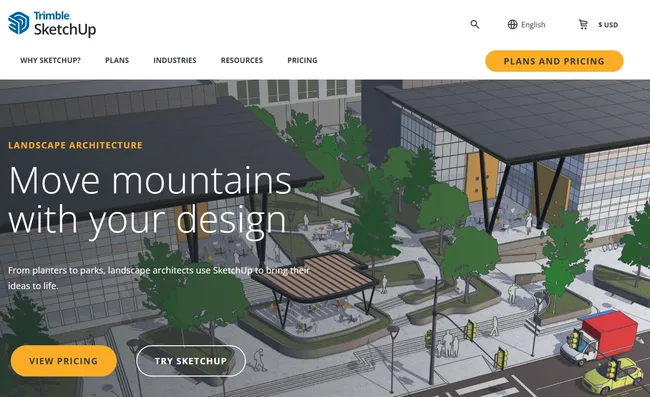
Best for: 3D modelers who want total freedom to model custom tiny house details.
Overview: SketchUp is a surface modeler, so you draw shapes and push or pull them into 3D forms.
That makes it a good fit for tiny houses with tricky geometry like wheel wells, storage stairs, and fold-down furniture.
It can produce professional drawings through LayOut, but most teams need training and add-ons to get the best results.
Key features:
- Push/Pull 3D modeling for fast shape creation.
- Extension Warehouse for plug-ins like rendering, framing, and cut lists.
- LayOut for scaled plans, elevations, and sections linked to the 3D model.
- 3D Warehouse library with millions of models, including manufacturer products.
- Live Components that resize intelligently instead of stretching.
Pros:
- Extremely flexible for custom tiny house details.
- Huge ecosystem of models, tutorials, and extensions.
- LayOut supports professional documentation sets.
- With the right plug-ins, it can support fabrication workflows.
Cons:
- Steep learning curve for clean, organized models.
- No native photorealistic rendering without add-ons or higher-tier bundles.
Pricing: $$
3. TinyEasy
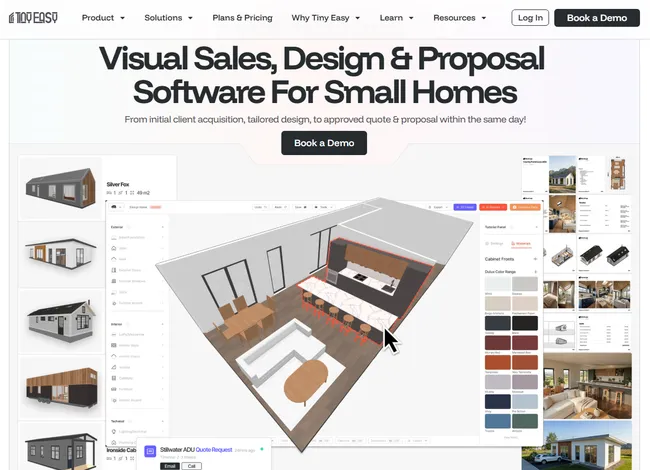
Best for: Tiny house builders who want trailer-ready designs and built-in sales tools.
Overview: TinyEasy is a niche platform built specifically for tiny house projects and DIY tiny house enthusiasts.
It focuses on speed and simplicity, so non-designers can produce clean plans and approval-ready visuals.
Its biggest differentiator is trailer integration and a sales configurator that helps builders generate leads.
Key features:
- Trailer templates sized to common tiny house trailers and road-legal dimensions.
- Smart shell builder that generates an envelope fast based on trailer size and roof style.
- Sales configurator you can embed on your website so buyers can customize tiny home options.
- Simplified plumbing and electrical diagram tools for tiny house layouts.
- Shareable 3D viewer and “marketing-ready” render output for listings.
Pros:
- Solves tiny house constraints like trailers and weight planning out of the box.
- Very fast for standard tiny house shells.
- Built-in sales tools help move buyers from browsing to buying.
- Easy learning curve for teams without CAD experience.
Cons:
- Expensive.
- Limited site and terrain features.
- 3D renderings aren’t the best.
Pricing: $$$
4. Chief Architect
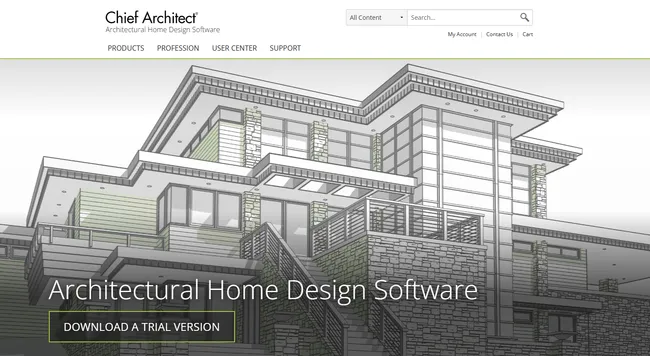
Best for: Architects and builders who need full, detailed construction documents more than fast 3D visuals.
Overview: Chief Architect is residential BIM software that uses smart objects, so a wall behaves like a wall.
It can auto-generate roofs, framing, foundations, and dimensions from your plan.
That makes it a strong choice when you need detailed drawings, materials lists, and accurate outputs for construction.
Key features:
- Automated building tools for tiny house roofs, framing, foundations, and dimensions.
- Full construction document output, including elevations and sections.
- Materials list and cut-list style reporting for estimating and weight control.
- Professional-grade rendering with ray tracing and physically based materials.
- Dedicated kitchen and bath tools, including NKBA-focused dimensioning.
Pros:
- Automation can save time, but only once your workflow is dialed in.
- Produces complete plan sets with strong annotation control.
- Materials lists support tighter estimating and fewer ordering mistakes.
- Excellent tools for kitchens and cabinetry planning.
Cons:
- High cost and a steep learning curve.
- Needs a strong computer and a dedicated GPU for best performance.
Pricing: $$$
5. Sweet Home 3D
Best for: DIY users and small teams that want a free desktop tool for basic tiny house layouts.
Overview: Sweet Home 3D is a simple floor plan program that lets you draw in 2D and view the result in 3D.
It works well for testing room sizes, furniture fit, and basic circulation in a tiny footprint.
It is not built for polished client presentations or detailed construction documents.
Key features:
- 2D floor plan drawing with dimensioning.
- 3D preview that updates as you edit.
- Furniture catalog with editable materials and textures.
- Import support for items like textures and 3D models.
- Image and video export with basic lighting controls.
Pros:
- Free to use, which makes it easy to try.
- Accurate enough for basic space planning.
- Works offline on a desktop, with no internet required.
Cons:
- Outdated visuals compared to modern rendering tools.
- Limited collaboration and professional documentation tools.
Pricing: $
6. HomeByMe
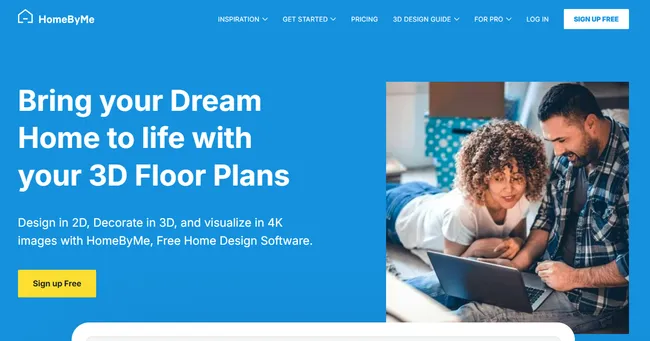
Best for: Designers and sales teams that need interior visuals.
Overview: HomeByMe is a web-based design platform focused on creating realistic interior scenes.
You can build a plan from scratch or import a floor plan, then stage the space with brand-name products.
It shines for client presentations, but it is not a full construction documentation tool.
Key features:
- 2D floor plan editor with 3D view switching.
- Photorealistic 3D renderings for interiors.
- Virtual tour style viewing for client walk-throughs.
- Product catalog with real brands and furniture items.
- Sharing tools for sending projects to clients.
Pros:
- Very strong visuals for selling design ideas.
- Easy for clients to understand and review.
- Brand catalogs help match a client’s style quickly.
- Good fit for interior-first tiny house concepts.
Cons:
- Limited for technical plan sets and build-ready documentation.
- Works best with a paid plan for professional use.
Pricing: $$
7. Planner 5D
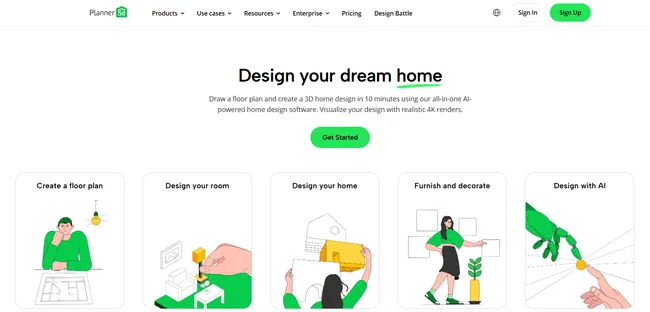
Best for: Quick concepts and early-stage interior layouts.
Overview: Planner 5D is an easy design app for drawing tiny house plans, furnishing spaces, and creating interior 3D views.
It includes templates and a large library, so you can build a tiny home layout fast.
However, it is better for quick visualizations rather than creating full interior/exterior tiny house designs.
Key features:
- 2D floor plan tool with drag-and-drop editing.
- 3D room visualization with snapshot images.
- Template library for faster setup.
- Furniture and décor library for staging.
- VR-style viewing options for immersive reviews.
Pros:
- Very easy to start, even with no design background.
- Fast for exploring multiple layout ideas.
- Helpful libraries for early presentation scenes.
Cons:
- Can feel limiting when you need deep customization.
- Not designed for exteriors and site planning.
Pricing: $
8. SmartDraw
Best for: Contractors and project teams that need clean 2D plans and diagrams
Overview: SmartDraw is primarily a diagramming and productivity tool, not a true home design platform.
It works best when you need simple 2D floor plan layouts, space diagrams, or 2D visuals that explain a concept.
Because it has no true 3D modeling or rendering, it is a weak fit for selling tiny house interiors to clients.
Key features:
- 2D floor plan templates you can customize for small layouts.
- Large symbol library for plans, diagrams, and callouts.
- Auto-formatting and auto-scaling that keeps drawings tidy.
- Integrations with common tools (Microsoft, Google Workspace, Jira, and more).
- Data-linked diagram features for repeatable documentation.
Pros:
- Fast for clean 2D layouts and visual diagrams.
- Strong templates for communication and planning workflows.
- Easy to share and standardize diagrams across a team.
Cons:
- No 3D views or photorealistic renderings.
- Limited for detailed residential construction documents.
Pricing: $
9. Floorplanner
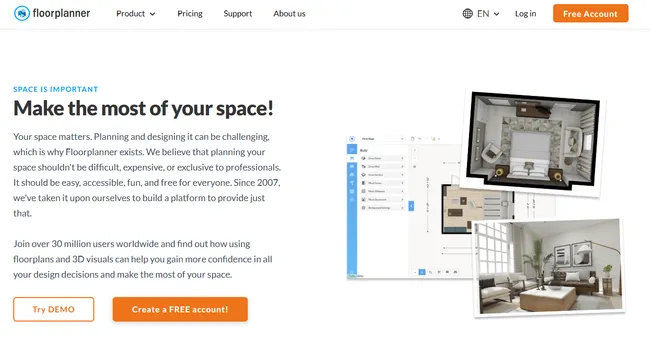
Best for: Designers and sales teams who want quick 2D plans and client-friendly interior 3D walk-through visuals.
Overview: Floorplanner is a web-based floor plan tool that lets you switch between 2D and 3D views as you design.
It is a good option for presenting interior tiny house designs to clients because it produces easy-to-understand visuals.
It is less ideal when you need deep construction documentation, customizable product dimensions, or exterior planning.
Key features:
- 2D floor plan editor with manual and drag-based dimensioning.
- One-click switching between 2D and 3D modes.
- Large object library for furniture and finishes.
- 3D images and walk-through style viewing for presentations.
- Sharing and export options for client reviews.
Pros:
- Easy for clients to understand small spaces in 3D.
- Quick to draft layouts and test furniture placement.
- Strong for early-stage design and presentation visuals.
- Works in a browser, so sharing is simple.
Cons:
- Not built for full construction plan sets.
- Object sizing and ultra-specific product modeling can be limiting.
- Interior focused workflow so not good if you want to see how the home will look on a site.
Pricing: $
Which Tiny House Design Software Is Right for You?
Tiny house projects move faster when clients can see the space and you can revise the plan on the spot.
If you want one workflow for accurate 2D plans, strong 3D renderings, and polished presentation pages, Cedreo is a smart fit for busy housing pros.
With Cedreo, you can:
- Create to-scale floor plans quickly.
- Generate photorealistic renderings in minutes.
- Build a client-ready presentation that keeps decisions moving.
Ready to streamline your tiny house designs? Try Cedreo today for free.
Tiny House Design Software FAQs
What is the best tiny house design software for professionals?
For professional designers, the best tiny house design software creates accurate plans fast and shows clients clear 3D visuals that support the sales process.
If you need an all-in-one workflow for 2D plans, 3D renderings, and presentation pages, Cedreo is a strong fit for builders and remodelers.
Can I design tiny house lofts with design software?
Yes, software options, like Cedreo, let you start designing lofts by adding a second level and adjusting ceiling heights, stairs, and roof slopes.
Look for multi-level support and clear headroom views, and then show the loft in 3D so clients understand the space faster.
What’s the difference between tiny house design software for DIY vs. professionals?
DIY tools are often free software or free versions that focus on drag-and-drop basics, so they are fine for basic sketches but limited for a real build.
Professional tools like Cedreo support more skill levels with better accuracy, faster edits, and client presentations that keep decisions under control.
How long does it take to design a tiny house with software?
A first tiny home design concept can take just few hours in an easy tool or several days in more in-depth software.
With Cedreo, you can move from concept to a polished tiny home model with strong visuals in about 2 hours, which cuts significant time.
What tiny home design software has key features to support both the design process and the sales process?
Cedreo is a great choice since it has design tools that are both powerful and user friendly, and let you produce strong 3D visuals you can use in your sales process in professional presentations.